On Monday, August 1, 2022 at 12:26:34 PM UTC+5, alina hansen wrote:
On Tuesday, November 3, 2020 at 1:35:32 AM UTC+5:30, Arlen Holder wrote:
UPDATE:
o Previous: Caused by address: ntoskrnl.exe+3f3ea0
o Current_: Caused by address: ntoskrnl.exe+3f45a0
IMAGES:
o <https://i.postimg.cc/fRngbsGX/bsod220.jpg> KMODE EXCEPTION NOT HANDLED o <https://i.postimg.cc/fLFHgx4D/bsod221.jpg> Who Crashed
o <https://i.postimg.cc/5ymjPSGR/bsod222.jpg> Blue Screen View
o <https://i.postimg.cc/C5Jrw9XH/bsod223.jpg> App Crash View
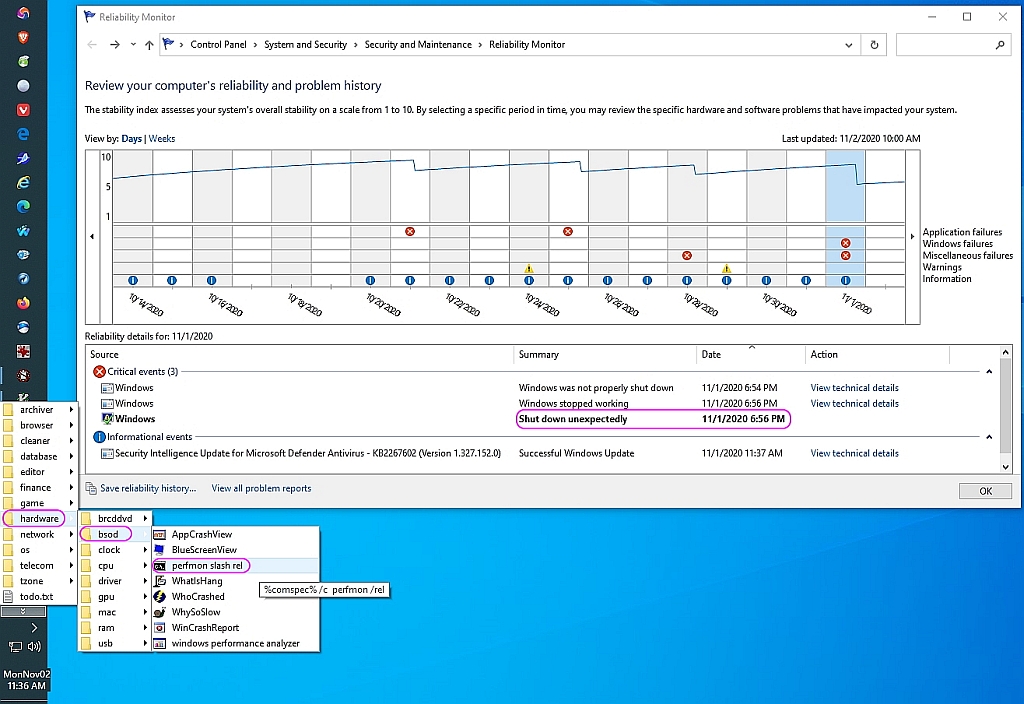
o <https://i.postimg.cc/j5937ftw/bsod224.jpg> perfmon /rel shortcut
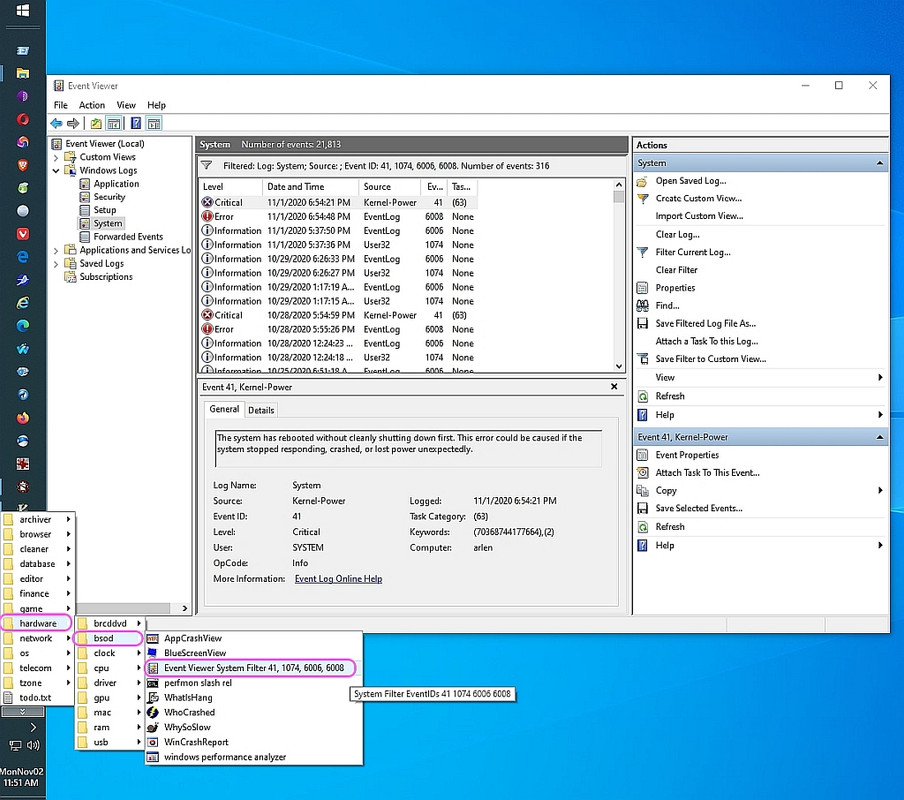
o <https://i.postimg.cc/d1mbYx62/bsod225.jpg> eventvwr filter shortcut
After stress testing two 4GB RAM sticks for about a week...
o Optimistically, last night I had added the other two 4GB RAM sticks...
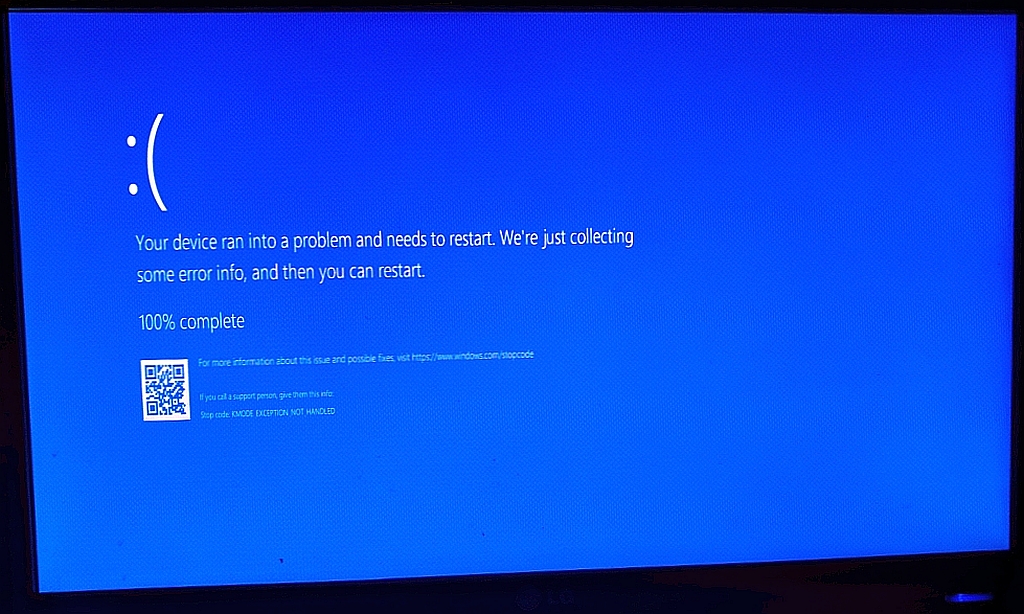
Within an hour of adding the last two RAMs, I got a STOP CODE
at 11/1/2020 / 18:47:50 Pacific, according to my EXIF information
o <https://i.postimg.cc/fRngbsGX/bsod220.jpg> KMODE EXCEPTION NOT HANDLED
Here's the approximate dates I added those 4GB memory sticks:
o 10/15/2020 4GB Memory 3 was put in motherboard RAM bank 2
o 10/22/2020 4GB Memory 1 was put in motherboard RAM bank 4
o 11/01/2020 4GB Memory 2 was put in motherboard RAM bank 1
o 11/01/2020 4GB Memory 4 was put in motherboard RAM bank 3
(It's currently running fully populated for stress testing.)
BSOD diagnosis was slowed down by WhoCrashed failing to work:
o Has your current copy of WhoCrashed home free version suddenly expired? <https://groups.google.com/forum/#!topic/alt.comp.microsoft.windows/DV15x2Wuv6k>
Due to (caveat emptor) a hidden secret hard-coded expiry date.
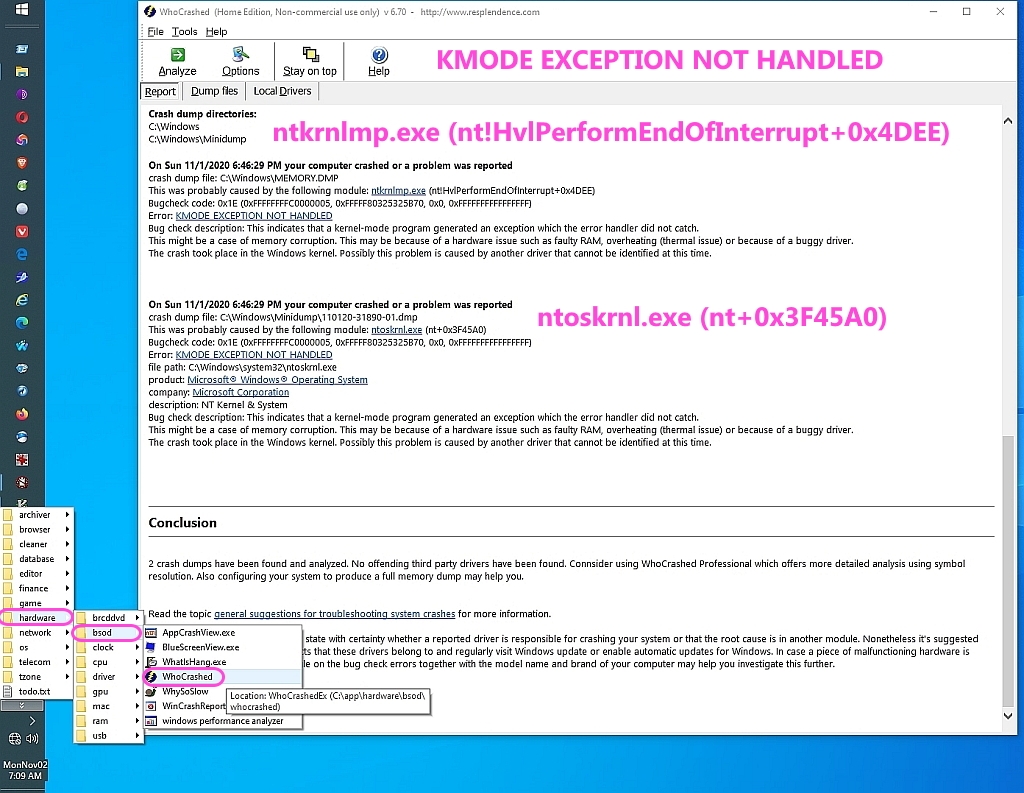
Nonetheless, an updated WhoCrashed eventually worked without failure:
o Taskbar > menu > hardware > bsod > WhoCrashed
o <https://i.postimg.cc/fLFHgx4D/bsod221.jpg>
"On Sun 11/1/2020 6:46:29 PM
crash dump file: C:\Windows\MEMORY.DMP
This was probably caused by the following module:
ntkrnlmp.exe (nt!HvlPerformEndOfInterrupt+0x4DEE)
Bugcheck code: 0x1E (0xFFFFFFFFC0000005, 0xFFFFF80325325B70, 0x0, 0xFFFFFFFFFFFFFFFF)
Error: KMODE_EXCEPTION_NOT_HANDLED
On Sun 11/1/2020 6:46:29 PM
crash dump file: C:\Windows\Minidump\110120-31890-01.dmp
This was probably caused by the following module:
ntoskrnl.exe (nt+0x3F45A0)
Bugcheck code: 0x1E (0xFFFFFFFFC0000005, 0xFFFFF80325325B70, 0x0, 0xFFFFFFFFFFFFFFFF)
Error: KMODE_EXCEPTION_NOT_HANDLED
file path: C:\Windows\system32\ntoskrnl.exe
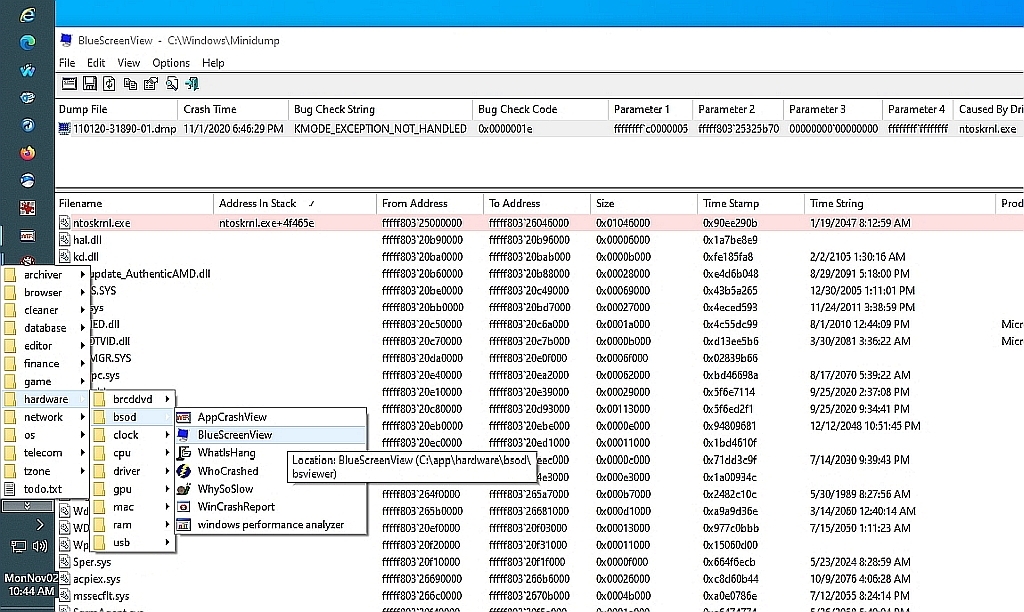
o Taskbar > menu > hardware > bsod > BlueScreenView
BlueScreenView:
Dump File: 110120-31890-01.dmp
Crash Time: 11/1/2020 7:46:29 PM
Bug Check String: KMODE_EXCEPTION_NOT_HANDLED
Bug Check Code: 0x0000001e
Parameter 1: ffffffff'c0000005
Parameter 2: fffff803'25325b70
Parameter 3: 00000000'00000000
Parameter 4: ffffffff'ffffffff
Caused By Driver: ntoskrnl.exe
Caused By Address: ntoskrnl.exe+3f45a0
Processor: x64
Crash Adddress: ntoskrnl.exe+3f45a0
Full Path: C:\Windows\Minidump\110120-31890-01.dmp
Processors Count: 4
Major Version: 15
Minor Version: 19041
Dump File Size: 470,276
Dump File Date: 11/1/2020 7:56:11 PM
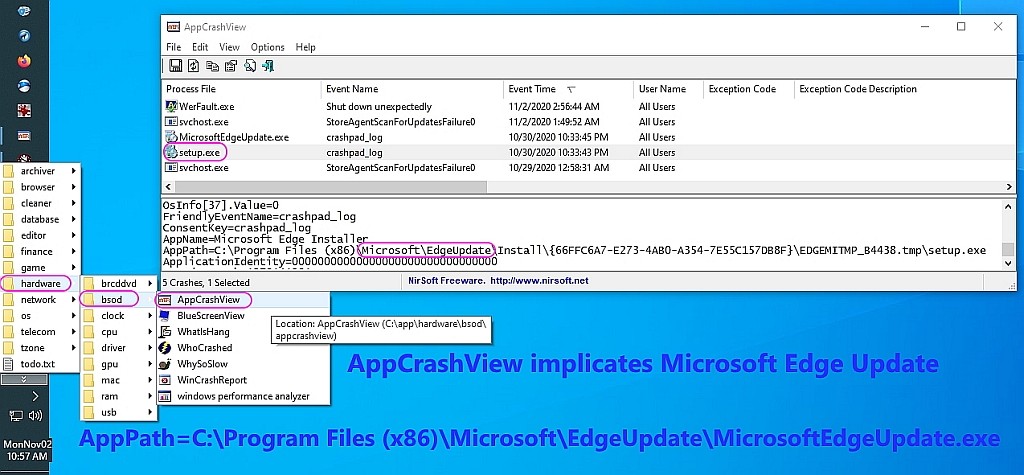
Interestingly, AppCrashView perhaps implicated MS Edge updates!
o Taskbar > menu > hardware > bsod > AppCrashView
o <https://i.postimg.cc/C5Jrw9XH/bsod223.jpg> App Crash View TargetAppId=W:<long set of numbers>!setup.exe TargetAppVer=2020//07//01:03:12:51!3f34d!MicrosoftEdgeUpdate.exe
The Event Viewer didn't tell me all that much that was useful:
o Taskbar > menu > hardware > bsod > Eventvwr Filter 41, 1074, 6006, 6008 o <https://i.postimg.cc/d1mbYx62/bsod225.jpg>
I ran the obligatory post-BSOD cleanup tasks:
o Win+R > cmd {control+shift+enter}
o stordiag.exe -collectEtw -checkfsconsistency -out %userprofile%\desktop "Checking for corruption on drive: C
Running chkdsk on drive: C
o sfc /scannow
"Windows Resource Protection did not find any integrity violations."
o findstr /c:"[SR]" %windir%\Logs\CBS\CBS.log >"%userprofile%\Desktop\sfcdetails.txt"
o sfc /scannow
o sfc /scannow
o Dism /Online /Cleanup-Image /CheckHealth
"No component store corruption detected."
o Dism /Online /Cleanup-Image /ScanHealth
"No component store corruption detected."
o Dism /Online /Cleanup-Image /RestoreHealth
"The restore operation completed successfully."
o sfc /scannow
"Windows Resource Protection did not find any integrity violations."
o chkdsk /f /r C: (or CHKDSK C: /F /R /X)
"This volume will be checked the next time the system restarts."
o shutdown.exe /r /f /t 5 /c "Reboot in 5 seconds"
o After logging back in, view the checkdisk logs:
Win+R > eventvwr
Event Viewer (Local) > Windows Logs > Application
Select "Filter Current Log"
In the Event sources dropdown, check
[x]Chkdsk
[x]Winit
[OK]
"Windows has scanned the file system and found no problems."
--
If we keep at it, we'll just get better & better at BSOD disgnostics.
Choose a driver updater tool, keep all drivers up to date and make your pc performance fast anytime.
Get a driver updater from this list - https://wethegeek.com/best-driver-update-software/
<a href="
https://desktopprintersetup.com/what-is-brother-printer-default-password/">Finding printer ip address mac</a>Brother Printers play an important role in our professional as well as personal lives by providing fast, secure, and high-quality
printing solutions with minimum errors. However, a few small problems such as the inability to find or reset its password can bring your productivity down. This is why we bring to you this guide that discusses steps to find, change, and reset the Brother
printer’s default password.Once you have reset the printer with the help of the aforementioned steps, connect your printer back to your network and access your printer with the Brother printer default password. Make sure you reconnect all the cables
that you disconnected at the time of starting this process.
--- SoupGate-Win32 v1.05
* Origin: fsxNet Usenet Gateway (21:1/5)