*How Google tracks Android device users before they've even opened an app*
<https://www.theregister.com/2025/03/04/google_android/>
"Leith said he wasn't able to ascertain the purpose of the identifier
but his paper notes a code comment, presumably made by a Google dev,
acknowledging that this identifier is considered personally identifiable
information (PII), likely bringing it into the scope of European privacy
law GDPR - still mostly intact in British law as UK GDPR."
Not the best of sources, and it doesn't even mention the most important factor, which is nobody who cares about privacy sets up a Google Account
on the phone (they can have a google account - just not in the settings).
"Doug Leith, professor and chair of computer systems at Trinity College
Dublin, who carried out the research..."
"The DSID cookie is "almost certainly" the primary method Google
uses to link analytics and advertising events, such as ad clicks,
to individual users, Leith writes in his paper"
��� <https://www.scss.tcd.ie/Doug.Leith/pubs/cookies_identifiers_and_other_data.pdf>
Leith specifically mentions these apps, one of which nobody ever needs:
1. Google Play Services
2. Google Play store
Note the existence of a 'DSID' cookie, which Google explains in its documentation is used to identify a "signed in user on non-Google websites
so that the user's preference for personalized advertising is respected accordingly. The 'DSID' cookie lasts for two weeks."
Note that this DSID cookie apparently only exist for those who sign into a Google Account (which is usually as part of the Android startup process).
Likewise, "Another tracker which cannot be removed once created is the
Google Android ID, a device identifier that's linked to a user's Google account and created after the first connection made to the device by Google Play Services. It continues to send data about the device back to Google
even after the user logs out of their Google account and the only way to remove it, and its data, is to factory-reset the device."
Notice none of this (likely) happens if you're smart enough to simply not list a Google Account in the Android account settings, which, is so trivial not to do, that it needs no explanation. The phone works better without it.
Note that the article concludes with "The findings come amid something of a recent uproar about another process called Android System SafetyCore...
which scans a user's sent and received images.. for explicit images and displays content warnings before the user views them.
<https://support.google.com/product-documentation/answer/16001929>
Hardly surprising given Google's history! It would be interesting to
know if Graphene, Lineage, Calyx, or any of the other android-based OSs suffer from these cookies too.
Unfortunately, most people have a Google account and automatically log
on when they get a new phone (if for no other reason than to transfer
all their old phone info to the new one via a Google backup).
If you want to be free from Google, probably the way to go is Sailfish,
Pure, or Pine.
"The DSID cookie is "almost certainly" the primary method Google
uses to link analytics and advertising events, such as ad clicks,
to individual users, Leith writes in his paper"
��� <https://www.scss.tcd.ie/Doug.Leith/pubs/cookies_identifiers_and_other_data.pdf>
There's a thread on the GrapheneOS forum about this: https://discuss.grapheneos.org/d/20495-googles-dsid-cookie
On 07 Mar 2025 11:50:14 +0000 (GMT), Theo wrote :
There's a thread on the GrapheneOS forum about this:
https://discuss.grapheneos.org/d/20495-googles-dsid-cookie
Thanks for that link in the graphene group on the DSID cookie.
The DSID cookie is apparently used by Google to identify a user who is
signed into Google (& whether they've agreed to ad personalization) when they're visiting non-Google sites (so Google can provide targeted ads).
Nobody seems to know what the letters mean, but it could be that it means
DSID === DataSet Identifier
Until/unless someone finds a better description, that's what I'll assume.
I'd like to see if I can install GrapheneOS but my bootloader version has never been unlocked according to the searches that I've been able to run.
Samsung Galaxy A32-6U Baseband A326USQSHDXL1 (the "H" is the key character as nothing after 5 is rootable as far as I can find on the net).
People on the Pixel are lucky because they can root it.
On Fri, 7 Mar 2025 10:14:22 +0000, Jeff Layman wrote :
Unfortunately, most people have a Google account and automatically log
on when they get a new phone (if for no other reason than to transfer
all their old phone info to the new one via a Google backup).
Hi Jeff,
You taught me a lot in the past, and below, I see you taught me more.
That's good as we can each learn from others so we know everything we can.
I've asked why people put a Google Account on the phone in the past, and mostly I get two answers, neither of which is what I'd do but I understand.
a. Most people just don't think - they don't both to hit the "skip" option
b. Some people want the "convenience" of being 24/7/365 connected to Google
I get it. But then those people should never complain that they "can't"
have privacy. It's ok for them to complain that they "don't" have privacy.
But "can't" is very different from "don't".
Me?
I can have privacy from Google in terms of what this thread is about.
I don't have a Google Account set up on my phone.
If there's anything other people can do with that Google Account set up on the phone that I can't do without that account being set up, let me know.
Note: Having a Google Account & having it set up on the phone are different things that a lot of people seem to thing are the same - but they're not.
You can still get all the apps off of the Google Play Store repo without a Google Account set up on the phone, just like you can get all your Google Mail you want without an account on the phone, just like YouTube, etc.
If you want to be free from Google, probably the way to go is Sailfish,
Pure, or Pine.
I think the *simplest* way to be "free from Google" is to hit the "skip" button when you set up a phone, or, hit the "delete" button in settings.
However, to address "Sailfish", "Pure" & "Pine", looking them up, is this a good characterization of what they are in terms of what you're suggesting?
Sailfish OS:
A Linux-based OS developed by Jolla that runs only some Android apps.
PureOS:
A Debian-based privacy OS developed by Purism that runs its own apps only.
PinePhone:
An open phone developed by Pine64 that runs Sailfish OS (& other OS's).
Thanks for bringing them up, but as with those who say "there is no
privacy" on Android who also have a Google Account set up on Android, naturally I disagree that we have to go "that far" to get some privacy.
On 07 Mar 2025 11:50:14 +0000 (GMT), Theo wrote :
There's a thread on the GrapheneOS forum about this:
https://discuss.grapheneos.org/d/20495-googles-dsid-cookie
Thanks for that link in the graphene group on the DSID cookie.
The DSID cookie is apparently used by Google to identify a user who is
signed into Google (& whether they've agreed to ad personalization) when they're visiting non-Google sites (so Google can provide targeted ads).
So the best I can do, to avoid the DSID cookie implications, is NOT set up
a Google Account in the Android settings. Luckily that's trivial.
Just hit the "skip" button when it asks you to set up Android with it.
I don't know why everyone doesn't do that - but it's what I do.
I wish I could root it though... sigh.
People on the Pixel are lucky because they can root it.
Just hit the "skip" button when it asks you to set up Android with it.
I don't know why everyone doesn't do that - but it's what I do.
Probably because when we have a new phone we want the backup with the contacts and apps from our previous phone.....
On Sun, 9 Mar 2025 10:26:23 +0100, David Wade wrote :
includingJust hit the "skip" button when it asks you to set up Android with it.
I don't know why everyone doesn't do that - but it's what I do.
Probably because when we have a new phone we want the backup with the
contacts and apps from our previous phone.....
Thanks for that explanation of why people set up a Google Account on their phone, one reason being that contacts are automatically backed up.
I can completely understand that concept, which is that contacts can be backed up, as certainly, a Google Account, by default, will do that feat.
But so can just about any program that claims to "back up contacts" right? <https://play.google.com/store/apps/details?id=com.simpler.backup> <https://play.google.com/store/apps/details? id=com.contacts.backup.sim.phone.number.transfer.restore> <https://play.google.com/store/apps/details?id=com.dktlabs.contacts>
Note: I don't use those apps (some of which have their own cloud account)
as I simply export/import (i.e., backup/restore) my contacts sqlite
database directly to/from the PC as I don't have a Google Account set up on my phone (although I have plenty of "Google Accounts" for the email).
To transfer my entire homescreen, from one phone to the other,
all the folders, shortcuts and widgets, I simply use an intelligent
launcher (where I use the last known good version of Nova but others work). <https://play.google.com/store/apps/details?id=com.teslacoilsw.launcher>
With these intelligent launchers, you simply save the entire homescreen to
a file on your PC and then you load that file on the new phone & voila!
All your app icons are on the new phone EXACTLY where they were on the old! Of course, by default, that installs the *latest* version of all those
apps (so what I do to keep my old versions, is slide them over from the
PC).
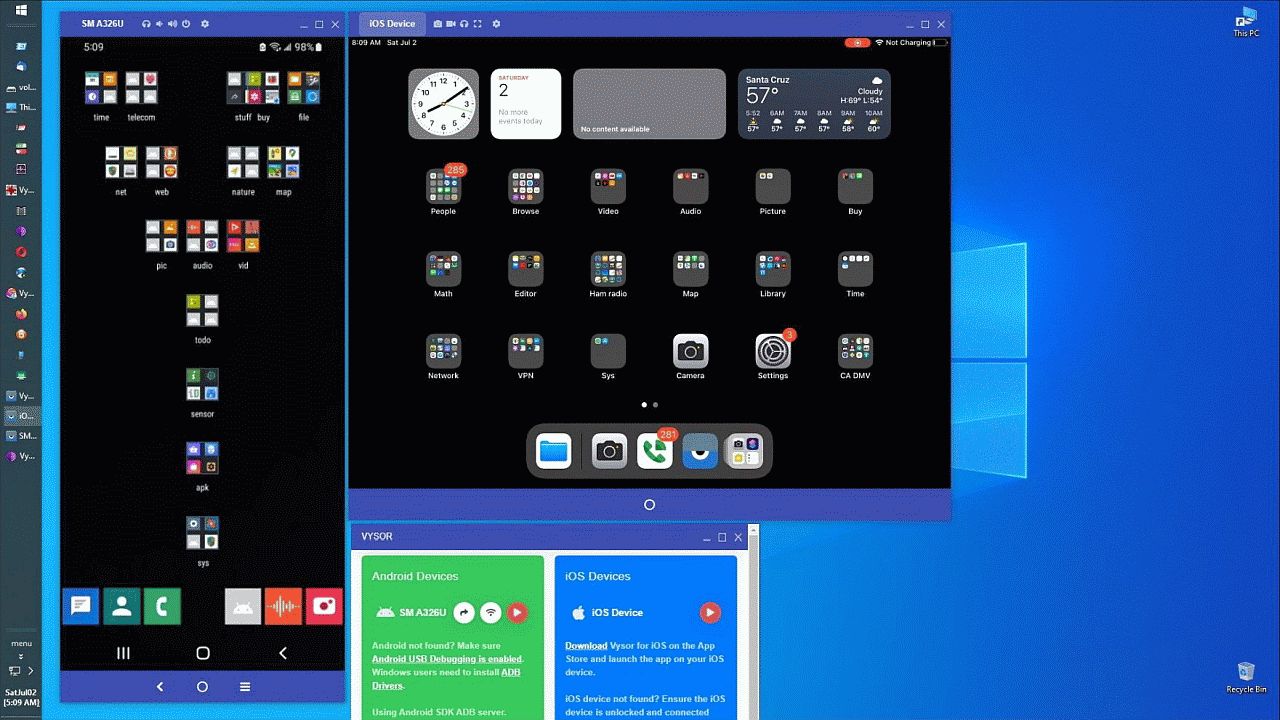
<https://i.postimg.cc/wvsbcNBz/scrcpy05.jpg> Drag APK from Windows
I manage my iPads & Android devices & data by sliding back and forth
between the device and the PC using the PC mouse and keyboard. <https://i.postimg.cc/TYvqdxCT/vysor35.jpg> iOS & Android PC mirroring
But I get it that people who don't have a PC use Google defaults instead.
Thanks for helping me understand why people set up a Google Account on the phone, where the loss in privacy from that one act, unfortunately, is huge.
a. Most people just don't think - they don't both to hit the "skip" option
When I got my Android phones I didn't know any better (although it's not
/my/ Google account being used with the phones - I don't have an
account). I think most users don't know any better. I soon realised that
I shouldn't use the phone for anything that required privacy. I've never
used it to buy anything or use a banking app, etc.
Note: Having a Google Account & having it set up on the phone are different >> things that a lot of people seem to thing are the same - but they're not.
Well, yes, but I wonder, for example, if using something like a gmail
account would be enough to identify that person as a Google account
holder even if that Google account isn't specifically used with the
phone, only the gmail account.
You can still get all the apps off of the Google Play Store repo without a >> Google Account set up on the phone, just like you can get all your Google
Mail you want without an account on the phone, just like YouTube, etc.
If you want to be free from Google, probably the way to go is Sailfish,
Pure, or Pine.
I think the *simplest* way to be "free from Google" is to hit the "skip"
button when you set up a phone, or, hit the "delete" button in settings.
Even when using GrapheneOS, LineageOS, etc can you be /certain/ you're
free of Google's tentacles? See my other reply to you in the thread concerning showcase.apk backdoor. Yes, I see that Graphene OS has
covered this (see <https://discuss.grapheneos.org/d/14984-is-grapheneos-an-answer-to-recent-wired-headline-about-showcaseapk/12>),and
have tended to debunk it as an issue as physical access is (probably) required to turn it on but there are still unanswered questions, such as
what /else/ might be there?
However, to address "Sailfish", "Pure" & "Pine", looking them up, is this a >> good characterization of what they are in terms of what you're suggesting?
Basically they are all Linux-based OSs (as, up to a point, is Android itself!). Whether or not any prospective user is going to accept a lower level of usability for a higher price is a something only they can answer.
Thanks for bringing them up, but as with those who say "there is no
privacy" on Android who also have a Google Account set up on Android,
naturally I disagree that we have to go "that far" to get some privacy.
Every bit of privacy helps, but the only way to be fairly sure is to use
a non-Android based OS.
Thanks for helping me understand why people set up a Google Account on the >> phone, where the loss in privacy from that one act, unfortunately, is huge.
Is it really that huge?
What on earth is google going to do with my personal info?
Lets take my contacts. Because everyone else does not
hide their contacts from google, pretty sure google can work out who my contacts are by cross tabulating info from every one else.
Take my location, well my car tracks that any way. Usually I am with one
of my contacts, I bet their phone allows tracking. So again google can
figure out where I am without access to my GPS...
.. I think the real reason people just sign into a google account is
because they don't see a need to maintain privacy. They have paid for functionality, and they want it all too work without having to research
other options, which are likely to be less secure than google...
On Sun, 9 Mar 2025 17:56:39 +0100, David Wade wrote :
Thanks for helping me understand why people set up a Google Account
on the
phone, where the loss in privacy from that one act, unfortunately, is
huge.
Is it really that huge?
You're making a keen observation, & I don't necessarily disagree with you.
However... in the *context* of this thread, it's huge in that the DSID
cookie is active as soon as the user logs into their Google Account.
My beef is people complaining that they "can't" have privacy when they
really mean they don't bother to do anything about having privacy.
What on earth is google going to do with my personal info?
Again, you bring up an astute point about what's the real threat here.
Unfortunately, the answer to that question could fill a book even if we
only look at lawsuits which Google lost, so I won't even try to answer.
But I get your point that you're not worried about Google getting your
data, and let's be clear, I have plenty of Google Accounts myself.
I even have Google Voice (but I use it only on the iPad for privacy
reasons), so I get your point that Google can have "some" of your data.
I weigh the threat against the benefit, which, for example, is why I won't ever use Google Voice on Android but I'm happy to use Google Voice on iOS.
Lets take my contacts. Because everyone else does not hide their
contacts from google, pretty sure google can work out who my contacts
are by cross tabulating info from every one else.
I'm always in amazement at how many apps want access to our contacts.
I get it that it's a phone, and phones contact people, and nobody remembers everyone by their phone number, so we all maintain a contacts database.
Where I take umbrage is everyone who has "my contact information" is uploading it to the whole world without asking my permission to do that.
Alas, those same people are uploading my Wi-Fi unique BSSID & GPS location (although I hide my broadcast & I add "_nomap" to the end of the SSID & I
set my phone to not seek out my hidden SSID for automatic connection, and I have the MAC on every connection randomized etc., so I do my part for
privacy - but the vast majority of people wouldn't even understand a single clause in that sentence above - because they know nothing about privacy.
All I can do is try to keep as little of that information available to them since the vast majority of people do EXACTLY what marketing tells them to.
My main beef is people claim they "can't" have privacy from Google. And
yet, they can.
They just have to stop doing EXACTLY what marketing people tell them to do. They need to think.
Take my location, well my car tracks that any way. Usually I am with
one of my contacts, I bet their phone allows tracking. So again google
can figure out where I am without access to my GPS...
I again agree with you that even if YOU don't allow Google to track you,
all the people around you are so incredibly stupid, that THEY are letting Google track you (see my example above of the Wi-Fi access point data).
I don't disagree that the vast majority of people are so unfathomably
stupid, that they are really the direct threat to your privacy - not Google directly.
As an example, if you don't hide your SSID broadcast, then those stupid people are sending Google your unique BSSID & GPS location every time they drive by your house. You can't fix stupid people. All you can do is ensure that the information they get is of no use to Google & that takes work.
1. Set your SSID to a unique name (for butterfly hash obfuscation)
2. Set your SSID to end with "_nomap" in case it gets uploaded 3. Set
your SSID to be "hidden" (as in not automatically broadcast)
4. Randomize the MAC for every access point (which is now the default)
5. Randomize your MAC upon every connection (which is NOT the default)
6. Set your phone to NOT automatically reconnect (again, not the default) etc.
Since stupid people outnumber you a million to one, the onus is on you to prevent your unique information from being uploaded to the google servers.
.. I think the real reason people just sign into a google account is
because they don't see a need to maintain privacy. They have paid for
functionality, and they want it all too work without having to
research other options, which are likely to be less secure than google...
Here's where I agree and disagree with you. a. I agree that signing into Google is the *easy* way to get functionality
b. But I disagree that it's the more secure way of doing things
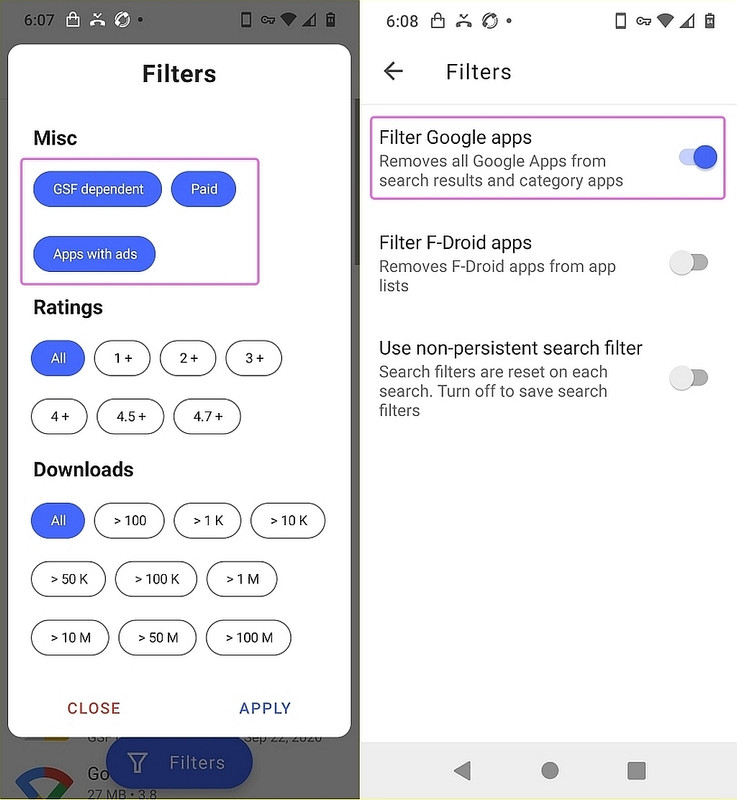
For every Google app, there's a FOSS privacy-aware replacement, which is *more secure*, so I must take umbrage at your claim that it's less secure.
But I do agree with you that the easy way out is to just log into a Google Account; however, I wonder if people realize their phone actually works better without it?
For every Google app, there's a FOSS privacy-aware replacement, which is
*more secure*, so I must take umbrage at your claim that it's less secure.
Because such apps receive less scrutiny from the "ethical hacker"
community, and have much less use, I would argue that they are more
liable to contain security vulnerabilities than googles code and so be
more vulnerable. One has to balance this with reward, so as they are
lightly used when compared to google they are less likely to be
targetting by hackers...
But I do agree with you that the easy way out is to just log into a Google >> Account; however, I wonder if people realize their phone actually works
better without it?
Really? How so?
How can for example having to copy my contacts every
time I save one be "better". I should have that I do own more than one
PC so keeping the whole lot in sync? Export and re-import into my house
voip phone?
Then the calendar/diary. When I book an appointment in the dentist its
in my google calendar on all my PCs.
On Mon, 10 Mar 2025 10:02:36 +0100, David Wade wrote :
For every Google app, there's a FOSS privacy-aware replacement, which is >>> *more secure*, so I must take umbrage at your claim that it's less
secure.
Because such apps receive less scrutiny from the "ethical hacker"
community, and have much less use, I would argue that they are more
liable to contain security vulnerabilities than googles code and so be
more vulnerable. One has to balance this with reward, so as they are
lightly used when compared to google they are less likely to be
targetting by hackers...
Well, I get your point that you feel Google must have the best coders in
the world, but we're weighing privacy here, where Google's coders aren't likely all that worried about our privacy - whereas the coders for, oh,
say, FairEmail, Aurora & NewPipe & Bromite (just to name a few) are.
Again, I'm not annoyed by anyone who says "I don't have privacy from Google because I don't know what I'm doing so I do whatever Google tells me to
do"; but it bothers me when someone says they "can't" have privacy from Google - because you can.
Just ditching the Google apps that those five open source replacements replace alone, plus ditching the Google Account set up on the phone alone provides tremendous privacy from Google - and you *gain* functionality.
But I do agree with you that the easy way out is to just log into a
Account; however, I wonder if people realize their phone actually works
better without it?
Really? How so?
Um... everyone knows that... FairEmail is more functionality than the
GMail app is.
Aurora is more functional than the Google Play Store app is.
NewPipe is more functional than the Google YouTube app is.
Bromite functional than the Chrome browser app is.
If they don't know that, then they know nothing about privacy.
And therefore, they're not qualified to say you "can't" have privacy.
All they are qualified to say is that they do exactly what Google tells
them to do, and as a result, they "don't" have any privacy from Google.
How can for example having to copy my contacts every time I save one
be "better". I should have that I do own more than one PC so keeping
the whole lot in sync? Export and re-import into my house voip phone?
I manage my contacts database outside the default sqlite location and I
have no problem managing them. But then I know how Android works so I have
an advantage over most people who do not know how Android manages contacts.
Then the calendar/diary. When I book an appointment in the dentist its
in my google calendar on all my PCs.
I have no problem managing my calendar either. What makes you think only Google knows how to create a calendar app?
I think you're confused since you seem to think that the "cloud" is an app.
But I do get your point which is if you do EXACTLY what Google tells you to do, Google has everything all figured out for you. And that's easy for you.
Because you don't have to think.
And not thinking has an immense value for you, which I get is useful.
Me? I prefer to think about what's the best way to manage contacts & calendars.
But I've been in computers since the sixties and you might be a young kid. Young kids don't have any concept of thinking about how to do things.
They just do whatever the marketing people tell them to do.
Without even thinking about what the implications are
Not at all, what I said was that googles code gets more external
scrutiny. It has a bug finders program that pays out to those who find
bugs and security vulnerabilities, which is why we found the "DSID"
cookie. The others don't have this...
Again, I'm not annoyed by anyone who says "I don't have privacy from Google >> because I don't know what I'm doing so I do whatever Google tells me to
do"; but it bothers me when someone says they "can't" have privacy from
Google - because you can.
You can, but it takes a lot of work to duplicate all the things google
does, and for most people they may miss something important, like a find
my phone app,
Just ditching the Google apps that those five open source replacements
replace alone, plus ditching the Google Account set up on the phone alone
provides tremendous privacy from Google - and you *gain* functionality.
what funcionality do you gain?
I have no problem managing my calendar either. What makes you think only
Google knows how to create a calendar app?
I think you're confused since you seem to think that the "cloud" is an app. >>
I don't. In fact I use Thunderbird on my PC, BUT I need calendars I can
share with other people who use google calendars.
Me? I prefer to think about what's the best way to manage contacts &
calendars.
Perhaps you are not blessed with a wife with an iPad addiction.
But I've been in computers since the sixties and you might be a young kid. >> Young kids don't have any concept of thinking about how to do things.
I started on Fortran II as my first high level language...
They just do whatever the marketing people tell them to do.
Without even thinking about what the implications are
No , I think they don´t see the extra privacy invasion as a privacy invasion. A few people opting out isn't going to reduce googles
knowledge base about me by much.
Then the calendar/diary. When I book an appointment in the dentist its
in my google calendar on all my PCs.
On Sun, 9 Mar 2025 10:26:23 +0100, David Wade wrote :
Just hit the "skip" button when it asks you to set up Android with it.
I don't know why everyone doesn't do that - but it's what I do.
Probably because when we have a new phone we want the backup with the
contacts and apps from our previous phone.....
Thanks for that explanation of why people set up a Google Account on their phone, one reason being that contacts are automatically backed up.
I can completely understand that concept, which is that contacts can be backed up, as certainly, a Google Account, by default, will do that feat.
But so can just about any program that claims to "back up contacts" right? <https://play.google.com/store/apps/details?id=com.simpler.backup> <https://play.google.com/store/apps/details? id=com.contacts.backup.sim.phone.number.transfer.restore> <https://play.google.com/store/apps/details?id=com.dktlabs.contacts>
Unfortunately, most people have a Google account and automatically log
on when they get a new phone (if for no other reason than to transfer
all their old phone info to the new one via a Google backup).
Why would we use "any program" when the phone does it on its own with
the default software and the google account, as designed?
It is plain simple. It happens automatically even for people that don't understand a word about computing and can not follow instructions.
On 2025-03-10 10:02, David Wade wrote:
Then the calendar/diary. When I book an appointment in the dentist its
in my google calendar on all my PCs.
And in Thunderbird.
On Fri, 7 Mar 2025 10:14:22 +0000, Jeff Layman <[email protected]d>
wrote:
Unfortunately, most people have a Google account and automatically log
on when they get a new phone (if for no other reason than to transfer
all their old phone info to the new one via a Google backup).
One of the extremely annoying things I have found is linking of one's
Gmail contacts to one's phone contacts. I don't like my phone contacts
list being filled with people I am never likey to phone because I
don't have phone numbers for them, only email addresses. So I delete
them from my phone, and then when I want to email them from my
computer I find their addreswses gone -- one reason why I hardly ever
use Gmail any more, other than to give an address to people who want
to spam me.
On 10/03/2025 22:25, Carlos E.R. wrote:
On 2025-03-10 10:02, David Wade wrote:
Then the calendar/diary. When I book an appointment in the dentist
its in my google calendar on all my PCs.
And in Thunderbird.
?? Really? Doesn't happen on my Thunderbird. What have I missed?
David
On Mon, 10 Mar 2025 23:22:06 +0100, Carlos E.R. wrote :
Why would we use "any program" when the phone does it on its own with
the default software and the google account, as designed?
It is plain simple. It happens automatically even for people that
don't understand a word about computing and can not follow instructions.
Thanks for explaining that the main reason, if not the only reason, people set up a Google Account on the phone is that it's simply the easy way out.
And there's nothing wrong with taking the easy way out of any situation. Unless the detrimental drawbacks of being lazy greatly affects others.
And, in this case, not hitting the skip button is lazy & rude (IMHO).
Within the context of this thread (which is mainly about DSID cookies),
my main objections proposed to people who take the easy way out are:
1. They should not ever complain that they "can't" have privacy;
2. And, they're being supremely rude to every human around them.
Again, it's fine for people to be lazy & rude, but it's also fine for me to point out that anyone so lazy as to accept the defaults, is a rude person.
a. They're uploading my contacts to servers without my permission;
b. They're uploading my private information (such as my home location) too; c. They're often uploading pictures that may have my photo in them, etc.
Unfortunately, probably one out of a million people are NOT lazy & rude.
And that's just about the way to summarize this problem set, since the
single most obvious way to prevent DSID tracking is to hit the skip button.
On 10/03/2025 22:25, Carlos E.R. wrote:
On 2025-03-10 10:02, David Wade wrote:
Then the calendar/diary. When I book an appointment in the dentist
its in my google calendar on all my PCs.
And in Thunderbird.
?? Really? Doesn't happen on my Thunderbird. What have I missed?
On 2025-03-11 10:22, David Rance wrote:
On 10/03/2025 22:25, Carlos E.R. wrote:
On 2025-03-10 10:02, David Wade wrote:
Then the calendar/diary. When I book an appointment in the dentist
its in my google calendar on all my PCs.
And in Thunderbird.
?? Really? Doesn't happen on my Thunderbird. What have I missed?
An addon.
Provider for Google Calendar
Allows bidirectional access to Google Calendar
This extension allows Thunderbird to read and write events and tasks to
a Google Calendar.
On 11/03/2025 12:33, Carlos E.R. wrote:
On 2025-03-11 10:22, David Rance wrote:
On 10/03/2025 22:25, Carlos E.R. wrote:
On 2025-03-10 10:02, David Wade wrote:
Then the calendar/diary. When I book an appointment in the dentist
its in my google calendar on all my PCs.
And in Thunderbird.
?? Really? Doesn't happen on my Thunderbird. What have I missed?
An addon.
Provider for Google Calendar
Allows bidirectional access to Google Calendar
This extension allows Thunderbird to read and write events and tasks
to a Google Calendar.
Thanks, Carlos. I've downloaded the add-on and installed it but it still doesn't work. I read somewhere on the download page that it doesn't work
with the latest update to Thunderbird. :-(
And that's just about the way to summarize this problem set, since the
single most obvious way to prevent DSID tracking is to hit the skip button.
Thanks for insulting 99% of the population calling them rude.
On 2025-03-11 14:41, David Rance wrote:
On 11/03/2025 12:33, Carlos E.R. wrote:
On 2025-03-11 10:22, David Rance wrote:
On 10/03/2025 22:25, Carlos E.R. wrote:
On 2025-03-10 10:02, David Wade wrote:
Then the calendar/diary. When I book an appointment in the dentist >>>>>> its in my google calendar on all my PCs.
And in Thunderbird.
?? Really? Doesn't happen on my Thunderbird. What have I missed?
An addon.
Provider for Google Calendar
Allows bidirectional access to Google Calendar
This extension allows Thunderbird to read and write events and tasks
to a Google Calendar.
Thanks, Carlos. I've downloaded the add-on and installed it but it
still doesn't work. I read somewhere on the download page that it
doesn't work with the latest update to Thunderbird. :-(
Dunno. It is working here, using 128.7.0esr
The first time it connects it may ask for permission on the phone.
On 2025-03-11 14:41, David Rance wrote:
On 11/03/2025 12:33, Carlos E.R. wrote:
On 2025-03-11 10:22, David Rance wrote:
On 10/03/2025 22:25, Carlos E.R. wrote:
On 2025-03-10 10:02, David Wade wrote:
Then the calendar/diary. When I book an appointment in the dentist >>>>>> its in my google calendar on all my PCs.
And in Thunderbird.
?? Really? Doesn't happen on my Thunderbird. What have I missed?
An addon.
Provider for Google Calendar
Allows bidirectional access to Google Calendar
This extension allows Thunderbird to read and write events and tasks
to a Google Calendar.
Thanks, Carlos. I've downloaded the add-on and installed it but it
still doesn't work. I read somewhere on the download page that it
doesn't work with the latest update to Thunderbird. :-(
Dunno. It is working here, using 128.7.0esr
On Tue, 11 Mar 2025 13:35:50 +0100, Carlos E.R. wrote :
And that's just about the way to summarize this problem set, since the
single most obvious way to prevent DSID tracking is to hit the skip
button.
Thanks for insulting 99% of the population calling them rude.
What do YOU call people who do those three things without your permission?
Caring? Thoughtful? Considerate? Attentive?
Choose none of the above.
Nonetheless, keeping this in context of this privacy-related thread, it's clear the single most effective way to ameliorate the privacy loss inherent in the Google DSID cookie is simply to hit that "skip" button.
What do YOU call people who do those three things without your permission? >> ��� Caring? Thoughtful? Considerate? Attentive?
��� Choose none of the above.
Normal people. We don't need your permission. We are the huge majority,
you are outvoted.
And I live in the EU, so what Google can do here is limited.
The EU has
a narrow view on data protection, and they don't see an issue with
Android phones address/phone book.
The DSID cookie's primary function is to track signed-in Google users for
ad personalization. Without a Google account actively logged in on the device, there's no user identity for the cookie to associate with.
Thanks for that explanation of why people set up a Google Account on their phone, one reason being that contacts are automatically backed up.
I can completely understand that concept, which is that contacts can be backed up, as certainly, a Google Account, by default, will do that feat.
But so can just about any program that claims to "back up contacts" right? <https://play.google.com/store/apps/details?id=com.simpler.backup> <https://play.google.com/store/apps/details?id=com.contacts.backup.sim.phone.number.transfer.restore>
<https://play.google.com/store/apps/details?id=com.dktlabs.contacts>
Note: I don't use those apps (some of which have their own cloud account)
as I simply export/import (i.e., backup/restore) my contacts sqlite
database directly to/from the PC as I don't have a Google Account set up on my phone (although I have plenty of "Google Accounts" for the email).
To transfer my entire homescreen, from one phone to the other, including
all the folders, shortcuts and widgets, I simply use an intelligent
launcher (where I use the last known good version of Nova but others work). <https://play.google.com/store/apps/details?id=com.teslacoilsw.launcher>
But how do you install from google play store without signing in to a Google account on the phone ?
In uk.telecom.mobile Nick Finnigan <[email protected]> wrote:
But how do you install from google play store without signing in to a
Google account on the phone ?
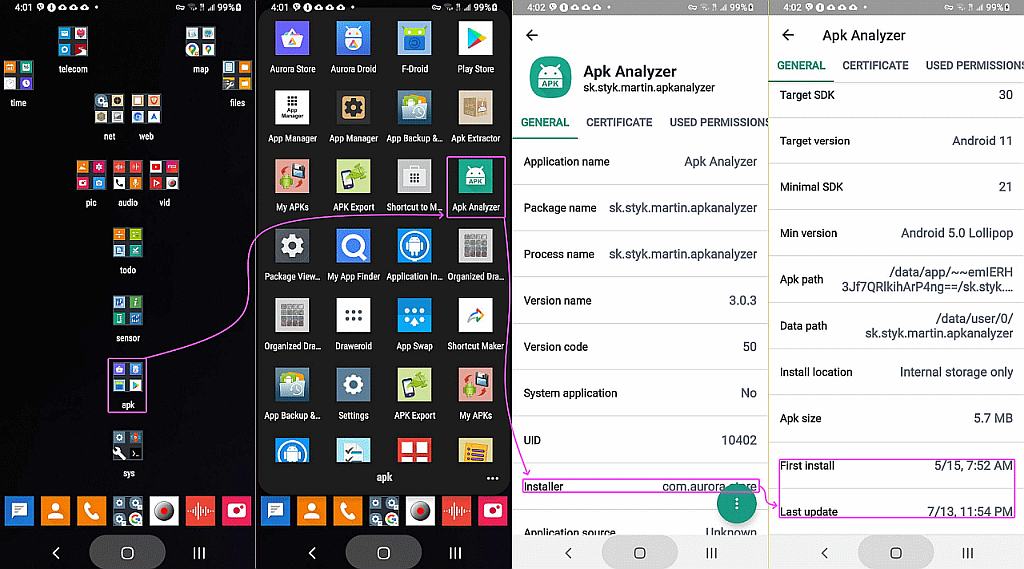
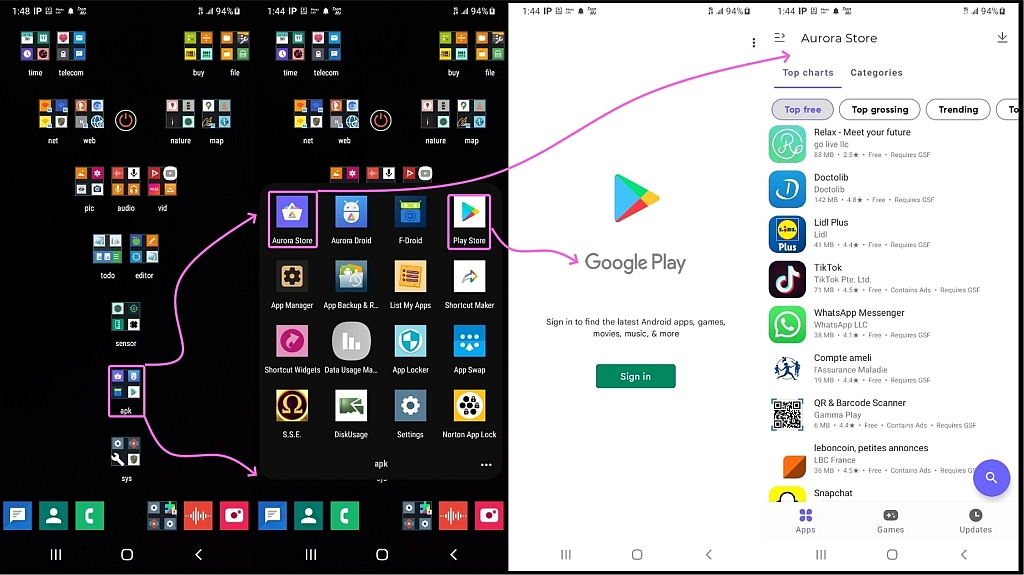
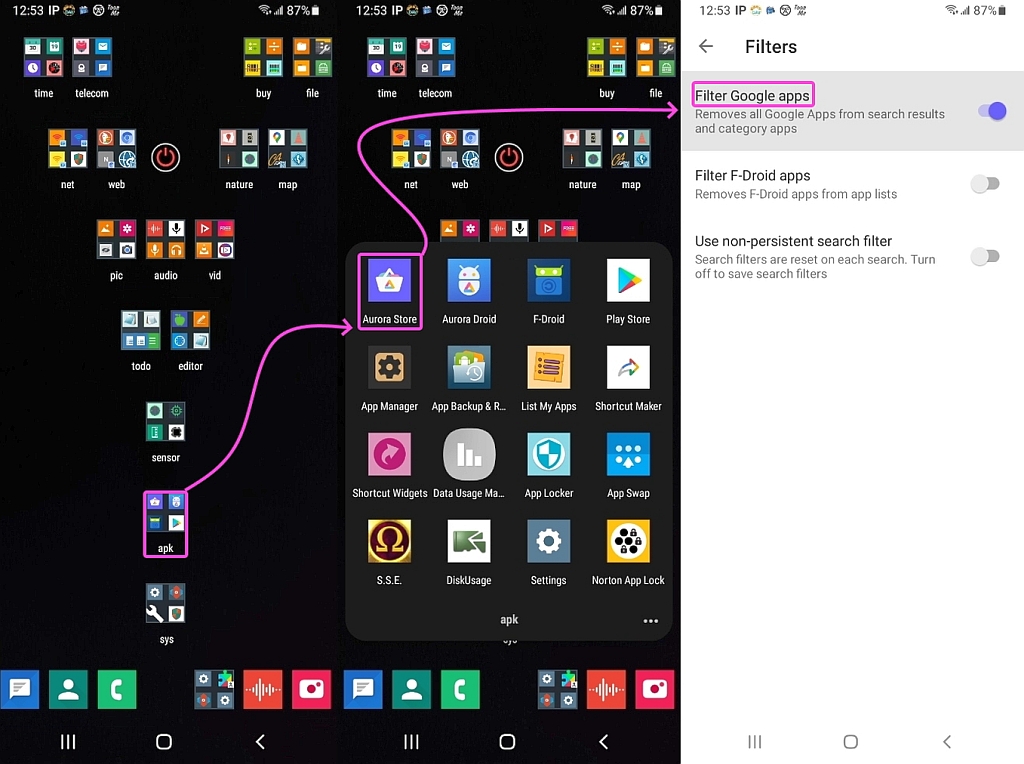
Aurora Store uses the Play Store app catalogue with an 'anonymous' pool Google account.
It doesn't count as 'installed from Play' for Play Integrity checks, but is otherwise functionally equivalent.
But how do you install from google play store without signing in to a >>> Google account on the phone ?
Aurora Store uses the Play Store app catalogue with an 'anonymous' pool
Google account.
It doesn't count as 'installed from Play' for Play Integrity checks, but is >> otherwise functionally equivalent.
Possibly, but that is not just hit the "skip" button.
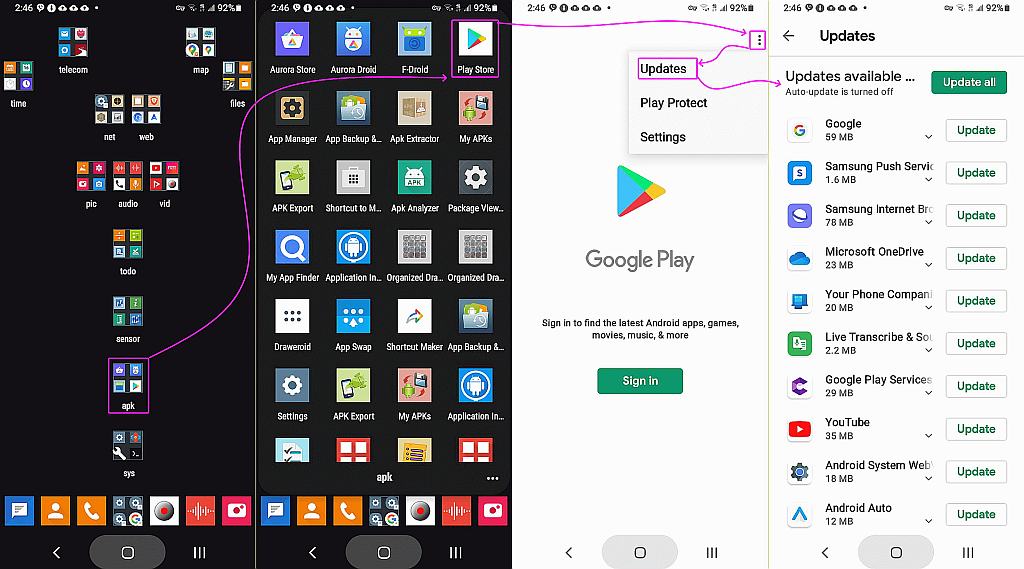
(Play store does seem to allow updates without an account).
On 16/03/2025 10:47, Theo wrote:
In uk.telecom.mobile Nick Finnigan <[email protected]> wrote:
But how do you install from google play store without signing in to a >>> Google account on the phone ?
Aurora Store uses the Play Store app catalogue with an 'anonymous' pool
Google account.
It doesn't count as 'installed from Play' for Play Integrity checks,
but is
otherwise functionally equivalent.
Possibly, but that is not just hit the "skip" button.
(Play store does seem to allow updates without an account).
On 16/03/2025 11:34, Nick Finnigan wrote:
On 16/03/2025 10:47, Theo wrote:
In uk.telecom.mobile Nick Finnigan <[email protected]> wrote:
But how do you install from google play store without signing in to a
Google account on the phone ?
Aurora Store uses the Play Store app catalogue with an 'anonymous' pool
Google account.
So how does that work for geofenced apps? I have two play store accounts
on my Samsung as some apps are Spanish only....
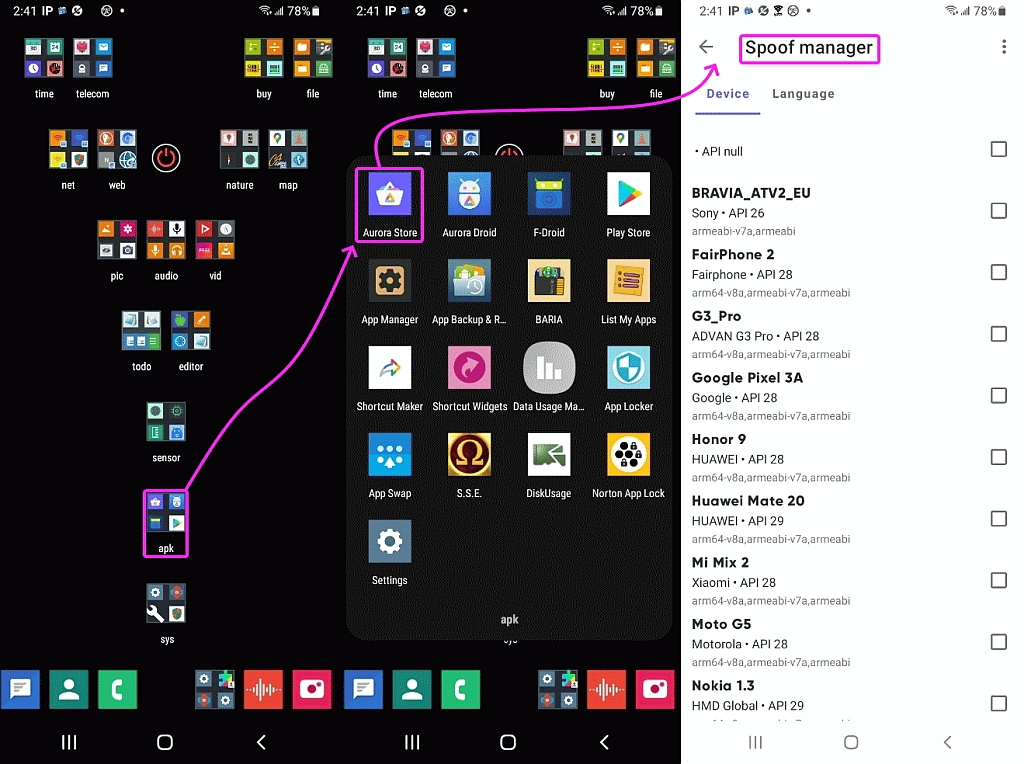
You can also spoof device model and language, to avoid other blocks.
In comp.mobile.android David Wade <[email protected]d> wrote:
On 16/03/2025 11:34, Nick Finnigan wrote:
On 16/03/2025 10:47, Theo wrote:
In uk.telecom.mobile Nick Finnigan <[email protected]> wrote:
But how do you install from google play store without signing in to a
Google account on the phone ?
Aurora Store uses the Play Store app catalogue with an 'anonymous' pool >>>> Google account.
So how does that work for geofenced apps? I have two play store accounts
on my Samsung as some apps are Spanish only....
https://auroraoss.gitbook.io/wiki/troubleshooting-and-faqs/faqs/aurora-store last question.
Google use the connecting IP to determine location. Normally Aurora connects for you so you get the country of their server, but you can set it to
connect direct, in which case Google use your country. To change that, use a VPN.
You can also spoof device model and language, to avoid other blocks.
Theo
On 16/03/2025 21:35, Theo wrote:
In comp.mobile.android David Wade <[email protected]d> wrote:
On 16/03/2025 11:34, Nick Finnigan wrote:
On 16/03/2025 10:47, Theo wrote:
In uk.telecom.mobile Nick Finnigan <[email protected]> wrote:
But how do you install from google play store without signing in to a
Google account on the phone ?
Aurora Store uses the Play Store app catalogue with an 'anonymous' pool >>>> Google account.
So how does that work for geofenced apps? I have two play store accounts >> on my Samsung as some apps are Spanish only....
https://auroraoss.gitbook.io/wiki/troubleshooting-and-faqs/faqs/aurora-store
last question.
Google use the connecting IP to determine location. Normally Aurora connects
for you so you get the country of their server, but you can set it to connect direct, in which case Google use your country. To change that, use a
VPN.
It does not, it uses the country of the account used to log in...
https://support.google.com/googleplay/answer/7431675?hl=en-GB
so if I log with my Spanish account I see Spanish apps even when in the
UK. If I log in with my UK account I can see UK only apps when in Spain.
I tried a VPN and it changes nothing. Many of my "Facebook Friends" who
own second homes in Spain have the same issues...
In uk.telecom.mobile David Wade <[email protected]d> wrote:
On 16/03/2025 21:35, Theo wrote:
In comp.mobile.android David Wade <[email protected]d> wrote:
On 16/03/2025 11:34, Nick Finnigan wrote:
On 16/03/2025 10:47, Theo wrote:
In uk.telecom.mobile Nick Finnigan <[email protected]> wrote:
But how do you install from google play store without signing in to a
Google account on the phone ?
Aurora Store uses the Play Store app catalogue with an 'anonymous' pool >>>>>> Google account.
So how does that work for geofenced apps? I have two play store accounts >>>> on my Samsung as some apps are Spanish only....
https://auroraoss.gitbook.io/wiki/troubleshooting-and-faqs/faqs/aurora-store
last question.
Google use the connecting IP to determine location. Normally Aurora connects
for you so you get the country of their server, but you can set it to
connect direct, in which case Google use your country. To change that, use a
VPN.
It does not, it uses the country of the account used to log in...
https://support.google.com/googleplay/answer/7431675?hl=en-GB
*Google Play Store* does. But according to the Aurora docs the backend server appears to do something different.
(As an illustration without evidence that it works this way) it could be
that you have a Spanish Play account, so the Play client says 'hey Google server, show me all the Spanish apps'. But the Aurora client says 'hey server, show me all the apps without a filter'. If the filtering is in the client, using a non-Google client can potentially bypass it.
so if I log with my Spanish account I see Spanish apps even when in the
UK. If I log in with my UK account I can see UK only apps when in Spain.
I tried a VPN and it changes nothing. Many of my "Facebook Friends" who
own second homes in Spain have the same issues...
I don't have a VPN, but tell me the ID (com.example.whatever) of a Spanish app that you can't see on the UK store and I can see if it can download it.
Theo
On 17/03/2025 10:43, Theo wrote:
In uk.telecom.mobile David Wade <[email protected]d> wrote:
so if I log with my Spanish account I see Spanish apps even when in the
UK. If I log in with my UK account I can see UK only apps when in Spain. >>
I tried a VPN and it changes nothing. Many of my "Facebook Friends" who
own second homes in Spain have the same issues...
I don't have a VPN, but tell me the ID (com.example.whatever) of a Spanish app that you can't see on the UK store and I can see if it can download it.Theo,
This is one..
https://play.google.com/store/apps/details?id=com.tempos21.eroskiclub.pro
I can see it in my UK account but it says not compatible with my Device.
If I sign in with my Spanish Account it says its already installde...
I don't have a Spanish VPN to see if this changes if I geolocate to Spain.
On 16/03/2025 21:35, Theo wrote:
In comp.mobile.android David Wade <[email protected]d> wrote:
On 16/03/2025 11:34, Nick Finnigan wrote:
On 16/03/2025 10:47, Theo wrote:
In uk.telecom.mobile Nick Finnigan <[email protected]> wrote:
�� But how do you install from google play store without signing in to a
Google account on the phone ?
Aurora Store uses the Play Store app catalogue with an 'anonymous' pool >>>> Google account.
So how does that work for geofenced apps? I have two play store accounts >> on my Samsung as some apps are Spanish only....
https://auroraoss.gitbook.io/wiki/troubleshooting-and-faqs/faqs/aurora-store
last question.
Google use the connecting IP to determine location. Normally Aurora connects
for you so you get the country of their server, but you can set it to connect direct, in which case Google use your country. To change that, use a
VPN.
It does not, it uses the country of the account used to log in...
https://support.google.com/googleplay/answer/7431675?hl=en-GB
so if I log with my Spanish account I see Spanish apps even when in the
UK. If I log in with my UK account I can see UK only apps when in Spain.
I tried a VPN and it changes nothing. Many of my "Facebook Friends" who
own second homes in Spain have the same issues...
You can also spoof device model and language, to avoid other blocks.
Theo wrote:
I don't have a Spanish VPN to see if this changes if I geolocate to Spain.
Doesn't Opera Browser provide a free VPN?
Theo,
This is one..
https://play.google.com/store/apps/details?id=com.tempos21.eroskiclub.pro
I can see it in my UK account but it says not compatible with my Device.
If I sign in with my Spanish Account it says its already installde...
In uk.telecom.mobile Andy Burns <[email protected]> wrote:
Theo wrote:
I don't have a Spanish VPN to see if this changes if I geolocate to Spain. >>Doesn't Opera Browser provide a free VPN?
You can't select a specific country without paying, it seems.
A slight amendment to my previous post, it seems like the 'not finding a version number' was a glitch (my end or theirs, I'm not sure). I can now see the version number of Eroski, but it just says 'Download failed' when I try to install it. The manual downloads still fail in the same way.
Theo
You might also want to try this :-
https://play.google.com/store/apps/details?id=com.lluraferi.tiendanimal
&
https://play.google.com/store/apps/details?id=com.cmc.aqualiacontact.fcc
They appear top behave in the same way. As I said my experience with
Spanish only apps is that they use the play-id country code rather than
the network id for geolocation.
In uk.telecom.mobile David Wade <[email protected]d> wrote:
You might also want to try this :-
https://play.google.com/store/apps/details?id=com.lluraferi.tiendanimal
&
https://play.google.com/store/apps/details?id=com.cmc.aqualiacontact.fcc
They appear top behave in the same way. As I said my experience with
Spanish only apps is that they use the play-id country code rather than
the network id for geolocation.
I get the same for all. Install button says 'download failed' and the
manual download with the versioncode provided by Aurora says 'The version code you are requesting is unavailable'.
(UK IP address in all cases)
Theo
I don't have a Spanish VPN to see if this changes if I geolocate to Spain.
Doesn't Opera Browser provide a free VPN?
I tried a VPN and it changes nothing. Many of my "Facebook Friends" who
own second homes in Spain have the same issues...
I don't have a VPN, but tell me the ID (com.example.whatever) of a Spanish app that you can't see on the UK store and I can see if it can download it.
As I said my experience with
Spanish only apps is that they use the play-id country code rather than
the network id for geolocation.
Google has a specific term for this "country of the account"
attribute, but I can't remember the name and it's too much effort to try
to dig it up again.
On Mon, 17 Mar 2025 17:55:17 +0000, David Wade wrote:
As I said my experience with Spanish only apps is that they use the
play-id country code rather than the network id for geolocation.
Can you log into Aurora using your Play ID country code for Spain?
On 17 Mar 2025 15:44:15 GMT, Frank Slootweg wrote :
Google has a specific term for this "country of the account"
attribute, but I can't remember the name and it's too much effort to try
to dig it up again.
The term you're looking for is likely "Google Play country".
Sometimes it's called the "Play Store country". <https://support.google.com/googleplay/thread/299769746/important-information-regarding-google-play-country-settings-you-should-know?hl=en>
It affects:
a. Content Availability
b. Pricing and Payment Methods
c. Legal and Regulatory Compliance
*How to change your Google Play country* <https://support.google.com/googleplay/answer/7431675?hl=en>
Warning: There is a waiting period, and it's long (12 months!)
before you can change it again, so don't change it lightly! <https://support.google.com/googleplay/answer/7431675?hl=en#:~:text=After%20you%20initially%20set%20up,you%20can%20make%20another%20change>
On 17/03/2025 20:16, Bill Powell wrote:
On Mon, 17 Mar 2025 17:55:17 +0000, David Wade wrote:
As I said my experience with Spanish only apps is that they use the
play-id country code rather than the network id for geolocation.
Can you log into Aurora using your Play ID country code for Spain?
Well it then means google is aware of what apps I am using?
Does it mean Aurora can use the card attached to that Play Account?
Don't I have to sign in to Google Play at some point to create the account?
In comp.mobile.android David Wade <[email protected]d> wrote:
On 17/03/2025 20:16, Bill Powell wrote:
On Mon, 17 Mar 2025 17:55:17 +0000, David Wade wrote:
As I said my experience with Spanish only apps is that they use the
play-id country code rather than the network id for geolocation.
Can you log into Aurora using your Play ID country code for Spain?
Well it then means google is aware of what apps I am using?
Does it mean Aurora can use the card attached to that Play Account?
Don't I have to sign in to Google Play at some point to create the account?
Aurora can use either your Google account or one of their anonymous pool accounts. If you use your own account I think it works similar to the usual Play Store client. It won't let you buy apps, but will install paid apps
you previously bought (either in Play Store app or on the website).
However Aurora do say:
"However, you may want to be careful as Google retains full rights to block any account under their Google Play Terms of Service §4, because using Aurora Store clearly violates their terms of services. Being banned means that the very Google account you used to sign in with will be blocked forever. It might be worth using a dummy account for that reason.
If you do happen to get your Google account banned, you can try appealing, which may or may not work. If they reject your appeal then there's nothing much you can do about that account. You can try your luck by filling out their form here."
https://auroraoss.gitbook.io/wiki/troubleshooting-and-faqs/faqs/aurora-store#why-would-i-use-my-own-account-is-it-safe
As for geolocation, the Aurora folks say the apps you can access are based
on IP location rather than the country of the Google account. Perhaps being an unofficial client allows them to do things that the official Play Store app won't do? I'm only repeating what it says in their FAQ - I have no ability to test this.
However Aurora does show me UK apps even using their anonymous account. As
I assume Aurora's anonymous accounts are not all for the UK, I can only assume it's using a generic account and it's Google who are geolocating.
Theo
I can only
assume it's using a generic account and it's Google who are geolocating.
On 17 Mar 2025 22:37:19 +0000 (GMT), Theo wrote:
I can only
assume it's using a generic account and it's Google who are geolocating.
I looked at my Aurora which is logged in as [email protected]
How did that get such a perfect anonymous account name?
It's so obvious that I would think Google would have to have approved it.
On 2025-03-17 22:35, David Wade wrote:
On 17/03/2025 20:28, Marion wrote:
On 17 Mar 2025 15:44:15 GMT, Frank Slootweg wrote :
Google has a specific term for this "country of the account"
attribute, but I can't remember the name and it's too much effort to
try
to dig it up again.
The term you're looking for is likely "Google Play country".
Sometimes it's called the "Play Store country".
<https://support.google.com/googleplay/thread/299769746/important-
information-regarding-google-play-country-settings-you-should-know?hl=en> >>>
It affects:
a. Content Availability
b. Pricing and Payment Methods
c. Legal and Regulatory Compliance
*How to change your Google Play country*
<https://support.google.com/googleplay/answer/7431675?hl=en>
Warning: There is a waiting period, and it's long (12 months!)
before you can change it again, so don't change it lightly!
<https://support.google.com/googleplay/answer/7431675?
hl=en#:~:text=After%20you%20initially%20set%20up,you%20can%20make%20another%20change>
Which is why I have two accounts on my phone...
Caray.
And this because entities like Eroski says you can only have their app
if you are permanently living in Spain and have a Spanish phone.
Visitors are not allowed. This is ridiculous.
I have some Canadian applications because I visit there when I can.
Things for finding the correct city bus, for instance. I see I have been fortunate that they did not geoblock it.
entities like Eroski says you can only have their app if you are
permanently living in Spain
Carlos E.R. wrote:
entities like Eroski says you can only have their app if you are
permanently living in Spain
From the name, I half-expected that to be a Tindr/Grindr type app ...
On 17/03/2025 20:28, Marion wrote:
On 17 Mar 2025 15:44:15 GMT, Frank Slootweg wrote :
Google has a specific term for this "country of the account"
attribute, but I can't remember the name and it's too much effort to try >>> to dig it up again.
The term you're looking for is likely "Google Play country".
Sometimes it's called the "Play Store country".
<https://support.google.com/googleplay/thread/299769746/important-
information-regarding-google-play-country-settings-you-should-know?hl=en>
It affects:
a. Content Availability
b. Pricing and Payment Methods
c. Legal and Regulatory Compliance
*How to change your Google Play country*
<https://support.google.com/googleplay/answer/7431675?hl=en>
Warning: There is a waiting period, and it's long (12 months!)
before you can change it again, so don't change it lightly!
<https://support.google.com/googleplay/answer/7431675?
hl=en#:~:text=After%20you%20initially%20set%20up,you%20can%20make%20another%20change>
Which is why I have two accounts on my phone...
On 18/03/2025 19:17, Carlos E.R. wrote:
On 2025-03-17 22:35, David Wade wrote:
On 17/03/2025 20:28, Marion wrote:
On 17 Mar 2025 15:44:15 GMT, Frank Slootweg wrote :
Google has a specific term for this "country of the account"
attribute, but I can't remember the name and it's too much effort
to try
to dig it up again.
The term you're looking for is likely "Google Play country".
Sometimes it's called the "Play Store country".
<https://support.google.com/googleplay/thread/299769746/important-
information-regarding-google-play-country-settings-you-should-know?
hl=en>
It affects:
a. Content Availability
b. Pricing and Payment Methods
c. Legal and Regulatory Compliance
*How to change your Google Play country*
<https://support.google.com/googleplay/answer/7431675?hl=en>
Warning: There is a waiting period, and it's long (12 months!)
before you can change it again, so don't change it lightly!
<https://support.google.com/googleplay/answer/7431675?
hl=en#:~:text=After%20you%20initially%20set%20up,you%20can%20make%20another%20change>
Which is why I have two accounts on my phone...
Caray.
And this because entities like Eroski says you can only have their app
if you are permanently living in Spain and have a Spanish phone.
Visitors are not allowed. This is ridiculous.
At least Eroski, which is a Spanish supermarket chain doesn't Geofence
their on-line ordering web site. The Carrefore Spain web site blocks me
when I am in the UK but give a spurious message about invalid e-mail
address. I also have a dual-sim phone. Eroski won't deliver white goods without a Spanish mobile number.
I have some Canadian applications because I visit there when I can.
Things for finding the correct city bus, for instance. I see I have
been fortunate that they did not geoblock it.
Oddly, the first app I hit this with was for the local bus service. Just
the sort of thing a tourist might need. However it seems to have gone altogether from the Web Store.
Dave
On 17 Mar 2025 15:44:15 GMT, Frank Slootweg wrote :
Google has a specific term for this "country of the account"
attribute, but I can't remember the name and it's too much effort to try
to dig it up again.
The term you're looking for is likely "Google Play country".
Sometimes it's called the "Play Store country".
<https://support.google.com/googleplay/thread/299769746/important-information-regarding-google-play-country-settings-you-should-know?hl=en>
It affects:
a. Content Availability
b. Pricing and Payment Methods
c. Legal and Regulatory Compliance
*How to change your Google Play country*
<https://support.google.com/googleplay/answer/7431675?hl=en>
Warning: There is a waiting period, and it's long (12 months!)
before you can change it again, so don't change it lightly!
<https://support.google.com/googleplay/answer/7431675?hl=en#:~:text=After%20you%20initially%20set%20up,you%20can%20make%20another%20change>
Marion <[email protected]> wrote:
On 17 Mar 2025 15:44:15 GMT, Frank Slootweg wrote :
Google has a specific term for this "country of the account"
attribute, but I can't remember the name and it's too much effort to try >>> to dig it up again.
The term you're looking for is likely "Google Play country".
Sometimes it's called the "Play Store country".
<https://support.google.com/googleplay/thread/299769746/important-information-regarding-google-play-country-settings-you-should-know?hl=en>
It affects:
a. Content Availability
b. Pricing and Payment Methods
c. Legal and Regulatory Compliance
*How to change your Google Play country*
<https://support.google.com/googleplay/answer/7431675?hl=en>
Warning: There is a waiting period, and it's long (12 months!)
before you can change it again, so don't change it lightly!
<https://support.google.com/googleplay/answer/7431675?hl=en#:~:text=After%20you%20initially%20set%20up,you%20can%20make%20another%20change>
Thanks for that!
And thanks for the warning. You can't only end up with the wrong
country, but also with the wrong currency (for the correct country and
vice versa). Been there, done that, got the T-shirt (which I had to pay
in Australian dollars instead of in Euros).
Sadly the webpage only talks about changing your 'Google Play country', but not how to check what it's currently set to.
It's reasonable to assume it's the same as the country of the 'HOME' address of your account [1].
[1] Strangely the 'HOME' address doesn't mention the country, only the
street address and city and shows a Google Maps picture of that
location.
On 19/03/2025 09:17, Frank Slootweg wrote:
Marion <[email protected]> wrote:
On 17 Mar 2025 15:44:15 GMT, Frank Slootweg wrote :
Google has a specific term for this "country of the account"
attribute, but I can't remember the name and it's too much effort to try >>> to dig it up again.
The term you're looking for is likely "Google Play country".
Sometimes it's called the "Play Store country".
<https://support.google.com/googleplay/thread/299769746/important-information-regarding-google-play-country-settings-you-should-know?hl=en>
It affects:
a. Content Availability
b. Pricing and Payment Methods
c. Legal and Regulatory Compliance
*How to change your Google Play country*
<https://support.google.com/googleplay/answer/7431675?hl=en>
Warning: There is a waiting period, and it's long (12 months!)
before you can change it again, so don't change it lightly!
<https://support.google.com/googleplay/answer/7431675?hl=en#:~:text=After%20you%20initially%20set%20up,you%20can%20make%20another%20change>
Thanks for that!
And thanks for the warning. You can't only end up with the wrong country, but also with the wrong currency (for the correct country and
vice versa). Been there, done that, got the T-shirt (which I had to pay
in Australian dollars instead of in Euros).
Sadly the webpage only talks about changing your 'Google Play country', but not how to check what it's currently set to.
It's reasonable to assume it's the same as the country of the 'HOME' address of your account [1].
It might be reasonable, but I don't believe its true. My "Spanish"
account has no home address set. If you read the instructions on
changing the country it does not mention changing your address.
To check what its set to just follow the instructions for changing, so
1. On your Android device, open the Google Play Store app Google Play.
2. At the top right, tap the profile icon.
3. Tap Settings and then General and then Account and device preferences
and then Country and profiles.
you can then see your country...
[1] Strangely the 'HOME' address doesn't mention the country, only the street address and city and shows a Google Maps picture of that
location.
I wonder if things work the other way round. It uses the Play Country to
set the country for the home address.
Caray.
And this because entities like Eroski says you can only have their app
if you are permanently living in Spain and have a Spanish phone.
Visitors are not allowed. This is ridiculous.
I have some Canadian applications because I visit there when I can.
Things for finding the correct city bus, for instance. I see I have been fortunate that they did not geoblock it.
And thanks for the warning. You can't only end up with the wrong
country, but also with the wrong currency (for the correct country and
vice versa). Been there, done that, got the T-shirt (which I had to pay
in Australian dollars instead of in Euros).
Sadly the webpage only talks about changing your 'Google Play country',
but not how to check what it's currently set to.
It's reasonable to assume it's the same as the country of the 'HOME' address of your account [1].
[1] Strangely the 'HOME' address doesn't mention the country, only the
street address and city and shows a Google Maps picture of that
location.
Maybe, but in the old days there was no Play Store / Google Play and
also now you can have a Google account without ever using the Play Store/ Google Play, so I think you 'HOME' address is set in the Google account,
not in the Play Store part of your account.
On 19 Mar 2025 13:38:47 GMT, Frank Slootweg wrote :
Maybe, but in the old days there was no Play Store / Google Play and
also now you can have a Google account without ever using the Play Store/ Google Play, so I think you 'HOME' address is set in the Google account, not in the Play Store part of your account.
This may be correct as some of us have had Google Accounts before Android.
I checked my wife's phone for you before I read further to see that you had already found the Play Store Country to be the "Netherlands" in your app.
Did you notice a looooooong lag before it came back with that information initially? I did. I think it was looking it up from the Google Account.
You make a good point that her country was likely set long ago, even before she had an Android phone, by virtue of her having a Google Account.
Since I set up a Google Account in the days when invitations were
necessary, I probably also have a home country too, right?
Here's what I did to check it out:
a. I turned off VPN and opened my one non-hardened web browser
b. I logged into <https://myaccount.google.com>
c. At the bottom of the left side I hit "Payments & subscriptions"
d. But then it asked me to "Verify it's you" (where I don't want that)
e. Had I gone further, supposedly I'd then tap "Payment methods"
f. Then I'd tap "Settings" under the Payments section
g. Then under "Payments profile" I should see the registered country
Since I can't pay for anything on Google, and since I don't have a phone associated with the account (as far as I'm aware), I was afraid to go further. But for most of the people reading this, that shouldn't be an
issue for them.
If someone who has a Google Account can check this for us, that would help
us all to determine if the Google Account country and the Google Play Store country are the same or not.
On 19 Mar 2025 09:17:49 GMT, Frank Slootweg wrote :
And thanks for the warning. You can't only end up with the wrong
country, but also with the wrong currency (for the correct country and
vice versa). Been there, done that, got the T-shirt (which I had to pay
in Australian dollars instead of in Euros).
Sadly the webpage only talks about changing your 'Google Play country', but not how to check what it's currently set to.
It's reasonable to assume it's the same as the country of the 'HOME' address of your account [1].
[1] Strangely the 'HOME' address doesn't mention the country, only the street address and city and shows a Google Maps picture of that
location.
Thanks for that update & subsequent question of how to tell the country.
I just checked my wife's Android because I don't have the Google Play Store app on my phone, where her app says her country is the "United States".
Here's what I did:
a. It took me a while to *find* her Google Play Store app to open it
(I could never teach my wife or kids to be organized on a phone!)
b. Inside the app, at the top right, I pressed her profile icon
c. I selected Settings from the bottom of the resulting menu
d. Then General from the top of the next resulting menu
e. The second item down has a subset of "Account, country, & history"
f. When I hit that second item, it took a long while to come back
(which indicates you need Internet access for it to do a lookup)
g. In the middle it says her full (real!) name & "United States"
The weird thing is it worked differently the *second* time I did it.
I did it a second time so that I could write up the steps for you above.
So I "think" it's not normally populated inside the Google Play Store app.
I "think" it populated only after doublechecking with Google over the net.
It does say under "United States" the warning not to change the country unless you are moving to that country, but it doesn't explain why.
It would be interesting to see what people in Europe & the UK see.
It does say under "United States" the warning not to change the country unless you are moving to that country, but it doesn't explain why.
It does say under "United States" the warning not to change the country
unless you are moving to that country, but it doesn't explain why.
Probably related to what you said before: �Warning: There is a waiting period, and it's long (12 months!) before you can change it again, so
don't change it lightly!
I just checked my wife's Android because I don't have the Google Play Store app on my phone, where her app says her country is the "United States".
Here's what I did:
a. It took me a while to *find* her Google Play Store app to open it
(I could never teach my wife or kids to be organized on a phone!)
b. Inside the app, at the top right, I pressed her profile icon
c. I selected Settings from the bottom of the resulting menu
d. Then General from the top of the next resulting menu
e. The second item down has a subset of "Account, country, & history"
f. When I hit that second item, it took a long while to come back (which indicates you need Internet access for it to do a lookup)
g. In the middle it says her full (real!) name & "United States"
It would be interesting to see what people in Europe & the UK see.
On 19/03/2025 16:24, Marion wrote:
I just checked my wife's Android because I don't have the Google Play
Store
app on my phone, where her app says her country is the "United States".
Here's what I did:
a. It took me a while to *find* her Google Play Store app to open it
(I could never teach my wife or kids to be organized on a phone!)
b. Inside the app, at the top right, I pressed her profile icon
c. I selected Settings from the bottom of the resulting menu
d. Then General from the top of the next resulting menu
e. The second item down has a subset of "Account, country, & history"
f. When I hit that second item, it took a long while to come back
(which indicates you need Internet access for it to do a lookup)
g. In the middle it says her full (real!) name & "United States"
It would be interesting to see what people in Europe & the UK see.
With mobile data and wifi off, I see "Exception in CronetUrlRequest"
With wifi but no data I get a "wait" icon, for several minutes.
Go back and select 'Account and device preferences' again:
Country and profiles is not selectable
Option to "Switch to the United Kingdom Play Store."
So possibly Google looked at my ISP to pick a country, and has nothing saved, and can't manage exception handling / testing. Eroski
Supermercados "isn't available on Goggle Play in your Region"
(The Google account on that phone is only used to enable Play Store,
and had minimal information entered after buying the phone).
| Sysop: | Keyop |
|---|---|
| Location: | Huddersfield, West Yorkshire, UK |
| Users: | 764 |
| Nodes: | 16 (2 / 14) |
| Uptime: | 21:46:42 |
| Calls: | 12,756 |
| Calls today: | 4 |
| Files: | 15,359 |
| Messages: | 6,556,711 |