• Location History is moving to on-phone timeline

    From micky@21:1/5 to All on Sat Nov 16 21:39:15 2024
    I've been getting emails for months saying that Location History is
    changing, and if I don't implement the on-phone timeline by Dec 1, I'll
    lose my prior history.

    (Meanwhile I'm getting emails once a month from Google Maps timeline,
    but they have ths same warning.)

    The subject line of emails from Google Location History is "Keep your
    Timeline? Decide by December 1,�2024"
    I clicke on Review & Choose settings.
    Takes me to https://timeline.google.com/maps/timeline?ved=0EPG3DAgAKAA&pb=!1m2!1m1!1s2024-11-17&gid=115737224350442335253&pli=1&rapt=AEjHL4Nz-ZEOoA4dHoGSNj5oE75uEBDdD9bI7iVMzxCKIH-G6aK6Q0uWu4j5CksSE1hSUfBdPv19G2eMAlg1xpjhCCm2dMFRFeH9Ro67XF6kF5xprVDEuXI
    If you'd like to keep your saved visits, you need to update your
    settings by Dec 1, 2024. To see your options, go to Timeline in the
    Google Maps app on your preferred smartphone.
    After you do this, you'll only be able to use Timeline in the app.
    If you're not ready to switch to the app
    You can still use Timeline on your web browser until Dec 1, 2024.
    If you take no action by Dec 1, 2024, some or all of your data will be
    deleted. Timeline will remain on for your account, and your devices will continue saving new visits.
    Choice of Close or Learn More. Close does nothing, Learn More takes
    me to https://support.google.com/maps/answer/14169818?visit_id=638674069297503220-2980282013&p=maps_odlh&rd=1
    which is just like the link in the next paragraph except for the ID=
    number

    Where is the place where I actually change a setting?


    I go there and after a couple steps, including Learn More, I get to https://support.google.com/maps/answer/14169818?visit_id=638674069279347994-4062303430&p=maps_odlh&rd=1
    Update Google Maps to use Timeline on your device

    and it says
    " Important: These changes are gradually rolling out to all users of the
    Google Maps app. You'll get a notification when an update is available
    for your account."
    But we only have 2 weeks left!!

    Also says "How to keep your existing Timeline data

    Important: Make sure you have Google Maps app version 11.106 or up,
    Android 6.0 or up, [I have both. ]

    To keep your existing Timeline data, you must update your settings:

    You�ll receive a push notification, email message, or in-app
    notification about Timeline.
    Follow the on-screen instructions.
    Tap Done."

    I get emails every month, following the instructions just leads me
    around in circles.

    Location History is now called Timeline, and you now have new choices
    for your data.

    To continue using Timeline, you must have an up-to-date version of
    the Google Maps app. Otherwise, you may lose data and access to your
    Timeline on Google Maps..


    I tried another way:

    I go to the settings of google maps on the phone and there is no entry
    for Timeline, only for Location History,


    Meanwhile I'm getting emails once amonth from Google Maps timeline, but
    they have ths same warning.

    --- SoupGate-Win32 v1.05
    * Origin: fsxNet Usenet Gateway (21:1/5)
  • From Andy Burns@21:1/5 to micky on Sun Nov 17 09:57:40 2024
    micky wrote:

    Location History is now called Timeline, and you now have new choices
    for your data.

    To continue using Timeline, you must have an up-to-date version of
    the Google Maps app. Otherwise, you may lose data and access to your
    Timeline on Google Maps..

    Agree they're handling this badly ... send out warning we're going to
    delete your data, then make it clear as mud how not to do that.

    --- SoupGate-Win32 v1.05
    * Origin: fsxNet Usenet Gateway (21:1/5)
  • From Carlos E.R.@21:1/5 to micky on Sun Nov 17 14:21:06 2024
    On 2024-11-17 03:39, micky wrote:
    I've been getting emails for months saying that Location History is
    changing, and if I don't implement the on-phone timeline by Dec 1, I'll
    lose my prior history.

    (Meanwhile I'm getting emails once a month from Google Maps timeline,
    but they have ths same warning.)

    The subject line of emails from Google Location History is "Keep your Timeline? Decide by December 1, 2024"


    I got one such message on the past March, in one account only (the one
    used on the phone). But mine had "Decide by September 15, 2024"

    «If you take no action, your visits and routes will be deleted, and your Timeline settings will be turned off after September 15, 2024.»

    I have timeline working, so I must have done what they said, but I have forgotten. I probably used the app.

    ...

    I tried another way:

    I go to the settings of google maps on the phone and there is no entry
    for Timeline, only for Location History,

    Mine is in Spanish, so I can't say.

    Yet the email was in English.


    --
    Cheers, Carlos.

    --- SoupGate-Win32 v1.05
    * Origin: fsxNet Usenet Gateway (21:1/5)
  • From micky@21:1/5 to E.R." on Sun Nov 17 10:02:17 2024
    In comp.mobile.android, on Sun, 17 Nov 2024 14:21:06 +0100, "Carlos
    E.R." <[email protected]d> wrote:

    On 2024-11-17 03:39, micky wrote:
    I've been getting emails for months saying that Location History is
    changing, and if I don't implement the on-phone timeline by Dec 1, I'll
    lose my prior history.

    (Meanwhile I'm getting emails once a month from Google Maps timeline,
    but they have ths same warning.)

    The subject line of emails from Google Location History is "Keep your
    Timeline? Decide by December 1,�2024"


    I got one such message on the past March, in one account only (the one
    used on the phone). But mine had "Decide by September 15, 2024"

    �If you take no action, your visits and routes will be deleted, and your >Timeline settings will be turned off after September 15, 2024.�

    I have timeline working, so I must have done what they said, but I have >forgotten. I probably used the app.

    I too might have done what they wanted and forgotten. It's not like I
    really need that stuff. I know where I've been. But it could come in
    handy.
    ...

    I tried another way:

    I go to the settings of google maps on the phone and there is no entry
    for Timeline, only for Location History,

    Mine is in Spanish, so I can't say.

    Yet the email was in English.

    LOL Well thanks to all 3 of you. I thought I was acting newbie-like,
    but they've managed to confuse all of you too. I think I'll stay
    indoors all of Dec 1, to be safe.

    --- SoupGate-Win32 v1.05
    * Origin: fsxNet Usenet Gateway (21:1/5)
  • From Andrews@21:1/5 to Andy Burns on Sun Nov 17 14:23:34 2024
    Andy Burns wrote on Sun, 17 Nov 2024 09:57:40 +0000 :

    Agree they're handling this badly ... send out warning we're going to
    delete your data, then make it clear as mud how not to do that.

    Just a helpful datapoint... I have plenty of Google accounts and to my knowledge, Google hasn't bothered to send me a single one of those mails.

    I guess that's a case of no news is good news... :)

    --- SoupGate-Win32 v1.05
    * Origin: fsxNet Usenet Gateway (21:1/5)
  • From Frank Slootweg@21:1/5 to Andy Burns on Sun Nov 17 18:49:11 2024
    Andy Burns <[email protected]> wrote:
    micky wrote:

    Location History is now called Timeline, and you now have new choices
    for your data.

    To continue using Timeline, you must have an up-to-date version of
    the Google Maps app. Otherwise, you may lose data and access to your Timeline on Google Maps..

    Agree they're handling this badly ... send out warning we're going to
    delete your data, then make it clear as mud how not to do that.

    FWIW, I (in The Netherlands) haven't received any such emails and
    still get my 'Frank, here's your new Timeline update' emails (with
    subject "Frank, your <month> update", etc.. Where "etc." means the
    popups on you phone to explore your timeline, visited places, etc..

    BTW, I'm confused about the wording of:

    To continue using Timeline, you must have an up-to-date version of
    the Google Maps app. Otherwise, you may lose data and access to your Timeline on Google Maps..

    "your Timeline on Google Maps"!? My Timeline isn't 'on' Google Maps.

    I can access Timeline *from* the Google Maps app by going to 'Manage
    your Google Account', but that doesn't make it *on* Google Maps, it's
    part of my Google services, which I *can* - but do not have to - access
    from my Google *Account*, which I *can* - but do not have to - access
    from the Google Maps app.

    Same with the Timeline website, that's <https://timeline.google.com/maps/timeline>
    *not*
    <https://www.google.com/maps>

    So maybe the fuss is only if you use "your Timeline on Google Maps",
    whatever that may mean.

    --- SoupGate-Win32 v1.05
    * Origin: fsxNet Usenet Gateway (21:1/5)
  • From Frank Slootweg@21:1/5 to Andrews on Sun Nov 17 18:52:38 2024
    Andrews <[email protected]> wrote:
    Andy Burns wrote on Sun, 17 Nov 2024 09:57:40 +0000 :

    Agree they're handling this badly ... send out warning we're going to delete your data, then make it clear as mud how not to do that.

    Just a helpful datapoint... I have plenty of Google accounts and to my knowledge, Google hasn't bothered to send me a single one of those mails.

    I guess that's a case of no news is good news... :)

    Given your stance on your personal privacy, I strongly doubt that you
    have enabled Location History on any of those accounts.

    --- SoupGate-Win32 v1.05
    * Origin: fsxNet Usenet Gateway (21:1/5)
  • From =?UTF-8?Q?J=C3=B6rg_Lorenz?=@21:1/5 to All on Sun Nov 17 22:22:37 2024
    Am 17.11.24 um 15:23 schrieb Andrews:
    Andy Burns wrote on Sun, 17 Nov 2024 09:57:40 +0000 :

    Agree they're handling this badly ... send out warning we're going to
    delete your data, then make it clear as mud how not to do that.

    Just a helpful datapoint... I have plenty of Google accounts and to my knowledge, Google hasn't bothered to send me a single one of those mails.

    I guess that's a case of no news is good news... :)

    No, no, Arlen!
    They do not send out messages to sociopaths who are not able to
    understand them.

    --
    "Gutta cavat lapidem." (Ovid)

    --- SoupGate-Win32 v1.05
    * Origin: fsxNet Usenet Gateway (21:1/5)
  • From micky@21:1/5 to [email protected] on Mon Nov 18 08:52:57 2024
    In comp.mobile.android, on 17 Nov 2024 18:49:11 GMT, Frank Slootweg <[email protected]d> wrote:

    Andy Burns <[email protected]> wrote:
    micky wrote:

    Location History is now called Timeline, and you now have new choices
    for your data.

    To continue using Timeline, you must have an up-to-date version of
    the Google Maps app. Otherwise, you may lose data and access to your
    Timeline on Google Maps..

    Agree they're handling this badly ... send out warning we're going to
    delete your data, then make it clear as mud how not to do that.

    FWIW, I (in The Netherlands) haven't received any such emails and

    In their defense, they say they're rolling it out gradually. my problem
    is it's coming to me on Dec. 1 and I don't know if I've done what they
    want or not.

    I don't have a Timeline option on my phone, under Maps settings, but
    their instructions say to wait for an email or notifiction (or some 3rd
    thing), do what it ssys, tap Done, and I'll be done. but I've gotten no
    email or notification or that 3rd thing. Well I do get Timeline emails
    with, as a I said, every month the same warning. I tried again and it
    took me to a webpage that said "If you'd like to keep your saved visits,
    you need to update your settings by Dec 1, 2024. To see your options, go
    to Timeline in the Google Maps app on your preferred smartphone. "

    So I went again to the settings and this time for the first time after
    severa other times, I found Your Timeline. I hope the word Your didn't
    cause me not to see the second word. But that's the kind of stupid
    thing I might have done. Now it asks me if I want to keep until I
    delete or autodelete after 3, 18, or 36 months. Does it actually make an
    entry if you go almost every day to the same 3 places? My current
    download size is less than MB, and when I looked a couple days ago, it
    had my trip last January. Then I tapped Save and Continue and I got an
    error 500, but 10 minutes later, it worked.

    Aha, it has a slash through many days of the month, days I presume I
    didn't turn my phone on, but back in January, when I was in Guatemala
    for 3 weeks, it has slashes through the first two weeks and the week
    before that when I was in Florida. The first two weeks of the 3 would
    have been a lot more intersting, but I wasn't in Guatemala City most of
    those days. But I did have cellular service almost everywhere else in
    the country, and in one case, I went back to some place an hour from
    Guat. City and in the last week it recorded that, but not the first time
    I was there. I don't think I even went into Settings on the day or
    week the timeline started working.

    Looking prior to January, I have nothuing going back years. I think it
    said something about 2024, so I guess it only started (for me?) not on
    Jan 1, but on Jan 21st, and had nothing to do with Guatemala.

    still get my 'Frank, here's your new Timeline update' emails (with
    subject "Frank, your <month> update", etc.. Where "etc." means the
    popups on you phone to explore your timeline, visited places, etc..

    BTW, I'm confused about the wording of:

    To continue using Timeline, you must have an up-to-date version of
    the Google Maps app. Otherwise, you may lose data and access to your
    Timeline on Google Maps..

    "your Timeline on Google Maps"!? My Timeline isn't 'on' Google Maps.

    I think that's the point. They are moving the data storage from their
    servers to your phone. If you do "something", they will copy the data
    from their server to your phone. If you don't do it, you won't be able
    to see it on their sarvers, using the web, like you can now, and it
    won't have been copied either. So it will be gone.

    I can access Timeline *from* the Google Maps app by going to 'Manage
    your Google Account', but that doesn't make it *on* Google Maps, it's
    part of my Google services, which I *can* - but do not have to - access
    from my Google *Account*, which I *can* - but do not have to - access
    from the Google Maps app.

    Same with the Timeline website, that's
    <https://timeline.google.com/maps/timeline>

    Maybe the timeline website won't exist anymore. Of course they could
    have said that to make things a bit more clear.

    *not*
    <https://www.google.com/maps>

    So maybe the fuss is only if you use "your Timeline on Google Maps",
    whatever that may mean.

    --- SoupGate-Win32 v1.05
    * Origin: fsxNet Usenet Gateway (21:1/5)
  • From Andrews@21:1/5 to Chris on Mon Nov 18 21:31:10 2024
    Chris wrote on Mon, 18 Nov 2024 18:23:46 -0000 (UTC) :

    Given your stance on your personal privacy, I strongly doubt that you
    have enabled Location History on any of those accounts.

    He's also proudly stated he uses throwaway email addresses so I doubt very much he'd receive those messages anyway.

    WTF?

    Frank is correct that when I set up a Google account (or any account for
    that matter) I set it up for privacy.

    Which means, Frank is almost certainly correct that Google never saved any
    of my location requests - at least not in my official Google account.

    As for throwaway email addresses - those are not Google addresses.

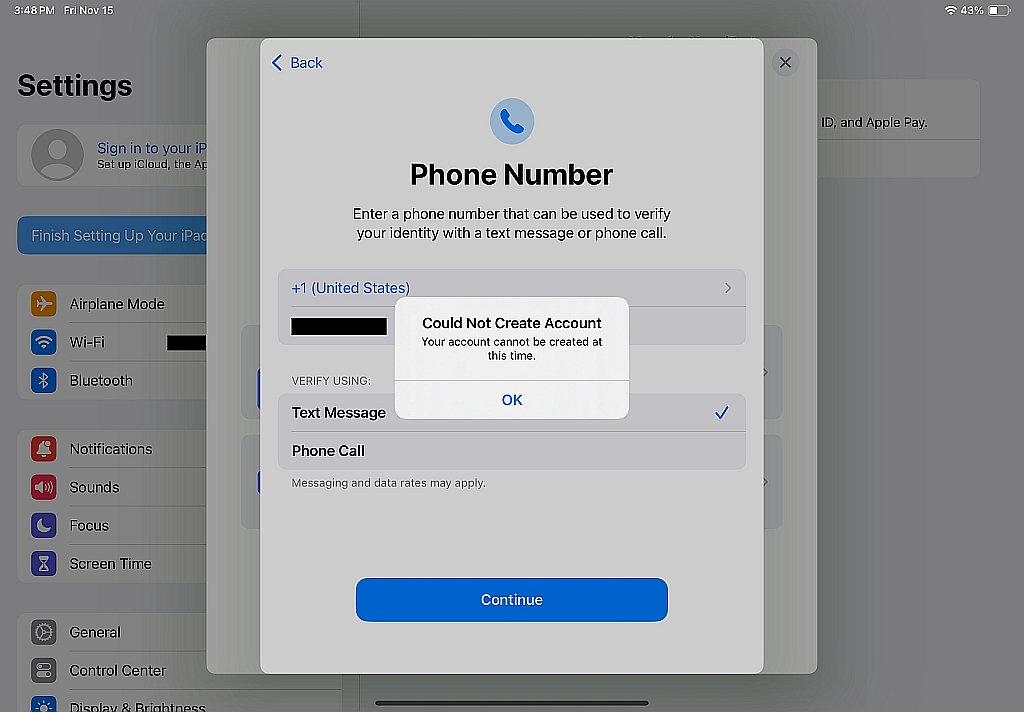
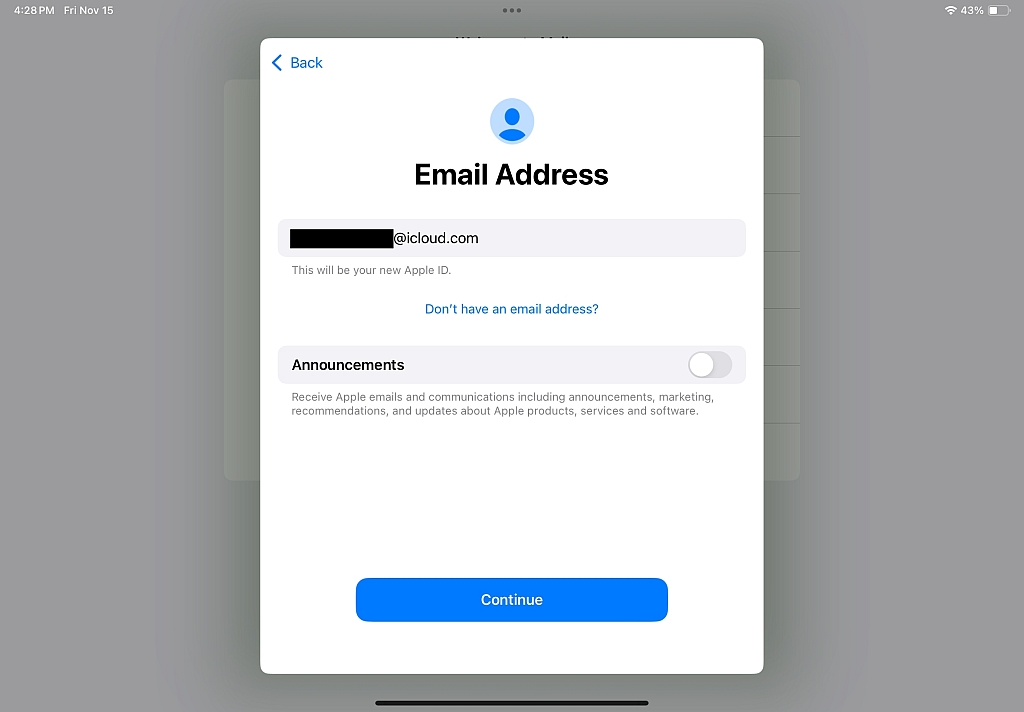
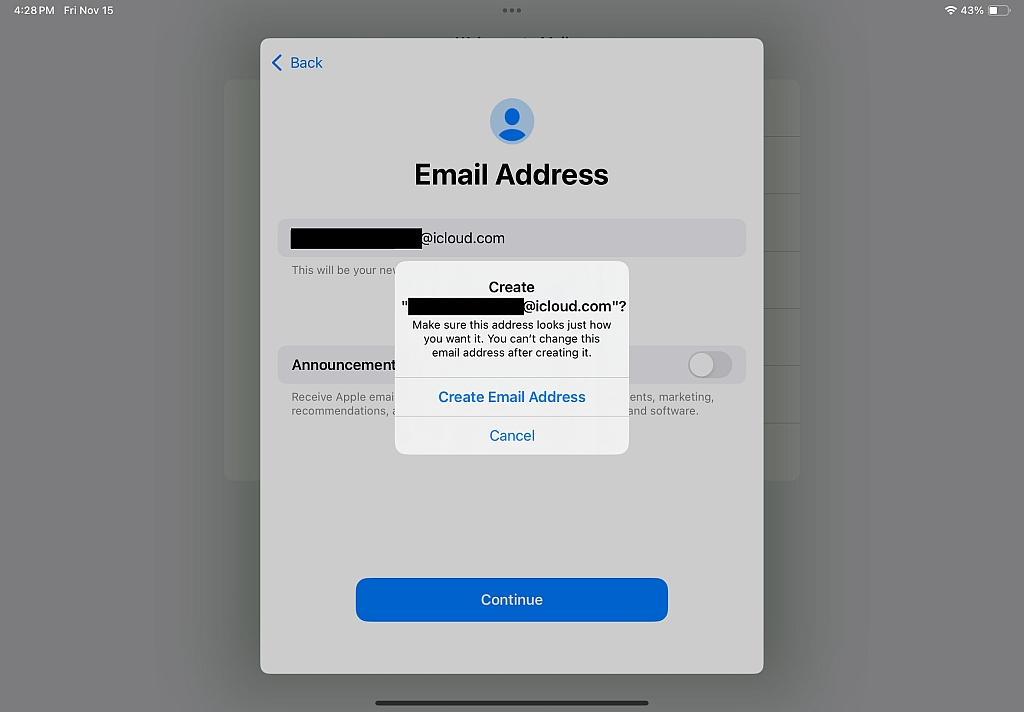
    The reason is it's a bitch to create a Google email address nowadays, especially on VPN. Even an Apple iCloud address is now a bitch to create.
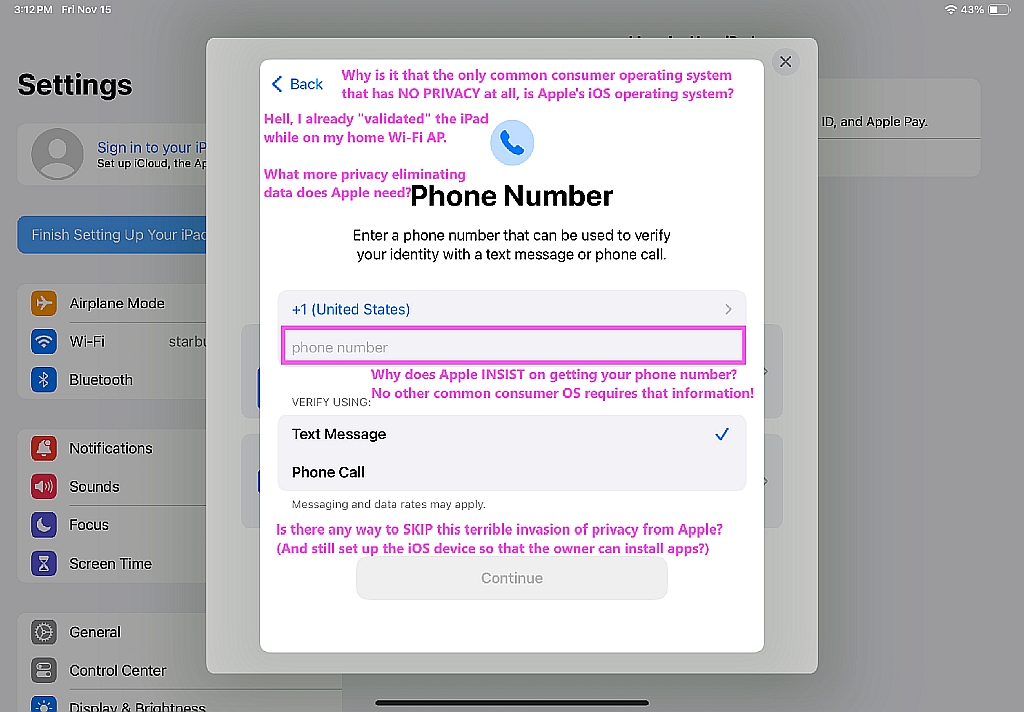
    *Piece of shit iOS has absolutely zero privacy for God's sake*
    <https://www.novabbs.com/computers/article-flat.php?id=17771&group=misc.phone.mobile.iphone#17771>

    Apple is the only common consumer OS maker who FORCES you to
    contact them personally, proving who you are, to create an account!
    <https://i.postimg.cc/VvtMXcL2/noprivacy01.jpg>
    <https://i.postimg.cc/HLjrQC63/noprivacy02.jpg>
    <https://i.postimg.cc/P57XnvMz/noprivacy03.jpg>
    <https://i.postimg.cc/TPSp0HSx/noprivacy04.jpg>
    <https://i.postimg.cc/1XWx0bCc/noprivacy05.jpg>
    <https://i.postimg.cc/6Q7Q8fQm/noprivacy06.jpg>
    <https://i.postimg.cc/bYRqNBTv/noprivacy07.jpg>

    No other operating system maker requires your phone identity
    just so that you can load apps onto the device. Just Apple.

    Given the hurdles for Apple & Google email addresses nowadays,
    they're no good for the use-em-once and then throw-em-away purpose.

    a. For a throwaway address, you can't have 2FV for example.
    b. And you have to use a VPN at all times for another example.
    c, And you never want it to verify anything whatsoever. Ever!

    I'm sure Frank understood all of this already, prima facie.
    But Chris needs to better understand email privacy before commenting anew.

    --- SoupGate-Win32 v1.05
    * Origin: fsxNet Usenet Gateway (21:1/5)
  • From Andy Burns@21:1/5 to Andy Burns on Tue Nov 19 22:07:56 2024
    Andy Burns wrote:

    micky wrote:

    Location History is now called Timeline, and you now have new choices
    for your data.

         To continue using Timeline, you must have an up-to-date version of >> the Google Maps app. Otherwise, you may lose data and access to your
    Timeline on Google Maps..

    Agree they're handling this badly ...

    And just this minute, I've had a notification that i have until 18th May
    2025 to decide what to do with my timeline.

    --- SoupGate-Win32 v1.05
    * Origin: fsxNet Usenet Gateway (21:1/5)
  • From Andy Burns@21:1/5 to micky on Wed Nov 20 11:08:41 2024
    micky wrote:

    Andy Burns wrote:
    I've had a notification that i have until 18th May
    2025 to decide what to do with my timeline.

    LOL. Good. That should give you time to consider all the
    ramifications.

    I told it I wanted to keep my data, no auto deletion, on my pixel phone

    it said that would consume 2MB of storage on the phone, which is less
    than I was expecting, because a zipped google-takeout of all my maps
    history from may 2011 to october 2024 is 48MB

    If I try to use the old timeline page from a web-browser on my pc, it
    reminds me I can no longer do that, and sends a command to my phone for
    it to launch timeline instead.

    --- SoupGate-Win32 v1.05
    * Origin: fsxNet Usenet Gateway (21:1/5)
  • From Frank Slootweg@21:1/5 to Andy Burns on Wed Nov 20 11:05:56 2024
    Andy Burns <[email protected]> wrote:
    Andy Burns wrote:

    micky wrote:

    Location History is now called Timeline, and you now have new choices
    for your data.

    ���� To continue using Timeline, you must have an up-to-date version of
    the Google Maps app. Otherwise, you may lose data and access to your
    Timeline on Google Maps..

    Agree they're handling this badly ...

    And just this minute, I've had a notification that i have until 18th May
    2025 to decide what to do with my timeline.

    Yeah, same here (in The Netherlands and the same date).

    The description, explanation, justification and references are not
    very clear. But I understand the bottom line is that you must follow the procedures to put your Timeline data on your device (probably your
    smartphone), because otherwise you will lose all your Timeline data and
    hence any use of your Timeline.

    The clearest part is (in red):

    "If you take no action, your visits and routes will be
    deleted, and your Timeline settings will be turned
    off after 18 May 2025. Until 18 May 2025 - if you
    haven't finished choosing your settings - your
    devices will keep saving Timeline data, and Google
    will continue using your data based on how Location
    History works today. Learn about how Location
    History is used."

    Also clear:

    "After you do this, youll only be able to use Timeline in
    the app."

    (where "the app" is the Google Maps app)

    So no more Timeline in a browser, i.e. also not on a computer.

    I wonder how large the amount of data is, which will be kept on your
    device. They apparently assume that everyone has ample internal storage
    for this. (My Timeline goes back many years.) And there's the issue of
    backing up the Timeline data which is now on your device.

    And I still don't see an explanation *why* they are doing/changing
    this. Only that each of your devices will keep its own Timeline, but I
    think that's more a disadvantage than a feature.

    --- SoupGate-Win32 v1.05
    * Origin: fsxNet Usenet Gateway (21:1/5)
  • From micky@21:1/5 to [email protected] on Wed Nov 20 05:17:10 2024
    In comp.mobile.android, on Tue, 19 Nov 2024 22:07:56 +0000, Andy Burns <[email protected]> wrote:

    Andy Burns wrote:

    micky wrote:

    Location History is now called Timeline, and you now have new choices
    for your data.

    ���� To continue using Timeline, you must have an up-to-date version of
    the Google Maps app. Otherwise, you may lose data and access to your
    Timeline on Google Maps..

    Agree they're handling this badly ...

    And just this minute, I've had a notification that i have until 18th May
    2025 to decide what to do with my timeline.

    LOL. Good. That should give you time to consider all the
    ramifications.

    --- SoupGate-Win32 v1.05
    * Origin: fsxNet Usenet Gateway (21:1/5)
  • From Frank Slootweg@21:1/5 to Andy Burns on Wed Nov 20 11:30:25 2024
    Andy Burns <[email protected]> wrote:
    micky wrote:

    Andy Burns wrote:
    I've had a notification that i have until 18th May
    2025 to decide what to do with my timeline.

    LOL. Good. That should give you time to consider all the
    ramifications.

    I told it I wanted to keep my data, no auto deletion, on my pixel phone

    it said that would consume 2MB of storage on the phone, which is less
    than I was expecting, because a zipped google-takeout of all my maps
    history from may 2011 to october 2024 is 48MB

    Thanks for the feedback. 2MB seems quite reasonable to store on one's
    phone.

    To be sure, you mean *location* history, not "maps history", don't
    you!?

    I say that, because I have Location History turned on, but hardly ever
    use the Google Maps app. So my *location* is tracked/kept /most of the
    time, but my use of the Google Maps *app* is minimal.

    If I try to use the old timeline page from a web-browser on my pc, it
    reminds me I can no longer do that, and sends a command to my phone for
    it to launch timeline instead.

    --- SoupGate-Win32 v1.05
    * Origin: fsxNet Usenet Gateway (21:1/5)
  • From Andy Burns@21:1/5 to Frank Slootweg on Wed Nov 20 11:37:29 2024
    Frank Slootweg wrote:

    Andy Burns wrote:

    it said that would consume 2MB of storage on the phone, which is less
    than I was expecting, because a zipped google-takeout of all my maps
    history from may 2011 to october 2024 is 48MB

    Thanks for the feedback. 2MB seems quite reasonable to store on one's phone.

    To be sure, you mean *location* history, not "maps history", don't
    you!?


    yes, I've just been checking on the phone, it does have my data back to
    2011, scrolling back one month at a time, then within a month one day at
    a time is more laborious than it was on a PC, but the timeline is all
    there on the phone.

    --- SoupGate-Win32 v1.05
    * Origin: fsxNet Usenet Gateway (21:1/5)
  • From Anssi Saari@21:1/5 to Frank Slootweg on Wed Nov 20 13:54:24 2024
    Frank Slootweg <[email protected]d> writes:

    And I still don't see an explanation *why* they are doing/changing
    this. Only that each of your devices will keep its own Timeline, but I
    think that's more a disadvantage than a feature.

    Maybe there's no or too little market for the location data? It's the
    only reason I can think of, considering it's Google. So maybe there're
    now so many apps snarfing up location data, Google can't find buyers? At
    least at the prices they want? Or everyone who wants that data already
    built it into their app so no market?

    --- SoupGate-Win32 v1.05
    * Origin: fsxNet Usenet Gateway (21:1/5)
  • From Frank Slootweg@21:1/5 to Anssi Saari on Wed Nov 20 12:28:23 2024
    Anssi Saari <[email protected]> wrote:
    Frank Slootweg <[email protected]d> writes:

    And I still don't see an explanation *why* they are doing/changing
    this. Only that each of your devices will keep its own Timeline, but I think that's more a disadvantage than a feature.

    Maybe there's no or too little market for the location data? It's the
    only reason I can think of, considering it's Google. So maybe there're
    now so many apps snarfing up location data, Google can't find buyers? At least at the prices they want? Or everyone who wants that data already
    built it into their app so no market?

    As Andy has found out. The size of the data is rather small (his is
    2MB for some 13 years), so even if Google doesn't want (to use) it, why
    not just store it in your account or Google Drive on their servers, like
    they do with many other data? 2MB versus a (default) 15GB Google Drive? Peanuts.

    --- SoupGate-Win32 v1.05
    * Origin: fsxNet Usenet Gateway (21:1/5)
  • From Frank Slootweg@21:1/5 to Andy Burns on Wed Nov 20 12:24:29 2024
    Andy Burns <[email protected]> wrote:
    Frank Slootweg wrote:

    Andy Burns wrote:

    it said that would consume 2MB of storage on the phone, which is less
    than I was expecting, because a zipped google-takeout of all my maps
    history from may 2011 to october 2024 is 48MB

    Thanks for the feedback. 2MB seems quite reasonable to store on one's phone.

    To be sure, you mean *location* history, not "maps history", don't
    you!?


    yes, I've just been checking on the phone, it does have my data back to
    2011, scrolling back one month at a time, then within a month one day at
    a time is more laborious than it was on a PC, but the timeline is all
    there on the phone.

    Thanks a lot. That's reassuring.

    --- SoupGate-Win32 v1.05
    * Origin: fsxNet Usenet Gateway (21:1/5)
  • From Andy Burns@21:1/5 to Anssi Saari on Wed Nov 20 14:26:37 2024
    Anssi Saari wrote:

    Frank Slootweg writes:

    And I still don't see an explanation *why* they are doing/changing
    this. Only that each of your devices will keep its own Timeline, but I
    think that's more a disadvantage than a feature.

    Maybe there's no or too little market for the location data?

    I think their T&C say the timeline data is for the user's eyes only?

    As part of the change from cloud to device storage, the do ask for
    permission to make the data available to advertisers, of course I said no.

    It's the
    only reason I can think of, considering it's Google. So maybe there're
    now so many apps snarfing up location data, Google can't find buyers? At least at the prices they want? Or everyone who wants that data already
    built it into their app so no market?

    --- SoupGate-Win32 v1.05
    * Origin: fsxNet Usenet Gateway (21:1/5)
  • From Andrews@21:1/5 to Andy Burns on Wed Nov 20 16:31:40 2024
    Andy Burns wrote on Wed, 20 Nov 2024 14:26:37 +0000 :

    And I still don't see an explanation *why* they are doing/changing
    this. Only that each of your devices will keep its own Timeline, but I
    think that's more a disadvantage than a feature.

    Maybe there's no or too little market for the location data?

    I think their T&C say the timeline data is for the user's eyes only?

    As part of the change from cloud to device storage, the do ask for
    permission to make the data available to advertisers, of course I said no.

    Always being especially curious of the delta between what a company "says"
    it does versus what that company "actually" does, naturally I used Google
    to ask Google why Google was doing it... where Google's AI told me:

    "Google is moving Timeline data to your device primarily for
    privacy reasons, allowing users to have more control over their
    location history by storing it locally on their phone instead
    of on Google's servers, which means law enforcement agencies
    would need a warrant to access that data directly from the
    user's device rather than from Google's database; this change
    comes in response to concerns about user data collection
    and tracking practices."

    The problem with asking anything of any company with clever marketing (just
    ask Apple why they removed the headphone jack & charger in the box) is that it's NEVER "for you". It's "for them". But the question remains of why.

    Outside of Google, this seems to have reliably stated reasons...

    *Google Maps Timeline Data to be Stored Locally on Your Device for Privacy*
    <https://thehackernews.com/2024/06/google-maps-timeline-data-to-be-stored.html>

    Snippets... effective December 1st, 2024... Users are also being asked to
    turn on backups to save an encrypted copy of the Timeline data on Google's servers to facilitate transfer when switching devices... The development is part of a series of changes the company has enacted in response to
    allegations that it misled consumers and illegally tracked their movements despite turning off Location History from the account settings by taking advantage of the non-obvious Web & App Activity setting... It does not stop Google's collection of other location markers... Google has since settled
    with several states in the U.S. over this practice, with the company also opting to pay $62 million to numerous non-profits in April 2024. A similar lawsuit filed in the state of Texas is pending...."

    So it seems privacy laws made them do it.

    --- SoupGate-Win32 v1.05
    * Origin: fsxNet Usenet Gateway (21:1/5)
  • From micky@21:1/5 to [email protected] on Wed Nov 20 11:18:15 2024
    In comp.mobile.android, on Wed, 20 Nov 2024 11:08:41 +0000, Andy Burns <[email protected]> wrote:

    micky wrote:

    Andy Burns wrote:
    I've had a notification that i have until 18th May
    2025 to decide what to do with my timeline.

    LOL. Good. That should give you time to consider all the
    ramifications.

    I told it I wanted to keep my data, no auto deletion, on my pixel phone

    it said that would consume 2MB of storage on the phone, which is less
    than I was expecting, because a zipped google-takeout of all my maps
    history from may 2011 to october 2024 is 48MB

    Alas, mine only go back to the laast week of January this year. I wonder
    why. I went a lot of interesting places since 2011, but the google
    people will never know.

    If I try to use the old timeline page from a web-browser on my pc, it
    reminds me I can no longer do that, and sends a command to my phone for
    it to launch timeline instead.


    Hey, it says the same thing to me. When I go to <https://timeline.google.com/maps/timeline> that Frank told us about,
    which I had never been to before, it says "Timeline is no longer
    available on web browsers. To view or change your Timeline settings, go
    to Activity controls."

    It has a link right there to Actuvity controls, https://myactivity.google.com/activitycontrols with 3 choices:
    Include Chrome history and activity from sites, apps, and devices that
    use Google services
    Include voice and audio activity. Learn more
    Include Visual Search History

    I never touched these but only the first one is turned on.

    Does Visual Seach History mean a record of my using Street View, or
    what?

    "Learn more" about voice and audio starts "When you speak to Google
    services, Google uses its audio recognition technologies to process your
    audio and respond to you. For example, if you touch the mic icon to
    search by voice, Google�s audio recognition technologies translate what
    you say into words and phrases that Search looks up in an index to give
    you the most relevant results..."
    "....How audio recordings are used
    Google uses audio saved by this setting to develop and improve its audio recognition technologies and the Google services that use them, like
    Google Assistant..."
    "....When this voice and audio activity setting is on
    When this voice and audio activity setting is on for your Web & App
    Activity, Google will save audio recordings when you interact with
    Google Search, Assistant, and Maps, in your Google Account on Google
    servers with your Web & App Activity....."

    --- SoupGate-Win32 v1.05
    * Origin: fsxNet Usenet Gateway (21:1/5)
  • From Anssi Saari@21:1/5 to Frank Slootweg on Thu Nov 21 00:37:49 2024
    Frank Slootweg <[email protected]d> writes:

    As Andy has found out. The size of the data is rather small (his is
    2MB for some 13 years), so even if Google doesn't want (to use) it, why
    not just store it in your account or Google Drive on their servers, like
    they do with many other data? 2MB versus a (default) 15GB Google Drive? Peanuts.

    Maybe it's a stab at some kind of a privacy whitewash? "Look here, we're
    no longer grabbing your location data! It's just on your device now!"

    --- SoupGate-Win32 v1.05
    * Origin: fsxNet Usenet Gateway (21:1/5)
  • From Anssi Saari@21:1/5 to Andy Burns on Thu Nov 21 00:35:48 2024
    Andy Burns <[email protected]> writes:

    Anssi Saari wrote:

    Frank Slootweg writes:

    And I still don't see an explanation *why* they are doing/changing
    this. Only that each of your devices will keep its own Timeline, but I
    think that's more a disadvantage than a feature.
    Maybe there's no or too little market for the location data?

    I think their T&C say the timeline data is for the user's eyes only?

    Timeline is fairly and the location data would also from the older Web &
    App Activity and Location History. What did the T&C say for those older
    things? Especially Web & App Activity which, as I recall, caused a bit
    of a brouhaha Google just created it and turned it on, including for
    people who had turned Location History off.

    It's my assumption and I thought it's a common assumption that Google
    sucks up any and all data they can and sell it to whoever pays.

    --- SoupGate-Win32 v1.05
    * Origin: fsxNet Usenet Gateway (21:1/5)
  • From Andrews@21:1/5 to Anssi Saari on Thu Nov 21 02:29:24 2024
    Anssi Saari wrote on Thu, 21 Nov 2024 00:35:48 +0200 :

    It's my assumption and I thought it's a common assumption that Google
    sucks up any and all data they can and sell it to whoever pays.

    There are two kinds of people, one of whom owns the mentality of slaves in terms of how they approach problem sets, while the other type are free men.

    Google does NOT hoover up the location data of free men.
    Only the slaves.

    For example, on my phone, how is Google going to know who I am even if
    Google knows my location precisely (if I use Google Maps, for example)?

    --- SoupGate-Win32 v1.05
    * Origin: fsxNet Usenet Gateway (21:1/5)
  • From Andy Burns@21:1/5 to Anssi Saari on Thu Nov 21 06:45:48 2024
    Anssi Saari wrote:

    Andy Burns writes:

    I think their T&C say the timeline data is for the user's eyes only?

    What did the T&C say for those older things?

    You'd have to ask someone who hasn't yet converted to on-device
    timeline, I can't visit the old page now to view the wording, it just
    advises me to use the mobile app.

    --- SoupGate-Win32 v1.05
    * Origin: fsxNet Usenet Gateway (21:1/5)
  • From micky@21:1/5 to [email protected] on Thu Nov 21 09:43:17 2024
    In comp.mobile.android, on Sun, 17 Nov 2024 10:02:17 -0500, micky <[email protected]> wrote:


    I have timeline working, so I must have done what they said, but I have >>forgotten. I probably used the app.

    I too might have done what they wanted and forgotten.

    I guess I just did this and I hadn't done it before and then forgotten.
    I just got an email that says
    "Your Timeline data is now on your device
    Hi Micky,
    You recently updated your Timeline settings. This email is to let you
    know that based on the settings you chose, your saved Timeline visits
    and routes are now on your device: Redmi Note 8 Pro.:

    Timeline on the phone also changed since a couple days ago. Now they
    offer to backup the Timeline "to Google servers over wi-fi when your
    devices is charging and idle. This devices's Timeline backup won't
    affect your account storage limits. You can turn off and delete backups
    or move your backed-up data to another device any time"

    So I guess some will do this and some won't, and they are saving some
    space on their servers but not all of it.

    It knows things I wouldn't expect it to know. I was in Guatemala on
    vacation and I may have used navigation a lot, but one day I was on my
    way back to Euro Hostel and I saw a restaurant with a
    North-American-style parking lot, iow, right in front, and I stopped for dinner. The timeline notes it by name. I'd forgotten the name of
    restaurant. Another day I went to a mall, a modern indoor fancy mall
    (they have several) and I may well have used navigation to get there,
    but inside the mall I went to a kiosk, a place in the "lobby" or
    whatever you call the space that is not in a store, on the 3rd level,
    only 6'x 6' that google said might have what I wanted (I think I was
    looking for a souvenir hat** for a friend) and it never occurred to me
    to use navigation within a mall. But they had people in tailored
    uniforms, or maybe with a little nameplate on their chest and I asked
    one where it was, and he had to call someone to find out but then he
    pointed to it 100 feet away, next to the railing overlooking the
    lower floors.

    **I did find some souvenir caps, but not the color I wanted so I bought
    it from Amazon and, alas, I let her think I bought it when I was in
    Guatemala. Many of the ones on Amazon were for sale in Guatemala. There
    was a stand with several styles between the airport terminal and the car
    rental location.

    Yet the Timeline knows I was there and the name of the kiosk, Beyoutiful
    Store. Again, I had forgotten that name. (A lot of the stores in the
    malls had English names. I guess like in the US, a lot of stores have
    French names.) But I only spent a couple minutes there, since they had souvenirs but no hats. Why did they record it? Maybe... I had found
    the place in my phone and then gone there with the phone on but without navigation. Maybe timeline put 2 and 2 together and listed that as a
    place I went. Then I went to a movie and I didn't use navigation. I
    asked directions to that too, and it knew that too, by name.

    Although it didn't know that I went to a bank in that same mall to try
    to get money from an ATM or that I ate in the food court (and was there
    for a long time. I called a friend in Georgia from there). Or that I
    couldn't find my car and had to ask the staff to find it for me, and
    wait while they looked. (Not my fault. I noted where it was in relation
    to the glass-enclosed room on the parking level with desiccators and an elevator, but didn't realize there were 3 such rooms (a big mall).)

    It knows that I spent 11 minutes driving there, 6+ hours there, and 19
    minutes driving back to the hotel.

    It knows when I'm on a plane. Is that a deduction because I'm moving so fast???

    It knows when I'm home all day, but it gives the google maps Home
    address, which is two townhouses away from my real address (for security purposes). That means it "rounds" my location, that since I was so near
    home (44 feet) and it was for 22 hours, it figured I must be at home. It
    says from 00:11 - 22:19. I must have turned my phone on at midnight and forgotten to turn it off. Every time I go home, it gives my google
    maps address, 2 doors away. Another deduction.

    It knows when I visited a friend and I'm sure I didn't use navigation
    but I did have the phone on and probably the map application running.
    And it knows when I stopped for lunch at a drive-through, and I know
    that was spur of the moment, no navigation involved, and only lasted by
    them from 16:04 to 16:12, yet they have the name of the place,

    Another day I went to another friend and it just shows a straight line
    to her house when the streets require a bunch of zig zag (zig zag which
    shows on some other days.) it says I left my web-address at 22:59 and
    got to her place 4 miles away at the exact same time. This was Feb 3. If
    I went, I'm sure it was in the day time. Then it says I was there all
    day the next day, Feb 4. I'm sure I left by 5PM the previous day. I've
    never visited her for more than 3 hours. And then for Feb 5 it shows me leaving at 15:43 and going to the supermarket in her n'hood, that I
    usually do go to when I've been to her house. From the supermarket it
    shows me driving 0.1 miles but it taking 20 hours 28 minutes and
    arriving at a strip mall near me the next day at 13:28 and going to
    Bedford Pediatric Dentistry. I don't go to pediatric dentists and I've
    never heard of the place, but the picture shows the pickup door at
    Walmart. I might have parked on that side of Walmart.

    Then it shows me at a small shul not too far away. I didn't go there,
    but might have gone to a friend who lives next door and parked in front
    of the shul. Another conclusion by Timeline.

    The next day it shows me leaving my web-house just before 5PM and
    walking 0.8 miles, for 1 days 21 hours!! Boy, am I slow.

    Skipping ahead to yesterday, i went to the same friend 3 miles from me
    and I didn't park exactly in front and it says I visited Audio Sorcerer
    LLC. Scary. It gives two buttons, Yes and Edit.

    Another day it shows me walking to some places near my home I'm sure I
    didn't walk to or drive to.

    I turn my phone off a lot, and I'm sure this confuses it, but it doesn't account for most of its bloopers.

    So this is useful but not perfect.

    I think I'll stay
    indoors all of Dec 1, to be safe.

    Yes indeed.

    --- SoupGate-Win32 v1.05
    * Origin: fsxNet Usenet Gateway (21:1/5)
  • From micky@21:1/5 to [email protected] on Thu Nov 21 11:34:41 2024
    In comp.mobile.android, on Thu, 21 Nov 2024 09:43:17 -0500, micky <[email protected]> wrote:


    I turn my phone off a lot, and I'm sure this confuses it, but it doesn't >account for most of Google Maps Timeline's bloopers.

    When I go out, I don't always turn my phone on right away, but once on,
    I don't turn it off until I get home again.

    So this is useful but not perfect.

    Yet I found another day, just 10 days ago so my recollection if fresh,
    and confirmed by the calendar I keep, where it shows me going to where
    my barber is, at 14:48, leaving at 15:11 and arriving where a movie was
    to be shown, also at 15.11. It wouldn't need to be the speed of light to
    go 5 miles in 58 seconds but it would be faster than the speed limit.

    But the bigger problem is that I didn't go to the movie place until the
    next day. And I got there at 10:05(am) that day, not 15:11 the previous
    day. And the phone was turned on, if not when I left the house, then
    soon after 10:00 because I remember using the phone, killing time
    waiting for the movie.

    How did google decide I was there the day before I was there? How did
    it know I was going to be there? LOL, well, it must gather a string of
    data and then break it in to daily pieces, but not too well.

    On another day, going to another friend it shows me going to Rockland Woodworks, 350 feet from where I actually stopped the car, as the crow
    flies, 600 feet when driving. I merely drove by the woodworks company,
    turned a corner, and stopped a couple minutes later

    On another day, the map shows me driving 10 or 15 miles away to the
    county trash dump, but the list of places I go ignores this part of the
    day, even though I know I had the phone on. Instead the list ends with
    driving 0.2 miles for 22 hours. Even though I spent 20 minutes at the
    dump. 10 minutes in one spot.

    On another day it alternates between calling it Driving and Moving, even
    though the distances on the map show I would have needed a car for both
    moving sections, one of which was acc. to them 52 minues long. No
    distances are given for Moving in the list, but the map shows all 5
    segments to be each about 2 miles, and how did I start drivign again if
    I didn't bring he car with me when I was moving? Why are two legs
    called Moving and three legs driving?

    On another day it shows me giong to Walgreens. I'm sure I did but it
    shows me at the pharmacy and at the Passport Photo Processor. Coudl that
    be when I spent a lot of time on the web looking at getting passport
    pictures at Walgreens? Not for me, I was also at the front cash
    register but I didn't see the photo area.

    And anotheer time it shows me 2 and a half full days at the supermarket,
    24 hours x 2.5.

    I wouldn't try to get this 'data' admitted into court evidence.

    None of this is a complaint. I don't want to see google spend 5 times
    as much time getting rid of little bugs as they did writing the original Timeline. It will never, should never be valid for court and people too shouldn't assume they'll ever get all the bugs out. It's just a reminder
    and a toy and should stay that way, unless google really has money to
    burn.

    --- SoupGate-Win32 v1.05
    * Origin: fsxNet Usenet Gateway (21:1/5)
  • From Carlos E.R.@21:1/5 to micky on Fri Nov 22 15:39:06 2024
    On 2024-11-21 15:43, micky wrote:
    In comp.mobile.android, on Sun, 17 Nov 2024 10:02:17 -0500, micky <[email protected]> wrote:


    ...

    Yet the Timeline knows I was there and the name of the kiosk, Beyoutiful Store. Again, I had forgotten that name. (A lot of the stores in the
    malls had English names. I guess like in the US, a lot of stores have
    French names.) But I only spent a couple minutes there, since they had souvenirs but no hats. Why did they record it? Maybe... I had found
    the place in my phone and then gone there with the phone on but without navigation. Maybe timeline put 2 and 2 together and listed that as a
    place I went. Then I went to a movie and I didn't use navigation. I
    asked directions to that too, and it knew that too, by name.

    There are two methods it can use: WiFi names, and bluetooth navigation
    points. I don't know the exact name, but they can setup bluetooth
    devices inside malls so that navigation works inside.


    Although it didn't know that I went to a bank in that same mall to try
    to get money from an ATM or that I ate in the food court (and was there
    for a long time. I called a friend in Georgia from there). Or that I
    couldn't find my car and had to ask the staff to find it for me, and
    wait while they looked. (Not my fault. I noted where it was in relation
    to the glass-enclosed room on the parking level with desiccators and an elevator, but didn't realize there were 3 such rooms (a big mall).)

    It knows that I spent 11 minutes driving there, 6+ hours there, and 19 minutes driving back to the hotel.

    It knows when I'm on a plane. Is that a deduction because I'm moving so fast???

    Probably. On one trip of mine it knew, on another it did not. Go figure.


    It knows when I'm home all day, but it gives the google maps Home
    address, which is two townhouses away from my real address (for security purposes). That means it "rounds" my location, that since I was so near
    home (44 feet) and it was for 22 hours, it figured I must be at home. It
    says from 00:11 - 22:19. I must have turned my phone on at midnight and forgotten to turn it off. Every time I go home, it gives my google
    maps address, 2 doors away. Another deduction.

    It knows when I visited a friend and I'm sure I didn't use navigation
    but I did have the phone on and probably the map application running.
    And it knows when I stopped for lunch at a drive-through, and I know
    that was spur of the moment, no navigation involved, and only lasted by
    them from 16:04 to 16:12, yet they have the name of the place,

    Another day I went to another friend and it just shows a straight line
    to her house when the streets require a bunch of zig zag (zig zag which
    shows on some other days.)

    It is not tracking continuously, but at intervals.


    ...


    --
    Cheers, Carlos.

    --- SoupGate-Win32 v1.05
    * Origin: fsxNet Usenet Gateway (21:1/5)
  • From Andy Burns@21:1/5 to Andy Burns on Fri Dec 13 11:30:20 2024
    Andy Burns wrote:

    I've had a notification that i have until 18th May
    2025 to decide what to do with my timeline.

    New deadline for those who haven't moved yet, 9th June.

    --- SoupGate-Win32 v1.05
    * Origin: fsxNet Usenet Gateway (21:1/5)