• Why is Android creating (garbage?) external sdcard directories?

    From Andrews@21:1/5 to All on Fri Nov 1 14:13:44 2024
    Understanding how operating systems are organized is important.

    Recently I swapped out my portable memory 64GB sdcard which was used in my Galaxy since 2021 when T-Mobile provided me a handful of free 5G phones:

    *Using Windows to make Android smoother*
    <https://www.novabbs.com/computers/article-flat.php?id=55204&group=comp.mobile.android#55204>

    When I swapped in the 128GB sdcard and tested for a week, everything was as smooth as you could ever hope for. Nothing glitched. I'm amazed.

    Given that happy experience, what the heck is the Android operating system doing with all those other directories it created on my external sdcard?
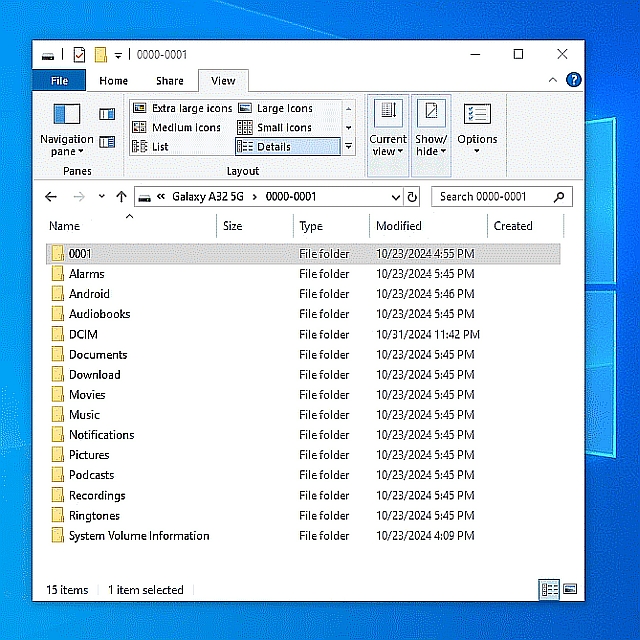
    <https://i.postimg.cc/dt3BBT9K/externalsdcard.jpg>

    Ignoring "Pictures" & "DCIM" (which I periodically copy over to Windows),
    what does Android do with all those (garbage?) directories on the sd card?

    Are they (mostly) all just garbage?

    Can it be that Android is using the sdcard mostly to put its garbage there?

    --- SoupGate-Win32 v1.05
    * Origin: fsxNet Usenet Gateway (21:1/5)
  • From R.Wieser@21:1/5 to All on Fri Nov 1 15:34:59 2024
    Andrews,

    what does Android do with all those (garbage?) directories on the sd card?

    When you check the "internal storage" on your smarthone you might notice
    that the same directories are on there too.

    IOW, what you see is (most likely) the OS regarding your SD card as its
    backup medium - and as such initializing it for future usage.

    Yes, I noticed that happening to - when my USB stick got inserted into the smartphone of a friend of mine. I don't like it either.

    Regards,
    Rudy Wieser

    --- SoupGate-Win32 v1.05
    * Origin: fsxNet Usenet Gateway (21:1/5)
  • From Andrews@21:1/5 to R.Wieser on Fri Nov 1 17:04:39 2024
    R.Wieser wrote on Fri, 1 Nov 2024 15:34:59 +0100 :

    Andrews,

    what does Android do with all those (garbage?) directories on the sd card?

    When you check the "internal storage" on your smarthone you might notice
    that the same directories are on there too.

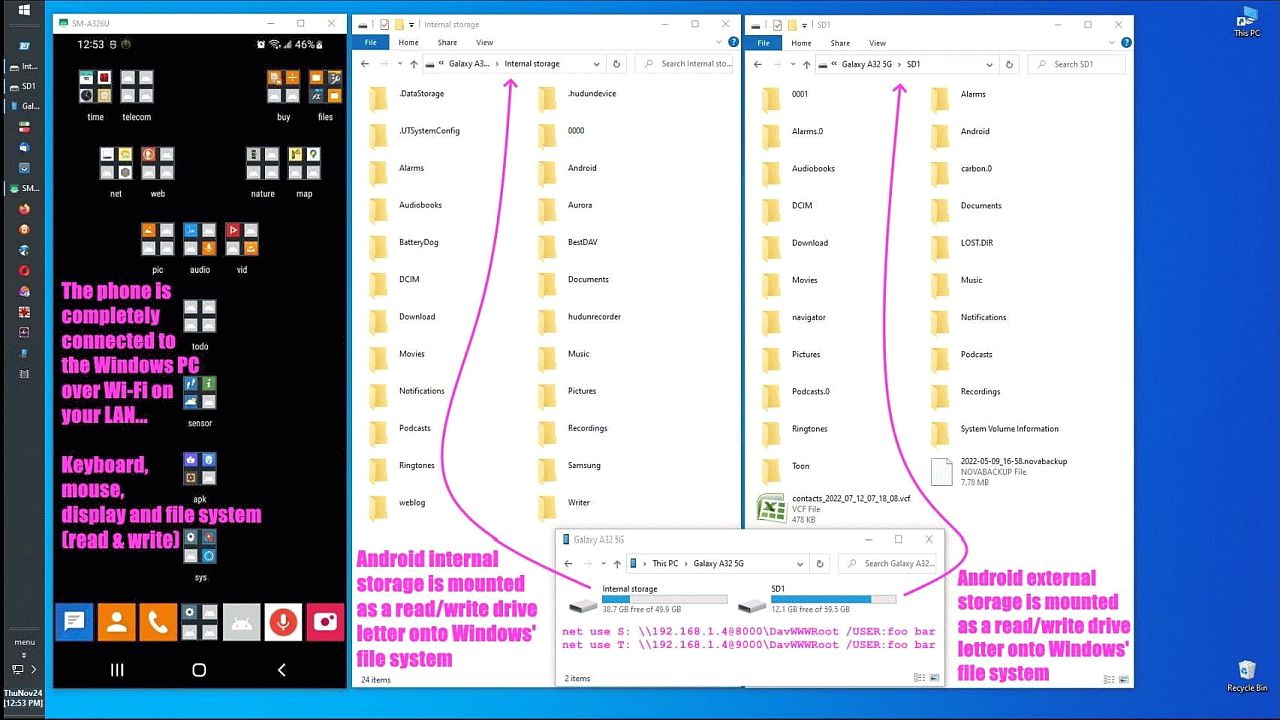
    Yes. They're there also. Same garbage that I have never needed to use.
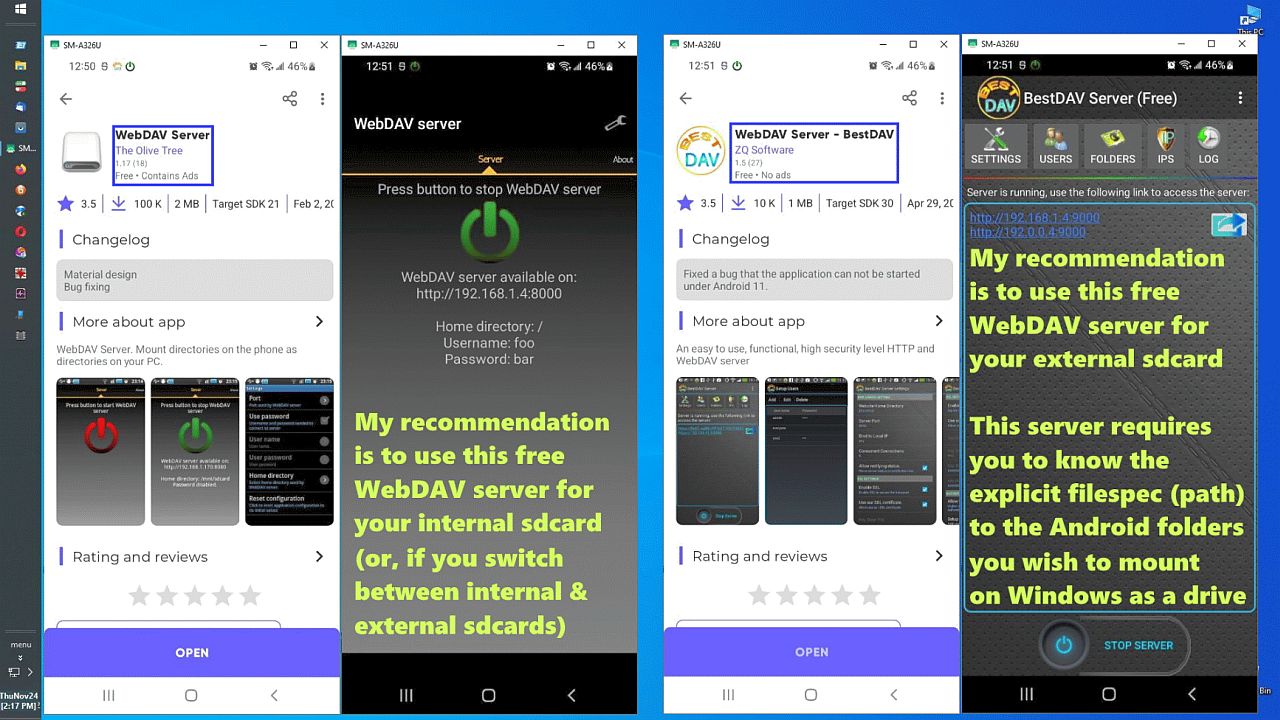
    <https://i.postimg.cc/BQyRxCN9/webdav11.jpg>

    IOW, what you see is (most likely) the OS regarding your SD card as its backup medium - and as such initializing it for future usage.

    Well, some of it is the installed apps but the point is I make a single top-level directory on the internal memory just as I do on the external sd.
    <https://i.postimg.cc/BvJdKWzt/webdav06.jpg>

    It doesn't matter what the name is, but I make it "0000" for the internal sdcard and "0001" for the external sdcard for three simple reasons:
    1. It shows up on top in a typical sort
    2. It tells me instantly which card I'm looking at
    3. It's easy to remember when typing "/storage/0000-0001/0001"
    (which a lot of the Android servers require you to tap out by hand)
    <https://i.postimg.cc/wM4Z45pN/webdav10.jpg>

    Yes, I noticed that happening to - when my USB stick got inserted into the smartphone of a friend of mine. I don't like it either.

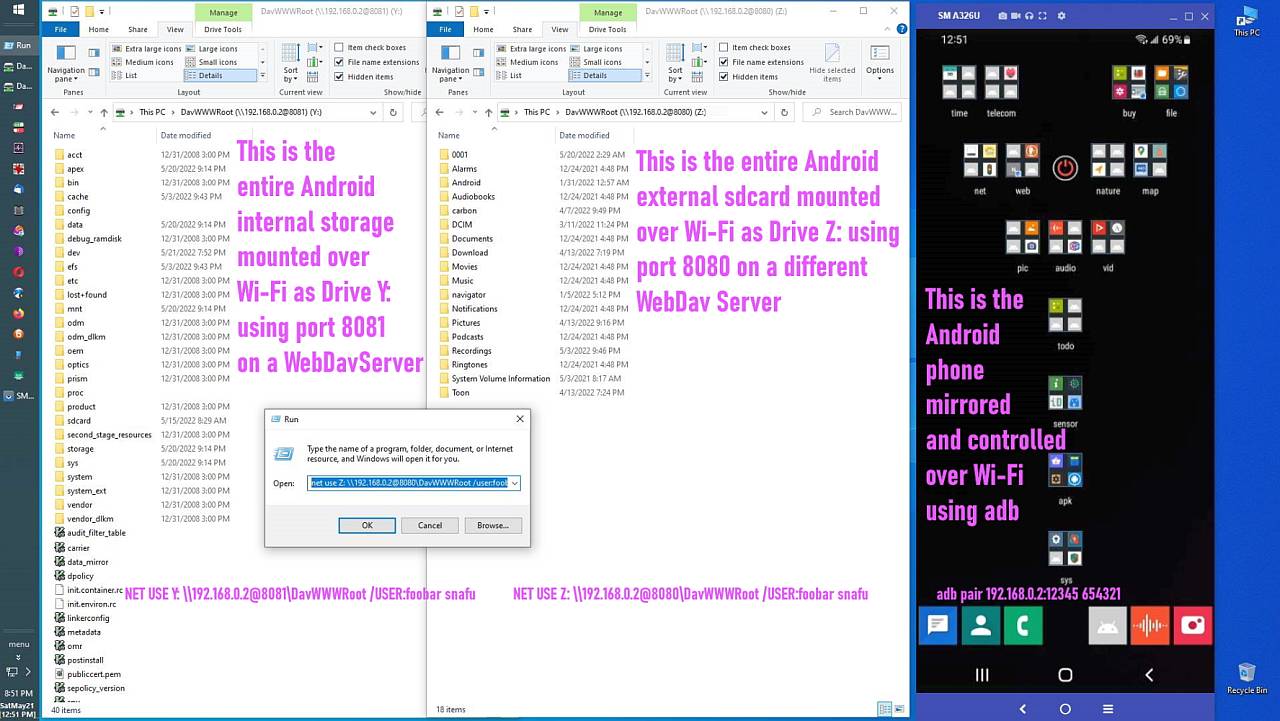
    Well, Windows does the same thing so I also make a top-level directory on Windows to store my stuff (C:\data), where I do the same on Android.
    <https://i.postimg.cc/QtbR1GY0/webdav13.jpg>

    --- SoupGate-Win32 v1.05
    * Origin: fsxNet Usenet Gateway (21:1/5)
  • From R.Wieser@21:1/5 to All on Fri Nov 1 18:56:36 2024
    Andrews,

    Yes. They're there also. Same garbage that I have never needed to use.

    :-) Long ago people trashed their computers by deleting "garbage" files they didn't recognise . Only to find out that that "garbage" was actualy used by the OS.

    Well, some of it is the installed apps but the point is I make a single top-level directory on the internal memory just as I do on the external
    sd.

    The problem is that you think the SD card is yours to manage, while Android thinks its his. And I'm afraid that Android can out-stubborn you. :-( :-)

    IOW, don't try to fight it, its not something you can win.

    What you /could/ do is to, on the 'puter, write a bit of code/script that
    will remove all empty (root) folders from the SD card. A clean-up so to
    speak.

    Regards,
    Rudy Wieser

    --- SoupGate-Win32 v1.05
    * Origin: fsxNet Usenet Gateway (21:1/5)
  • From Andrews@21:1/5 to R.Wieser on Mon Nov 4 14:48:06 2024
    R.Wieser wrote on Fri, 1 Nov 2024 18:56:36 +0100 :

    The problem is that you think the SD card is yours to manage, while Android thinks its his. And I'm afraid that Android can out-stubborn you. :-( :-)

    IOW, don't try to fight it, its not something you can win.

    What you /could/ do is to, on the 'puter, write a bit of code/script that will remove all empty (root) folders from the SD card. A clean-up so to speak.

    That was a good way to put it, which is that Android owns that sdcard.
    Not us.

    The good news is I wiped out everything on the sdcard except the one
    top-level folder that I had created on it just after formatting it.

    And it still worked.

    The Android garbage folders came back though, as you implied they would.

    Android owns that card. Not me. :->

    --- SoupGate-Win32 v1.05
    * Origin: fsxNet Usenet Gateway (21:1/5)
  • From R.Wieser@21:1/5 to All on Mon Nov 4 16:26:09 2024
    Andrews,

    The good news is I wiped out everything on the sdcard except the
    one top-level folder that I had created on it just after formatting it.

    And it still worked.

    I was not in doubt of that. Luckely SD cards that have methods to disallow
    deep access to it are few and rather costly.

    The Android garbage folders came back though, as you implied they
    would.

    Yep. The same can, and does happen when two people share an USB stick.

    Android owns that card. Not me. :->

    *Both* of you own that card. Its just that (Googles) Android is a bit of a "silent partner". :-)

    Regards,
    Rudy Wieser

    --- SoupGate-Win32 v1.05
    * Origin: fsxNet Usenet Gateway (21:1/5)