Was given a Moto G5 plus phone, with just the emergency service and was told I can install this GPS tool to it and use it for driving directions.
How would I get the app onto the phone since its not got service?
I have a Windows Desktop and I can plug the USB into it, and exchange files, but I dont think the app can be downloaded on a Win Machine
because its a differenet OS?
Was given a Moto G5 plus phone, with just the emergency service and
was told I can install this GPS tool to it and use it for driving
directions.
How would I get the app onto the phone since its not got service?
I have a Windows Desktop and I can plug the USB into it, and exchange files, but I dont think the app can be downloaded on a Win Machine
because its a differenet OS?
One way to do that is to use any computer or phone browser to get the APK
but it seems to only be on Google Play, Amazon, Huawei & AppGallery.
<https://www.magicearth.com/>
I'm not familiar with the latter three, but here's a link which it gave me.
<https://www.amazon.com/Magic-Earth-Navigation-and-Maps/dp/B077XTY4F9/>
<https://appgallery.huawei.com/#/app/C100134401>
"Magic Earth uses OpenStreetMap data"
Well, you could just use the OsmAnd app.
UFO <[email protected]> wrote:
Was given a Moto G5 plus phone, with just the emergency service and was told >> I can install this GPS tool to it and use it for driving directions.
How would I get the app onto the phone since its not got service?
I have a Windows Desktop and I can plug the USB into it, and exchange files, >> but I dont think the app can be downloaded on a Win Machine
because its a differenet OS?
Oops, see "Magic Earth" is the name of the app you mentioned in your
Subject. The Play store has it at:
https://play.google.com/store/apps/details?id=com.generalmagic.magicearth&hl=en
Use wifi at home for Internet access to connect your phone to the Play
Store to install the app. If you don't have wifi at home, there are
plenty of other wifi hotspots available; e.g., library, cafe, coffee
house, schools, etc.
"Magic Earth uses OpenStreetMap data"
Well, you could just use the OsmAnd app. A lot of map apps use the OSM
maps database. That is a crowdsourced map database, so expect some
errors, plus areas with few travelers won't be submitting in that area.
https://play.google.com/store/apps/details?id=net.osmand&hl=en
VanguardLH <[email protected]> Wrote in message:
UFO <[email protected]> wrote:
Was given a Moto G5 plus phone, with just the emergency service and was told
I can install this GPS tool to it and use it for driving directions.
How would I get the app onto the phone since its not got service?
I have a Windows Desktop and I can plug the USB into it, and exchange files,
but I dont think the app can be downloaded on a Win Machine
because its a differenet OS?
Oops, see "Magic Earth" is the name of the app you mentioned in your
Subject. The Play store has it at:
https://play.google.com/store/apps/details?id=com.generalmagic.magicearth&hl=en
Use wifi at home for Internet access to connect your phone to the Play
Store to install the app. If you don't have wifi at home, there are
plenty of other wifi hotspots available; e.g., library, cafe, coffee
house, schools, etc.
"Magic Earth uses OpenStreetMap data"
Well, you could just use the OsmAnd app. A lot of map apps use the OSM
maps database. That is a crowdsourced map database, so expect some
errors, plus areas with few travelers won't be submitting in that area.
https://play.google.com/store/apps/details?id=net.osmand&hl=en
Magic Earth: "Get real-time traffic info, updated every minute"
How - even if you have mobile data? I know some countries (NL?)
have open data sources for traffic data.
Are speed limits remotely up to date on OSM? In England they
change frequently.
I have OsmAnd (on an iPhone) for walking. For driving I use Google
Maps.
Magic Earth: "Get real-time traffic info, updated every minute"
How - even if you have mobile data? I know some countries (NL?)
have open data sources for traffic data.
Are speed limits remotely up to date on OSM?
In England they change frequently.
I have OsmAnd (on an iPhone) for walking.
For driving I use Google Maps.
You better have a decent SD card on which to store all
the offline maps you want, and it take a long time if you download them
all. I didn't download all their maps, just all USA which consumed
9.7GB of storage.
There is an option to download only via wifi, so
you don't consume your cellular data quota. Here WeGo provides
turn-by-turn navigation even when offline. Google Maps does not nor
does OSM.
https://en.wikipedia.org/wiki/Here_WeGo
I have hardly used OSMand or Here WeGo, so I cannot attest to whether or
not they provide interactive data, like traffic volume, reroutes, etc,
but I can't see how any offline map data could ever include that
present-time data, and definitely not without a current Internet
connection.
Was given a Moto G5 plus phone, with just the emergency service and was told I can install this GPS tool to it and use it for driving directions.
How would I get the app onto the phone since its not got service?
I have a Windows Desktop and I can plug the USB into it, and exchange files, but I dont think the app can be downloaded on a Win Machine
because its a differenet OS?
UFO, 2024-08-06 04:39:
Was given a Moto G5 plus phone, with just the emergency service and was told >> I can install this GPS tool to it and use it for driving directions.
A "GPS tool" will not give you driving directions, you need a navigation
app.
How would I get the app onto the phone since its not got service?
Using USB sideloading.
I have a Windows Desktop and I can plug the USB into it, and exchange files, >> but I dont think the app can be downloaded on a Win Machine
because its a differenet OS?
You can download APK files, copy them to the phone and use the file
manager app of the phone to install the app by opening the APK file.
However you also need map data not only the tool.
Thank you for the replies, their website got back to me
and supplied a weblink so I guess I will have to find a wiFi hotspot
and download it.
They say there is a 64 bit and a 32 bit version. How can I tell if
this phone is 32 bit or 64?
The ARM32 bit one installed, seems to be working. Its located my pos,
dunno how to zoom out tho.
I suspect the OP will be very disappointed in using only offline maps downloaded to his phone.
They say there is a 64 bit and a 32 bit version. How can I tell if
this phone is 32 bit or 64?
At their web site, they mention "If you use a degoogled phone, please
use the direct apk link on our website." However, I didn't see any
downloads offered from their web site.
On Wed, 7 Aug 2024 10:52:57 -0400, UFO wrote:
The ARM32 bit one installed, seems to be working. Its located my pos,
dunno how to zoom out tho.
You may want to check out osmand+ freeware instead of magic earth.
https://www.slant.co/versus/3746/36936/~osmand-maps-navigation_vs_magic-earth https://discuss.privacyguides.net/t/magic-earth-app-vs-osmand-app-maps/10157 https://news.ycombinator.com/item?id=26083001#:~:text=Magic%20Earth%20offers%20a%20more,non%2Ddriving%20features%20in%20OsmAnd.
https://discuss.grapheneos.org/d/3040-what-is-the-best-offline-navigation-most-similar-to-google-maps-and-why/21
Not many people use Magic Earth compared to the freeware alternatives. https://alternativeto.net/software/magic-earth/
On Wed, 7 Aug 2024 07:39:05 -0500, VanguardLH wrote:
At their web site, they mention "If you use a degoogled phone, please
use the direct apk link on our website." However, I didn't see any
downloads offered from their web site.
It's trivial to download any app APK on the Google Play Store whether or
not any given phone is "degoogled" so I don't see why degoogling matters?
Thank you , Its 8.1
I am downloading the Intel 64 but option, there is ARM32/64
and ADAS options, no clue what those are.
Their website said to try the 64 bit versions first then if they dont install,
the 32 bit.
Please give the URL to their web page stating such. I didn't see any
mention of 32-bit versus 64-bit, or any downloads from their site.
It's trivial to download any app APK on the Google Play Store whether or
not any given phone is "degoogled" so I don't see why degoogling matters?
Not by using the Play Store app.
Many suggestions are mentioned when looking online.
Instead of making a vacuous statement, how do YOU get
the .apk file for the Magic Earth app? The magicearth.com web site
doesn't provide the .apk file, so just where are you getting it, and how
are you downloading it? Please enlighten instead of being vague. https://www.wikihow.com/Download-an-APK-File-from-the-Google-Play-Store
That provides one set of instructions for obtaining the .apk file
assuming it is a free app.
There might be other methods. Which do you use?
Please give the URL to their web page stating such. I didn't see any
mention of 32-bit versus 64-bit, or any downloads from their site.
I emailed: [email protected]
they responded with a URL and PW for the DL's.
On Wed, 7 Aug 2024 15:11:33 -0500, VanguardLH wrote:
It's trivial to download any app APK on the Google Play Store whether or >>> not any given phone is "degoogled" so I don't see why degoogling matters? >>Not by using the Play Store app.
I do it all the time without needing to use the Google Play Store app.
Many suggestions are mentioned when looking online.
I think everyone already knows there are many ways to get any APK off the Google Play Store repo without using the Google Play Store app on Android.
Instead of making a vacuous statement, how do YOU get
the .apk file for the Magic Earth app? The magicearth.com web site
doesn't provide the .apk file, so just where are you getting it, and how
are you downloading it? Please enlighten instead of being vague.
https://www.wikihow.com/Download-an-APK-File-from-the-Google-Play-Store
That provides one set of instructions for obtaining the .apk file
assuming it is a free app.
That's the hard way to do it, but it will work.
There might be other methods. Which do you use?
There are so many ways to scrape the Google Play Store repo, it's not
funny. Some of the ways are here but there are many other ways also. https://xdaforums.com/t/de-googled-roms-app-stores-aurora-store-vs-app-lounge.4573919/
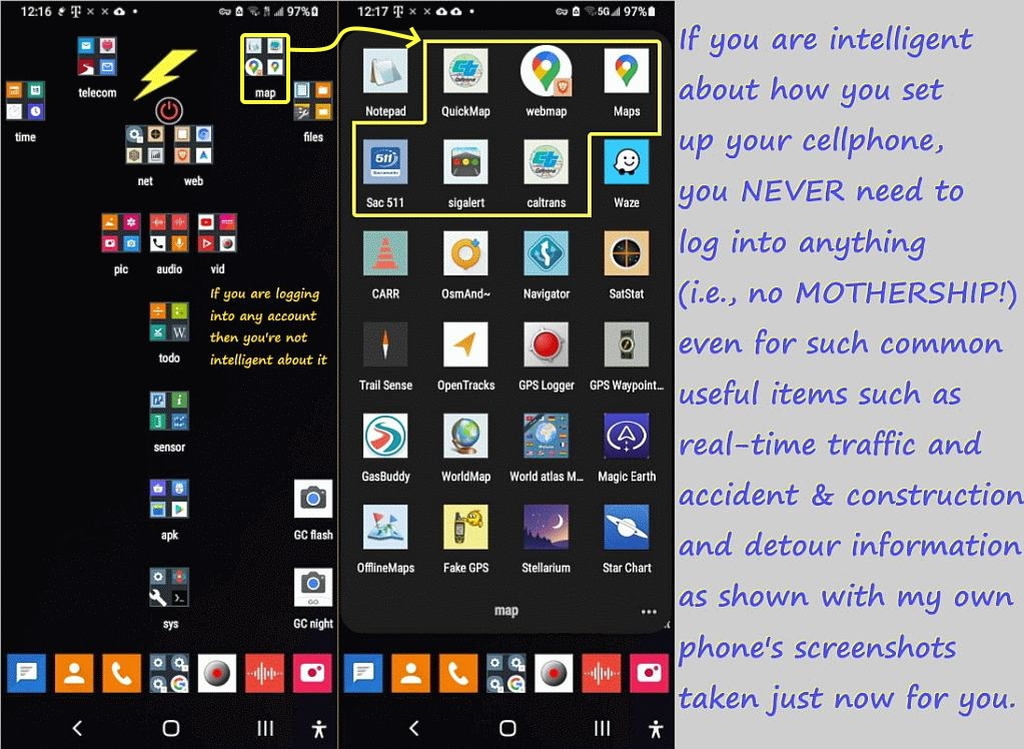
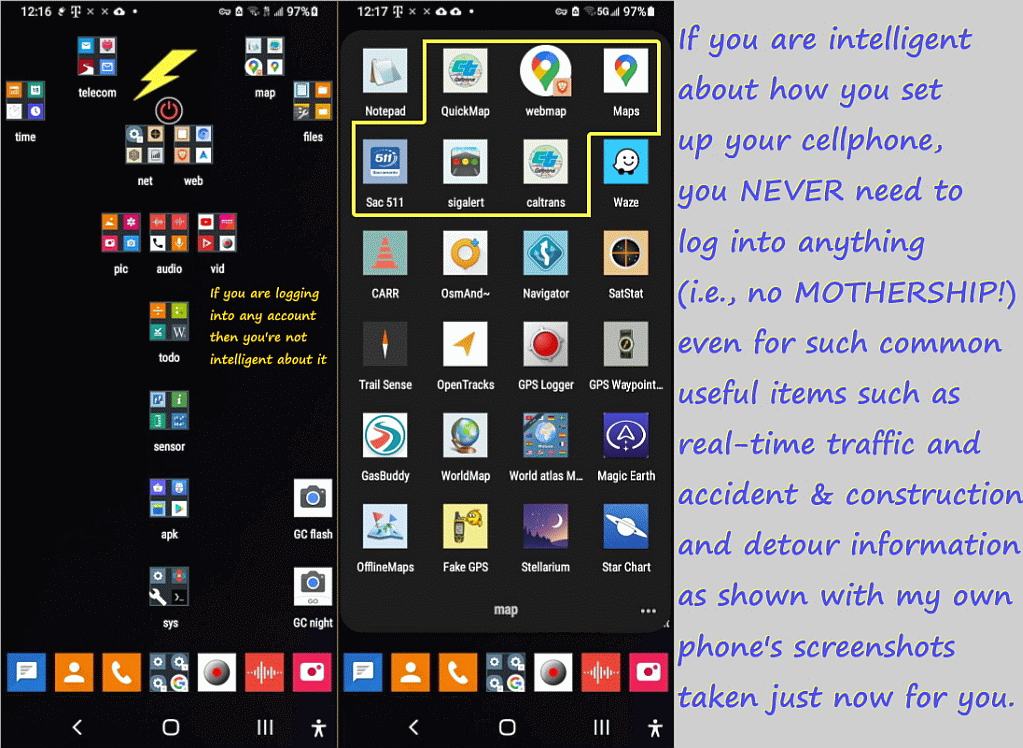
But the simplest way to get an APK off the Google Play Store is to log into it using a web browser and just downloading it. What's hard about that?
VanguardLH wrote on Tue, 6 Aug 2024 00:25:00 -0500 :
"Magic Earth uses OpenStreetMap data"
Well, you could just use the OsmAnd app.
The OP doesn't appear to be technical so this solution may be too much.
1. The problem with the Google Play Store is you need a login/passwd.
2. Sure, you can get the APK off of a mirror - but it takes knowledge.
3. Better to give the OP a way to get the APK w/o a login/passwd needed.
Arno Welzel <[email protected]> wrote:
UFO, 2024-08-06 04:39:
Was given a Moto G5 plus phone, with just the emergency service and was told
I can install this GPS tool to it and use it for driving directions.
A "GPS tool" will not give you driving directions, you need a navigation
app.
How would I get the app onto the phone since its not got service?
Using USB sideloading.
I have a Windows Desktop and I can plug the USB into it, and exchange files,
but I dont think the app can be downloaded on a Win Machine
because its a differenet OS?
You can download APK files, copy them to the phone and use the file
manager app of the phone to install the app by opening the APK file.
However you also need map data not only the tool.
According to https://www.magicearth.com/faq-en/#maps-help:
- Although they are using the crowd-sourced map data from
OpenStreetsMap, their app downloads offline maps from their web site,
not from the OpenStreetMaps web site.
Maybe that is a requirement for 3rd-party apps to eliminate OSM from
having to brunt the bandwidth.
- Maps are updated approximately once per month (middle of month).
VanguardLH, 2024-08-07 14:53:
Arno Welzel <[email protected]> wrote:
UFO, 2024-08-06 04:39:
Was given a Moto G5 plus phone, with just the emergency service and was told
I can install this GPS tool to it and use it for driving directions.
A "GPS tool" will not give you driving directions, you need a navigation >>> app.
How would I get the app onto the phone since its not got service?
Using USB sideloading.
I have a Windows Desktop and I can plug the USB into it, and exchange files,
but I dont think the app can be downloaded on a Win Machine
because its a differenet OS?
You can download APK files, copy them to the phone and use the file
manager app of the phone to install the app by opening the APK file.
However you also need map data not only the tool.
According to https://www.magicearth.com/faq-en/#maps-help:
- Although they are using the crowd-sourced map data from
OpenStreetsMap, their app downloads offline maps from their web site,
not from the OpenStreetMaps web site.
Maybe that is a requirement for 3rd-party apps to eliminate OSM from
having to brunt the bandwidth.
- Maps are updated approximately once per month (middle of month).
OSMAnd also allows to download the map files for offline use:
<https://osmand.net/docs/user/start-with/download-maps/>
And you can also download the map data on your computer, unzip it and
copy the files to the phone via USB when you know where OSMAnd expects
the map files on the device:
<https://download.osmand.net/list.php>
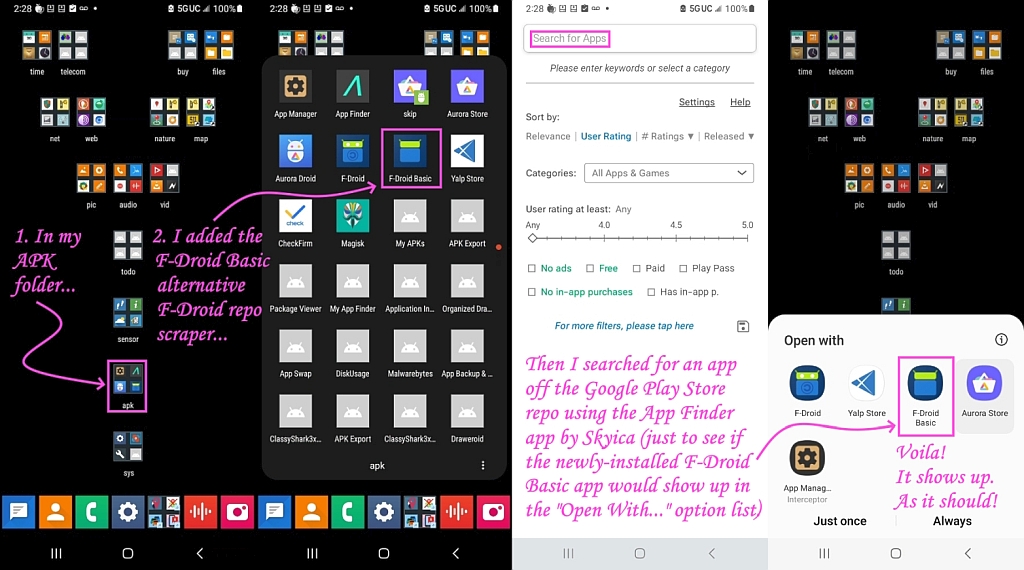
Or just use F-Droid:
<https://f-droid.org>
No user/password required, just install the F-Droid APK once.
Magic Earth: "Get real-time traffic info, updated every minute"
How - even if you have mobile data? I know some countries (NL?)
have open data sources for traffic data.
Are speed limits remotely up to date on OSM? In England they
change frequently.
I have OsmAnd (on an iPhone) for walking. For driving I use Google
Maps.
VanguardLH wrote on Tue, 6 Aug 2024 00:25:00 -0500 :
"Magic Earth uses OpenStreetMap data"
Well, you could just use the OsmAnd app.
The OP doesn't appear to be technical so this solution may be too much.
1. The problem with the Google Play Store is you need a login/passwd.
1. The problem with the Google Play Store is you need a login/passwd.
That's a problem only for people like you, not for normal people.
I have OsmAnd (on an iPhone) for walking. For driving I use Google
Maps.
With Google Maps I already had some serious issues for car navigation
when you do not only take major roads and highways. OsmAnd was much
better for that.
While for road routing the online Google Maps can't be beat, since I do >backcountry hiking, I am very happy with offline topographical mapping.
I'm not disappointed but I use the free USGS geocalibrated PDF 7.5-degree >quadrangle maps, which work great in all the good offline map programs.
I'm just getting used to using a "smart" phone, and was quick to install a hiking-based map app, and chose GPS Tracker, but it seems to not use
offline maps as far as I can tell.
I'm extremely interested to know which app you use to work with USFS topo maps. That sounds perfect.
1. IMHO, Google Maps is the best, bar none, unfortunately, for roads.
BUT... I wanted to put a certain route on my phone because I only cared
about the twists and turns at the far end. I was absolutely unable to
change the route from what IT wanted. I finally just wrote the turns on
a piece of paper. Old school, right? How can it NOT allow you to
choose your own route?
Supposedly you can do it with the web version, but it's like pushing
string and only a little more effective.
2. OSMAnd~ is surprisingly good for walking about such as between buildings >> at apartment complexes, or along park trails, or outside shopping malls. >> 3. But OSM maps suck like you can't believe for backcountry topography.
And last time I used it several years ago it was more battery-hungry
than was tolerable.
I wanted to put a certain route on my phone because I only cared about
the twists and turns at the far end. I was absolutely unable to change
the route from what IT wanted. I finally just wrote the turns on a
piece of paper. Old school, right? How can it NOT allow you to choose your own route?
Supposedly you can do it with the web version, but it's like pushing string
Supposedly you can do it with the web version, but it's like pushing
string and only a little more effective.
It's rare I'll say something good about Google but can't you use your
finger to "push" & "move" a section of a route on the Android Google maps?
No. And I was unable to find some sort of option/setting that would
permit such a thing. The movable dots on the web version are OK when
they work, but sometimes you just create knots and have to start all over.
I wanted to put a certain route on my phone because I only cared about
the twists and turns at the far end.� I was absolutely unable to change
the route from what IT wanted.� I finally just wrote the turns on a
piece of paper.� Old school, right?� How can it NOT allow you to choose
your own route?
Supposedly you can do it with the web version, but it's like pushing string
If you use the web version, you can plot a course from start to
destination, then "drag" midpoint(s) to make it go whichever way you want.
There is then a button to "send to phone", unfortunately all that does
is send the start and destination to the phone, which then calculates
the route from scratch, ignoring your alterations in the web version ... grrr!
Google gives us something nice and then cripples it.
croy wrote on Sun, 11 Aug 2024 17:51:06 -0700 :
I'm just getting used to using a "smart" phone, and was quick to install a >> hiking-based map app, and chose GPS Tracker, but it seems to not use
offline maps as far as I can tell.
I'm extremely interested to know which app you use to work with USFS topo
maps. That sounds perfect.
There are fire service geoPDFs, but I think that was a typo on your part.
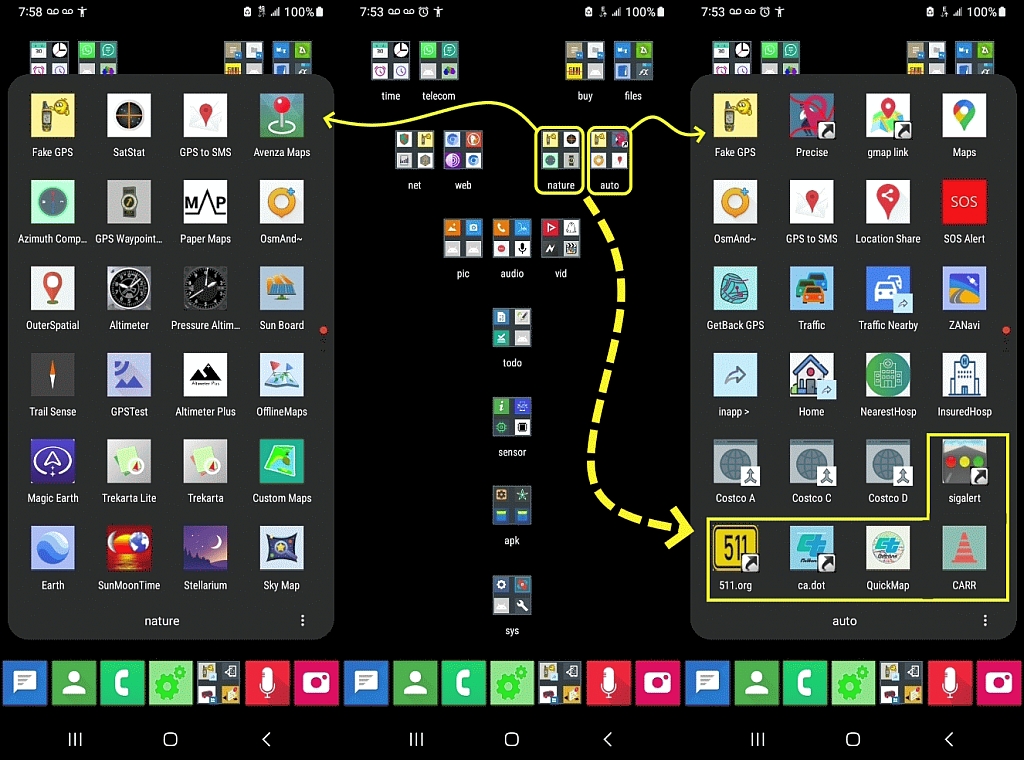
For USGS topo maps, mostly I use Avenza, which has a free limit of 3 maps >(you can combine them & swap them in & out so it's not a real limit).
<https://www.avenza.com/avenza-maps/>
Avenza is recommended by the USGS and it works on both mobile platforms:
<https://apps.apple.com/app/apple-store/id388424049> <https://play.google.com/store/apps/details?id=com.Avenza>
Given Avenza can swap out USGS geoPDFs, I don't need Paper Maps but it will >handle any number of geoPDFs but rarely you need more than 3 quadrangles.
<https://www.paper-maps.com/>
PaperMaps works on both iOS and Android just like Avenza does.
<https://apps.apple.com/app/nextmap/id1147385120> <https://play.google.com/store/apps/details?id=ca.abbro.androidmap>
The USGS keeps changing their web site for how to download the free PDFs
so any instructions I provide will change - but they're easy enough to get. ><https://www.usgs.gov/programs/national-geospatial-program/topographic-maps>
You can go back to the 1800s to hike along old logging roads if any are in >your area, where I generally find the 1:24K 7.5-minute quadrangles best.
| Sysop: | Keyop |
|---|---|
| Location: | Huddersfield, West Yorkshire, UK |
| Users: | 764 |
| Nodes: | 16 (2 / 14) |
| Uptime: | 24:13:24 |
| Calls: | 12,756 |
| Calls today: | 4 |
| Files: | 15,359 |
| Messages: | 6,556,749 |