• Anyone able to connect to PMX over ADB on a non-rooted Android?

    From Andrew@21:1/5 to All on Sun Jun 23 02:46:35 2024
    Anyone able to connect to PMX over ADB on a non-rooted Android?

    I'm trying to test out this PMX app which was recently suggested. <https://f-droid.org/de/packages/com.mirfatif.permissionmanagerx/> <https://f-droid.org/repo/com.mirfatif.permissionmanagerx_125.apk>
    Name: permission-manager_com.mirfatif.permissionmanagerx_125.apk
    Size: 2847225 bytes (2780 KiB)
    SHA256: 678FAC2556E610E080E058F1E1F362F0259C8BF314B7580282C678BFA750AF19

    I've been using adb over USB & Wi-Fi for years, using these commands:
    adb connect 192.168.0.2:36295
    adb pair 192.168.0.2:43145 016983
    And of course I have Android Developer options & the wireless debugging
    tile enabled on my Android 13 unrootable Samsung Galaxy A32-5G phone.

    Even with all that adb wi-fi and cable-connecting experience, my initial connection of PMX over ADB failed; but at first I thought it might have
    been because I was also using screencopy mirroring over Wi-Fi at the time.
    scrcpy -s 192.168.0.2

    Even when I disconnected from screencopy, and obtained new Android adb connection and pairing codes, PMX still failed to connect, for me.

    It could be just me... which is why I ask the community at large the
    question of whether they have been able to connect to PMX over Wi-FI ADB.

    --- SoupGate-Win32 v1.05
    * Origin: fsxNet Usenet Gateway (21:1/5)
  • From Andrew@21:1/5 to Andrew on Sun Jun 23 07:29:46 2024
    Andrew wrote on Sun, 23 Jun 2024 02:46:35 -0000 (UTC) :

    Even when I disconnected from screencopy, and obtained new Android adb connection and pairing codes, PMX still failed to connect, for me.

    It's rare that I fail to use an app that is simply using adb, particularly
    when I've been using ADB over USB & Wi-Fi (connect & pair) for many years.

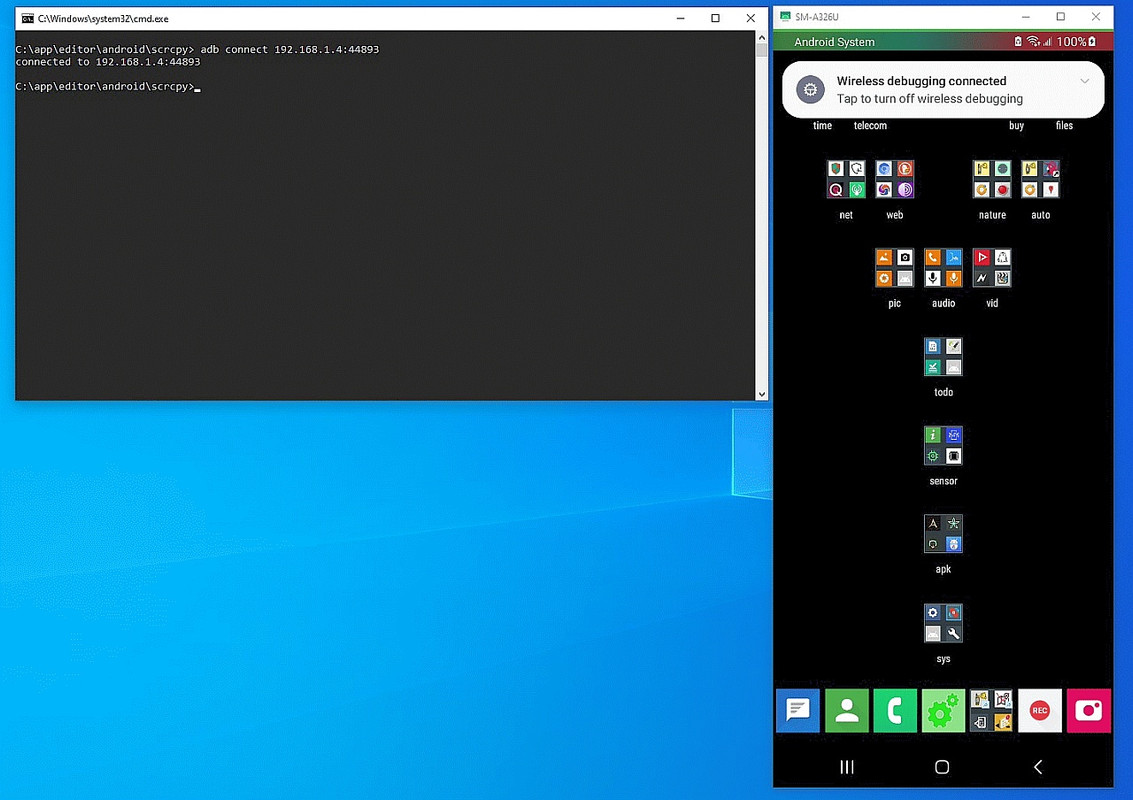
    Here's proof Windows' adb connect works just fine, for me, over Wi-Fi.
    <https://i.postimg.cc/Hxs0JZSf/adb-connect.jpg>

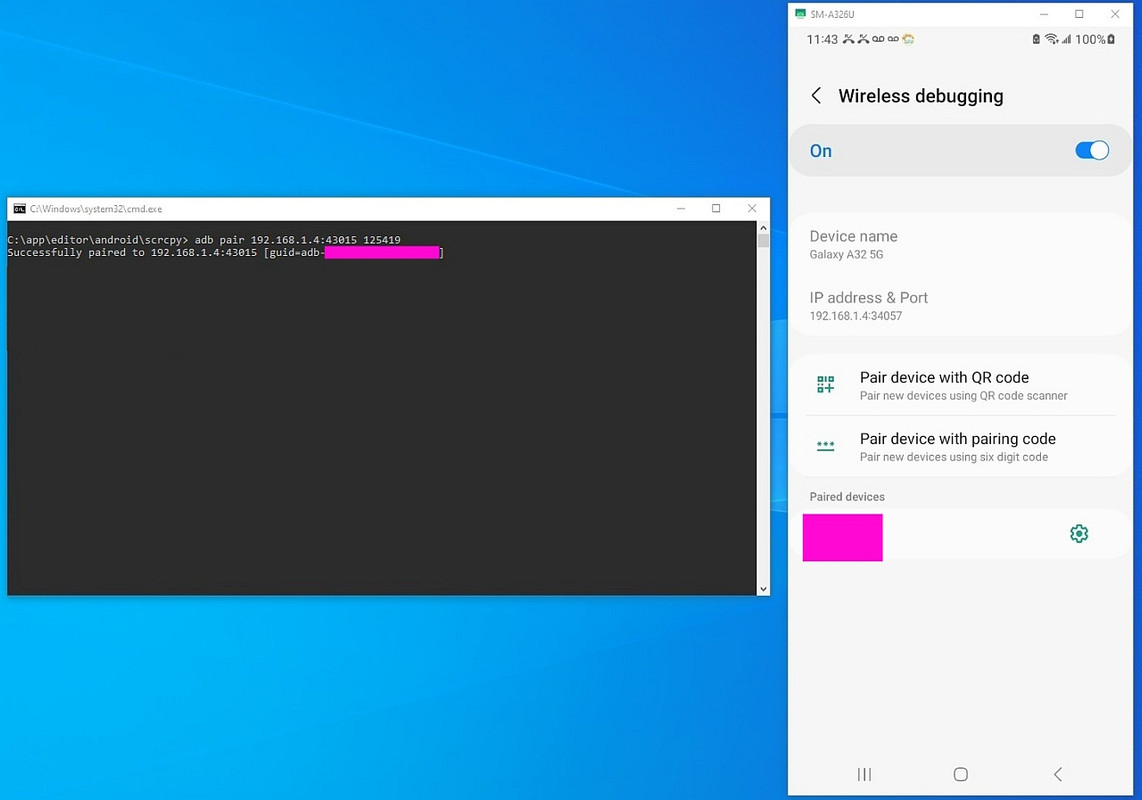
    Here's proof Windows' adb pair works just fine, for me, over Wi-Fi.
    <https://i.postimg.cc/kXDjY4vk/adb-pair.jpg>

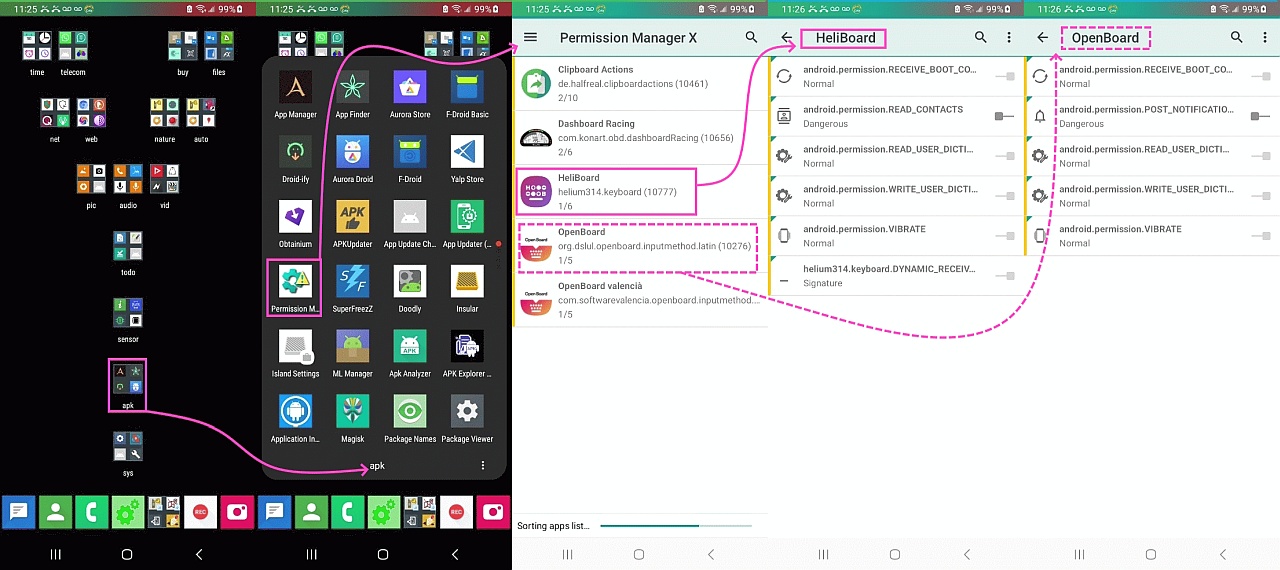
    And here's proof that PMX works fine to list out package permissions:
    <https://i.postimg.cc/4yy10LVz/pmx01.jpg>

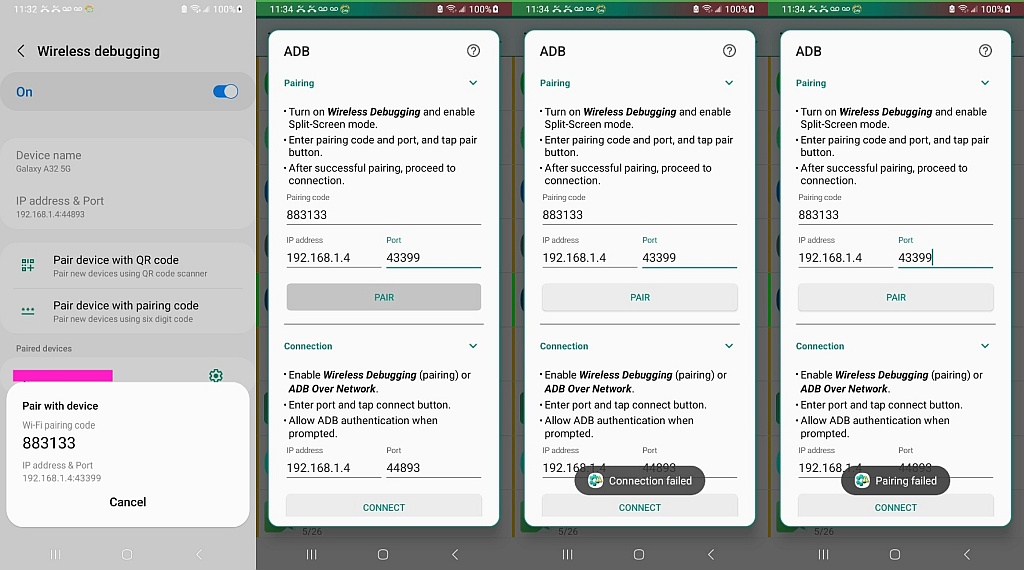
    Unfortunately I can't get the PMX adb (pair or connect) to work
    (which I think is needed to be able to change the package permissions).
    <https://i.postimg.cc/Fs2xPxRL/pmx02.jpg>

    What am I doing wrongly?

    --- SoupGate-Win32 v1.05
    * Origin: fsxNet Usenet Gateway (21:1/5)
  • From Arno Welzel@21:1/5 to All on Sun Jun 23 16:28:38 2024
    Andrew, 2024-06-23 04:46:

    Anyone able to connect to PMX over ADB on a non-rooted Android?

    It is quite cumbersome - you have to open Wireless debugging in the
    developer options *and* PMX debug options in a split screen, so you can
    do the pairing in PMX using the provided code from the Wireless debug
    pairing.

    Even when I disconnected from screencopy, and obtained new Android adb connection and pairing codes, PMX still failed to connect, for me.

    It seems works somewhat here (at least the connection) - but I only use
    PMX to check existing permissions of apps, not to modify them.

    --
    Arno Welzel
    https://arnowelzel.de

    --- SoupGate-Win32 v1.05
    * Origin: fsxNet Usenet Gateway (21:1/5)
  • From Arno Welzel@21:1/5 to All on Sun Jun 23 16:29:45 2024
    Andrew, 2024-06-23 09:29:

    [...]
    Unfortunately I can't get the PMX adb (pair or connect) to work
    (which I think is needed to be able to change the package permissions).
    <https://i.postimg.cc/Fs2xPxRL/pmx02.jpg>

    What am I doing wrongly?

    You have to run *both* apps at the same time in a split screen. When you
    leave the wireless debug settings and try to use the code in PMX
    afterwards, this will not work.

    --
    Arno Welzel
    https://arnowelzel.de

    --- SoupGate-Win32 v1.05
    * Origin: fsxNet Usenet Gateway (21:1/5)