On 9/21/2022 9:29 AM, wAYNE wrote:
I use VLC too, but the snap version. The first thing I did was download and install the necessary codecs described in #2 here:
https://itsfoss.com/things-to-do-after-installing-ubuntu-22-04/
From there, certain videos still played blocky, so disabled hardware accelerated decoding, also #2 here:
https://windowsreport.com/vlc-pixelated/
All good again with all videos, plays like it should.
When this happens, the need to "disabled hardware accelerated decoding" is because you don't currently HAVE accelerated decoding. You are exchanging
one soggy decoding path in software, for another software path.
It's up to you, whether you run the FOSS driver for the video card
or run the hardware manufacturer driver. If your video card is modern
enough to run the manufacturer driver, then the hardware acceleration
provided is worthwhile. You can still "disabled hardware accelerated decoding" if you want, even if you added a better driver for the video card.
You're still in control at that point.
The video card has multiple subsystems. A "proxy" for detecting whether the video card has been "made useful" by your OS, is the application glxgears.
You run it in a Terminal, without elevation (no sudo needed). It's
a benchmark. Without the additional arguments, it is capped at 60FPS.
vblank_mode=0 glxgears
__GL_SYNC_TO_VBLANK=0 glxgears
Removing the screen refresh synchronization, allows the hardware
acceleration to run (pretty much) as fast as possible. I believe
on powerful hardware, the interrupt limiter eventually cuts in
at around 20,000 FPS. A measure of 4,000 FPS is good for smelly
but still effective GPUs. If the OS uses a pure software path
for OpenGL support, then the speed might measure in the
hundreds of FPS (weak).
If you get a high number like that, chances are you have a good
driver. If there is good OpenGL support, then the video card
might just have a video decoder block as well.
inxi -G # graphics summary
inxi -F # only copy the relevant bits...
The detail as to what driver is running (nvidia or nouveau, some
ati/amd thing, an intel), should be shown in that output.
The video decoder situation is shown separately. Maybe QuickSync
support of movie playing, is shown in the VAAPI details. NVidia
and ATI/AMD have their own branded video decoders in hardware.
If video decoders are present, the CPU won't have much to do when
a video plays. The blocky stuff can disappear, because QuickSync
does all the work, and your CPU is not railed.
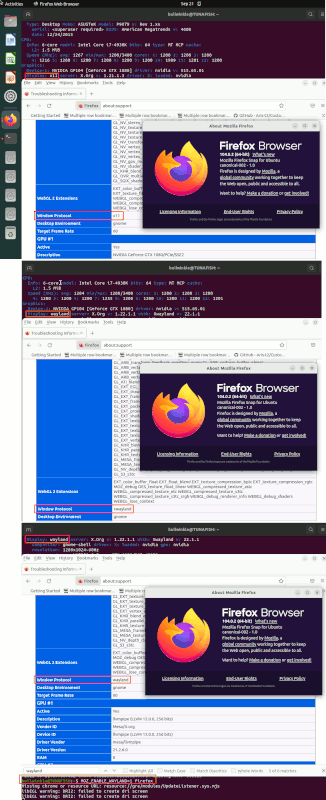
Firefox "about:support" can highlight some of these details too,
as Firefox plays videos and knows what the subsystem needed is.
And if you find yourself adding a *lot* of .deb files you find
underneath rocks, to try to fix things like this, chances are
you are doing it wrong. Just a warning. The reason old ways of
doing things get dropped, is because the software no longer uses
those or even touches them.
Application software that is ten to twenty years old, yes, it
depends on the old stuff. Anything under constant maintenance
(like Firefox), won't need the old ways. VLC is similarly kept
up to date. It can use ffmpeg materials or libav files, for
some of the video stuff. It does not need crusty old codec packs.
If you're using the Snap version of things, it is also more
likely that the Snap cannot even access some of these libraries
you have added. Snap is isolated. Snap applications can easily reach
your home directory, but not so easily reach /usr/bin or the like.
We are awash in a sea of change... with no life preserver in sight.
Paul
--- SoupGate-Win32 v1.05
* Origin: fsxNet Usenet Gateway (21:1/5)