When booting with Ubuntu Live USB stick, I get...
error: symbol 'grub_calloc' not found.
Entering rescue mode...
grub rescue>
The same USB stick has been working fine on T420.
But, on T430, it gives error. Why?
On 9/13/22 18:30, Adam wrote:
When booting with Ubuntu Live USB stick, I get...
error: symbol 'grub_calloc' not found.
Entering rescue mode...
grub rescue>
The same USB stick has been working fine on T420.
But, on T430, it gives error. Why?
What's T420/T430? We shouldn't have to do research to answer your
question.
On 9/13/22 18:30, Adam wrote:
When booting with Ubuntu Live USB stick, I get...
error: symbol 'grub_calloc' not found.
Entering rescue mode...
grub rescue>
The same USB stick has been working fine on T420.
But, on T430, it gives error. Why?
What's T420/T430? We shouldn't have to do research to answer your
question.
On 9/13/22 18:30, Adam wrote:
When booting with Ubuntu Live USB stick, I get...
error: symbol 'grub_calloc' not found.
Entering rescue mode...
grub rescue>
The same USB stick has been working fine on T420.
But, on T430, it gives error. Why?
What's T420/T430? We shouldn't have to do research to answer your
question.
When booting with Ubuntu Live USB stick, I get...
error: symbol 'grub_calloc' not found.
Entering rescue mode...
grub rescue>
The same USB stick has been working fine on T420.
But, on T430, it gives error. Why?
On 9/13/22 19:25, stepore wrote:
On 9/13/22 18:30, Adam wrote:
When booting with Ubuntu Live USB stick, I get...
error: symbol 'grub_calloc' not found.
Entering rescue mode...
grub rescue>
The same USB stick has been working fine on T420.
But, on T430, it gives error. Why?
What's T420/T430? We shouldn't have to do research to answer your
question.
Lenova laptops favored by some Linux users.
Do other Live Distros on other USB Flash Drives work on the T430?
bliss
On 9/13/22 19:25, stepore wrote:
On 9/13/22 18:30, Adam wrote:
When booting with Ubuntu Live USB stick, I get...
error: symbol 'grub_calloc' not found.
Entering rescue mode...
grub rescue>
The same USB stick has been working fine on T420.
But, on T430, it gives error. Why?
What's T420/T430? We shouldn't have to do research to answer your
question.
Lenova laptops favored by some Linux users.
Do other Live Distros on other USB Flash Drives work on the T430? bliss
What's T420/T430? We shouldn't have to do research to answer your
question.
I believe they are the type numbers of Thinkpad laptops. But then
again, I could be wrong. :)
On 9/13/2022 9:30 PM, Adam wrote:
When booting with Ubuntu Live USB stick, I get...
error: symbol 'grub_calloc' not found.
Entering rescue mode...
grub rescue>
The same USB stick has been working fine on T420.
But, on T430, it gives error. Why?
You should find something here. Recipe rich, and too-long thread.
https://askubuntu.com/questions/1263125/how-to-fix-a-grub-boot-error-symbol-grub-calloc-not-found
It's possible in your case, that some identifier is confused, and
it's not just booting from the USB stick.
Paul
On 09/14/2022 12:12 AM, Paul wrote:
On 9/13/2022 9:30 PM, Adam wrote:
When booting with Ubuntu Live USB stick, I get...
error: symbol 'grub_calloc' not found.
Entering rescue mode...
grub rescue>
The same USB stick has been working fine on T420.
But, on T430, it gives error. Why?
You should find something here. Recipe rich, and too-long thread.
https://askubuntu.com/questions/1263125/how-to-fix-a-grub-boot-error-symbol-grub-calloc-not-found
It's possible in your case, that some identifier is confused, and
it's not just booting from the USB stick.
Paul
What identifier?
Same HDD, same Ubuntu Live USB stick moved to newly acquired T430.
The only thing I can think of is BIOS. Or, USB bus is bad?
On 09/14/2022 09:50 AM, Adam wrote:
On 09/14/2022 12:12 AM, Paul wrote:
On 9/13/2022 9:30 PM, Adam wrote:
When booting with Ubuntu Live USB stick, I get...
error: symbol 'grub_calloc' not found.
Entering rescue mode...
grub rescue>
The same USB stick has been working fine on T420.
But, on T430, it gives error. Why?
You should find something here. Recipe rich, and too-long thread.
https://askubuntu.com/questions/1263125/how-to-fix-a-grub-boot-error-symbol-grub-calloc-not-found
It's possible in your case, that some identifier is confused, and
it's not just booting from the USB stick.
Paul
What identifier?
Same HDD, same Ubuntu Live USB stick moved to newly acquired T430.
The only thing I can think of is BIOS. Or, USB bus is bad?
https://i.postimg.cc/qvPJsKW1/U20-04-Live-USB-stick-from-mkusb.png
Yes, you're right about T420/T430 being ThinkPad model #. It's a new
T430 and I've only tried U18.04 & U20.04 USB Live. Both failed.
Could it be a BIOS setting ? UEFI ?
On 09/14/2022 12:41 PM, Paul wrote:
On 9/14/2022 1:32 PM, Adam wrote:
On 09/14/2022 09:50 AM, Adam wrote:
On 09/14/2022 12:12 AM, Paul wrote:
On 9/13/2022 9:30 PM, Adam wrote:
When booting with Ubuntu Live USB stick, I get...
error: symbol 'grub_calloc' not found.
Entering rescue mode...
grub rescue>
The same USB stick has been working fine on T420.
But, on T430, it gives error. Why?
You should find something here. Recipe rich, and too-long thread.
https://askubuntu.com/questions/1263125/how-to-fix-a-grub-boot-error-symbol-grub-calloc-not-found
It's possible in your case, that some identifier is confused, and
it's not just booting from the USB stick.
Paul
What identifier?
Same HDD, same Ubuntu Live USB stick moved to newly acquired T430.
The only thing I can think of is BIOS. Or, USB bus is bad?
https://i.postimg.cc/qvPJsKW1/U20-04-Live-USB-stick-from-mkusb.png
Oh, my.
It's a puzzle. I've not seen this pattern before. This exact pattern.
Instinct tells me, a user recently attempted to use GParted
to do something to his USB. And this is why the partition numbering
is now "funky".
But what ? What was the user trying to do at the time ? The reason
I'm trying to figure that out, is to guesstimate the damage pattern.
Where did the damage go ? What did it do ?
I'm looking at that pattern, and trying to tell what is going on.
I suspect maybe the Live Media being used to take the snapshot,
may have mounted the casper-rw for its own self.
The other part of the picture that cries out for attention, is
the two partitions that are exactly 12.75 GiB. I don't think
one is holding the other. That would not work. It could be
a coincidence, but on computers, these patterns are a "smell".
I would hold off on running "Boot-Repair" on that, until you figure
out how those partitions got out-of-spatial-order. Gparted will
renumber partitions on you, and that will break Grub on one partition
part of the sequence. That's where some information is read from
the ESP and used to find the location of the next stage of grub.
It is probably, at this point, indexing into the wrong partition.
First we have to review the history, the time line, and see
whether meddling with it as it sits now, is a bad idea or not.
If you're bored, make a backup of the stick. Macrium could do that,
since being from Windows, it will not try and mount anything for fun.
It uses smart backup for partitions it knows (FAT32, NTFS, EXTn),
and it will use "dd" for the ones it does not know (like a Microsoft
Reserved 16MB is done with dd as there is no file system).
Partition Name FS Mount Point Label Size
Used Unused Flags
/dev/sdb5 primary ext4 /media/xerus/casper-rw casper-rw 12.75GiB
2.42GiB 10.33GiB
/dev/sdb1 primary ntfs /media/xerus/usbdata usbdata 12.75GiB
64.91MiB 12.69GiB msftdata
It would be more normal for the ESP (sdb3) to be laid down first as sdb1.
It's 300MB, a sign that Ubuntu did it, and not a Windows thing.
Windows would use a 100MB ESP, which pisses off other Debians.
The partition numbering appears "wrong by expectation", but what
do I know. These things apparently happen all the time, this
weird stuff. But our job is to tip it upright, without breaking it.
Give us a summary, of the history of the thing, and what you've
tried to do to it since install (like, with Gparted).
Paul
No backup needed. It's just a Live Ubuntu USB Drive With Persistent
Storage created from an .iso file using mkusb. See instructions here...
How to Create a Live Ubuntu USB Drive With Persistent Storage https://www.howtogeek.com/howto/14912/create-a-persistent-bootable-ubuntu-usb-flash-drive/
I thought the Live Ubuntu USB drive is suppose to be portable until I
ran into this problem.
=====================================================================
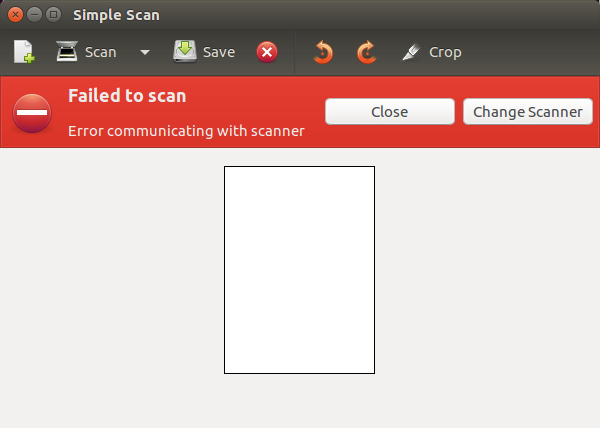
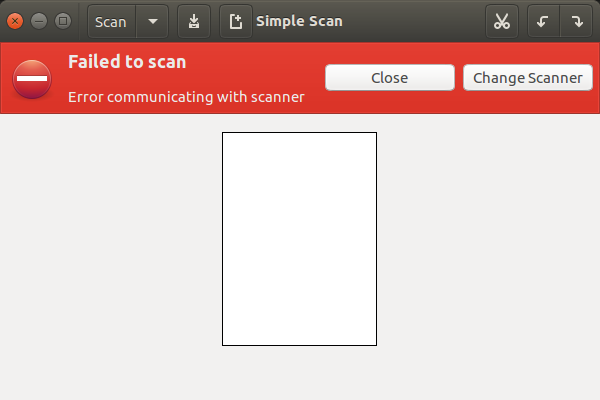
Separate USB annoyance I encountered today while trying to scan a
document via USB connection between scanner and laptop. Simple Scan
kept failing to scan saying Device Not Found until I inserted a USB
dongle...
Belkin USB 2.0 4-Port Ultra-Mini Hub https://www.amazon.com/gp/product/B000Q8UAWY/ref=ppx_yo_dt_b_search_asin_title?ie=UTF8&psc=1
Why? Seems like there's no rhyme or reason.
On 9/14/2022 1:32 PM, Adam wrote:
On 09/14/2022 09:50 AM, Adam wrote:
On 09/14/2022 12:12 AM, Paul wrote:
On 9/13/2022 9:30 PM, Adam wrote:
When booting with Ubuntu Live USB stick, I get...
error: symbol 'grub_calloc' not found.
Entering rescue mode...
grub rescue>
The same USB stick has been working fine on T420.
But, on T430, it gives error. Why?
You should find something here. Recipe rich, and too-long thread.
https://askubuntu.com/questions/1263125/how-to-fix-a-grub-boot-error-symbol-grub-calloc-not-found
It's possible in your case, that some identifier is confused, and
it's not just booting from the USB stick.
Paul
What identifier?
Same HDD, same Ubuntu Live USB stick moved to newly acquired T430.
The only thing I can think of is BIOS. Or, USB bus is bad?
https://i.postimg.cc/qvPJsKW1/U20-04-Live-USB-stick-from-mkusb.png
Oh, my.
It's a puzzle. I've not seen this pattern before. This exact pattern.
Instinct tells me, a user recently attempted to use GParted
to do something to his USB. And this is why the partition numbering
is now "funky".
But what ? What was the user trying to do at the time ? The reason
I'm trying to figure that out, is to guesstimate the damage pattern.
Where did the damage go ? What did it do ?
I'm looking at that pattern, and trying to tell what is going on.
I suspect maybe the Live Media being used to take the snapshot,
may have mounted the casper-rw for its own self.
The other part of the picture that cries out for attention, is
the two partitions that are exactly 12.75 GiB. I don't think
one is holding the other. That would not work. It could be
a coincidence, but on computers, these patterns are a "smell".
I would hold off on running "Boot-Repair" on that, until you figure
out how those partitions got out-of-spatial-order. Gparted will
renumber partitions on you, and that will break Grub on one partition
part of the sequence. That's where some information is read from
the ESP and used to find the location of the next stage of grub.
It is probably, at this point, indexing into the wrong partition.
First we have to review the history, the time line, and see
whether meddling with it as it sits now, is a bad idea or not.
If you're bored, make a backup of the stick. Macrium could do that,
since being from Windows, it will not try and mount anything for fun.
It uses smart backup for partitions it knows (FAT32, NTFS, EXTn),
and it will use "dd" for the ones it does not know (like a Microsoft
Reserved 16MB is done with dd as there is no file system).
Partition Name FS Mount Point Label Size
Used Unused Flags
/dev/sdb5 primary ext4 /media/xerus/casper-rw casper-rw 12.75GiB
2.42GiB 10.33GiB
/dev/sdb1 primary ntfs /media/xerus/usbdata usbdata 12.75GiB
64.91MiB 12.69GiB msftdata
It would be more normal for the ESP (sdb3) to be laid down first as sdb1. It's 300MB, a sign that Ubuntu did it, and not a Windows thing.
Windows would use a 100MB ESP, which pisses off other Debians.
The partition numbering appears "wrong by expectation", but what
do I know. These things apparently happen all the time, this
weird stuff. But our job is to tip it upright, without breaking it.
Give us a summary, of the history of the thing, and what you've
tried to do to it since install (like, with Gparted).
Paul
On 09/14/2022 12:41 PM, Paul wrote:
Give us a summary, of the history of the thing, and what you've
tried to do to it since install (like, with Gparted).
Paul
No backup needed. It's just a Live Ubuntu USB Drive With Persistent Storage created from an .iso file using mkusb. See instructions here...
How to Create a Live Ubuntu USB Drive With Persistent Storage https://www.howtogeek.com/howto/14912/create-a-persistent-bootable-ubuntu-usb-flash-drive/
I thought the Live Ubuntu USB drive is suppose to be portable until I ran into this problem.
=====================================================================
Separate USB annoyance I encountered today while trying to scan a document via USB connection between scanner and laptop. Simple Scan kept failing to scan saying Device Not Found until I inserted a USB dongle...
Belkin USB 2.0 4-Port Ultra-Mini Hub https://www.amazon.com/gp/product/B000Q8UAWY/ref=ppx_yo_dt_b_search_asin_title?ie=UTF8&psc=1
Why? Seems like there's no rhyme or reason.
Separate USB annoyance I encountered today while trying to scan a document via USB connection between scanner and laptop. Simple Scan kept failing to scan saying Device Not Found until I inserted a USB dongle...
Belkin USB 2.0 4-Port Ultra-Mini Hub https://www.amazon.com/gp/product/B000Q8UAWY/ref=ppx_yo_dt_b_search_asin_title?ie=UTF8&psc=1
Why? Seems like there's no rhyme or reason.
On 9/15/2022 1:46 AM, Adam wrote:
Separate USB annoyance I encountered today while trying to scan a
document via USB connection between scanner and laptop. Simple Scan
kept failing to scan saying Device Not Found until I inserted a USB
dongle...
Belkin USB 2.0 4-Port Ultra-Mini Hub
https://www.amazon.com/gp/product/B000Q8UAWY/ref=ppx_yo_dt_b_search_asin_title?ie=UTF8&psc=1
Why? Seems like there's no rhyme or reason.
Try:
lsusb -tv
both before, and after, the hardware cabling changes.
Look for differences (other than the obvious ones).
Paul
On 09/15/2022 07:24 AM, Paul wrote:
On 9/15/2022 1:46 AM, Adam wrote:
Separate USB annoyance I encountered today while trying to scan a
document via USB connection between scanner and laptop. Simple Scan
kept failing to scan saying Device Not Found until I inserted a USB
dongle...
Belkin USB 2.0 4-Port Ultra-Mini Hub
https://www.amazon.com/gp/product/B000Q8UAWY/ref=ppx_yo_dt_b_search_asin_title?ie=UTF8&psc=1
Why? Seems like there's no rhyme or reason.
Try:
lsusb -tv
both before, and after, the hardware cabling changes.
Look for differences (other than the obvious ones).
Paul
Scanner not connected to laptop...
xerus@ThinkPad-T430:~$ lsusb -tv
/: Bus 04.Port 1: Dev 1, Class=root_hub, Driver=xhci_hcd/4p, 5000M
/: Bus 03.Port 1: Dev 1, Class=root_hub, Driver=xhci_hcd/4p, 480M
/: Bus 02.Port 1: Dev 1, Class=root_hub, Driver=ehci-pci/3p, 480M
|__ Port 1: Dev 2, If 0, Class=Hub, Driver=hub/8p, 480M
/: Bus 01.Port 1: Dev 1, Class=root_hub, Driver=ehci-pci/3p, 480M
|__ Port 1: Dev 2, If 0, Class=Hub, Driver=hub/6p, 480M
|__ Port 3: Dev 3, If 0, Class=Vendor Specific Class, Driver=, 12M
|__ Port 6: Dev 4, If 0, Class=Video, Driver=uvcvideo, 480M
|__ Port 6: Dev 4, If 1, Class=Video, Driver=uvcvideo, 480M xerus@ThinkPad-T430:~$
Scanner connected directly to laptop (without Belkin USB 2.0 4-Port Ultra-Mini Hub)...
xerus@ThinkPad-T430:~$ lsusb -tv
/: Bus 04.Port 1: Dev 1, Class=root_hub, Driver=xhci_hcd/4p, 5000M
/: Bus 03.Port 1: Dev 1, Class=root_hub, Driver=xhci_hcd/4p, 480M
/: Bus 02.Port 1: Dev 1, Class=root_hub, Driver=ehci-pci/3p, 480M
|__ Port 1: Dev 2, If 0, Class=Hub, Driver=hub/8p, 480M
/: Bus 01.Port 1: Dev 1, Class=root_hub, Driver=ehci-pci/3p, 480M
|__ Port 1: Dev 2, If 0, Class=Hub, Driver=hub/6p, 480M
|__ Port 2: Dev 29, If 0, Class=(Defined at Interface level), Driver=, 12M
|__ Port 3: Dev 3, If 0, Class=Vendor Specific Class, Driver=, 12M
|__ Port 6: Dev 4, If 0, Class=Video, Driver=uvcvideo, 480M
|__ Port 6: Dev 4, If 1, Class=Video, Driver=uvcvideo, 480M xerus@ThinkPad-T430:~$
Scanner connected to Belkin USB 2.0 4-Port Ultra-Mini Hub, which is connected to laptop...
xerus@ThinkPad-T430:~$ lsusb -tv
/: Bus 04.Port 1: Dev 1, Class=root_hub, Driver=xhci_hcd/4p, 5000M
/: Bus 03.Port 1: Dev 1, Class=root_hub, Driver=xhci_hcd/4p, 480M
/: Bus 02.Port 1: Dev 1, Class=root_hub, Driver=ehci-pci/3p, 480M
|__ Port 1: Dev 2, If 0, Class=Hub, Driver=hub/8p, 480M
/: Bus 01.Port 1: Dev 1, Class=root_hub, Driver=ehci-pci/3p, 480M
|__ Port 1: Dev 2, If 0, Class=Hub, Driver=hub/6p, 480M
|__ Port 2: Dev 25, If 0, Class=Hub, Driver=hub/4p, 480M
|__ Port 3: Dev 26, If 0, Class=(Defined at Interface level), Driver=, 12M
|__ Port 3: Dev 3, If 0, Class=Vendor Specific Class, Driver=, 12M
|__ Port 6: Dev 4, If 0, Class=Video, Driver=uvcvideo, 480M
|__ Port 6: Dev 4, If 1, Class=Video, Driver=uvcvideo, 480M xerus@ThinkPad-T430:~$
On 9/15/2022 9:00 PM, Adam wrote:
On 09/15/2022 07:24 AM, Paul wrote:
On 9/15/2022 1:46 AM, Adam wrote:
Separate USB annoyance I encountered today while trying to scan a
document via USB connection between scanner and laptop. Simple Scan
kept failing to scan saying Device Not Found until I inserted a USB
dongle...
Belkin USB 2.0 4-Port Ultra-Mini Hub
https://www.amazon.com/gp/product/B000Q8UAWY/ref=ppx_yo_dt_b_search_asin_title?ie=UTF8&psc=1
Why? Seems like there's no rhyme or reason.
Try:
lsusb -tv
both before, and after, the hardware cabling changes.
Look for differences (other than the obvious ones).
Paul
Scanner not connected to laptop...
xerus@ThinkPad-T430:~$ lsusb -tv
/: Bus 04.Port 1: Dev 1, Class=root_hub, Driver=xhci_hcd/4p, 5000M
/: Bus 03.Port 1: Dev 1, Class=root_hub, Driver=xhci_hcd/4p, 480M
/: Bus 02.Port 1: Dev 1, Class=root_hub, Driver=ehci-pci/3p, 480M
|__ Port 1: Dev 2, If 0, Class=Hub, Driver=hub/8p, 480M
/: Bus 01.Port 1: Dev 1, Class=root_hub, Driver=ehci-pci/3p, 480M
|__ Port 1: Dev 2, If 0, Class=Hub, Driver=hub/6p, 480M
|__ Port 3: Dev 3, If 0, Class=Vendor Specific Class,
Driver=, 12M
|__ Port 6: Dev 4, If 0, Class=Video, Driver=uvcvideo, 480M
|__ Port 6: Dev 4, If 1, Class=Video, Driver=uvcvideo, 480M
xerus@ThinkPad-T430:~$
Scanner connected directly to laptop (without Belkin USB 2.0 4-Port
Ultra-Mini Hub)...
xerus@ThinkPad-T430:~$ lsusb -tv
/: Bus 04.Port 1: Dev 1, Class=root_hub, Driver=xhci_hcd/4p, 5000M
/: Bus 03.Port 1: Dev 1, Class=root_hub, Driver=xhci_hcd/4p, 480M
/: Bus 02.Port 1: Dev 1, Class=root_hub, Driver=ehci-pci/3p, 480M
|__ Port 1: Dev 2, If 0, Class=Hub, Driver=hub/8p, 480M
/: Bus 01.Port 1: Dev 1, Class=root_hub, Driver=ehci-pci/3p, 480M
|__ Port 1: Dev 2, If 0, Class=Hub, Driver=hub/6p, 480M
|__ Port 2: Dev 29, If 0, Class=(Defined at Interface level),
Driver=, 12M
|__ Port 3: Dev 3, If 0, Class=Vendor Specific Class,
Driver=, 12M
|__ Port 6: Dev 4, If 0, Class=Video, Driver=uvcvideo, 480M
|__ Port 6: Dev 4, If 1, Class=Video, Driver=uvcvideo, 480M
xerus@ThinkPad-T430:~$
Scanner connected to Belkin USB 2.0 4-Port Ultra-Mini Hub, which is
connected to laptop...
xerus@ThinkPad-T430:~$ lsusb -tv
/: Bus 04.Port 1: Dev 1, Class=root_hub, Driver=xhci_hcd/4p, 5000M
/: Bus 03.Port 1: Dev 1, Class=root_hub, Driver=xhci_hcd/4p, 480M
/: Bus 02.Port 1: Dev 1, Class=root_hub, Driver=ehci-pci/3p, 480M
|__ Port 1: Dev 2, If 0, Class=Hub, Driver=hub/8p, 480M
/: Bus 01.Port 1: Dev 1, Class=root_hub, Driver=ehci-pci/3p, 480M
|__ Port 1: Dev 2, If 0, Class=Hub, Driver=hub/6p, 480M
|__ Port 2: Dev 25, If 0, Class=Hub, Driver=hub/4p, 480M
|__ Port 3: Dev 26, If 0, Class=(Defined at Interface
level), Driver=, 12M
|__ Port 3: Dev 3, If 0, Class=Vendor Specific Class,
Driver=, 12M
|__ Port 6: Dev 4, If 0, Class=Video, Driver=uvcvideo, 480M
|__ Port 6: Dev 4, If 1, Class=Video, Driver=uvcvideo, 480M
xerus@ThinkPad-T430:~$
There's nothing abnormal there, so far. In terms of behavior, like
something showing up when you expect it to show up.
This is my other machine with the mkusb in it.
ubuntu@ubuntu:~$ lsusb -tv
/: Bus 06.Port 1: Dev 1, Class=root_hub, Driver=xhci_hcd/2p, 5000M
ID 1d6b:0003 Linux Foundation 3.0 root hub
|__ Port 1: Dev 2, If 0, Class=Mass Storage, Driver=uas, 5000M
ID 174c:55aa ASMedia Technology Inc. Name: ASM1051E SATA 6Gb/s bridge <=== USB boot drive
/: Bus 05.Port 1: Dev 1, Class=root_hub, Driver=xhci_hcd/2p, 480M
ID 1d6b:0002 Linux Foundation 2.0 root hub
/: Bus 04.Port 1: Dev 1, Class=root_hub, Driver=xhci_hcd/2p, 5000M
ID 1d6b:0003 Linux Foundation 3.0 root hub
/: Bus 03.Port 1: Dev 1, Class=root_hub, Driver=xhci_hcd/2p, 480M
ID 1d6b:0002 Linux Foundation 2.0 root hub
/: Bus 02.Port 1: Dev 1, Class=root_hub, Driver=ehci-pci/2p, 480M
ID 1d6b:0002 Linux Foundation 2.0 root hub
|__ Port 1: Dev 2, If 0, Class=Hub, Driver=hub/8p, 480M
ID 8087:0024 Intel Corp. Integrated Rate Matching Hub
|__ Port 3: Dev 3, If 0, Class=Hub, Driver=hub/4p, 480M
ID 05e3:0608 Genesys Logic, Inc. Hub
|__ Port 4: Dev 6, If 0, Class=Human Interface Device, Driver=usbhid, 1.5M
ID 045e:076c Microsoft Corp. Comfort Mouse 4500
|__ Port 4: Dev 4, If 0, Class=Hub, Driver=hub/4p, 480M
ID 05e3:0608 Genesys Logic, Inc. Hub
|__ Port 4: Dev 7, If 0, Class=Human Interface Device, Driver=usbhid, 12M
ID 125f:9318 A-DATA Technology Co., Ltd.
|__ Port 4: Dev 7, If 1, Class=Human Interface Device, Driver=usbhid, 12M
ID 125f:9318 A-DATA Technology Co., Ltd.
|__ Port 7: Dev 5, If 0, Class=Vendor Specific Class,
Driver=btusb, 12M
ID 0b05:17cb ASUSTek Computer, Inc. Broadcom BCM20702A0 Bluetooth
|__ Port 7: Dev 5, If 1, Class=Vendor Specific Class,
Driver=btusb, 12M
ID 0b05:17cb ASUSTek Computer, Inc. Broadcom BCM20702A0 Bluetooth
|__ Port 7: Dev 5, If 2, Class=Vendor Specific Class,
Driver=btusb, 12M
ID 0b05:17cb ASUSTek Computer, Inc. Broadcom BCM20702A0 Bluetooth
|__ Port 7: Dev 5, If 3, Class=Application Specific Interface, Driver=, 12M
ID 0b05:17cb ASUSTek Computer, Inc. Broadcom BCM20702A0 Bluetooth
/: Bus 01.Port 1: Dev 1, Class=root_hub, Driver=ehci-pci/2p, 480M
ID 1d6b:0002 Linux Foundation 2.0 root hub
|__ Port 1: Dev 2, If 0, Class=Hub, Driver=hub/6p, 480M
ID 8087:0024 Intel Corp. Integrated Rate Matching Hub ubuntu@ubuntu:~$
*******
Notice how mine has the numbers, like 8087:0024
Yours does not.
This means, somehow, the process to enumerate hardware either
isn't running, or there is an elevation problem (not enough
permissions to read the USB config space).
If you can find a log, maybe there's something in there which
indicates why the devices are not getting read properly.
disconnectedSep 15 07:40:45 ThinkPad-T430 kernel: [725183.951482] cfg80211: World regulatory domain updated:
authenticatingSep 15 07:40:48 ThinkPad-T430 NetworkManager[852]: <info>
disconnectedSep 15 07:55:34 ThinkPad-T430 NetworkManager[852]: <info>
authenticatingSep 15 07:55:37 ThinkPad-T430 NetworkManager[852]: <info>
disconnectedSep 15 07:58:47 ThinkPad-T430 kernel: [726265.942245] cfg80211: World regulatory domain updated:
But at least we can say "it wasn't a power problem". I was thinking,
when I asked for this info, that there would be evidence of the
device "winking out'. And that's not the case. I had to run the same
command on my machine, just to see what mine would look like. You
can see it did get a little snotty about the fourth part of my BT
dongle, but, it did manage to use "0b05:17cb" for all four entries.
And good ole Google, I'm not getting a result for "lsusb missing VID PID".
The thing is, to get as far as your lsusb got, the endpoints to the
USB devices must have formed. Otherwise, the tree view would not
exist. This means, at the physical layer, all the devices connected.
But somewhere in the USB stack (or DBUS or something), there is
a disconnect preventing the USB config space from being read
and parsed. Parsing your scanner for example, would find some
sort of scanner class info.
Paul
On 09/16/2022 01:30 AM, Paul wrote:
On 9/15/2022 9:00 PM, Adam wrote:
On 09/15/2022 07:24 AM, Paul wrote:
On 9/15/2022 1:46 AM, Adam wrote:
Separate USB annoyance I encountered today while trying to scan a
document via USB connection between scanner and laptop. Simple Scan >>>>> kept failing to scan saying Device Not Found until I inserted a USB
dongle...
Belkin USB 2.0 4-Port Ultra-Mini Hub
https://www.amazon.com/gp/product/B000Q8UAWY/ref=ppx_yo_dt_b_search_asin_title?ie=UTF8&psc=1
Why? Seems like there's no rhyme or reason.
Try:
lsusb -tv
both before, and after, the hardware cabling changes.
Look for differences (other than the obvious ones).
Paul
Scanner not connected to laptop...
xerus@ThinkPad-T430:~$ lsusb -tv
/: Bus 04.Port 1: Dev 1, Class=root_hub, Driver=xhci_hcd/4p, 5000M
/: Bus 03.Port 1: Dev 1, Class=root_hub, Driver=xhci_hcd/4p, 480M
/: Bus 02.Port 1: Dev 1, Class=root_hub, Driver=ehci-pci/3p, 480M
|__ Port 1: Dev 2, If 0, Class=Hub, Driver=hub/8p, 480M
/: Bus 01.Port 1: Dev 1, Class=root_hub, Driver=ehci-pci/3p, 480M
|__ Port 1: Dev 2, If 0, Class=Hub, Driver=hub/6p, 480M
|__ Port 3: Dev 3, If 0, Class=Vendor Specific Class,
Driver=, 12M
|__ Port 6: Dev 4, If 0, Class=Video, Driver=uvcvideo, 480M
|__ Port 6: Dev 4, If 1, Class=Video, Driver=uvcvideo, 480M
xerus@ThinkPad-T430:~$
Scanner connected directly to laptop (without Belkin USB 2.0 4-Port
Ultra-Mini Hub)...
xerus@ThinkPad-T430:~$ lsusb -tv
/: Bus 04.Port 1: Dev 1, Class=root_hub, Driver=xhci_hcd/4p, 5000M
/: Bus 03.Port 1: Dev 1, Class=root_hub, Driver=xhci_hcd/4p, 480M
/: Bus 02.Port 1: Dev 1, Class=root_hub, Driver=ehci-pci/3p, 480M
|__ Port 1: Dev 2, If 0, Class=Hub, Driver=hub/8p, 480M
/: Bus 01.Port 1: Dev 1, Class=root_hub, Driver=ehci-pci/3p, 480M
|__ Port 1: Dev 2, If 0, Class=Hub, Driver=hub/6p, 480M
|__ Port 2: Dev 29, If 0, Class=(Defined at Interface level),
Driver=, 12M
|__ Port 3: Dev 3, If 0, Class=Vendor Specific Class,
Driver=, 12M
|__ Port 6: Dev 4, If 0, Class=Video, Driver=uvcvideo, 480M
|__ Port 6: Dev 4, If 1, Class=Video, Driver=uvcvideo, 480M
xerus@ThinkPad-T430:~$
Scanner connected to Belkin USB 2.0 4-Port Ultra-Mini Hub, which is
connected to laptop...
xerus@ThinkPad-T430:~$ lsusb -tv
/: Bus 04.Port 1: Dev 1, Class=root_hub, Driver=xhci_hcd/4p, 5000M
/: Bus 03.Port 1: Dev 1, Class=root_hub, Driver=xhci_hcd/4p, 480M
/: Bus 02.Port 1: Dev 1, Class=root_hub, Driver=ehci-pci/3p, 480M
|__ Port 1: Dev 2, If 0, Class=Hub, Driver=hub/8p, 480M
/: Bus 01.Port 1: Dev 1, Class=root_hub, Driver=ehci-pci/3p, 480M
|__ Port 1: Dev 2, If 0, Class=Hub, Driver=hub/6p, 480M
|__ Port 2: Dev 25, If 0, Class=Hub, Driver=hub/4p, 480M >>> |__ Port 3: Dev 26, If 0, Class=(Defined at Interface
level), Driver=, 12M
|__ Port 3: Dev 3, If 0, Class=Vendor Specific Class,
Driver=, 12M
|__ Port 6: Dev 4, If 0, Class=Video, Driver=uvcvideo, 480M
|__ Port 6: Dev 4, If 1, Class=Video, Driver=uvcvideo, 480M
xerus@ThinkPad-T430:~$
There's nothing abnormal there, so far. In terms of behavior, like
something showing up when you expect it to show up.
This is my other machine with the mkusb in it.
ubuntu@ubuntu:~$ lsusb -tv
/: Bus 06.Port 1: Dev 1, Class=root_hub, Driver=xhci_hcd/2p, 5000M
ID 1d6b:0003 Linux Foundation 3.0 root hub
|__ Port 1: Dev 2, If 0, Class=Mass Storage, Driver=uas, 5000M
ID 174c:55aa ASMedia Technology Inc. Name: ASM1051E SATA 6Gb/s
bridge <=== USB boot drive
/: Bus 05.Port 1: Dev 1, Class=root_hub, Driver=xhci_hcd/2p, 480M
ID 1d6b:0002 Linux Foundation 2.0 root hub
/: Bus 04.Port 1: Dev 1, Class=root_hub, Driver=xhci_hcd/2p, 5000M
ID 1d6b:0003 Linux Foundation 3.0 root hub
/: Bus 03.Port 1: Dev 1, Class=root_hub, Driver=xhci_hcd/2p, 480M
ID 1d6b:0002 Linux Foundation 2.0 root hub
/: Bus 02.Port 1: Dev 1, Class=root_hub, Driver=ehci-pci/2p, 480M
ID 1d6b:0002 Linux Foundation 2.0 root hub
|__ Port 1: Dev 2, If 0, Class=Hub, Driver=hub/8p, 480M
ID 8087:0024 Intel Corp. Integrated Rate Matching Hub
|__ Port 3: Dev 3, If 0, Class=Hub, Driver=hub/4p, 480M
ID 05e3:0608 Genesys Logic, Inc. Hub
|__ Port 4: Dev 6, If 0, Class=Human Interface Device,
Driver=usbhid, 1.5M
ID 045e:076c Microsoft Corp. Comfort Mouse 4500
|__ Port 4: Dev 4, If 0, Class=Hub, Driver=hub/4p, 480M
ID 05e3:0608 Genesys Logic, Inc. Hub
|__ Port 4: Dev 7, If 0, Class=Human Interface Device,
Driver=usbhid, 12M
ID 125f:9318 A-DATA Technology Co., Ltd.
|__ Port 4: Dev 7, If 1, Class=Human Interface Device,
Driver=usbhid, 12M
ID 125f:9318 A-DATA Technology Co., Ltd.
|__ Port 7: Dev 5, If 0, Class=Vendor Specific Class,
Driver=btusb, 12M
ID 0b05:17cb ASUSTek Computer, Inc. Broadcom BCM20702A0
Bluetooth
|__ Port 7: Dev 5, If 1, Class=Vendor Specific Class,
Driver=btusb, 12M
ID 0b05:17cb ASUSTek Computer, Inc. Broadcom BCM20702A0
Bluetooth
|__ Port 7: Dev 5, If 2, Class=Vendor Specific Class,
Driver=btusb, 12M
ID 0b05:17cb ASUSTek Computer, Inc. Broadcom BCM20702A0
Bluetooth
|__ Port 7: Dev 5, If 3, Class=Application Specific Interface,
Driver=, 12M
ID 0b05:17cb ASUSTek Computer, Inc. Broadcom BCM20702A0
Bluetooth
/: Bus 01.Port 1: Dev 1, Class=root_hub, Driver=ehci-pci/2p, 480M
ID 1d6b:0002 Linux Foundation 2.0 root hub
|__ Port 1: Dev 2, If 0, Class=Hub, Driver=hub/6p, 480M
ID 8087:0024 Intel Corp. Integrated Rate Matching Hub
ubuntu@ubuntu:~$
*******
Notice how mine has the numbers, like 8087:0024
Yours does not.
This means, somehow, the process to enumerate hardware either
isn't running, or there is an elevation problem (not enough
permissions to read the USB config space).
If you can find a log, maybe there's something in there which
indicates why the devices are not getting read properly.
Here's the first ~100 lines of /var/log/syslog (showing error)...
Sep 15 07:35:04 ThinkPad-T430 colord[1042]: (colord:1042): Cd-WARNING **: failed to get session [pid 8649]: No such device or address
Sep 15 07:37:05 ThinkPad-T430 anacron[8538]: Job `cron.daily' terminated
Sep 15 07:37:05 ThinkPad-T430 anacron[8538]: Normal exit (1 job run)
Sep 15 07:40:45 ThinkPad-T430 wpa_supplicant[1081]: wlp3s0: CTRL-EVENT-DISCONNECTED bssid=18:ee:86:a6:13:fa reason=4 locally_generated=1
Sep 15 07:40:45 ThinkPad-T430 NetworkManager[852]: <warn> [1663252845.8567] sup-iface[0x1525940,wlp3s0]: connection disconnected (reason -4)
Sep 15 07:40:45 ThinkPad-T430 wpa_supplicant[1081]: wlp3s0: CTRL-EVENT-REGDOM-CHANGE init=CORE type=WORLD
Sep 15 07:40:45 ThinkPad-T430 NetworkManager[852]: <info> [1663252845.8734] device (wlp3s0): supplicant interface state: completed -> disconnected
Sep 15 07:40:45 ThinkPad-T430 kernel: [725183.951482] cfg80211: World regulatory domain updated:
Sep 15 07:40:45 ThinkPad-T430 kernel: [725183.951488] cfg80211: DFS Master region: unset
Sep 15 07:40:45 ThinkPad-T430 kernel: [725183.951490] cfg80211: (start_freq - end_freq @ bandwidth), (max_antenna_gain, max_eirp), (dfs_cac_time)
Sep 15 07:40:45 ThinkPad-T430 kernel: [725183.951495] cfg80211: (2402000 KHz - 2472000 KHz @ 40000 KHz), (N/A, 2000 mBm), (N/A)
Sep 15 07:40:45 ThinkPad-T430 kernel: [725183.951498] cfg80211: (2457000 KHz - 2482000 KHz @ 40000 KHz), (N/A, 2000 mBm), (N/A)
Sep 15 07:40:45 ThinkPad-T430 kernel: [725183.951501] cfg80211: (2474000 KHz - 2494000 KHz @ 20000 KHz), (N/A, 2000 mBm), (N/A)
Sep 15 07:40:45 ThinkPad-T430 kernel: [725183.951505] cfg80211: (5170000 KHz - 5250000 KHz @ 80000 KHz, 160000 KHz AUTO), (N/A, 2000 mBm), (N/A)
Sep 15 07:40:45 ThinkPad-T430 kernel: [725183.951509] cfg80211: (5250000 KHz - 5330000 KHz @ 80000 KHz, 160000 KHz AUTO), (N/A, 2000 mBm), (0 s)
Sep 15 07:40:45 ThinkPad-T430 kernel: [725183.951512] cfg80211: (5490000 KHz - 5730000 KHz @ 160000 KHz), (N/A, 2000 mBm), (0 s)
Sep 15 07:40:45 ThinkPad-T430 kernel: [725183.951515] cfg80211: (5735000 KHz - 5835000 KHz @ 80000 KHz), (N/A, 2000 mBm), (N/A)
Sep 15 07:40:45 ThinkPad-T430 kernel: [725183.951518] cfg80211: (57240000 KHz - 63720000 KHz @ 2160000 KHz), (N/A, 0 mBm), (N/A)
Sep 15 07:40:45 ThinkPad-T430 NetworkManager[852]: <info> [1663252845.9620] device (wlp3s0): supplicant interface state: disconnected -> scanning
Sep 15 07:40:48 ThinkPad-T430 wpa_supplicant[1081]: wlp3s0: SME: Trying to authenticate with 18:ee:86:a6:13:fa (SSID='SMCLWFHLIB1024' freq=2437 MHz)
Sep 15 07:40:48 ThinkPad-T430 kernel: [725186.338603] wlp3s0: authenticate with 18:ee:86:a6:13:fa
Sep 15 07:40:48 ThinkPad-T430 kernel: [725186.340479] wlp3s0: send auth to 18:ee:86:a6:13:fa (try 1/3)
Sep 15 07:40:48 ThinkPad-T430 wpa_supplicant[1081]: wlp3s0: Trying to associate with 18:ee:86:a6:13:fa (SSID='SMCLWFHLIB1024' freq=2437 MHz)
Sep 15 07:40:48 ThinkPad-T430 kernel: [725186.358223] wlp3s0: authenticated Sep 15 07:40:48 ThinkPad-T430 kernel: [725186.362098] wlp3s0: associate with 18:ee:86:a6:13:fa (try 1/3)
Sep 15 07:40:48 ThinkPad-T430 kernel: [725186.379145] wlp3s0: RX AssocResp from 18:ee:86:a6:13:fa (capab=0x411 status=0 aid=1)
Sep 15 07:40:48 ThinkPad-T430 kernel: [725186.397898] wlp3s0: associated
Sep 15 07:40:48 ThinkPad-T430 wpa_supplicant[1081]: wlp3s0: Associated with 18:ee:86:a6:13:fa
Sep 15 07:40:48 ThinkPad-T430 wpa_supplicant[1081]: wlp3s0: CTRL-EVENT-REGDOM-CHANGE init=COUNTRY_IE type=COUNTRY alpha2=US
Sep 15 07:40:48 ThinkPad-T430 kernel: [725186.401668] cfg80211: Regulatory domain changed to country: US
Sep 15 07:40:48 ThinkPad-T430 kernel: [725186.401672] cfg80211: DFS Master region: FCC
Sep 15 07:40:48 ThinkPad-T430 kernel: [725186.401673] cfg80211: (start_freq - end_freq @ bandwidth), (max_antenna_gain, max_eirp), (dfs_cac_time)
Sep 15 07:40:48 ThinkPad-T430 kernel: [725186.401676] cfg80211: (2402000 KHz - 2472000 KHz @ 40000 KHz), (N/A, 3000 mBm), (N/A)
Sep 15 07:40:48 ThinkPad-T430 kernel: [725186.401678] cfg80211: (5170000 KHz - 5250000 KHz @ 80000 KHz, 160000 KHz AUTO), (N/A, 1700 mBm), (N/A)
Sep 15 07:40:48 ThinkPad-T430 kernel: [725186.401680] cfg80211: (5250000 KHz - 5330000 KHz @ 80000 KHz, 160000 KHz AUTO), (N/A, 2300 mBm), (0 s)
Sep 15 07:40:48 ThinkPad-T430 kernel: [725186.401682] cfg80211: (5490000 KHz - 5730000 KHz @ 160000 KHz), (N/A, 2300 mBm), (0 s)
Sep 15 07:40:48 ThinkPad-T430 kernel: [725186.401684] cfg80211: (5735000 KHz - 5835000 KHz @ 80000 KHz), (N/A, 3000 mBm), (N/A)
Sep 15 07:40:48 ThinkPad-T430 kernel: [725186.401686] cfg80211: (57240000 KHz - 63720000 KHz @ 2160000 KHz), (N/A, 4000 mBm), (N/A)
Sep 15 07:40:48 ThinkPad-T430 wpa_supplicant[1081]: wlp3s0: WPA: Key negotiation completed with 18:ee:86:a6:13:fa [PTK=CCMP GTK=TKIP]
Sep 15 07:40:48 ThinkPad-T430 wpa_supplicant[1081]: wlp3s0: CTRL-EVENT-CONNECTED - Connection to 18:ee:86:a6:13:fa completed [id=0 id_str=]
Sep 15 07:40:48 ThinkPad-T430 kernel: [725186.422746] wlp3s0: Limiting TX power to 30 (30 - 0) dBm as advertised by 18:ee:86:a6:13:fa
Sep 15 07:40:48 ThinkPad-T430 NetworkManager[852]: <info> [1663252848.3647] device (wlp3s0): supplicant interface state: scanning -> authenticating
Sep 15 07:40:48 ThinkPad-T430 NetworkManager[852]: <info> [1663252848.3683] device (wlp3s0): supplicant interface state: authenticating -> associating
Sep 15 07:40:48 ThinkPad-T430 NetworkManager[852]: <info> [1663252848.3715] device (wlp3s0): supplicant interface state: associating -> 4-way handshake
Sep 15 07:40:48 ThinkPad-T430 NetworkManager[852]: <info> [1663252848.3728] device (wlp3s0): supplicant interface state: 4-way handshake -> completed
Sep 15 07:44:41 ThinkPad-T430 wpa_supplicant[1081]: wlp3s0: WPA: Group rekeying completed with 18:ee:86:a6:13:fa [GTK=TKIP]
Sep 15 07:47:43 ThinkPad-T430 wpa_supplicant[1081]: dbus: wpa_dbus_get_object_properties: failed to get object properties: (org.freedesktop.DBus.Error.Failed) failed to parse RSN IE
Sep 15 07:47:43 ThinkPad-T430 wpa_supplicant[1081]: dbus: Failed to construct signal
Sep 15 07:55:34 ThinkPad-T430 wpa_supplicant[1081]: wlp3s0: CTRL-EVENT-DISCONNECTED bssid=18:ee:86:a6:13:fa reason=4 locally_generated=1
Sep 15 07:55:34 ThinkPad-T430 NetworkManager[852]: <warn> [1663253734.8159] sup-iface[0x1525940,wlp3s0]: connection disconnected (reason -4)
Sep 15 07:55:34 ThinkPad-T430 wpa_supplicant[1081]: wlp3s0: CTRL-EVENT-REGDOM-CHANGE init=CORE type=WORLD
Sep 15 07:55:34 ThinkPad-T430 kernel: [726072.914768] cfg80211: World regulatory domain updated:
Sep 15 07:55:34 ThinkPad-T430 kernel: [726072.914775] cfg80211: DFS Master region: unset
Sep 15 07:55:34 ThinkPad-T430 kernel: [726072.914779] cfg80211: (start_freq - end_freq @ bandwidth), (max_antenna_gain, max_eirp), (dfs_cac_time)
Sep 15 07:55:34 ThinkPad-T430 kernel: [726072.914786] cfg80211: (2402000 KHz - 2472000 KHz @ 40000 KHz), (N/A, 2000 mBm), (N/A)
Sep 15 07:55:34 ThinkPad-T430 kernel: [726072.914791] cfg80211: (2457000 KHz - 2482000 KHz @ 40000 KHz), (N/A, 2000 mBm), (N/A)
Sep 15 07:55:34 ThinkPad-T430 kernel: [726072.914796] cfg80211: (2474000 KHz - 2494000 KHz @ 20000 KHz), (N/A, 2000 mBm), (N/A)
Sep 15 07:55:34 ThinkPad-T430 kernel: [726072.914803] cfg80211: (5170000 KHz - 5250000 KHz @ 80000 KHz, 160000 KHz AUTO), (N/A, 2000 mBm), (N/A)
Sep 15 07:55:34 ThinkPad-T430 kernel: [726072.914809] cfg80211: (5250000 KHz - 5330000 KHz @ 80000 KHz, 160000 KHz AUTO), (N/A, 2000 mBm), (0 s)
Sep 15 07:55:34 ThinkPad-T430 kernel: [726072.914815] cfg80211: (5490000 KHz - 5730000 KHz @ 160000 KHz), (N/A, 2000 mBm), (0 s)
Sep 15 07:55:34 ThinkPad-T430 kernel: [726072.914820] cfg80211: (5735000 KHz - 5835000 KHz @ 80000 KHz), (N/A, 2000 mBm), (N/A)
Sep 15 07:55:34 ThinkPad-T430 kernel: [726072.914825] cfg80211: (57240000 KHz - 63720000 KHz @ 2160000 KHz), (N/A, 0 mBm), (N/A)
Sep 15 07:55:34 ThinkPad-T430 NetworkManager[852]: <info> [1663253734.8337] device (wlp3s0): supplicant interface state: completed -> disconnected
Sep 15 07:55:34 ThinkPad-T430 NetworkManager[852]: <info> [1663253734.9206] device (wlp3s0): supplicant interface state: disconnected -> scanning
Sep 15 07:55:37 ThinkPad-T430 wpa_supplicant[1081]: wlp3s0: SME: Trying to authenticate with 18:ee:86:a6:13:fa (SSID='SMCLWFHLIB1024' freq=2437 MHz)
Sep 15 07:55:37 ThinkPad-T430 kernel: [726075.275433] wlp3s0: authenticate with 18:ee:86:a6:13:fa
Sep 15 07:55:37 ThinkPad-T430 kernel: [726075.280152] wlp3s0: send auth to 18:ee:86:a6:13:fa (try 1/3)
Sep 15 07:55:37 ThinkPad-T430 kernel: [726075.283778] wlp3s0: authenticated Sep 15 07:55:37 ThinkPad-T430 wpa_supplicant[1081]: wlp3s0: Trying to associate with 18:ee:86:a6:13:fa (SSID='SMCLWFHLIB1024' freq=2437 MHz)
Sep 15 07:55:37 ThinkPad-T430 kernel: [726075.288804] wlp3s0: associate with 18:ee:86:a6:13:fa (try 1/3)
Sep 15 07:55:37 ThinkPad-T430 kernel: [726075.294549] wlp3s0: RX AssocResp from 18:ee:86:a6:13:fa (capab=0x411 status=0 aid=1)
Sep 15 07:55:37 ThinkPad-T430 wpa_supplicant[1081]: wlp3s0: Associated with 18:ee:86:a6:13:fa
Sep 15 07:55:37 ThinkPad-T430 kernel: [726075.314459] wlp3s0: associated
Sep 15 07:55:37 ThinkPad-T430 kernel: [726075.319734] cfg80211: Regulatory domain changed to country: US
Sep 15 07:55:37 ThinkPad-T430 kernel: [726075.319740] cfg80211: DFS Master region: FCC
Sep 15 07:55:37 ThinkPad-T430 kernel: [726075.319743] cfg80211: (start_freq - end_freq @ bandwidth), (max_antenna_gain, max_eirp), (dfs_cac_time)
Sep 15 07:55:37 ThinkPad-T430 kernel: [726075.319748] cfg80211: (2402000 KHz - 2472000 KHz @ 40000 KHz), (N/A, 3000 mBm), (N/A)
Sep 15 07:55:37 ThinkPad-T430 kernel: [726075.319753] cfg80211: (5170000 KHz - 5250000 KHz @ 80000 KHz, 160000 KHz AUTO), (N/A, 1700 mBm), (N/A)
Sep 15 07:55:37 ThinkPad-T430 kernel: [726075.319758] cfg80211: (5250000 KHz - 5330000 KHz @ 80000 KHz, 160000 KHz AUTO), (N/A, 2300 mBm), (0 s)
Sep 15 07:55:37 ThinkPad-T430 kernel: [726075.319762] cfg80211: (5490000 KHz - 5730000 KHz @ 160000 KHz), (N/A, 2300 mBm), (0 s)
Sep 15 07:55:37 ThinkPad-T430 kernel: [726075.319766] cfg80211: (5735000 KHz - 5835000 KHz @ 80000 KHz), (N/A, 3000 mBm), (N/A)
Sep 15 07:55:37 ThinkPad-T430 kernel: [726075.319771] cfg80211: (57240000 KHz - 63720000 KHz @ 2160000 KHz), (N/A, 4000 mBm), (N/A)
Sep 15 07:55:37 ThinkPad-T430 wpa_supplicant[1081]: wlp3s0: CTRL-EVENT-REGDOM-CHANGE init=COUNTRY_IE type=COUNTRY alpha2=US
Sep 15 07:55:37 ThinkPad-T430 wpa_supplicant[1081]: wlp3s0: WPA: Key negotiation completed with 18:ee:86:a6:13:fa [PTK=CCMP GTK=TKIP]
Sep 15 07:55:37 ThinkPad-T430 wpa_supplicant[1081]: wlp3s0: CTRL-EVENT-CONNECTED - Connection to 18:ee:86:a6:13:fa completed [id=0 id_str=]
Sep 15 07:55:37 ThinkPad-T430 kernel: [726075.331482] wlp3s0: Limiting TX power to 30 (30 - 0) dBm as advertised by 18:ee:86:a6:13:fa
Sep 15 07:55:37 ThinkPad-T430 NetworkManager[852]: <info> [1663253737.3165] device (wlp3s0): supplicant interface state: scanning -> authenticating
Sep 15 07:55:37 ThinkPad-T430 NetworkManager[852]: <info> [1663253737.3206] device (wlp3s0): supplicant interface state: authenticating -> associating
Sep 15 07:55:37 ThinkPad-T430 NetworkManager[852]: <info> [1663253737.3376] device (wlp3s0): supplicant interface state: associating -> associated
Sep 15 07:55:37 ThinkPad-T430 NetworkManager[852]: <info> [1663253737.3410] device (wlp3s0): supplicant interface state: associated -> 4-way handshake
Sep 15 07:55:37 ThinkPad-T430 NetworkManager[852]: <info> [1663253737.3411] device (wlp3s0): supplicant interface state: 4-way handshake -> completed
Sep 15 07:58:47 ThinkPad-T430 wpa_supplicant[1081]: wlp3s0: CTRL-EVENT-DISCONNECTED bssid=18:ee:86:a6:13:fa reason=4 locally_generated=1
Sep 15 07:58:47 ThinkPad-T430 NetworkManager[852]: <warn> [1663253927.8427] sup-iface[0x1525940,wlp3s0]: connection disconnected (reason -4)
Sep 15 07:58:47 ThinkPad-T430 wpa_supplicant[1081]: wlp3s0: CTRL-EVENT-REGDOM-CHANGE init=CORE type=WORLD
Sep 15 07:58:47 ThinkPad-T430 NetworkManager[852]: <info> [1663253927.8605] device (wlp3s0): supplicant interface state: completed -> disconnected
Sep 15 07:58:47 ThinkPad-T430 kernel: [726265.942245] cfg80211: World regulatory domain updated:
Sep 15 07:58:47 ThinkPad-T430 kernel: [726265.942250] cfg80211: DFS Master region: unset
Sep 15 07:58:47 ThinkPad-T430 kernel: [726265.942253] cfg80211: (start_freq - end_freq @ bandwidth), (max_antenna_gain, max_eirp), (dfs_cac_time)
Sep 15 07:58:47 ThinkPad-T430 kernel: [726265.942257] cfg80211: (2402000 KHz - 2472000 KHz @ 40000 KHz), (N/A, 2000 mBm), (N/A)
On 9/16/2022 10:20 AM, Adam wrote:
On 09/16/2022 01:30 AM, Paul wrote:
On 9/15/2022 9:00 PM, Adam wrote:
On 09/15/2022 07:24 AM, Paul wrote:
On 9/15/2022 1:46 AM, Adam wrote:
Separate USB annoyance I encountered today while trying to scan a
document via USB connection between scanner and laptop. Simple Scan >>>>>> kept failing to scan saying Device Not Found until I inserted a USB >>>>>> dongle...
Belkin USB 2.0 4-Port Ultra-Mini Hub
https://www.amazon.com/gp/product/B000Q8UAWY/ref=ppx_yo_dt_b_search_asin_title?ie=UTF8&psc=1
Why? Seems like there's no rhyme or reason.
Try:
lsusb -tv
both before, and after, the hardware cabling changes.
Look for differences (other than the obvious ones).
Paul
Scanner not connected to laptop...
xerus@ThinkPad-T430:~$ lsusb -tv
/: Bus 04.Port 1: Dev 1, Class=root_hub, Driver=xhci_hcd/4p, 5000M
/: Bus 03.Port 1: Dev 1, Class=root_hub, Driver=xhci_hcd/4p, 480M
/: Bus 02.Port 1: Dev 1, Class=root_hub, Driver=ehci-pci/3p, 480M
|__ Port 1: Dev 2, If 0, Class=Hub, Driver=hub/8p, 480M
/: Bus 01.Port 1: Dev 1, Class=root_hub, Driver=ehci-pci/3p, 480M
|__ Port 1: Dev 2, If 0, Class=Hub, Driver=hub/6p, 480M
|__ Port 3: Dev 3, If 0, Class=Vendor Specific Class,
Driver=, 12M
|__ Port 6: Dev 4, If 0, Class=Video, Driver=uvcvideo, 480M
|__ Port 6: Dev 4, If 1, Class=Video, Driver=uvcvideo, 480M
xerus@ThinkPad-T430:~$
Scanner connected directly to laptop (without Belkin USB 2.0 4-Port
Ultra-Mini Hub)...
xerus@ThinkPad-T430:~$ lsusb -tv
/: Bus 04.Port 1: Dev 1, Class=root_hub, Driver=xhci_hcd/4p, 5000M
/: Bus 03.Port 1: Dev 1, Class=root_hub, Driver=xhci_hcd/4p, 480M
/: Bus 02.Port 1: Dev 1, Class=root_hub, Driver=ehci-pci/3p, 480M
|__ Port 1: Dev 2, If 0, Class=Hub, Driver=hub/8p, 480M
/: Bus 01.Port 1: Dev 1, Class=root_hub, Driver=ehci-pci/3p, 480M
|__ Port 1: Dev 2, If 0, Class=Hub, Driver=hub/6p, 480M
|__ Port 2: Dev 29, If 0, Class=(Defined at Interface level), >>>> Driver=, 12M
|__ Port 3: Dev 3, If 0, Class=Vendor Specific Class,
Driver=, 12M
|__ Port 6: Dev 4, If 0, Class=Video, Driver=uvcvideo, 480M
|__ Port 6: Dev 4, If 1, Class=Video, Driver=uvcvideo, 480M
xerus@ThinkPad-T430:~$
Scanner connected to Belkin USB 2.0 4-Port Ultra-Mini Hub, which is
connected to laptop...
xerus@ThinkPad-T430:~$ lsusb -tv
/: Bus 04.Port 1: Dev 1, Class=root_hub, Driver=xhci_hcd/4p, 5000M
/: Bus 03.Port 1: Dev 1, Class=root_hub, Driver=xhci_hcd/4p, 480M
/: Bus 02.Port 1: Dev 1, Class=root_hub, Driver=ehci-pci/3p, 480M
|__ Port 1: Dev 2, If 0, Class=Hub, Driver=hub/8p, 480M
/: Bus 01.Port 1: Dev 1, Class=root_hub, Driver=ehci-pci/3p, 480M
|__ Port 1: Dev 2, If 0, Class=Hub, Driver=hub/6p, 480M
|__ Port 2: Dev 25, If 0, Class=Hub, Driver=hub/4p, 480M
|__ Port 3: Dev 26, If 0, Class=(Defined at Interface
level), Driver=, 12M
|__ Port 3: Dev 3, If 0, Class=Vendor Specific Class,
Driver=, 12M
|__ Port 6: Dev 4, If 0, Class=Video, Driver=uvcvideo, 480M
|__ Port 6: Dev 4, If 1, Class=Video, Driver=uvcvideo, 480M
xerus@ThinkPad-T430:~$
There's nothing abnormal there, so far. In terms of behavior, like
something showing up when you expect it to show up.
This is my other machine with the mkusb in it.
ubuntu@ubuntu:~$ lsusb -tv
/: Bus 06.Port 1: Dev 1, Class=root_hub, Driver=xhci_hcd/2p, 5000M
ID 1d6b:0003 Linux Foundation 3.0 root hub
|__ Port 1: Dev 2, If 0, Class=Mass Storage, Driver=uas, 5000M
ID 174c:55aa ASMedia Technology Inc. Name: ASM1051E SATA 6Gb/s
bridge <=== USB boot drive
/: Bus 05.Port 1: Dev 1, Class=root_hub, Driver=xhci_hcd/2p, 480M
ID 1d6b:0002 Linux Foundation 2.0 root hub
/: Bus 04.Port 1: Dev 1, Class=root_hub, Driver=xhci_hcd/2p, 5000M
ID 1d6b:0003 Linux Foundation 3.0 root hub
/: Bus 03.Port 1: Dev 1, Class=root_hub, Driver=xhci_hcd/2p, 480M
ID 1d6b:0002 Linux Foundation 2.0 root hub
/: Bus 02.Port 1: Dev 1, Class=root_hub, Driver=ehci-pci/2p, 480M
ID 1d6b:0002 Linux Foundation 2.0 root hub
|__ Port 1: Dev 2, If 0, Class=Hub, Driver=hub/8p, 480M
ID 8087:0024 Intel Corp. Integrated Rate Matching Hub
|__ Port 3: Dev 3, If 0, Class=Hub, Driver=hub/4p, 480M
ID 05e3:0608 Genesys Logic, Inc. Hub
|__ Port 4: Dev 6, If 0, Class=Human Interface Device,
Driver=usbhid, 1.5M
ID 045e:076c Microsoft Corp. Comfort Mouse 4500
|__ Port 4: Dev 4, If 0, Class=Hub, Driver=hub/4p, 480M
ID 05e3:0608 Genesys Logic, Inc. Hub
|__ Port 4: Dev 7, If 0, Class=Human Interface Device,
Driver=usbhid, 12M
ID 125f:9318 A-DATA Technology Co., Ltd.
|__ Port 4: Dev 7, If 1, Class=Human Interface Device,
Driver=usbhid, 12M
ID 125f:9318 A-DATA Technology Co., Ltd.
|__ Port 7: Dev 5, If 0, Class=Vendor Specific Class,
Driver=btusb, 12M
ID 0b05:17cb ASUSTek Computer, Inc. Broadcom BCM20702A0
Bluetooth
|__ Port 7: Dev 5, If 1, Class=Vendor Specific Class,
Driver=btusb, 12M
ID 0b05:17cb ASUSTek Computer, Inc. Broadcom BCM20702A0
Bluetooth
|__ Port 7: Dev 5, If 2, Class=Vendor Specific Class,
Driver=btusb, 12M
ID 0b05:17cb ASUSTek Computer, Inc. Broadcom BCM20702A0
Bluetooth
|__ Port 7: Dev 5, If 3, Class=Application Specific Interface,
Driver=, 12M
ID 0b05:17cb ASUSTek Computer, Inc. Broadcom BCM20702A0
Bluetooth
/: Bus 01.Port 1: Dev 1, Class=root_hub, Driver=ehci-pci/2p, 480M
ID 1d6b:0002 Linux Foundation 2.0 root hub
|__ Port 1: Dev 2, If 0, Class=Hub, Driver=hub/6p, 480M
ID 8087:0024 Intel Corp. Integrated Rate Matching Hub
ubuntu@ubuntu:~$
*******
Notice how mine has the numbers, like 8087:0024
Yours does not.
This means, somehow, the process to enumerate hardware either
isn't running, or there is an elevation problem (not enough
permissions to read the USB config space).
If you can find a log, maybe there's something in there which
indicates why the devices are not getting read properly.
Here's the first ~100 lines of /var/log/syslog (showing error)...
Comment 1 at the bottom here:
https://bugzilla.redhat.com/show_bug.cgi?id=1369161
"Dan mentioned the commit [1] there that removed the legacy support
for WEP cipher suites in group cipher announced in RSN IE"
The regulatory database for the Wifi appears to have got updated.
That affects how the Wifi module behaves in different countries,
to follow country specific rules. Even 2.4GHz Wifi, does not have
the same band plan and channel numbers, in the US and Europe.
So at least the dbus message does not mean that dbus failed.
As for the extended period of the supplicant messing about,
I don't take that as a hardware failure, or a failure to
communicate on the USB bus. I don't think the root cause of the
USB problem is in there.
It might have had something to do with what is in here.
But whatever is in cron.daily, could be kicking off a ton of
maintenance activity.
anacron[8538]: Job `cron.daily' terminated
anacron[8538]: Normal exit (1 job run)
Paul
On 09/16/2022 11:31 AM, Paul wrote:
On 9/16/2022 10:20 AM, Adam wrote:
On 09/16/2022 01:30 AM, Paul wrote:
On 9/15/2022 9:00 PM, Adam wrote:
On 09/15/2022 07:24 AM, Paul wrote:
On 9/15/2022 1:46 AM, Adam wrote:
Separate USB annoyance I encountered today while trying to scan a >>>>>>> document via USB connection between scanner and laptop. Simple Scan >>>>>>> kept failing to scan saying Device Not Found until I inserted a USB >>>>>>> dongle...
Belkin USB 2.0 4-Port Ultra-Mini Hub
https://www.amazon.com/gp/product/B000Q8UAWY/ref=ppx_yo_dt_b_search_asin_title?ie=UTF8&psc=1
Why? Seems like there's no rhyme or reason.
Try:
lsusb -tv
both before, and after, the hardware cabling changes.
Look for differences (other than the obvious ones).
Paul
Scanner not connected to laptop...
xerus@ThinkPad-T430:~$ lsusb -tv
/: Bus 04.Port 1: Dev 1, Class=root_hub, Driver=xhci_hcd/4p, 5000M >>>>> /: Bus 03.Port 1: Dev 1, Class=root_hub, Driver=xhci_hcd/4p, 480M
/: Bus 02.Port 1: Dev 1, Class=root_hub, Driver=ehci-pci/3p, 480M
|__ Port 1: Dev 2, If 0, Class=Hub, Driver=hub/8p, 480M
/: Bus 01.Port 1: Dev 1, Class=root_hub, Driver=ehci-pci/3p, 480M
|__ Port 1: Dev 2, If 0, Class=Hub, Driver=hub/6p, 480M
|__ Port 3: Dev 3, If 0, Class=Vendor Specific Class, >>>>> Driver=, 12M
|__ Port 6: Dev 4, If 0, Class=Video, Driver=uvcvideo, 480M
|__ Port 6: Dev 4, If 1, Class=Video, Driver=uvcvideo, 480M
xerus@ThinkPad-T430:~$
Scanner connected directly to laptop (without Belkin USB 2.0 4-Port
Ultra-Mini Hub)...
xerus@ThinkPad-T430:~$ lsusb -tv
/: Bus 04.Port 1: Dev 1, Class=root_hub, Driver=xhci_hcd/4p, 5000M >>>>> /: Bus 03.Port 1: Dev 1, Class=root_hub, Driver=xhci_hcd/4p, 480M
/: Bus 02.Port 1: Dev 1, Class=root_hub, Driver=ehci-pci/3p, 480M
|__ Port 1: Dev 2, If 0, Class=Hub, Driver=hub/8p, 480M
/: Bus 01.Port 1: Dev 1, Class=root_hub, Driver=ehci-pci/3p, 480M
|__ Port 1: Dev 2, If 0, Class=Hub, Driver=hub/6p, 480M
|__ Port 2: Dev 29, If 0, Class=(Defined at Interface level),
Driver=, 12M
|__ Port 3: Dev 3, If 0, Class=Vendor Specific Class, >>>>> Driver=, 12M
|__ Port 6: Dev 4, If 0, Class=Video, Driver=uvcvideo, 480M
|__ Port 6: Dev 4, If 1, Class=Video, Driver=uvcvideo, 480M
xerus@ThinkPad-T430:~$
Scanner connected to Belkin USB 2.0 4-Port Ultra-Mini Hub, which is
connected to laptop...
xerus@ThinkPad-T430:~$ lsusb -tv
/: Bus 04.Port 1: Dev 1, Class=root_hub, Driver=xhci_hcd/4p, 5000M >>>>> /: Bus 03.Port 1: Dev 1, Class=root_hub, Driver=xhci_hcd/4p, 480M
/: Bus 02.Port 1: Dev 1, Class=root_hub, Driver=ehci-pci/3p, 480M
|__ Port 1: Dev 2, If 0, Class=Hub, Driver=hub/8p, 480M
/: Bus 01.Port 1: Dev 1, Class=root_hub, Driver=ehci-pci/3p, 480M
|__ Port 1: Dev 2, If 0, Class=Hub, Driver=hub/6p, 480M
|__ Port 2: Dev 25, If 0, Class=Hub, Driver=hub/4p, 480M >>>>> |__ Port 3: Dev 26, If 0, Class=(Defined at Interface
level), Driver=, 12M
|__ Port 3: Dev 3, If 0, Class=Vendor Specific Class, >>>>> Driver=, 12M
|__ Port 6: Dev 4, If 0, Class=Video, Driver=uvcvideo, 480M
|__ Port 6: Dev 4, If 1, Class=Video, Driver=uvcvideo, 480M
xerus@ThinkPad-T430:~$
There's nothing abnormal there, so far. In terms of behavior, like
something showing up when you expect it to show up.
This is my other machine with the mkusb in it.
ubuntu@ubuntu:~$ lsusb -tv
/: Bus 06.Port 1: Dev 1, Class=root_hub, Driver=xhci_hcd/2p, 5000M
ID 1d6b:0003 Linux Foundation 3.0 root hub
|__ Port 1: Dev 2, If 0, Class=Mass Storage, Driver=uas, 5000M >>>> ID 174c:55aa ASMedia Technology Inc. Name: ASM1051E SATA 6Gb/s
bridge <=== USB boot drive
/: Bus 05.Port 1: Dev 1, Class=root_hub, Driver=xhci_hcd/2p, 480M
ID 1d6b:0002 Linux Foundation 2.0 root hub
/: Bus 04.Port 1: Dev 1, Class=root_hub, Driver=xhci_hcd/2p, 5000M
ID 1d6b:0003 Linux Foundation 3.0 root hub
/: Bus 03.Port 1: Dev 1, Class=root_hub, Driver=xhci_hcd/2p, 480M
ID 1d6b:0002 Linux Foundation 2.0 root hub
/: Bus 02.Port 1: Dev 1, Class=root_hub, Driver=ehci-pci/2p, 480M
ID 1d6b:0002 Linux Foundation 2.0 root hub
|__ Port 1: Dev 2, If 0, Class=Hub, Driver=hub/8p, 480M
ID 8087:0024 Intel Corp. Integrated Rate Matching Hub >>>> |__ Port 3: Dev 3, If 0, Class=Hub, Driver=hub/4p, 480M >>>> ID 05e3:0608 Genesys Logic, Inc. Hub
|__ Port 4: Dev 6, If 0, Class=Human Interface Device,
Driver=usbhid, 1.5M
ID 045e:076c Microsoft Corp. Comfort Mouse 4500
|__ Port 4: Dev 4, If 0, Class=Hub, Driver=hub/4p, 480M >>>> ID 05e3:0608 Genesys Logic, Inc. Hub
|__ Port 4: Dev 7, If 0, Class=Human Interface Device,
Driver=usbhid, 12M
ID 125f:9318 A-DATA Technology Co., Ltd. >>>> |__ Port 4: Dev 7, If 1, Class=Human Interface Device,
Driver=usbhid, 12M
ID 125f:9318 A-DATA Technology Co., Ltd. >>>> |__ Port 7: Dev 5, If 0, Class=Vendor Specific Class, >>>> Driver=btusb, 12M
ID 0b05:17cb ASUSTek Computer, Inc. Broadcom BCM20702A0
Bluetooth
|__ Port 7: Dev 5, If 1, Class=Vendor Specific Class, >>>> Driver=btusb, 12M
ID 0b05:17cb ASUSTek Computer, Inc. Broadcom BCM20702A0
Bluetooth
|__ Port 7: Dev 5, If 2, Class=Vendor Specific Class, >>>> Driver=btusb, 12M
ID 0b05:17cb ASUSTek Computer, Inc. Broadcom BCM20702A0
Bluetooth
|__ Port 7: Dev 5, If 3, Class=Application Specific Interface,
Driver=, 12M
ID 0b05:17cb ASUSTek Computer, Inc. Broadcom BCM20702A0
Bluetooth
/: Bus 01.Port 1: Dev 1, Class=root_hub, Driver=ehci-pci/2p, 480M
ID 1d6b:0002 Linux Foundation 2.0 root hub
|__ Port 1: Dev 2, If 0, Class=Hub, Driver=hub/6p, 480M
ID 8087:0024 Intel Corp. Integrated Rate Matching Hub >>>> ubuntu@ubuntu:~$
*******
Notice how mine has the numbers, like 8087:0024
Yours does not.
This means, somehow, the process to enumerate hardware either
isn't running, or there is an elevation problem (not enough
permissions to read the USB config space).
If you can find a log, maybe there's something in there which
indicates why the devices are not getting read properly.
Here's the first ~100 lines of /var/log/syslog (showing error)...
<snip>
Comment 1 at the bottom here:
https://bugzilla.redhat.com/show_bug.cgi?id=1369161
"Dan mentioned the commit [1] there that removed the legacy support
for WEP cipher suites in group cipher announced in RSN IE"
The regulatory database for the Wifi appears to have got updated.
That affects how the Wifi module behaves in different countries,
to follow country specific rules. Even 2.4GHz Wifi, does not have
the same band plan and channel numbers, in the US and Europe.
So at least the dbus message does not mean that dbus failed.
As for the extended period of the supplicant messing about,
I don't take that as a hardware failure, or a failure to
communicate on the USB bus. I don't think the root cause of the
USB problem is in there.
Yes, the wifi error seems separate from the USB issue.
It might have had something to do with what is in here.
But whatever is in cron.daily, could be kicking off a ton of
maintenance activity.
anacron[8538]: Job `cron.daily' terminated
anacron[8538]: Normal exit (1 job run)
Paul
xerus@ThinkPad-T430:~$ ls -l /etc/cron.daily/
total 56
-rwxr-xr-x 1 root root 311 Dec 28 2014 0anacron
-rwxr-xr-x 1 root root 376 Mar 31 2016 apport
-rwxr-xr-x 1 root root 1474 Apr 28 2021 apt-compat
-rwxr-xr-x 1 root root 355 May 22 2012 bsdmainutils
-rwxr-xr-x 1 root root 384 Oct 5 2014 cracklib-runtime
-rwxr-xr-x 1 root root 1597 Nov 26 2015 dpkg
-rwxr-xr-x 1 root root 372 May 5 2015 logrotate
-rwxr-xr-x 1 root root 1293 Nov 6 2015 man-db
-rwxr-xr-x 1 root root 435 Nov 17 2014 mlocate
-rwxr-xr-x 1 root root 249 Nov 12 2015 passwd
-rwxr-xr-x 1 root root 3449 Feb 26 2016 popularity-contest
-rwxr-xr-x 1 root root 383 Sep 24 2018 samba
-rwxr-xr-x 1 root root 214 Apr 12 2016 update-notifier-common
-rwxr-xr-x 1 root root 1046 Feb 29 2016 upstart
xerus@ThinkPad-T430:~$
Should something be removed?
On 9/16/2022 8:02 PM, Adam wrote:
Should something be removed?
As I explained earlier, I was not able to find a match
on "lsusb does not show vid pid". I don't know what
is doing that.
On 9/16/2022 10:11 PM, Paul wrote:
On 9/16/2022 8:02 PM, Adam wrote:
Should something be removed?
As I explained earlier, I was not able to find a match
on "lsusb does not show vid pid". I don't know what
is doing that.
Libusb keeps the info that lsusb uses.
https://libusb.sourceforge.io/api-1.0/structlibusb__device__descriptor.html
https://github.com/libusb/libusb/blob/master/libusb/libusb.h
enum libusb_error {
LIBUSB_SUCCESS = 0, <=== This is the rc
= value thing below
https://github.com/gregkh/usbutils/blob/master/lsusb.c
3539 libusb_get_device_descriptor(dev, &desc); <=== The code
chucks away useful info...
And you can see people fooling around with it here. Notice how
they checked for a return code.
https://stackoverflow.com/questions/14722083/how-to-use-libusb-and-libusb-get-device-descriptor
rc = libusb_get_device_descriptor(device, &desc);
The lsusb does not check the return code, and throws it away.
Since this is userland stuff, you can:
1) Go to synaptic and edit the repostories and click the "source
repository".
2) Make sure build-essentials package is installed (has a compiler for example).
3) Follow a recipe for building code from source on Ubuntu.
4) You can then edit the source, change the code to look like this. Then recompile.
int rc;
rc = libusb_get_device_descriptor(device, &desc);
if (rc != 0) printf("got a RC of %d for
libusb_get_device_descriptor\n", rc);
Anyway, I know you're not going to do that, so that's... just an idea.
I'm sure that the logic of the lsusb.c does cleverly cover off this situation,
in an indirect way, but I would prefer to see the error printed immediately when there's a problem. There really isn't a very rich vocabulary for
the rc= errors in this case.
LIBUSB_SUCCESS = 0,
LIBUSB_ERROR_IO = -1,
LIBUSB_ERROR_INVALID_PARAM = -2,
LIBUSB_ERROR_ACCESS = -3,
LIBUSB_ERROR_NO_DEVICE = -4,
LIBUSB_ERROR_NOT_FOUND = -5,
LIBUSB_ERROR_BUSY = -6,
LIBUSB_ERROR_TIMEOUT = -7,
LIBUSB_ERROR_OVERFLOW = -8,
LIBUSB_ERROR_PIPE = -9,
/** System call interrupted (perhaps due to signal) */
LIBUSB_ERROR_INTERRUPTED = -10,
LIBUSB_ERROR_NO_MEM = -11,
LIBUSB_ERROR_NOT_SUPPORTED = -12,
LIBUSB_ERROR_OTHER = -99
*******
Summary: While you might thing I was stupid for going through that path,
the bread crumb from the above, gives me this. Try running
sudo lsusb -tv and see if the detail printed is better.
https://stackoverflow.com/questions/40597515/libusb-calls-without-sudo-using-udev-rules
Mow, looking at that discussion thread, does Ubuntu use udev ? And if so, would yours be subtly screwed up ?
Paul
On 09/16/2022 11:31 AM, Paul wrote:
On 9/16/2022 10:20 AM, Adam wrote:
On 09/16/2022 01:30 AM, Paul wrote:
On 9/15/2022 9:00 PM, Adam wrote:
On 09/15/2022 07:24 AM, Paul wrote:
On 9/15/2022 1:46 AM, Adam wrote:
Separate USB annoyance I encountered today while trying to scan a >>>>>>> document via USB connection between scanner and laptop. Simple Scan >>>>>>> kept failing to scan saying Device Not Found until I inserted a USB >>>>>>> dongle...
Belkin USB 2.0 4-Port Ultra-Mini Hub
https://www.amazon.com/gp/product/B000Q8UAWY/ref=ppx_yo_dt_b_search_asin_title?ie=UTF8&psc=1
Why? Seems like there's no rhyme or reason.
Try:
lsusb -tv
both before, and after, the hardware cabling changes.
Look for differences (other than the obvious ones).
Paul
Scanner not connected to laptop...
xerus@ThinkPad-T430:~$ lsusb -tv
/: Bus 04.Port 1: Dev 1, Class=root_hub, Driver=xhci_hcd/4p, 5000M >>>>> /: Bus 03.Port 1: Dev 1, Class=root_hub, Driver=xhci_hcd/4p, 480M
/: Bus 02.Port 1: Dev 1, Class=root_hub, Driver=ehci-pci/3p, 480M
|__ Port 1: Dev 2, If 0, Class=Hub, Driver=hub/8p, 480M
/: Bus 01.Port 1: Dev 1, Class=root_hub, Driver=ehci-pci/3p, 480M
|__ Port 1: Dev 2, If 0, Class=Hub, Driver=hub/6p, 480M
|__ Port 3: Dev 3, If 0, Class=Vendor Specific Class, >>>>> Driver=, 12M
|__ Port 6: Dev 4, If 0, Class=Video, Driver=uvcvideo, 480M
|__ Port 6: Dev 4, If 1, Class=Video, Driver=uvcvideo, 480M
xerus@ThinkPad-T430:~$
Scanner connected directly to laptop (without Belkin USB 2.0 4-Port
Ultra-Mini Hub)...
xerus@ThinkPad-T430:~$ lsusb -tv
/: Bus 04.Port 1: Dev 1, Class=root_hub, Driver=xhci_hcd/4p, 5000M >>>>> /: Bus 03.Port 1: Dev 1, Class=root_hub, Driver=xhci_hcd/4p, 480M
/: Bus 02.Port 1: Dev 1, Class=root_hub, Driver=ehci-pci/3p, 480M
|__ Port 1: Dev 2, If 0, Class=Hub, Driver=hub/8p, 480M
/: Bus 01.Port 1: Dev 1, Class=root_hub, Driver=ehci-pci/3p, 480M
|__ Port 1: Dev 2, If 0, Class=Hub, Driver=hub/6p, 480M
|__ Port 2: Dev 29, If 0, Class=(Defined at Interface level),
Driver=, 12M
|__ Port 3: Dev 3, If 0, Class=Vendor Specific Class, >>>>> Driver=, 12M
|__ Port 6: Dev 4, If 0, Class=Video, Driver=uvcvideo, 480M
|__ Port 6: Dev 4, If 1, Class=Video, Driver=uvcvideo, 480M
xerus@ThinkPad-T430:~$
Scanner connected to Belkin USB 2.0 4-Port Ultra-Mini Hub, which is
connected to laptop...
xerus@ThinkPad-T430:~$ lsusb -tv
/: Bus 04.Port 1: Dev 1, Class=root_hub, Driver=xhci_hcd/4p, 5000M >>>>> /: Bus 03.Port 1: Dev 1, Class=root_hub, Driver=xhci_hcd/4p, 480M
/: Bus 02.Port 1: Dev 1, Class=root_hub, Driver=ehci-pci/3p, 480M
|__ Port 1: Dev 2, If 0, Class=Hub, Driver=hub/8p, 480M
/: Bus 01.Port 1: Dev 1, Class=root_hub, Driver=ehci-pci/3p, 480M
|__ Port 1: Dev 2, If 0, Class=Hub, Driver=hub/6p, 480M
|__ Port 2: Dev 25, If 0, Class=Hub, Driver=hub/4p, 480M >>>>> |__ Port 3: Dev 26, If 0, Class=(Defined at Interface
level), Driver=, 12M
|__ Port 3: Dev 3, If 0, Class=Vendor Specific Class, >>>>> Driver=, 12M
|__ Port 6: Dev 4, If 0, Class=Video, Driver=uvcvideo, 480M
|__ Port 6: Dev 4, If 1, Class=Video, Driver=uvcvideo, 480M
xerus@ThinkPad-T430:~$
There's nothing abnormal there, so far. In terms of behavior, like
something showing up when you expect it to show up.
This is my other machine with the mkusb in it.
ubuntu@ubuntu:~$ lsusb -tv
/: Bus 06.Port 1: Dev 1, Class=root_hub, Driver=xhci_hcd/2p, 5000M
ID 1d6b:0003 Linux Foundation 3.0 root hub
|__ Port 1: Dev 2, If 0, Class=Mass Storage, Driver=uas, 5000M >>>> ID 174c:55aa ASMedia Technology Inc. Name: ASM1051E SATA 6Gb/s
bridge <=== USB boot drive
/: Bus 05.Port 1: Dev 1, Class=root_hub, Driver=xhci_hcd/2p, 480M
ID 1d6b:0002 Linux Foundation 2.0 root hub
/: Bus 04.Port 1: Dev 1, Class=root_hub, Driver=xhci_hcd/2p, 5000M
ID 1d6b:0003 Linux Foundation 3.0 root hub
/: Bus 03.Port 1: Dev 1, Class=root_hub, Driver=xhci_hcd/2p, 480M
ID 1d6b:0002 Linux Foundation 2.0 root hub
/: Bus 02.Port 1: Dev 1, Class=root_hub, Driver=ehci-pci/2p, 480M
ID 1d6b:0002 Linux Foundation 2.0 root hub
|__ Port 1: Dev 2, If 0, Class=Hub, Driver=hub/8p, 480M
ID 8087:0024 Intel Corp. Integrated Rate Matching Hub >>>> |__ Port 3: Dev 3, If 0, Class=Hub, Driver=hub/4p, 480M >>>> ID 05e3:0608 Genesys Logic, Inc. Hub
|__ Port 4: Dev 6, If 0, Class=Human Interface Device,
Driver=usbhid, 1.5M
ID 045e:076c Microsoft Corp. Comfort Mouse 4500
|__ Port 4: Dev 4, If 0, Class=Hub, Driver=hub/4p, 480M >>>> ID 05e3:0608 Genesys Logic, Inc. Hub
|__ Port 4: Dev 7, If 0, Class=Human Interface Device,
Driver=usbhid, 12M
ID 125f:9318 A-DATA Technology Co., Ltd. >>>> |__ Port 4: Dev 7, If 1, Class=Human Interface Device,
Driver=usbhid, 12M
ID 125f:9318 A-DATA Technology Co., Ltd. >>>> |__ Port 7: Dev 5, If 0, Class=Vendor Specific Class, >>>> Driver=btusb, 12M
ID 0b05:17cb ASUSTek Computer, Inc. Broadcom BCM20702A0
Bluetooth
|__ Port 7: Dev 5, If 1, Class=Vendor Specific Class, >>>> Driver=btusb, 12M
ID 0b05:17cb ASUSTek Computer, Inc. Broadcom BCM20702A0
Bluetooth
|__ Port 7: Dev 5, If 2, Class=Vendor Specific Class, >>>> Driver=btusb, 12M
ID 0b05:17cb ASUSTek Computer, Inc. Broadcom BCM20702A0
Bluetooth
|__ Port 7: Dev 5, If 3, Class=Application Specific Interface,
Driver=, 12M
ID 0b05:17cb ASUSTek Computer, Inc. Broadcom BCM20702A0
Bluetooth
/: Bus 01.Port 1: Dev 1, Class=root_hub, Driver=ehci-pci/2p, 480M
ID 1d6b:0002 Linux Foundation 2.0 root hub
|__ Port 1: Dev 2, If 0, Class=Hub, Driver=hub/6p, 480M
ID 8087:0024 Intel Corp. Integrated Rate Matching Hub >>>> ubuntu@ubuntu:~$
*******
Notice how mine has the numbers, like 8087:0024
Yours does not.
This means, somehow, the process to enumerate hardware either
isn't running, or there is an elevation problem (not enough
permissions to read the USB config space).
If you can find a log, maybe there's something in there which
indicates why the devices are not getting read properly.
Here's the first ~100 lines of /var/log/syslog (showing error)...
<snip>
Comment 1 at the bottom here:
https://bugzilla.redhat.com/show_bug.cgi?id=1369161
"Dan mentioned the commit [1] there that removed the legacy support
for WEP cipher suites in group cipher announced in RSN IE"
The regulatory database for the Wifi appears to have got updated.
That affects how the Wifi module behaves in different countries,
to follow country specific rules. Even 2.4GHz Wifi, does not have
the same band plan and channel numbers, in the US and Europe.
So at least the dbus message does not mean that dbus failed.
As for the extended period of the supplicant messing about,
I don't take that as a hardware failure, or a failure to
communicate on the USB bus. I don't think the root cause of the
USB problem is in there.
Yes, the wifi error seems separate from the USB issue.
It might have had something to do with what is in here.
But whatever is in cron.daily, could be kicking off a ton of
maintenance activity.
anacron[8538]: Job `cron.daily' terminated
anacron[8538]: Normal exit (1 job run)
Paul
xerus@ThinkPad-T430:~$ ls -l /etc/cron.daily/
total 56
-rwxr-xr-x 1 root root 311 Dec 28 2014 0anacron
-rwxr-xr-x 1 root root 376 Mar 31 2016 apport
-rwxr-xr-x 1 root root 1474 Apr 28 2021 apt-compat
-rwxr-xr-x 1 root root 355 May 22 2012 bsdmainutils
-rwxr-xr-x 1 root root 384 Oct 5 2014 cracklib-runtime
-rwxr-xr-x 1 root root 1597 Nov 26 2015 dpkg
-rwxr-xr-x 1 root root 372 May 5 2015 logrotate
-rwxr-xr-x 1 root root 1293 Nov 6 2015 man-db
-rwxr-xr-x 1 root root 435 Nov 17 2014 mlocate
-rwxr-xr-x 1 root root 249 Nov 12 2015 passwd
-rwxr-xr-x 1 root root 3449 Feb 26 2016 popularity-contest
-rwxr-xr-x 1 root root 383 Sep 24 2018 samba
-rwxr-xr-x 1 root root 214 Apr 12 2016 update-notifier-common
-rwxr-xr-x 1 root root 1046 Feb 29 2016 upstart
xerus@ThinkPad-T430:~$
Should something be removed?
On 9/16/2022 8:02 PM, Adam wrote:
On 09/16/2022 11:31 AM, Paul wrote:
On 9/16/2022 10:20 AM, Adam wrote:
On 09/16/2022 01:30 AM, Paul wrote:
On 9/15/2022 9:00 PM, Adam wrote:
On 09/15/2022 07:24 AM, Paul wrote:
On 9/15/2022 1:46 AM, Adam wrote:
Separate USB annoyance I encountered today while trying to scan a >>>>>>>> document via USB connection between scanner and laptop. Simple >>>>>>>> Scan
kept failing to scan saying Device Not Found until I inserted a USB >>>>>>>> dongle...
Belkin USB 2.0 4-Port Ultra-Mini Hub
https://www.amazon.com/gp/product/B000Q8UAWY/ref=ppx_yo_dt_b_search_asin_title?ie=UTF8&psc=1
Why? Seems like there's no rhyme or reason.
Try:
lsusb -tv
both before, and after, the hardware cabling changes.
Look for differences (other than the obvious ones).
Paul
Scanner not connected to laptop...
xerus@ThinkPad-T430:~$ lsusb -tv
/: Bus 04.Port 1: Dev 1, Class=root_hub, Driver=xhci_hcd/4p, 5000M >>>>>> /: Bus 03.Port 1: Dev 1, Class=root_hub, Driver=xhci_hcd/4p, 480M >>>>>> /: Bus 02.Port 1: Dev 1, Class=root_hub, Driver=ehci-pci/3p, 480M >>>>>> |__ Port 1: Dev 2, If 0, Class=Hub, Driver=hub/8p, 480M
/: Bus 01.Port 1: Dev 1, Class=root_hub, Driver=ehci-pci/3p, 480M >>>>>> |__ Port 1: Dev 2, If 0, Class=Hub, Driver=hub/6p, 480M
|__ Port 3: Dev 3, If 0, Class=Vendor Specific Class,
Driver=, 12M
|__ Port 6: Dev 4, If 0, Class=Video, Driver=uvcvideo, 480M >>>>>> |__ Port 6: Dev 4, If 1, Class=Video, Driver=uvcvideo, 480M >>>>>> xerus@ThinkPad-T430:~$
Scanner connected directly to laptop (without Belkin USB 2.0 4-Port >>>>>> Ultra-Mini Hub)...
xerus@ThinkPad-T430:~$ lsusb -tv
/: Bus 04.Port 1: Dev 1, Class=root_hub, Driver=xhci_hcd/4p, 5000M >>>>>> /: Bus 03.Port 1: Dev 1, Class=root_hub, Driver=xhci_hcd/4p, 480M >>>>>> /: Bus 02.Port 1: Dev 1, Class=root_hub, Driver=ehci-pci/3p, 480M >>>>>> |__ Port 1: Dev 2, If 0, Class=Hub, Driver=hub/8p, 480M
/: Bus 01.Port 1: Dev 1, Class=root_hub, Driver=ehci-pci/3p, 480M >>>>>> |__ Port 1: Dev 2, If 0, Class=Hub, Driver=hub/6p, 480M
|__ Port 2: Dev 29, If 0, Class=(Defined at Interface
level),
Driver=, 12M
|__ Port 3: Dev 3, If 0, Class=Vendor Specific Class,
Driver=, 12M
|__ Port 6: Dev 4, If 0, Class=Video, Driver=uvcvideo, 480M >>>>>> |__ Port 6: Dev 4, If 1, Class=Video, Driver=uvcvideo, 480M >>>>>> xerus@ThinkPad-T430:~$
Scanner connected to Belkin USB 2.0 4-Port Ultra-Mini Hub, which is >>>>>> connected to laptop...
xerus@ThinkPad-T430:~$ lsusb -tv
/: Bus 04.Port 1: Dev 1, Class=root_hub, Driver=xhci_hcd/4p, 5000M >>>>>> /: Bus 03.Port 1: Dev 1, Class=root_hub, Driver=xhci_hcd/4p, 480M >>>>>> /: Bus 02.Port 1: Dev 1, Class=root_hub, Driver=ehci-pci/3p, 480M >>>>>> |__ Port 1: Dev 2, If 0, Class=Hub, Driver=hub/8p, 480M
/: Bus 01.Port 1: Dev 1, Class=root_hub, Driver=ehci-pci/3p, 480M >>>>>> |__ Port 1: Dev 2, If 0, Class=Hub, Driver=hub/6p, 480M
|__ Port 2: Dev 25, If 0, Class=Hub, Driver=hub/4p, 480M
|__ Port 3: Dev 26, If 0, Class=(Defined at Interface >>>>>> level), Driver=, 12M
|__ Port 3: Dev 3, If 0, Class=Vendor Specific Class,
Driver=, 12M
|__ Port 6: Dev 4, If 0, Class=Video, Driver=uvcvideo, 480M >>>>>> |__ Port 6: Dev 4, If 1, Class=Video, Driver=uvcvideo, 480M >>>>>> xerus@ThinkPad-T430:~$
There's nothing abnormal there, so far. In terms of behavior, like
something showing up when you expect it to show up.
This is my other machine with the mkusb in it.
ubuntu@ubuntu:~$ lsusb -tv
/: Bus 06.Port 1: Dev 1, Class=root_hub, Driver=xhci_hcd/2p, 5000M
ID 1d6b:0003 Linux Foundation 3.0 root hub
|__ Port 1: Dev 2, If 0, Class=Mass Storage, Driver=uas, 5000M
ID 174c:55aa ASMedia Technology Inc. Name: ASM1051E SATA
6Gb/s
bridge <=== USB boot drive
/: Bus 05.Port 1: Dev 1, Class=root_hub, Driver=xhci_hcd/2p, 480M
ID 1d6b:0002 Linux Foundation 2.0 root hub
/: Bus 04.Port 1: Dev 1, Class=root_hub, Driver=xhci_hcd/2p, 5000M
ID 1d6b:0003 Linux Foundation 3.0 root hub
/: Bus 03.Port 1: Dev 1, Class=root_hub, Driver=xhci_hcd/2p, 480M
ID 1d6b:0002 Linux Foundation 2.0 root hub
/: Bus 02.Port 1: Dev 1, Class=root_hub, Driver=ehci-pci/2p, 480M
ID 1d6b:0002 Linux Foundation 2.0 root hub
|__ Port 1: Dev 2, If 0, Class=Hub, Driver=hub/8p, 480M
ID 8087:0024 Intel Corp. Integrated Rate Matching Hub
|__ Port 3: Dev 3, If 0, Class=Hub, Driver=hub/4p, 480M
ID 05e3:0608 Genesys Logic, Inc. Hub
|__ Port 4: Dev 6, If 0, Class=Human Interface Device,
Driver=usbhid, 1.5M
ID 045e:076c Microsoft Corp. Comfort Mouse 4500
|__ Port 4: Dev 4, If 0, Class=Hub, Driver=hub/4p, 480M
ID 05e3:0608 Genesys Logic, Inc. Hub
|__ Port 4: Dev 7, If 0, Class=Human Interface Device,
Driver=usbhid, 12M
ID 125f:9318 A-DATA Technology Co., Ltd.
|__ Port 4: Dev 7, If 1, Class=Human Interface Device,
Driver=usbhid, 12M
ID 125f:9318 A-DATA Technology Co., Ltd.
|__ Port 7: Dev 5, If 0, Class=Vendor Specific Class,
Driver=btusb, 12M
ID 0b05:17cb ASUSTek Computer, Inc. Broadcom BCM20702A0 >>>>> Bluetooth
|__ Port 7: Dev 5, If 1, Class=Vendor Specific Class,
Driver=btusb, 12M
ID 0b05:17cb ASUSTek Computer, Inc. Broadcom BCM20702A0 >>>>> Bluetooth
|__ Port 7: Dev 5, If 2, Class=Vendor Specific Class,
Driver=btusb, 12M
ID 0b05:17cb ASUSTek Computer, Inc. Broadcom BCM20702A0 >>>>> Bluetooth
|__ Port 7: Dev 5, If 3, Class=Application Specific
Interface,
Driver=, 12M
ID 0b05:17cb ASUSTek Computer, Inc. Broadcom BCM20702A0 >>>>> Bluetooth
/: Bus 01.Port 1: Dev 1, Class=root_hub, Driver=ehci-pci/2p, 480M
ID 1d6b:0002 Linux Foundation 2.0 root hub
|__ Port 1: Dev 2, If 0, Class=Hub, Driver=hub/6p, 480M
ID 8087:0024 Intel Corp. Integrated Rate Matching Hub
ubuntu@ubuntu:~$
*******
Notice how mine has the numbers, like 8087:0024
Yours does not.
This means, somehow, the process to enumerate hardware either
isn't running, or there is an elevation problem (not enough
permissions to read the USB config space).
If you can find a log, maybe there's something in there which
indicates why the devices are not getting read properly.
Here's the first ~100 lines of /var/log/syslog (showing error)...
<snip>
Comment 1 at the bottom here:
https://bugzilla.redhat.com/show_bug.cgi?id=1369161
"Dan mentioned the commit [1] there that removed the legacy support
for WEP cipher suites in group cipher announced in RSN IE"
The regulatory database for the Wifi appears to have got updated.
That affects how the Wifi module behaves in different countries,
to follow country specific rules. Even 2.4GHz Wifi, does not have
the same band plan and channel numbers, in the US and Europe.
So at least the dbus message does not mean that dbus failed.
As for the extended period of the supplicant messing about,
I don't take that as a hardware failure, or a failure to
communicate on the USB bus. I don't think the root cause of the
USB problem is in there.
Yes, the wifi error seems separate from the USB issue.
It might have had something to do with what is in here.
But whatever is in cron.daily, could be kicking off a ton of
maintenance activity.
anacron[8538]: Job `cron.daily' terminated
anacron[8538]: Normal exit (1 job run)
Paul
xerus@ThinkPad-T430:~$ ls -l /etc/cron.daily/
total 56
-rwxr-xr-x 1 root root 311 Dec 28 2014 0anacron
-rwxr-xr-x 1 root root 376 Mar 31 2016 apport
-rwxr-xr-x 1 root root 1474 Apr 28 2021 apt-compat
-rwxr-xr-x 1 root root 355 May 22 2012 bsdmainutils
-rwxr-xr-x 1 root root 384 Oct 5 2014 cracklib-runtime
-rwxr-xr-x 1 root root 1597 Nov 26 2015 dpkg
-rwxr-xr-x 1 root root 372 May 5 2015 logrotate
-rwxr-xr-x 1 root root 1293 Nov 6 2015 man-db
-rwxr-xr-x 1 root root 435 Nov 17 2014 mlocate
-rwxr-xr-x 1 root root 249 Nov 12 2015 passwd
-rwxr-xr-x 1 root root 3449 Feb 26 2016 popularity-contest
-rwxr-xr-x 1 root root 383 Sep 24 2018 samba
-rwxr-xr-x 1 root root 214 Apr 12 2016 update-notifier-common
-rwxr-xr-x 1 root root 1046 Feb 29 2016 upstart
xerus@ThinkPad-T430:~$
Should something be removed?
OK, reproduced here (using a Linux Mint 19.1 stick in Live mode)
and the library call I was worried about was not the problem.
I added three debug statements to "lsusb" and none of them
triggered.
Instead, the message about /usr/share/usb.ids being missing is important. Maybe you saw that in your output.
cd /usr/share # where the file
should be
ls -al usb.ids # verify it is missing
ls -al /var/lib/usbutils/usb.ids # installed by the
.deb ???
sudo ln -s /var/lib/usbutils/usb.ids usb.ids # softlink it in so
code can find it
Now, lsusb -tv should properly list the hardware.
Test and see.
Paul
On 09/17/2022 01:39 PM, Paul wrote:
On 9/16/2022 8:02 PM, Adam wrote:
On 09/16/2022 11:31 AM, Paul wrote:
On 9/16/2022 10:20 AM, Adam wrote:
On 09/16/2022 01:30 AM, Paul wrote:
On 9/15/2022 9:00 PM, Adam wrote:
On 09/15/2022 07:24 AM, Paul wrote:
On 9/15/2022 1:46 AM, Adam wrote:
Separate USB annoyance I encountered today while trying to scan a >>>>>>>>> document via USB connection between scanner and laptop. Simple >>>>>>>>> Scan
kept failing to scan saying Device Not Found until I inserted a USB >>>>>>>>> dongle...
Belkin USB 2.0 4-Port Ultra-Mini Hub
https://www.amazon.com/gp/product/B000Q8UAWY/ref=ppx_yo_dt_b_search_asin_title?ie=UTF8&psc=1
Why? Seems like there's no rhyme or reason.
Try:
lsusb -tv
both before, and after, the hardware cabling changes.
Look for differences (other than the obvious ones).
Paul
Scanner not connected to laptop...
xerus@ThinkPad-T430:~$ lsusb -tv
/: Bus 04.Port 1: Dev 1, Class=root_hub, Driver=xhci_hcd/4p, 5000M >>>>>>> /: Bus 03.Port 1: Dev 1, Class=root_hub, Driver=xhci_hcd/4p, 480M >>>>>>> /: Bus 02.Port 1: Dev 1, Class=root_hub, Driver=ehci-pci/3p, 480M >>>>>>> |__ Port 1: Dev 2, If 0, Class=Hub, Driver=hub/8p, 480M >>>>>>> /: Bus 01.Port 1: Dev 1, Class=root_hub, Driver=ehci-pci/3p, 480M >>>>>>> |__ Port 1: Dev 2, If 0, Class=Hub, Driver=hub/6p, 480M >>>>>>> |__ Port 3: Dev 3, If 0, Class=Vendor Specific Class, >>>>>>> Driver=, 12M
|__ Port 6: Dev 4, If 0, Class=Video, Driver=uvcvideo, 480M
|__ Port 6: Dev 4, If 1, Class=Video, Driver=uvcvideo, 480M
xerus@ThinkPad-T430:~$
Scanner connected directly to laptop (without Belkin USB 2.0 4-Port >>>>>>> Ultra-Mini Hub)...
xerus@ThinkPad-T430:~$ lsusb -tv
/: Bus 04.Port 1: Dev 1, Class=root_hub, Driver=xhci_hcd/4p, 5000M >>>>>>> /: Bus 03.Port 1: Dev 1, Class=root_hub, Driver=xhci_hcd/4p, 480M >>>>>>> /: Bus 02.Port 1: Dev 1, Class=root_hub, Driver=ehci-pci/3p, 480M >>>>>>> |__ Port 1: Dev 2, If 0, Class=Hub, Driver=hub/8p, 480M >>>>>>> /: Bus 01.Port 1: Dev 1, Class=root_hub, Driver=ehci-pci/3p, 480M >>>>>>> |__ Port 1: Dev 2, If 0, Class=Hub, Driver=hub/6p, 480M >>>>>>> |__ Port 2: Dev 29, If 0, Class=(Defined at Interface >>>>>>> level),
Driver=, 12M
|__ Port 3: Dev 3, If 0, Class=Vendor Specific Class, >>>>>>> Driver=, 12M
|__ Port 6: Dev 4, If 0, Class=Video, Driver=uvcvideo, 480M
|__ Port 6: Dev 4, If 1, Class=Video, Driver=uvcvideo, 480M
xerus@ThinkPad-T430:~$
Scanner connected to Belkin USB 2.0 4-Port Ultra-Mini Hub, which is >>>>>>> connected to laptop...
xerus@ThinkPad-T430:~$ lsusb -tv
/: Bus 04.Port 1: Dev 1, Class=root_hub, Driver=xhci_hcd/4p, 5000M >>>>>>> /: Bus 03.Port 1: Dev 1, Class=root_hub, Driver=xhci_hcd/4p, 480M >>>>>>> /: Bus 02.Port 1: Dev 1, Class=root_hub, Driver=ehci-pci/3p, 480M >>>>>>> |__ Port 1: Dev 2, If 0, Class=Hub, Driver=hub/8p, 480M >>>>>>> /: Bus 01.Port 1: Dev 1, Class=root_hub, Driver=ehci-pci/3p, 480M >>>>>>> |__ Port 1: Dev 2, If 0, Class=Hub, Driver=hub/6p, 480M >>>>>>> |__ Port 2: Dev 25, If 0, Class=Hub, Driver=hub/4p, 480M
|__ Port 3: Dev 26, If 0, Class=(Defined at Interface
level), Driver=, 12M
|__ Port 3: Dev 3, If 0, Class=Vendor Specific Class, >>>>>>> Driver=, 12M
|__ Port 6: Dev 4, If 0, Class=Video, Driver=uvcvideo, 480M
|__ Port 6: Dev 4, If 1, Class=Video, Driver=uvcvideo, 480M
xerus@ThinkPad-T430:~$
There's nothing abnormal there, so far. In terms of behavior, like >>>>>> something showing up when you expect it to show up.
This is my other machine with the mkusb in it.
ubuntu@ubuntu:~$ lsusb -tv
/: Bus 06.Port 1: Dev 1, Class=root_hub, Driver=xhci_hcd/2p, 5000M >>>>>> ID 1d6b:0003 Linux Foundation 3.0 root hub
|__ Port 1: Dev 2, If 0, Class=Mass Storage, Driver=uas, 5000M >>>>>> ID 174c:55aa ASMedia Technology Inc. Name: ASM1051E SATA
6Gb/s
bridge <=== USB boot drive
/: Bus 05.Port 1: Dev 1, Class=root_hub, Driver=xhci_hcd/2p, 480M >>>>>> ID 1d6b:0002 Linux Foundation 2.0 root hub
/: Bus 04.Port 1: Dev 1, Class=root_hub, Driver=xhci_hcd/2p, 5000M >>>>>> ID 1d6b:0003 Linux Foundation 3.0 root hub
/: Bus 03.Port 1: Dev 1, Class=root_hub, Driver=xhci_hcd/2p, 480M >>>>>> ID 1d6b:0002 Linux Foundation 2.0 root hub
/: Bus 02.Port 1: Dev 1, Class=root_hub, Driver=ehci-pci/2p, 480M >>>>>> ID 1d6b:0002 Linux Foundation 2.0 root hub
|__ Port 1: Dev 2, If 0, Class=Hub, Driver=hub/8p, 480M
ID 8087:0024 Intel Corp. Integrated Rate Matching Hub >>>>>> |__ Port 3: Dev 3, If 0, Class=Hub, Driver=hub/4p, 480M >>>>>> ID 05e3:0608 Genesys Logic, Inc. Hub
|__ Port 4: Dev 6, If 0, Class=Human Interface Device,
Driver=usbhid, 1.5M
ID 045e:076c Microsoft Corp. Comfort Mouse 4500
|__ Port 4: Dev 4, If 0, Class=Hub, Driver=hub/4p, 480M >>>>>> ID 05e3:0608 Genesys Logic, Inc. Hub
|__ Port 4: Dev 7, If 0, Class=Human Interface Device,
Driver=usbhid, 12M
ID 125f:9318 A-DATA Technology Co., Ltd.
|__ Port 4: Dev 7, If 1, Class=Human Interface Device,
Driver=usbhid, 12M
ID 125f:9318 A-DATA Technology Co., Ltd.
|__ Port 7: Dev 5, If 0, Class=Vendor Specific Class, >>>>>> Driver=btusb, 12M
ID 0b05:17cb ASUSTek Computer, Inc. Broadcom BCM20702A0
Bluetooth
|__ Port 7: Dev 5, If 1, Class=Vendor Specific Class, >>>>>> Driver=btusb, 12M
ID 0b05:17cb ASUSTek Computer, Inc. Broadcom BCM20702A0
Bluetooth
|__ Port 7: Dev 5, If 2, Class=Vendor Specific Class, >>>>>> Driver=btusb, 12M
ID 0b05:17cb ASUSTek Computer, Inc. Broadcom BCM20702A0
Bluetooth
|__ Port 7: Dev 5, If 3, Class=Application Specific >>>>>> Interface,
Driver=, 12M
ID 0b05:17cb ASUSTek Computer, Inc. Broadcom BCM20702A0
Bluetooth
/: Bus 01.Port 1: Dev 1, Class=root_hub, Driver=ehci-pci/2p, 480M >>>>>> ID 1d6b:0002 Linux Foundation 2.0 root hub
|__ Port 1: Dev 2, If 0, Class=Hub, Driver=hub/6p, 480M
ID 8087:0024 Intel Corp. Integrated Rate Matching Hub >>>>>> ubuntu@ubuntu:~$
*******
Notice how mine has the numbers, like 8087:0024
Yours does not.
This means, somehow, the process to enumerate hardware either
isn't running, or there is an elevation problem (not enough
permissions to read the USB config space).
If you can find a log, maybe there's something in there which
indicates why the devices are not getting read properly.
Here's the first ~100 lines of /var/log/syslog (showing error)...
<snip>
Comment 1 at the bottom here:
https://bugzilla.redhat.com/show_bug.cgi?id=1369161
"Dan mentioned the commit [1] there that removed the legacy support >>>> for WEP cipher suites in group cipher announced in RSN IE"
The regulatory database for the Wifi appears to have got updated.
That affects how the Wifi module behaves in different countries,
to follow country specific rules. Even 2.4GHz Wifi, does not have
the same band plan and channel numbers, in the US and Europe.
So at least the dbus message does not mean that dbus failed.
As for the extended period of the supplicant messing about,
I don't take that as a hardware failure, or a failure to
communicate on the USB bus. I don't think the root cause of the
USB problem is in there.
Yes, the wifi error seems separate from the USB issue.
It might have had something to do with what is in here.
But whatever is in cron.daily, could be kicking off a ton of
maintenance activity.
anacron[8538]: Job `cron.daily' terminated
anacron[8538]: Normal exit (1 job run)
Paul
xerus@ThinkPad-T430:~$ ls -l /etc/cron.daily/
total 56
-rwxr-xr-x 1 root root 311 Dec 28 2014 0anacron
-rwxr-xr-x 1 root root 376 Mar 31 2016 apport
-rwxr-xr-x 1 root root 1474 Apr 28 2021 apt-compat
-rwxr-xr-x 1 root root 355 May 22 2012 bsdmainutils
-rwxr-xr-x 1 root root 384 Oct 5 2014 cracklib-runtime
-rwxr-xr-x 1 root root 1597 Nov 26 2015 dpkg
-rwxr-xr-x 1 root root 372 May 5 2015 logrotate
-rwxr-xr-x 1 root root 1293 Nov 6 2015 man-db
-rwxr-xr-x 1 root root 435 Nov 17 2014 mlocate
-rwxr-xr-x 1 root root 249 Nov 12 2015 passwd
-rwxr-xr-x 1 root root 3449 Feb 26 2016 popularity-contest
-rwxr-xr-x 1 root root 383 Sep 24 2018 samba
-rwxr-xr-x 1 root root 214 Apr 12 2016 update-notifier-common
-rwxr-xr-x 1 root root 1046 Feb 29 2016 upstart
xerus@ThinkPad-T430:~$
Should something be removed?
OK, reproduced here (using a Linux Mint 19.1 stick in Live mode)
and the library call I was worried about was not the problem.
I added three debug statements to "lsusb" and none of them
triggered.
Instead, the message about /usr/share/usb.ids being missing is important.
Maybe you saw that in your output.
cd /usr/share # where the file
should be
ls -al usb.ids # verify it is missing
ls -al /var/lib/usbutils/usb.ids # installed by the
.deb ???
sudo ln -s /var/lib/usbutils/usb.ids usb.ids # softlink it in so
code can find it
Now, lsusb -tv should properly list the hardware.
Test and see.
Paul
xerus@ThinkPad-T430:~$ ls -l /usr/share/usb.ids
ls: cannot access '/usr/share/usb.ids': No such file or directory xerus@ThinkPad-T430:~$ cd /usr/share
xerus@ThinkPad-T430:/usr/share$ ls -al usb.ids
ls: cannot access 'usb.ids': No such file or directory xerus@ThinkPad-T430:/usr/share$ ls -al /var/lib/usbutils/usb.ids
-rw-r--r-- 1 root root 551472 Oct 23 2015 /var/lib/usbutils/usb.ids xerus@ThinkPad-T430:/usr/share$ sudo ln -s /var/lib/usbutils/usb.ids usb.ids [sudo] password for xerus:
xerus@ThinkPad-T430:/usr/share$ lsusb -tv
/: Bus 04.Port 1: Dev 1, Class=root_hub, Driver=xhci_hcd/4p, 5000M
/: Bus 03.Port 1: Dev 1, Class=root_hub, Driver=xhci_hcd/4p, 480M
/: Bus 02.Port 1: Dev 1, Class=root_hub, Driver=ehci-pci/3p, 480M
|__ Port 1: Dev 2, If 0, Class=Hub, Driver=hub/8p, 480M
/: Bus 01.Port 1: Dev 1, Class=root_hub, Driver=ehci-pci/3p, 480M
|__ Port 1: Dev 2, If 0, Class=Hub, Driver=hub/6p, 480M
|__ Port 2: Dev 32, If 0, Class=(Defined at Interface level), Driver=, 12M
|__ Port 3: Dev 3, If 0, Class=Vendor Specific Class, Driver=, 12M
|__ Port 6: Dev 4, If 0, Class=Video, Driver=uvcvideo, 480M
|__ Port 6: Dev 4, If 1, Class=Video, Driver=uvcvideo, 480M xerus@ThinkPad-T430:/usr/share$ ls -al usb.ids
lrwxrwxrwx 1 root root 25 Sep 17 14:11 usb.ids -> /var/lib/usbutils/usb.ids xerus@ThinkPad-T430:/usr/share$ sudo lsusb -tv
/: Bus 04.Port 1: Dev 1, Class=root_hub, Driver=xhci_hcd/4p, 5000M
/: Bus 03.Port 1: Dev 1, Class=root_hub, Driver=xhci_hcd/4p, 480M
/: Bus 02.Port 1: Dev 1, Class=root_hub, Driver=ehci-pci/3p, 480M
|__ Port 1: Dev 2, If 0, Class=Hub, Driver=hub/8p, 480M
/: Bus 01.Port 1: Dev 1, Class=root_hub, Driver=ehci-pci/3p, 480M
|__ Port 1: Dev 2, If 0, Class=Hub, Driver=hub/6p, 480M
|__ Port 2: Dev 32, If 0, Class=(Defined at Interface level), Driver=, 12M
|__ Port 3: Dev 3, If 0, Class=Vendor Specific Class, Driver=, 12M
|__ Port 6: Dev 4, If 0, Class=Video, Driver=uvcvideo, 480M
|__ Port 6: Dev 4, If 1, Class=Video, Driver=uvcvideo, 480M xerus@ThinkPad-T430:/usr/share$ sudo lsusb -tv
/: Bus 04.Port 1: Dev 1, Class=root_hub, Driver=xhci_hcd/4p, 5000M
/: Bus 03.Port 1: Dev 1, Class=root_hub, Driver=xhci_hcd/4p, 480M
/: Bus 02.Port 1: Dev 1, Class=root_hub, Driver=ehci-pci/3p, 480M
|__ Port 1: Dev 2, If 0, Class=Hub, Driver=hub/8p, 480M
/: Bus 01.Port 1: Dev 1, Class=root_hub, Driver=ehci-pci/3p, 480M
|__ Port 1: Dev 2, If 0, Class=Hub, Driver=hub/6p, 480M
|__ Port 2: Dev 32, If 0, Class=(Defined at Interface level), Driver=, 12M
|__ Port 3: Dev 3, If 0, Class=Vendor Specific Class, Driver=, 12M
|__ Port 6: Dev 4, If 0, Class=Video, Driver=uvcvideo, 480M
|__ Port 6: Dev 4, If 1, Class=Video, Driver=uvcvideo, 480M xerus@ThinkPad-T430:/usr/share$
Scan failed still (with and without the link to /var/lib/usbutils/usb.ids)...
https://i.postimg.cc/MGbzMPHB/Simple-Scan-Failed-to-scan-Error-communicating-with-scanner.png
I've been having this scan issue since FOREVER. Scan does NOT scan consistently.
On 9/17/2022 5:35 PM, Adam wrote:
On 09/17/2022 01:39 PM, Paul wrote:
On 9/16/2022 8:02 PM, Adam wrote:
On 09/16/2022 11:31 AM, Paul wrote:
On 9/16/2022 10:20 AM, Adam wrote:
On 09/16/2022 01:30 AM, Paul wrote:
On 9/15/2022 9:00 PM, Adam wrote:
On 09/15/2022 07:24 AM, Paul wrote:
On 9/15/2022 1:46 AM, Adam wrote:
Separate USB annoyance I encountered today while trying to scan a >>>>>>>>>> document via USB connection between scanner and laptop. Simple >>>>>>>>>> Scan
kept failing to scan saying Device Not Found until I inserted >>>>>>>>>> a USB
dongle...
Belkin USB 2.0 4-Port Ultra-Mini Hub
https://www.amazon.com/gp/product/B000Q8UAWY/ref=ppx_yo_dt_b_search_asin_title?ie=UTF8&psc=1
Why? Seems like there's no rhyme or reason.
Try:
lsusb -tv
both before, and after, the hardware cabling changes.
Look for differences (other than the obvious ones).
Paul
Scanner not connected to laptop...
xerus@ThinkPad-T430:~$ lsusb -tv
/: Bus 04.Port 1: Dev 1, Class=root_hub, Driver=xhci_hcd/4p, 5000M >>>>>>>> /: Bus 03.Port 1: Dev 1, Class=root_hub, Driver=xhci_hcd/4p, 480M >>>>>>>> /: Bus 02.Port 1: Dev 1, Class=root_hub, Driver=ehci-pci/3p, 480M >>>>>>>> |__ Port 1: Dev 2, If 0, Class=Hub, Driver=hub/8p, 480M
/: Bus 01.Port 1: Dev 1, Class=root_hub, Driver=ehci-pci/3p, 480M >>>>>>>> |__ Port 1: Dev 2, If 0, Class=Hub, Driver=hub/6p, 480M
|__ Port 3: Dev 3, If 0, Class=Vendor Specific Class, >>>>>>>> Driver=, 12M
|__ Port 6: Dev 4, If 0, Class=Video, Driver=uvcvideo, >>>>>>>> 480M
|__ Port 6: Dev 4, If 1, Class=Video, Driver=uvcvideo, >>>>>>>> 480M
xerus@ThinkPad-T430:~$
Scanner connected directly to laptop (without Belkin USB 2.0 4-Port >>>>>>>> Ultra-Mini Hub)...
xerus@ThinkPad-T430:~$ lsusb -tv
/: Bus 04.Port 1: Dev 1, Class=root_hub, Driver=xhci_hcd/4p, 5000M >>>>>>>> /: Bus 03.Port 1: Dev 1, Class=root_hub, Driver=xhci_hcd/4p, 480M >>>>>>>> /: Bus 02.Port 1: Dev 1, Class=root_hub, Driver=ehci-pci/3p, 480M >>>>>>>> |__ Port 1: Dev 2, If 0, Class=Hub, Driver=hub/8p, 480M
/: Bus 01.Port 1: Dev 1, Class=root_hub, Driver=ehci-pci/3p, 480M >>>>>>>> |__ Port 1: Dev 2, If 0, Class=Hub, Driver=hub/6p, 480M
|__ Port 2: Dev 29, If 0, Class=(Defined at Interface >>>>>>>> level),
Driver=, 12M
|__ Port 3: Dev 3, If 0, Class=Vendor Specific Class, >>>>>>>> Driver=, 12M
|__ Port 6: Dev 4, If 0, Class=Video, Driver=uvcvideo, >>>>>>>> 480M
|__ Port 6: Dev 4, If 1, Class=Video, Driver=uvcvideo, >>>>>>>> 480M
xerus@ThinkPad-T430:~$
Scanner connected to Belkin USB 2.0 4-Port Ultra-Mini Hub, which is >>>>>>>> connected to laptop...
xerus@ThinkPad-T430:~$ lsusb -tv
/: Bus 04.Port 1: Dev 1, Class=root_hub, Driver=xhci_hcd/4p, 5000M >>>>>>>> /: Bus 03.Port 1: Dev 1, Class=root_hub, Driver=xhci_hcd/4p, 480M >>>>>>>> /: Bus 02.Port 1: Dev 1, Class=root_hub, Driver=ehci-pci/3p, 480M >>>>>>>> |__ Port 1: Dev 2, If 0, Class=Hub, Driver=hub/8p, 480M
/: Bus 01.Port 1: Dev 1, Class=root_hub, Driver=ehci-pci/3p, 480M >>>>>>>> |__ Port 1: Dev 2, If 0, Class=Hub, Driver=hub/6p, 480M
|__ Port 2: Dev 25, If 0, Class=Hub, Driver=hub/4p, 480M >>>>>>>> |__ Port 3: Dev 26, If 0, Class=(Defined at Interface >>>>>>>> level), Driver=, 12M
|__ Port 3: Dev 3, If 0, Class=Vendor Specific Class, >>>>>>>> Driver=, 12M
|__ Port 6: Dev 4, If 0, Class=Video, Driver=uvcvideo, >>>>>>>> 480M
|__ Port 6: Dev 4, If 1, Class=Video, Driver=uvcvideo, >>>>>>>> 480M
xerus@ThinkPad-T430:~$
There's nothing abnormal there, so far. In terms of behavior, like >>>>>>> something showing up when you expect it to show up.
This is my other machine with the mkusb in it.
ubuntu@ubuntu:~$ lsusb -tv
/: Bus 06.Port 1: Dev 1, Class=root_hub, Driver=xhci_hcd/2p, 5000M >>>>>>> ID 1d6b:0003 Linux Foundation 3.0 root hub
|__ Port 1: Dev 2, If 0, Class=Mass Storage, Driver=uas, 5000M >>>>>>> ID 174c:55aa ASMedia Technology Inc. Name: ASM1051E SATA >>>>>>> 6Gb/s
bridge <=== USB boot drive
/: Bus 05.Port 1: Dev 1, Class=root_hub, Driver=xhci_hcd/2p, 480M >>>>>>> ID 1d6b:0002 Linux Foundation 2.0 root hub
/: Bus 04.Port 1: Dev 1, Class=root_hub, Driver=xhci_hcd/2p, 5000M >>>>>>> ID 1d6b:0003 Linux Foundation 3.0 root hub
/: Bus 03.Port 1: Dev 1, Class=root_hub, Driver=xhci_hcd/2p, 480M >>>>>>> ID 1d6b:0002 Linux Foundation 2.0 root hub
/: Bus 02.Port 1: Dev 1, Class=root_hub, Driver=ehci-pci/2p, 480M >>>>>>> ID 1d6b:0002 Linux Foundation 2.0 root hub
|__ Port 1: Dev 2, If 0, Class=Hub, Driver=hub/8p, 480M
ID 8087:0024 Intel Corp. Integrated Rate Matching Hub
|__ Port 3: Dev 3, If 0, Class=Hub, Driver=hub/4p, 480M >>>>>>> ID 05e3:0608 Genesys Logic, Inc. Hub
|__ Port 4: Dev 6, If 0, Class=Human Interface Device, >>>>>>> Driver=usbhid, 1.5M
ID 045e:076c Microsoft Corp. Comfort Mouse 4500 >>>>>>> |__ Port 4: Dev 4, If 0, Class=Hub, Driver=hub/4p, 480M >>>>>>> ID 05e3:0608 Genesys Logic, Inc. Hub
|__ Port 4: Dev 7, If 0, Class=Human Interface Device, >>>>>>> Driver=usbhid, 12M
ID 125f:9318 A-DATA Technology Co., Ltd.
|__ Port 4: Dev 7, If 1, Class=Human Interface Device, >>>>>>> Driver=usbhid, 12M
ID 125f:9318 A-DATA Technology Co., Ltd.
|__ Port 7: Dev 5, If 0, Class=Vendor Specific Class,
Driver=btusb, 12M
ID 0b05:17cb ASUSTek Computer, Inc. Broadcom BCM20702A0 >>>>>>> Bluetooth
|__ Port 7: Dev 5, If 1, Class=Vendor Specific Class,
Driver=btusb, 12M
ID 0b05:17cb ASUSTek Computer, Inc. Broadcom BCM20702A0 >>>>>>> Bluetooth
|__ Port 7: Dev 5, If 2, Class=Vendor Specific Class,
Driver=btusb, 12M
ID 0b05:17cb ASUSTek Computer, Inc. Broadcom BCM20702A0 >>>>>>> Bluetooth
|__ Port 7: Dev 5, If 3, Class=Application Specific
Interface,
Driver=, 12M
ID 0b05:17cb ASUSTek Computer, Inc. Broadcom BCM20702A0 >>>>>>> Bluetooth
/: Bus 01.Port 1: Dev 1, Class=root_hub, Driver=ehci-pci/2p, 480M >>>>>>> ID 1d6b:0002 Linux Foundation 2.0 root hub
|__ Port 1: Dev 2, If 0, Class=Hub, Driver=hub/6p, 480M
ID 8087:0024 Intel Corp. Integrated Rate Matching Hub
ubuntu@ubuntu:~$
*******
Notice how mine has the numbers, like 8087:0024
Yours does not.
This means, somehow, the process to enumerate hardware either
isn't running, or there is an elevation problem (not enough
permissions to read the USB config space).
If you can find a log, maybe there's something in there which
indicates why the devices are not getting read properly.
Here's the first ~100 lines of /var/log/syslog (showing error)...
<snip>
Comment 1 at the bottom here:
https://bugzilla.redhat.com/show_bug.cgi?id=1369161
"Dan mentioned the commit [1] there that removed the legacy support >>>>> for WEP cipher suites in group cipher announced in RSN IE"
The regulatory database for the Wifi appears to have got updated.
That affects how the Wifi module behaves in different countries,
to follow country specific rules. Even 2.4GHz Wifi, does not have
the same band plan and channel numbers, in the US and Europe.
So at least the dbus message does not mean that dbus failed.
As for the extended period of the supplicant messing about,
I don't take that as a hardware failure, or a failure to
communicate on the USB bus. I don't think the root cause of the
USB problem is in there.
Yes, the wifi error seems separate from the USB issue.
It might have had something to do with what is in here.
But whatever is in cron.daily, could be kicking off a ton of
maintenance activity.
anacron[8538]: Job `cron.daily' terminated
anacron[8538]: Normal exit (1 job run)
Paul
xerus@ThinkPad-T430:~$ ls -l /etc/cron.daily/
total 56
-rwxr-xr-x 1 root root 311 Dec 28 2014 0anacron
-rwxr-xr-x 1 root root 376 Mar 31 2016 apport
-rwxr-xr-x 1 root root 1474 Apr 28 2021 apt-compat
-rwxr-xr-x 1 root root 355 May 22 2012 bsdmainutils
-rwxr-xr-x 1 root root 384 Oct 5 2014 cracklib-runtime
-rwxr-xr-x 1 root root 1597 Nov 26 2015 dpkg
-rwxr-xr-x 1 root root 372 May 5 2015 logrotate
-rwxr-xr-x 1 root root 1293 Nov 6 2015 man-db
-rwxr-xr-x 1 root root 435 Nov 17 2014 mlocate
-rwxr-xr-x 1 root root 249 Nov 12 2015 passwd
-rwxr-xr-x 1 root root 3449 Feb 26 2016 popularity-contest
-rwxr-xr-x 1 root root 383 Sep 24 2018 samba
-rwxr-xr-x 1 root root 214 Apr 12 2016 update-notifier-common
-rwxr-xr-x 1 root root 1046 Feb 29 2016 upstart
xerus@ThinkPad-T430:~$
Should something be removed?
OK, reproduced here (using a Linux Mint 19.1 stick in Live mode)
and the library call I was worried about was not the problem.
I added three debug statements to "lsusb" and none of them
triggered.
Instead, the message about /usr/share/usb.ids being missing is
important.
Maybe you saw that in your output.
cd /usr/share # where the file
should be
ls -al usb.ids # verify it is missing >>> ls -al /var/lib/usbutils/usb.ids # installed by the
.deb ???
sudo ln -s /var/lib/usbutils/usb.ids usb.ids # softlink it in so
code can find it
Now, lsusb -tv should properly list the hardware.
Test and see.
Paul
xerus@ThinkPad-T430:~$ ls -l /usr/share/usb.ids
ls: cannot access '/usr/share/usb.ids': No such file or directory
xerus@ThinkPad-T430:~$ cd /usr/share
xerus@ThinkPad-T430:/usr/share$ ls -al usb.ids
ls: cannot access 'usb.ids': No such file or directory
xerus@ThinkPad-T430:/usr/share$ ls -al /var/lib/usbutils/usb.ids
-rw-r--r-- 1 root root 551472 Oct 23 2015 /var/lib/usbutils/usb.ids
xerus@ThinkPad-T430:/usr/share$ sudo ln -s /var/lib/usbutils/usb.ids
usb.ids
[sudo] password for xerus:
xerus@ThinkPad-T430:/usr/share$ lsusb -tv
/: Bus 04.Port 1: Dev 1, Class=root_hub, Driver=xhci_hcd/4p, 5000M
/: Bus 03.Port 1: Dev 1, Class=root_hub, Driver=xhci_hcd/4p, 480M
/: Bus 02.Port 1: Dev 1, Class=root_hub, Driver=ehci-pci/3p, 480M
|__ Port 1: Dev 2, If 0, Class=Hub, Driver=hub/8p, 480M
/: Bus 01.Port 1: Dev 1, Class=root_hub, Driver=ehci-pci/3p, 480M
|__ Port 1: Dev 2, If 0, Class=Hub, Driver=hub/6p, 480M
|__ Port 2: Dev 32, If 0, Class=(Defined at Interface level),
Driver=, 12M
|__ Port 3: Dev 3, If 0, Class=Vendor Specific Class,
Driver=, 12M
|__ Port 6: Dev 4, If 0, Class=Video, Driver=uvcvideo, 480M
|__ Port 6: Dev 4, If 1, Class=Video, Driver=uvcvideo, 480M
xerus@ThinkPad-T430:/usr/share$ ls -al usb.ids
lrwxrwxrwx 1 root root 25 Sep 17 14:11 usb.ids ->
/var/lib/usbutils/usb.ids
xerus@ThinkPad-T430:/usr/share$ sudo lsusb -tv
/: Bus 04.Port 1: Dev 1, Class=root_hub, Driver=xhci_hcd/4p, 5000M
/: Bus 03.Port 1: Dev 1, Class=root_hub, Driver=xhci_hcd/4p, 480M
/: Bus 02.Port 1: Dev 1, Class=root_hub, Driver=ehci-pci/3p, 480M
|__ Port 1: Dev 2, If 0, Class=Hub, Driver=hub/8p, 480M
/: Bus 01.Port 1: Dev 1, Class=root_hub, Driver=ehci-pci/3p, 480M
|__ Port 1: Dev 2, If 0, Class=Hub, Driver=hub/6p, 480M
|__ Port 2: Dev 32, If 0, Class=(Defined at Interface level),
Driver=, 12M
|__ Port 3: Dev 3, If 0, Class=Vendor Specific Class,
Driver=, 12M
|__ Port 6: Dev 4, If 0, Class=Video, Driver=uvcvideo, 480M
|__ Port 6: Dev 4, If 1, Class=Video, Driver=uvcvideo, 480M
xerus@ThinkPad-T430:/usr/share$ sudo lsusb -tv
/: Bus 04.Port 1: Dev 1, Class=root_hub, Driver=xhci_hcd/4p, 5000M
/: Bus 03.Port 1: Dev 1, Class=root_hub, Driver=xhci_hcd/4p, 480M
/: Bus 02.Port 1: Dev 1, Class=root_hub, Driver=ehci-pci/3p, 480M
|__ Port 1: Dev 2, If 0, Class=Hub, Driver=hub/8p, 480M
/: Bus 01.Port 1: Dev 1, Class=root_hub, Driver=ehci-pci/3p, 480M
|__ Port 1: Dev 2, If 0, Class=Hub, Driver=hub/6p, 480M
|__ Port 2: Dev 32, If 0, Class=(Defined at Interface level),
Driver=, 12M
|__ Port 3: Dev 3, If 0, Class=Vendor Specific Class,
Driver=, 12M
|__ Port 6: Dev 4, If 0, Class=Video, Driver=uvcvideo, 480M
|__ Port 6: Dev 4, If 1, Class=Video, Driver=uvcvideo, 480M
xerus@ThinkPad-T430:/usr/share$
Scan failed still (with and without the link to
/var/lib/usbutils/usb.ids)...
https://i.postimg.cc/MGbzMPHB/Simple-Scan-Failed-to-scan-Error-communicating-with-scanner.png
I've been having this scan issue since FOREVER. Scan does NOT scan
consistently.
Weird.
Well then, you might need to add the three changes to the code and
print out the return code from the call then. My failure highlighted the packaging issue, rather than reproduce your scanning problem.
I picked up the original one here, to use for modification.
https://launchpad.net/ubuntu/+source/usbutils/1:007-4
usbutils_007.orig.tar.xz 408.5 KiB 7593a01724bbc0fd9fe48e62bc721ceb61c76654f1d7b231b3c65f6dfbbaefa4
I picked that one, since I was using Linux Mint, and it does not have
a "source" repository. And so I searched around and found a version
which matched my USB stick version.
Then opened lsusb.c and modified the code.
ret = libusb_open(dev, &udev);
if (ret) {
fprintf(stderr, "Couldn't open device, some information "
"will be missing\n");
udev = NULL;
}
libusb_get_device_descriptor(dev, &desc);
Changed to look like this. Needs an "int ret" of some kind, to
hold the return code from the routine.
ret = libusb_open(dev, &udev);
if (ret) {
fprintf(stderr, "Couldn't open device, some information "
"will be missing\n");
udev = NULL;
}
ret = libusb_get_device_descriptor(dev, &desc);
if (ret) {
fprintf(stderr, "libusb_get_device_descriptor returned %d at
line 3813\n", ret);
}
That needs to be done in a total of three places, and salt the line
number fixed value,
with the value your text editor displays for that fprintf statement. The
line number
is so you know which one triggered.
That's just in case your particular failure, is something I'm not seeing here,
when I modified lsusb.c and rebuilt it.
cd unpacked_dir_with_source
nano lsusb.c # edit source
./configure # needs sudo apt install
build-essentials so you have a gcc present
# also needs libusb-dev added as well,
to get a libusb.h .
# sudo apt install libusb-dev
make # Should compile OK, assuming no typos
and you created a "int ret".
./lsusb -tv # Test your creation, see if it throws errors or not.
I tried systemctl --all status and the daemons all appeared to be
running and there was no suspicious stuff visible in mine.
Paul
On 09/18/2022 09:05 AM, Adam wrote:
On 09/17/2022 05:33 PM, Paul wrote:
On 9/17/2022 5:35 PM, Adam wrote:
On 09/17/2022 01:39 PM, Paul wrote:
On 9/16/2022 8:02 PM, Adam wrote:
On 09/16/2022 11:31 AM, Paul wrote:
On 9/16/2022 10:20 AM, Adam wrote:
On 09/16/2022 01:30 AM, Paul wrote:
On 9/15/2022 9:00 PM, Adam wrote:
On 09/15/2022 07:24 AM, Paul wrote:
On 9/15/2022 1:46 AM, Adam wrote:
Separate USB annoyance I encountered today while trying to >>>>>>>>>>>> scan a
document via USB connection between scanner and laptop. Simple >>>>>>>>>>>> Scan
kept failing to scan saying Device Not Found until I inserted >>>>>>>>>>>> a USB
dongle...
Belkin USB 2.0 4-Port Ultra-Mini Hub
https://www.amazon.com/gp/product/B000Q8UAWY/ref=ppx_yo_dt_b_search_asin_title?ie=UTF8&psc=1
Why? Seems like there's no rhyme or reason.
Try:
lsusb -tv
both before, and after, the hardware cabling changes.
Look for differences (other than the obvious ones).
Paul
Scanner not connected to laptop...
xerus@ThinkPad-T430:~$ lsusb -tv
/: Bus 04.Port 1: Dev 1, Class=root_hub, Driver=xhci_hcd/4p, >>>>>>>>>> 5000M
/: Bus 03.Port 1: Dev 1, Class=root_hub, Driver=xhci_hcd/4p, >>>>>>>>>> 480M
/: Bus 02.Port 1: Dev 1, Class=root_hub, Driver=ehci-pci/3p, >>>>>>>>>> 480M
|__ Port 1: Dev 2, If 0, Class=Hub, Driver=hub/8p, 480M >>>>>>>>>> /: Bus 01.Port 1: Dev 1, Class=root_hub, Driver=ehci-pci/3p, >>>>>>>>>> 480M
|__ Port 1: Dev 2, If 0, Class=Hub, Driver=hub/6p, 480M >>>>>>>>>> |__ Port 3: Dev 3, If 0, Class=Vendor Specific Class, >>>>>>>>>> Driver=, 12M
|__ Port 6: Dev 4, If 0, Class=Video, Driver=uvcvideo, >>>>>>>>>> 480M
|__ Port 6: Dev 4, If 1, Class=Video, Driver=uvcvideo, >>>>>>>>>> 480M
xerus@ThinkPad-T430:~$
Scanner connected directly to laptop (without Belkin USB 2.0 >>>>>>>>>> 4-Port
Ultra-Mini Hub)...
xerus@ThinkPad-T430:~$ lsusb -tv
/: Bus 04.Port 1: Dev 1, Class=root_hub, Driver=xhci_hcd/4p, >>>>>>>>>> 5000M
/: Bus 03.Port 1: Dev 1, Class=root_hub, Driver=xhci_hcd/4p, >>>>>>>>>> 480M
/: Bus 02.Port 1: Dev 1, Class=root_hub, Driver=ehci-pci/3p, >>>>>>>>>> 480M
|__ Port 1: Dev 2, If 0, Class=Hub, Driver=hub/8p, 480M >>>>>>>>>> /: Bus 01.Port 1: Dev 1, Class=root_hub, Driver=ehci-pci/3p, >>>>>>>>>> 480M
|__ Port 1: Dev 2, If 0, Class=Hub, Driver=hub/6p, 480M >>>>>>>>>> |__ Port 2: Dev 29, If 0, Class=(Defined at Interface >>>>>>>>>> level),
Driver=, 12M
|__ Port 3: Dev 3, If 0, Class=Vendor Specific Class, >>>>>>>>>> Driver=, 12M
|__ Port 6: Dev 4, If 0, Class=Video, Driver=uvcvideo, >>>>>>>>>> 480M
|__ Port 6: Dev 4, If 1, Class=Video, Driver=uvcvideo, >>>>>>>>>> 480M
xerus@ThinkPad-T430:~$
Scanner connected to Belkin USB 2.0 4-Port Ultra-Mini Hub, >>>>>>>>>> which is
connected to laptop...
xerus@ThinkPad-T430:~$ lsusb -tv
/: Bus 04.Port 1: Dev 1, Class=root_hub, Driver=xhci_hcd/4p, >>>>>>>>>> 5000M
/: Bus 03.Port 1: Dev 1, Class=root_hub, Driver=xhci_hcd/4p, >>>>>>>>>> 480M
/: Bus 02.Port 1: Dev 1, Class=root_hub, Driver=ehci-pci/3p, >>>>>>>>>> 480M
|__ Port 1: Dev 2, If 0, Class=Hub, Driver=hub/8p, 480M >>>>>>>>>> /: Bus 01.Port 1: Dev 1, Class=root_hub, Driver=ehci-pci/3p, >>>>>>>>>> 480M
|__ Port 1: Dev 2, If 0, Class=Hub, Driver=hub/6p, 480M >>>>>>>>>> |__ Port 2: Dev 25, If 0, Class=Hub, Driver=hub/4p, 480M >>>>>>>>>> |__ Port 3: Dev 26, If 0, Class=(Defined at
Interface
level), Driver=, 12M
|__ Port 3: Dev 3, If 0, Class=Vendor Specific Class, >>>>>>>>>> Driver=, 12M
|__ Port 6: Dev 4, If 0, Class=Video, Driver=uvcvideo, >>>>>>>>>> 480M
|__ Port 6: Dev 4, If 1, Class=Video, Driver=uvcvideo, >>>>>>>>>> 480M
xerus@ThinkPad-T430:~$
There's nothing abnormal there, so far. In terms of behavior, like >>>>>>>>> something showing up when you expect it to show up.
This is my other machine with the mkusb in it.
ubuntu@ubuntu:~$ lsusb -tv
/: Bus 06.Port 1: Dev 1, Class=root_hub, Driver=xhci_hcd/2p, >>>>>>>>> 5000M
ID 1d6b:0003 Linux Foundation 3.0 root hub
|__ Port 1: Dev 2, If 0, Class=Mass Storage, Driver=uas, >>>>>>>>> 5000M
ID 174c:55aa ASMedia Technology Inc. Name: ASM1051E SATA >>>>>>>>> 6Gb/s
bridge <=== USB boot drive
/: Bus 05.Port 1: Dev 1, Class=root_hub, Driver=xhci_hcd/2p, 480M >>>>>>>>> ID 1d6b:0002 Linux Foundation 2.0 root hub
/: Bus 04.Port 1: Dev 1, Class=root_hub, Driver=xhci_hcd/2p, >>>>>>>>> 5000M
ID 1d6b:0003 Linux Foundation 3.0 root hub
/: Bus 03.Port 1: Dev 1, Class=root_hub, Driver=xhci_hcd/2p, 480M >>>>>>>>> ID 1d6b:0002 Linux Foundation 2.0 root hub
/: Bus 02.Port 1: Dev 1, Class=root_hub, Driver=ehci-pci/2p, 480M >>>>>>>>> ID 1d6b:0002 Linux Foundation 2.0 root hub
|__ Port 1: Dev 2, If 0, Class=Hub, Driver=hub/8p, 480M >>>>>>>>> ID 8087:0024 Intel Corp. Integrated Rate Matching Hub >>>>>>>>> |__ Port 3: Dev 3, If 0, Class=Hub, Driver=hub/4p, 480M >>>>>>>>> ID 05e3:0608 Genesys Logic, Inc. Hub
|__ Port 4: Dev 6, If 0, Class=Human Interface
Device,
Driver=usbhid, 1.5M
ID 045e:076c Microsoft Corp. Comfort Mouse 4500 >>>>>>>>> |__ Port 4: Dev 4, If 0, Class=Hub, Driver=hub/4p, 480M >>>>>>>>> ID 05e3:0608 Genesys Logic, Inc. Hub
|__ Port 4: Dev 7, If 0, Class=Human Interface
Device,
Driver=usbhid, 12M
ID 125f:9318 A-DATA Technology Co., Ltd.
|__ Port 4: Dev 7, If 1, Class=Human Interface
Device,
Driver=usbhid, 12M
ID 125f:9318 A-DATA Technology Co., Ltd.
|__ Port 7: Dev 5, If 0, Class=Vendor Specific Class, >>>>>>>>> Driver=btusb, 12M
ID 0b05:17cb ASUSTek Computer, Inc. Broadcom
BCM20702A0
Bluetooth
|__ Port 7: Dev 5, If 1, Class=Vendor Specific Class, >>>>>>>>> Driver=btusb, 12M
ID 0b05:17cb ASUSTek Computer, Inc. Broadcom
BCM20702A0
Bluetooth
|__ Port 7: Dev 5, If 2, Class=Vendor Specific Class, >>>>>>>>> Driver=btusb, 12M
ID 0b05:17cb ASUSTek Computer, Inc. Broadcom
BCM20702A0
Bluetooth
|__ Port 7: Dev 5, If 3, Class=Application Specific >>>>>>>>> Interface,
Driver=, 12M
ID 0b05:17cb ASUSTek Computer, Inc. Broadcom
BCM20702A0
Bluetooth
/: Bus 01.Port 1: Dev 1, Class=root_hub, Driver=ehci-pci/2p, 480M >>>>>>>>> ID 1d6b:0002 Linux Foundation 2.0 root hub
|__ Port 1: Dev 2, If 0, Class=Hub, Driver=hub/6p, 480M >>>>>>>>> ID 8087:0024 Intel Corp. Integrated Rate Matching Hub >>>>>>>>> ubuntu@ubuntu:~$
*******
Notice how mine has the numbers, like 8087:0024
Yours does not.
This means, somehow, the process to enumerate hardware either >>>>>>>>> isn't running, or there is an elevation problem (not enough
permissions to read the USB config space).
If you can find a log, maybe there's something in there which >>>>>>>>> indicates why the devices are not getting read properly.
Here's the first ~100 lines of /var/log/syslog (showing error)... >>>>>>>>
<snip>
Comment 1 at the bottom here:
https://bugzilla.redhat.com/show_bug.cgi?id=1369161
"Dan mentioned the commit [1] there that removed the legacy
support
for WEP cipher suites in group cipher announced in RSN IE"
The regulatory database for the Wifi appears to have got updated. >>>>>>> That affects how the Wifi module behaves in different countries, >>>>>>> to follow country specific rules. Even 2.4GHz Wifi, does not have >>>>>>> the same band plan and channel numbers, in the US and Europe.
So at least the dbus message does not mean that dbus failed.
As for the extended period of the supplicant messing about,
I don't take that as a hardware failure, or a failure to
communicate on the USB bus. I don't think the root cause of the
USB problem is in there.
Yes, the wifi error seems separate from the USB issue.
It might have had something to do with what is in here.
But whatever is in cron.daily, could be kicking off a ton of
maintenance activity.
anacron[8538]: Job `cron.daily' terminated
anacron[8538]: Normal exit (1 job run)
Paul
xerus@ThinkPad-T430:~$ ls -l /etc/cron.daily/
total 56
-rwxr-xr-x 1 root root 311 Dec 28 2014 0anacron
-rwxr-xr-x 1 root root 376 Mar 31 2016 apport
-rwxr-xr-x 1 root root 1474 Apr 28 2021 apt-compat
-rwxr-xr-x 1 root root 355 May 22 2012 bsdmainutils
-rwxr-xr-x 1 root root 384 Oct 5 2014 cracklib-runtime
-rwxr-xr-x 1 root root 1597 Nov 26 2015 dpkg
-rwxr-xr-x 1 root root 372 May 5 2015 logrotate
-rwxr-xr-x 1 root root 1293 Nov 6 2015 man-db
-rwxr-xr-x 1 root root 435 Nov 17 2014 mlocate
-rwxr-xr-x 1 root root 249 Nov 12 2015 passwd
-rwxr-xr-x 1 root root 3449 Feb 26 2016 popularity-contest
-rwxr-xr-x 1 root root 383 Sep 24 2018 samba
-rwxr-xr-x 1 root root 214 Apr 12 2016 update-notifier-common
-rwxr-xr-x 1 root root 1046 Feb 29 2016 upstart
xerus@ThinkPad-T430:~$
Should something be removed?
OK, reproduced here (using a Linux Mint 19.1 stick in Live mode)
and the library call I was worried about was not the problem.
I added three debug statements to "lsusb" and none of them
triggered.
Instead, the message about /usr/share/usb.ids being missing is
important.
Maybe you saw that in your output.
cd /usr/share # where the file
should be
ls -al usb.ids # verify it is
missing
ls -al /var/lib/usbutils/usb.ids # installed by the >>>>> .deb ???
sudo ln -s /var/lib/usbutils/usb.ids usb.ids # softlink it in so >>>>> code can find it
Now, lsusb -tv should properly list the hardware.
Test and see.
Paul
xerus@ThinkPad-T430:~$ ls -l /usr/share/usb.ids
ls: cannot access '/usr/share/usb.ids': No such file or directory
xerus@ThinkPad-T430:~$ cd /usr/share
xerus@ThinkPad-T430:/usr/share$ ls -al usb.ids
ls: cannot access 'usb.ids': No such file or directory
xerus@ThinkPad-T430:/usr/share$ ls -al /var/lib/usbutils/usb.ids
-rw-r--r-- 1 root root 551472 Oct 23 2015 /var/lib/usbutils/usb.ids
xerus@ThinkPad-T430:/usr/share$ sudo ln -s /var/lib/usbutils/usb.ids
usb.ids
[sudo] password for xerus:
xerus@ThinkPad-T430:/usr/share$ lsusb -tv
/: Bus 04.Port 1: Dev 1, Class=root_hub, Driver=xhci_hcd/4p, 5000M
/: Bus 03.Port 1: Dev 1, Class=root_hub, Driver=xhci_hcd/4p, 480M
/: Bus 02.Port 1: Dev 1, Class=root_hub, Driver=ehci-pci/3p, 480M
|__ Port 1: Dev 2, If 0, Class=Hub, Driver=hub/8p, 480M
/: Bus 01.Port 1: Dev 1, Class=root_hub, Driver=ehci-pci/3p, 480M
|__ Port 1: Dev 2, If 0, Class=Hub, Driver=hub/6p, 480M
|__ Port 2: Dev 32, If 0, Class=(Defined at Interface level), >>>> Driver=, 12M
|__ Port 3: Dev 3, If 0, Class=Vendor Specific Class,
Driver=, 12M
|__ Port 6: Dev 4, If 0, Class=Video, Driver=uvcvideo, 480M
|__ Port 6: Dev 4, If 1, Class=Video, Driver=uvcvideo, 480M
xerus@ThinkPad-T430:/usr/share$ ls -al usb.ids
lrwxrwxrwx 1 root root 25 Sep 17 14:11 usb.ids ->
/var/lib/usbutils/usb.ids
xerus@ThinkPad-T430:/usr/share$ sudo lsusb -tv
/: Bus 04.Port 1: Dev 1, Class=root_hub, Driver=xhci_hcd/4p, 5000M
/: Bus 03.Port 1: Dev 1, Class=root_hub, Driver=xhci_hcd/4p, 480M
/: Bus 02.Port 1: Dev 1, Class=root_hub, Driver=ehci-pci/3p, 480M
|__ Port 1: Dev 2, If 0, Class=Hub, Driver=hub/8p, 480M
/: Bus 01.Port 1: Dev 1, Class=root_hub, Driver=ehci-pci/3p, 480M
|__ Port 1: Dev 2, If 0, Class=Hub, Driver=hub/6p, 480M
|__ Port 2: Dev 32, If 0, Class=(Defined at Interface level), >>>> Driver=, 12M
|__ Port 3: Dev 3, If 0, Class=Vendor Specific Class,
Driver=, 12M
|__ Port 6: Dev 4, If 0, Class=Video, Driver=uvcvideo, 480M
|__ Port 6: Dev 4, If 1, Class=Video, Driver=uvcvideo, 480M
xerus@ThinkPad-T430:/usr/share$ sudo lsusb -tv
/: Bus 04.Port 1: Dev 1, Class=root_hub, Driver=xhci_hcd/4p, 5000M
/: Bus 03.Port 1: Dev 1, Class=root_hub, Driver=xhci_hcd/4p, 480M
/: Bus 02.Port 1: Dev 1, Class=root_hub, Driver=ehci-pci/3p, 480M
|__ Port 1: Dev 2, If 0, Class=Hub, Driver=hub/8p, 480M
/: Bus 01.Port 1: Dev 1, Class=root_hub, Driver=ehci-pci/3p, 480M
|__ Port 1: Dev 2, If 0, Class=Hub, Driver=hub/6p, 480M
|__ Port 2: Dev 32, If 0, Class=(Defined at Interface level), >>>> Driver=, 12M
|__ Port 3: Dev 3, If 0, Class=Vendor Specific Class,
Driver=, 12M
|__ Port 6: Dev 4, If 0, Class=Video, Driver=uvcvideo, 480M
|__ Port 6: Dev 4, If 1, Class=Video, Driver=uvcvideo, 480M
xerus@ThinkPad-T430:/usr/share$
Scan failed still (with and without the link to
/var/lib/usbutils/usb.ids)...
https://i.postimg.cc/MGbzMPHB/Simple-Scan-Failed-to-scan-Error-communicating-with-scanner.png
I've been having this scan issue since FOREVER. Scan does NOT scan
consistently.
Weird.
Well then, you might need to add the three changes to the code and
print out the return code from the call then. My failure highlighted the >>> packaging issue, rather than reproduce your scanning problem.
I picked up the original one here, to use for modification.
https://launchpad.net/ubuntu/+source/usbutils/1:007-4
usbutils_007.orig.tar.xz 408.5 KiB
7593a01724bbc0fd9fe48e62bc721ceb61c76654f1d7b231b3c65f6dfbbaefa4
I picked that one, since I was using Linux Mint, and it does not have
a "source" repository. And so I searched around and found a version
which matched my USB stick version.
Then opened lsusb.c and modified the code.
ret = libusb_open(dev, &udev);
if (ret) {
fprintf(stderr, "Couldn't open device, some information "
"will be missing\n");
udev = NULL;
}
libusb_get_device_descriptor(dev, &desc);
Changed to look like this. Needs an "int ret" of some kind, to
hold the return code from the routine.
ret = libusb_open(dev, &udev);
if (ret) {
fprintf(stderr, "Couldn't open device, some information "
"will be missing\n");
udev = NULL;
}
ret = libusb_get_device_descriptor(dev, &desc);
if (ret) {
fprintf(stderr, "libusb_get_device_descriptor returned %d at
line 3813\n", ret);
}
That needs to be done in a total of three places, and salt the line
number fixed value,
with the value your text editor displays for that fprintf statement. The >>> line number
is so you know which one triggered.
That's just in case your particular failure, is something I'm not seeing >>> here,
when I modified lsusb.c and rebuilt it.
cd unpacked_dir_with_source
nano lsusb.c # edit source
./configure # needs sudo apt install
build-essentials so you have a gcc present
# also needs libusb-dev added as well, >>> to get a libusb.h .
# sudo apt install libusb-dev
make # Should compile OK, assuming no typos >>> and you created a "int ret".
./lsusb -tv # Test your creation, see if it throws >>> errors or not.
I tried systemctl --all status and the daemons all appeared to be
running and there was no suspicious stuff visible in mine.
Paul
Any way to convert HP ScanJet 6300C into a network scanner rather than
using USB connection ?
Okay, found something on Network Scanning...
https://help.ubuntu.com/community/Scanners
On 09/17/2022 05:33 PM, Paul wrote:
On 9/17/2022 5:35 PM, Adam wrote:
On 09/17/2022 01:39 PM, Paul wrote:
On 9/16/2022 8:02 PM, Adam wrote:
On 09/16/2022 11:31 AM, Paul wrote:
On 9/16/2022 10:20 AM, Adam wrote:
On 09/16/2022 01:30 AM, Paul wrote:
On 9/15/2022 9:00 PM, Adam wrote:
On 09/15/2022 07:24 AM, Paul wrote:
On 9/15/2022 1:46 AM, Adam wrote:
Separate USB annoyance I encountered today while trying to >>>>>>>>>>> scan a
document via USB connection between scanner and laptop. Simple >>>>>>>>>>> Scan
kept failing to scan saying Device Not Found until I inserted >>>>>>>>>>> a USB
dongle...
Belkin USB 2.0 4-Port Ultra-Mini Hub
https://www.amazon.com/gp/product/B000Q8UAWY/ref=ppx_yo_dt_b_search_asin_title?ie=UTF8&psc=1
Why? Seems like there's no rhyme or reason.
Try:
lsusb -tv
both before, and after, the hardware cabling changes.
Look for differences (other than the obvious ones).
Paul
Scanner not connected to laptop...
xerus@ThinkPad-T430:~$ lsusb -tv
/: Bus 04.Port 1: Dev 1, Class=root_hub, Driver=xhci_hcd/4p, >>>>>>>>> 5000M
/: Bus 03.Port 1: Dev 1, Class=root_hub, Driver=xhci_hcd/4p, 480M >>>>>>>>> /: Bus 02.Port 1: Dev 1, Class=root_hub, Driver=ehci-pci/3p, 480M >>>>>>>>> |__ Port 1: Dev 2, If 0, Class=Hub, Driver=hub/8p, 480M >>>>>>>>> /: Bus 01.Port 1: Dev 1, Class=root_hub, Driver=ehci-pci/3p, 480M >>>>>>>>> |__ Port 1: Dev 2, If 0, Class=Hub, Driver=hub/6p, 480M >>>>>>>>> |__ Port 3: Dev 3, If 0, Class=Vendor Specific Class, >>>>>>>>> Driver=, 12M
|__ Port 6: Dev 4, If 0, Class=Video, Driver=uvcvideo, >>>>>>>>> 480M
|__ Port 6: Dev 4, If 1, Class=Video, Driver=uvcvideo, >>>>>>>>> 480M
xerus@ThinkPad-T430:~$
Scanner connected directly to laptop (without Belkin USB 2.0 >>>>>>>>> 4-Port
Ultra-Mini Hub)...
xerus@ThinkPad-T430:~$ lsusb -tv
/: Bus 04.Port 1: Dev 1, Class=root_hub, Driver=xhci_hcd/4p, >>>>>>>>> 5000M
/: Bus 03.Port 1: Dev 1, Class=root_hub, Driver=xhci_hcd/4p, 480M >>>>>>>>> /: Bus 02.Port 1: Dev 1, Class=root_hub, Driver=ehci-pci/3p, 480M >>>>>>>>> |__ Port 1: Dev 2, If 0, Class=Hub, Driver=hub/8p, 480M >>>>>>>>> /: Bus 01.Port 1: Dev 1, Class=root_hub, Driver=ehci-pci/3p, 480M >>>>>>>>> |__ Port 1: Dev 2, If 0, Class=Hub, Driver=hub/6p, 480M >>>>>>>>> |__ Port 2: Dev 29, If 0, Class=(Defined at Interface >>>>>>>>> level),
Driver=, 12M
|__ Port 3: Dev 3, If 0, Class=Vendor Specific Class, >>>>>>>>> Driver=, 12M
|__ Port 6: Dev 4, If 0, Class=Video, Driver=uvcvideo, >>>>>>>>> 480M
|__ Port 6: Dev 4, If 1, Class=Video, Driver=uvcvideo, >>>>>>>>> 480M
xerus@ThinkPad-T430:~$
Scanner connected to Belkin USB 2.0 4-Port Ultra-Mini Hub,
which is
connected to laptop...
xerus@ThinkPad-T430:~$ lsusb -tv
/: Bus 04.Port 1: Dev 1, Class=root_hub, Driver=xhci_hcd/4p, >>>>>>>>> 5000M
/: Bus 03.Port 1: Dev 1, Class=root_hub, Driver=xhci_hcd/4p, 480M >>>>>>>>> /: Bus 02.Port 1: Dev 1, Class=root_hub, Driver=ehci-pci/3p, 480M >>>>>>>>> |__ Port 1: Dev 2, If 0, Class=Hub, Driver=hub/8p, 480M >>>>>>>>> /: Bus 01.Port 1: Dev 1, Class=root_hub, Driver=ehci-pci/3p, 480M >>>>>>>>> |__ Port 1: Dev 2, If 0, Class=Hub, Driver=hub/6p, 480M >>>>>>>>> |__ Port 2: Dev 25, If 0, Class=Hub, Driver=hub/4p, 480M >>>>>>>>> |__ Port 3: Dev 26, If 0, Class=(Defined at Interface >>>>>>>>> level), Driver=, 12M
|__ Port 3: Dev 3, If 0, Class=Vendor Specific Class, >>>>>>>>> Driver=, 12M
|__ Port 6: Dev 4, If 0, Class=Video, Driver=uvcvideo, >>>>>>>>> 480M
|__ Port 6: Dev 4, If 1, Class=Video, Driver=uvcvideo, >>>>>>>>> 480M
xerus@ThinkPad-T430:~$
There's nothing abnormal there, so far. In terms of behavior, like >>>>>>>> something showing up when you expect it to show up.
This is my other machine with the mkusb in it.
ubuntu@ubuntu:~$ lsusb -tv
/: Bus 06.Port 1: Dev 1, Class=root_hub, Driver=xhci_hcd/2p, 5000M >>>>>>>> ID 1d6b:0003 Linux Foundation 3.0 root hub
|__ Port 1: Dev 2, If 0, Class=Mass Storage, Driver=uas, 5000M >>>>>>>> ID 174c:55aa ASMedia Technology Inc. Name: ASM1051E SATA >>>>>>>> 6Gb/s
bridge <=== USB boot drive
/: Bus 05.Port 1: Dev 1, Class=root_hub, Driver=xhci_hcd/2p, 480M >>>>>>>> ID 1d6b:0002 Linux Foundation 2.0 root hub
/: Bus 04.Port 1: Dev 1, Class=root_hub, Driver=xhci_hcd/2p, 5000M >>>>>>>> ID 1d6b:0003 Linux Foundation 3.0 root hub
/: Bus 03.Port 1: Dev 1, Class=root_hub, Driver=xhci_hcd/2p, 480M >>>>>>>> ID 1d6b:0002 Linux Foundation 2.0 root hub
/: Bus 02.Port 1: Dev 1, Class=root_hub, Driver=ehci-pci/2p, 480M >>>>>>>> ID 1d6b:0002 Linux Foundation 2.0 root hub
|__ Port 1: Dev 2, If 0, Class=Hub, Driver=hub/8p, 480M
ID 8087:0024 Intel Corp. Integrated Rate Matching Hub >>>>>>>> |__ Port 3: Dev 3, If 0, Class=Hub, Driver=hub/4p, 480M >>>>>>>> ID 05e3:0608 Genesys Logic, Inc. Hub
|__ Port 4: Dev 6, If 0, Class=Human Interface Device, >>>>>>>> Driver=usbhid, 1.5M
ID 045e:076c Microsoft Corp. Comfort Mouse 4500 >>>>>>>> |__ Port 4: Dev 4, If 0, Class=Hub, Driver=hub/4p, 480M >>>>>>>> ID 05e3:0608 Genesys Logic, Inc. Hub
|__ Port 4: Dev 7, If 0, Class=Human Interface Device, >>>>>>>> Driver=usbhid, 12M
ID 125f:9318 A-DATA Technology Co., Ltd.
|__ Port 4: Dev 7, If 1, Class=Human Interface Device, >>>>>>>> Driver=usbhid, 12M
ID 125f:9318 A-DATA Technology Co., Ltd.
|__ Port 7: Dev 5, If 0, Class=Vendor Specific Class, >>>>>>>> Driver=btusb, 12M
ID 0b05:17cb ASUSTek Computer, Inc. Broadcom
BCM20702A0
Bluetooth
|__ Port 7: Dev 5, If 1, Class=Vendor Specific Class, >>>>>>>> Driver=btusb, 12M
ID 0b05:17cb ASUSTek Computer, Inc. Broadcom
BCM20702A0
Bluetooth
|__ Port 7: Dev 5, If 2, Class=Vendor Specific Class, >>>>>>>> Driver=btusb, 12M
ID 0b05:17cb ASUSTek Computer, Inc. Broadcom
BCM20702A0
Bluetooth
|__ Port 7: Dev 5, If 3, Class=Application Specific
Interface,
Driver=, 12M
ID 0b05:17cb ASUSTek Computer, Inc. Broadcom
BCM20702A0
Bluetooth
/: Bus 01.Port 1: Dev 1, Class=root_hub, Driver=ehci-pci/2p, 480M >>>>>>>> ID 1d6b:0002 Linux Foundation 2.0 root hub
|__ Port 1: Dev 2, If 0, Class=Hub, Driver=hub/6p, 480M
ID 8087:0024 Intel Corp. Integrated Rate Matching Hub >>>>>>>> ubuntu@ubuntu:~$
*******
Notice how mine has the numbers, like 8087:0024
Yours does not.
This means, somehow, the process to enumerate hardware either
isn't running, or there is an elevation problem (not enough
permissions to read the USB config space).
If you can find a log, maybe there's something in there which
indicates why the devices are not getting read properly.
Here's the first ~100 lines of /var/log/syslog (showing error)... >>>>>>>
<snip>
Comment 1 at the bottom here:
https://bugzilla.redhat.com/show_bug.cgi?id=1369161
"Dan mentioned the commit [1] there that removed the legacy
support
for WEP cipher suites in group cipher announced in RSN IE"
The regulatory database for the Wifi appears to have got updated.
That affects how the Wifi module behaves in different countries,
to follow country specific rules. Even 2.4GHz Wifi, does not have
the same band plan and channel numbers, in the US and Europe.
So at least the dbus message does not mean that dbus failed.
As for the extended period of the supplicant messing about,
I don't take that as a hardware failure, or a failure to
communicate on the USB bus. I don't think the root cause of the
USB problem is in there.
Yes, the wifi error seems separate from the USB issue.
It might have had something to do with what is in here.
But whatever is in cron.daily, could be kicking off a ton of
maintenance activity.
anacron[8538]: Job `cron.daily' terminated
anacron[8538]: Normal exit (1 job run)
Paul
xerus@ThinkPad-T430:~$ ls -l /etc/cron.daily/
total 56
-rwxr-xr-x 1 root root 311 Dec 28 2014 0anacron
-rwxr-xr-x 1 root root 376 Mar 31 2016 apport
-rwxr-xr-x 1 root root 1474 Apr 28 2021 apt-compat
-rwxr-xr-x 1 root root 355 May 22 2012 bsdmainutils
-rwxr-xr-x 1 root root 384 Oct 5 2014 cracklib-runtime
-rwxr-xr-x 1 root root 1597 Nov 26 2015 dpkg
-rwxr-xr-x 1 root root 372 May 5 2015 logrotate
-rwxr-xr-x 1 root root 1293 Nov 6 2015 man-db
-rwxr-xr-x 1 root root 435 Nov 17 2014 mlocate
-rwxr-xr-x 1 root root 249 Nov 12 2015 passwd
-rwxr-xr-x 1 root root 3449 Feb 26 2016 popularity-contest
-rwxr-xr-x 1 root root 383 Sep 24 2018 samba
-rwxr-xr-x 1 root root 214 Apr 12 2016 update-notifier-common
-rwxr-xr-x 1 root root 1046 Feb 29 2016 upstart
xerus@ThinkPad-T430:~$
Should something be removed?
OK, reproduced here (using a Linux Mint 19.1 stick in Live mode)
and the library call I was worried about was not the problem.
I added three debug statements to "lsusb" and none of them
triggered.
Instead, the message about /usr/share/usb.ids being missing is
important.
Maybe you saw that in your output.
cd /usr/share # where the file
should be
ls -al usb.ids # verify it is
missing
ls -al /var/lib/usbutils/usb.ids # installed by the
.deb ???
sudo ln -s /var/lib/usbutils/usb.ids usb.ids # softlink it in so
code can find it
Now, lsusb -tv should properly list the hardware.
Test and see.
Paul
xerus@ThinkPad-T430:~$ ls -l /usr/share/usb.ids
ls: cannot access '/usr/share/usb.ids': No such file or directory
xerus@ThinkPad-T430:~$ cd /usr/share
xerus@ThinkPad-T430:/usr/share$ ls -al usb.ids
ls: cannot access 'usb.ids': No such file or directory
xerus@ThinkPad-T430:/usr/share$ ls -al /var/lib/usbutils/usb.ids
-rw-r--r-- 1 root root 551472 Oct 23 2015 /var/lib/usbutils/usb.ids
xerus@ThinkPad-T430:/usr/share$ sudo ln -s /var/lib/usbutils/usb.ids
usb.ids
[sudo] password for xerus:
xerus@ThinkPad-T430:/usr/share$ lsusb -tv
/: Bus 04.Port 1: Dev 1, Class=root_hub, Driver=xhci_hcd/4p, 5000M
/: Bus 03.Port 1: Dev 1, Class=root_hub, Driver=xhci_hcd/4p, 480M
/: Bus 02.Port 1: Dev 1, Class=root_hub, Driver=ehci-pci/3p, 480M
|__ Port 1: Dev 2, If 0, Class=Hub, Driver=hub/8p, 480M
/: Bus 01.Port 1: Dev 1, Class=root_hub, Driver=ehci-pci/3p, 480M
|__ Port 1: Dev 2, If 0, Class=Hub, Driver=hub/6p, 480M
|__ Port 2: Dev 32, If 0, Class=(Defined at Interface level),
Driver=, 12M
|__ Port 3: Dev 3, If 0, Class=Vendor Specific Class,
Driver=, 12M
|__ Port 6: Dev 4, If 0, Class=Video, Driver=uvcvideo, 480M
|__ Port 6: Dev 4, If 1, Class=Video, Driver=uvcvideo, 480M
xerus@ThinkPad-T430:/usr/share$ ls -al usb.ids
lrwxrwxrwx 1 root root 25 Sep 17 14:11 usb.ids ->
/var/lib/usbutils/usb.ids
xerus@ThinkPad-T430:/usr/share$ sudo lsusb -tv
/: Bus 04.Port 1: Dev 1, Class=root_hub, Driver=xhci_hcd/4p, 5000M
/: Bus 03.Port 1: Dev 1, Class=root_hub, Driver=xhci_hcd/4p, 480M
/: Bus 02.Port 1: Dev 1, Class=root_hub, Driver=ehci-pci/3p, 480M
|__ Port 1: Dev 2, If 0, Class=Hub, Driver=hub/8p, 480M
/: Bus 01.Port 1: Dev 1, Class=root_hub, Driver=ehci-pci/3p, 480M
|__ Port 1: Dev 2, If 0, Class=Hub, Driver=hub/6p, 480M
|__ Port 2: Dev 32, If 0, Class=(Defined at Interface level),
Driver=, 12M
|__ Port 3: Dev 3, If 0, Class=Vendor Specific Class,
Driver=, 12M
|__ Port 6: Dev 4, If 0, Class=Video, Driver=uvcvideo, 480M
|__ Port 6: Dev 4, If 1, Class=Video, Driver=uvcvideo, 480M
xerus@ThinkPad-T430:/usr/share$ sudo lsusb -tv
/: Bus 04.Port 1: Dev 1, Class=root_hub, Driver=xhci_hcd/4p, 5000M
/: Bus 03.Port 1: Dev 1, Class=root_hub, Driver=xhci_hcd/4p, 480M
/: Bus 02.Port 1: Dev 1, Class=root_hub, Driver=ehci-pci/3p, 480M
|__ Port 1: Dev 2, If 0, Class=Hub, Driver=hub/8p, 480M
/: Bus 01.Port 1: Dev 1, Class=root_hub, Driver=ehci-pci/3p, 480M
|__ Port 1: Dev 2, If 0, Class=Hub, Driver=hub/6p, 480M
|__ Port 2: Dev 32, If 0, Class=(Defined at Interface level),
Driver=, 12M
|__ Port 3: Dev 3, If 0, Class=Vendor Specific Class,
Driver=, 12M
|__ Port 6: Dev 4, If 0, Class=Video, Driver=uvcvideo, 480M
|__ Port 6: Dev 4, If 1, Class=Video, Driver=uvcvideo, 480M
xerus@ThinkPad-T430:/usr/share$
Scan failed still (with and without the link to
/var/lib/usbutils/usb.ids)...
https://i.postimg.cc/MGbzMPHB/Simple-Scan-Failed-to-scan-Error-communicating-with-scanner.png
I've been having this scan issue since FOREVER. Scan does NOT scan
consistently.
Weird.
Well then, you might need to add the three changes to the code and
print out the return code from the call then. My failure highlighted the
packaging issue, rather than reproduce your scanning problem.
I picked up the original one here, to use for modification.
https://launchpad.net/ubuntu/+source/usbutils/1:007-4
usbutils_007.orig.tar.xz 408.5 KiB
7593a01724bbc0fd9fe48e62bc721ceb61c76654f1d7b231b3c65f6dfbbaefa4
I picked that one, since I was using Linux Mint, and it does not have
a "source" repository. And so I searched around and found a version
which matched my USB stick version.
Then opened lsusb.c and modified the code.
ret = libusb_open(dev, &udev);
if (ret) {
fprintf(stderr, "Couldn't open device, some information "
"will be missing\n");
udev = NULL;
}
libusb_get_device_descriptor(dev, &desc);
Changed to look like this. Needs an "int ret" of some kind, to
hold the return code from the routine.
ret = libusb_open(dev, &udev);
if (ret) {
fprintf(stderr, "Couldn't open device, some information "
"will be missing\n");
udev = NULL;
}
ret = libusb_get_device_descriptor(dev, &desc);
if (ret) {
fprintf(stderr, "libusb_get_device_descriptor returned %d at
line 3813\n", ret);
}
That needs to be done in a total of three places, and salt the line
number fixed value,
with the value your text editor displays for that fprintf statement. The
line number
is so you know which one triggered.
That's just in case your particular failure, is something I'm not seeing
here,
when I modified lsusb.c and rebuilt it.
cd unpacked_dir_with_source
nano lsusb.c # edit source
./configure # needs sudo apt install
build-essentials so you have a gcc present
# also needs libusb-dev added as well,
to get a libusb.h .
# sudo apt install libusb-dev
make # Should compile OK, assuming no typos
and you created a "int ret".
./lsusb -tv # Test your creation, see if it throws
errors or not.
I tried systemctl --all status and the daemons all appeared to be
running and there was no suspicious stuff visible in mine.
Paul
Any way to convert HP ScanJet 6300C into a network scanner rather than
using USB connection ?
On 09/18/2022 09:05 AM, Adam wrote:
On 09/17/2022 05:33 PM, Paul wrote:
On 9/17/2022 5:35 PM, Adam wrote:
On 09/17/2022 01:39 PM, Paul wrote:
On 9/16/2022 8:02 PM, Adam wrote:
On 09/16/2022 11:31 AM, Paul wrote:
On 9/16/2022 10:20 AM, Adam wrote:
On 09/16/2022 01:30 AM, Paul wrote:
On 9/15/2022 9:00 PM, Adam wrote:
On 09/15/2022 07:24 AM, Paul wrote:
On 9/15/2022 1:46 AM, Adam wrote:
Separate USB annoyance I encountered today while trying to >>>>>>>>>>>> scan a
document via USB connection between scanner and laptop. Simple >>>>>>>>>>>> Scan
kept failing to scan saying Device Not Found until I inserted >>>>>>>>>>>> a USB
dongle...
Belkin USB 2.0 4-Port Ultra-Mini Hub
https://www.amazon.com/gp/product/B000Q8UAWY/ref=ppx_yo_dt_b_search_asin_title?ie=UTF8&psc=1
Why? Seems like there's no rhyme or reason.
Try:
lsusb -tv
both before, and after, the hardware cabling changes.
Look for differences (other than the obvious ones).
Paul
Scanner not connected to laptop...
xerus@ThinkPad-T430:~$ lsusb -tv
/: Bus 04.Port 1: Dev 1, Class=root_hub, Driver=xhci_hcd/4p, >>>>>>>>>> 5000M
/: Bus 03.Port 1: Dev 1, Class=root_hub, Driver=xhci_hcd/4p, 480M >>>>>>>>>> /: Bus 02.Port 1: Dev 1, Class=root_hub, Driver=ehci-pci/3p, 480M >>>>>>>>>> |__ Port 1: Dev 2, If 0, Class=Hub, Driver=hub/8p, 480M >>>>>>>>>> /: Bus 01.Port 1: Dev 1, Class=root_hub, Driver=ehci-pci/3p, 480M >>>>>>>>>> |__ Port 1: Dev 2, If 0, Class=Hub, Driver=hub/6p, 480M >>>>>>>>>> |__ Port 3: Dev 3, If 0, Class=Vendor Specific Class,
Driver=, 12M
|__ Port 6: Dev 4, If 0, Class=Video, Driver=uvcvideo,
480M
|__ Port 6: Dev 4, If 1, Class=Video, Driver=uvcvideo,
480M
xerus@ThinkPad-T430:~$
Scanner connected directly to laptop (without Belkin USB 2.0 >>>>>>>>>> 4-Port
Ultra-Mini Hub)...
xerus@ThinkPad-T430:~$ lsusb -tv
/: Bus 04.Port 1: Dev 1, Class=root_hub, Driver=xhci_hcd/4p, >>>>>>>>>> 5000M
/: Bus 03.Port 1: Dev 1, Class=root_hub, Driver=xhci_hcd/4p, 480M >>>>>>>>>> /: Bus 02.Port 1: Dev 1, Class=root_hub, Driver=ehci-pci/3p, 480M >>>>>>>>>> |__ Port 1: Dev 2, If 0, Class=Hub, Driver=hub/8p, 480M >>>>>>>>>> /: Bus 01.Port 1: Dev 1, Class=root_hub, Driver=ehci-pci/3p, 480M >>>>>>>>>> |__ Port 1: Dev 2, If 0, Class=Hub, Driver=hub/6p, 480M >>>>>>>>>> |__ Port 2: Dev 29, If 0, Class=(Defined at Interface
level),
Driver=, 12M
|__ Port 3: Dev 3, If 0, Class=Vendor Specific Class,
Driver=, 12M
|__ Port 6: Dev 4, If 0, Class=Video, Driver=uvcvideo,
480M
|__ Port 6: Dev 4, If 1, Class=Video, Driver=uvcvideo,
480M
xerus@ThinkPad-T430:~$
Scanner connected to Belkin USB 2.0 4-Port Ultra-Mini Hub, >>>>>>>>>> which is
connected to laptop...
xerus@ThinkPad-T430:~$ lsusb -tv
/: Bus 04.Port 1: Dev 1, Class=root_hub, Driver=xhci_hcd/4p, >>>>>>>>>> 5000M
/: Bus 03.Port 1: Dev 1, Class=root_hub, Driver=xhci_hcd/4p, 480M >>>>>>>>>> /: Bus 02.Port 1: Dev 1, Class=root_hub, Driver=ehci-pci/3p, 480M >>>>>>>>>> |__ Port 1: Dev 2, If 0, Class=Hub, Driver=hub/8p, 480M >>>>>>>>>> /: Bus 01.Port 1: Dev 1, Class=root_hub, Driver=ehci-pci/3p, 480M >>>>>>>>>> |__ Port 1: Dev 2, If 0, Class=Hub, Driver=hub/6p, 480M >>>>>>>>>> |__ Port 2: Dev 25, If 0, Class=Hub, Driver=hub/4p, 480M
|__ Port 3: Dev 26, If 0, Class=(Defined at Interface
level), Driver=, 12M
|__ Port 3: Dev 3, If 0, Class=Vendor Specific Class,
Driver=, 12M
|__ Port 6: Dev 4, If 0, Class=Video, Driver=uvcvideo,
480M
|__ Port 6: Dev 4, If 1, Class=Video, Driver=uvcvideo,
480M
xerus@ThinkPad-T430:~$
There's nothing abnormal there, so far. In terms of behavior, like >>>>>>>>> something showing up when you expect it to show up.
This is my other machine with the mkusb in it.
ubuntu@ubuntu:~$ lsusb -tv
/: Bus 06.Port 1: Dev 1, Class=root_hub, Driver=xhci_hcd/2p, 5000M >>>>>>>>> ID 1d6b:0003 Linux Foundation 3.0 root hub
|__ Port 1: Dev 2, If 0, Class=Mass Storage, Driver=uas, 5000M
ID 174c:55aa ASMedia Technology Inc. Name: ASM1051E SATA
6Gb/s
bridge <=== USB boot drive
/: Bus 05.Port 1: Dev 1, Class=root_hub, Driver=xhci_hcd/2p, 480M >>>>>>>>> ID 1d6b:0002 Linux Foundation 2.0 root hub
/: Bus 04.Port 1: Dev 1, Class=root_hub, Driver=xhci_hcd/2p, 5000M >>>>>>>>> ID 1d6b:0003 Linux Foundation 3.0 root hub
/: Bus 03.Port 1: Dev 1, Class=root_hub, Driver=xhci_hcd/2p, 480M >>>>>>>>> ID 1d6b:0002 Linux Foundation 2.0 root hub
/: Bus 02.Port 1: Dev 1, Class=root_hub, Driver=ehci-pci/2p, 480M >>>>>>>>> ID 1d6b:0002 Linux Foundation 2.0 root hub
|__ Port 1: Dev 2, If 0, Class=Hub, Driver=hub/8p, 480M >>>>>>>>> ID 8087:0024 Intel Corp. Integrated Rate Matching Hub
|__ Port 3: Dev 3, If 0, Class=Hub, Driver=hub/4p, 480M
ID 05e3:0608 Genesys Logic, Inc. Hub >>>>>>>>> |__ Port 4: Dev 6, If 0, Class=Human Interface Device,
Driver=usbhid, 1.5M
ID 045e:076c Microsoft Corp. Comfort Mouse 4500
|__ Port 4: Dev 4, If 0, Class=Hub, Driver=hub/4p, 480M
ID 05e3:0608 Genesys Logic, Inc. Hub >>>>>>>>> |__ Port 4: Dev 7, If 0, Class=Human Interface Device,
Driver=usbhid, 12M
ID 125f:9318 A-DATA Technology Co., Ltd.
|__ Port 4: Dev 7, If 1, Class=Human Interface Device,
Driver=usbhid, 12M
ID 125f:9318 A-DATA Technology Co., Ltd.
|__ Port 7: Dev 5, If 0, Class=Vendor Specific Class,
Driver=btusb, 12M
ID 0b05:17cb ASUSTek Computer, Inc. Broadcom >>>>>>>>> BCM20702A0
Bluetooth
|__ Port 7: Dev 5, If 1, Class=Vendor Specific Class,
Driver=btusb, 12M
ID 0b05:17cb ASUSTek Computer, Inc. Broadcom >>>>>>>>> BCM20702A0
Bluetooth
|__ Port 7: Dev 5, If 2, Class=Vendor Specific Class,
Driver=btusb, 12M
ID 0b05:17cb ASUSTek Computer, Inc. Broadcom >>>>>>>>> BCM20702A0
Bluetooth
|__ Port 7: Dev 5, If 3, Class=Application Specific >>>>>>>>> Interface,
Driver=, 12M
ID 0b05:17cb ASUSTek Computer, Inc. Broadcom >>>>>>>>> BCM20702A0
Bluetooth
/: Bus 01.Port 1: Dev 1, Class=root_hub, Driver=ehci-pci/2p, 480M >>>>>>>>> ID 1d6b:0002 Linux Foundation 2.0 root hub
|__ Port 1: Dev 2, If 0, Class=Hub, Driver=hub/6p, 480M >>>>>>>>> ID 8087:0024 Intel Corp. Integrated Rate Matching Hub
ubuntu@ubuntu:~$
*******
Notice how mine has the numbers, like 8087:0024
Yours does not.
This means, somehow, the process to enumerate hardware either >>>>>>>>> isn't running, or there is an elevation problem (not enough
permissions to read the USB config space).
If you can find a log, maybe there's something in there which >>>>>>>>> indicates why the devices are not getting read properly.
Here's the first ~100 lines of /var/log/syslog (showing error)... >>>>>>>>
<snip>
Comment 1 at the bottom here:
https://bugzilla.redhat.com/show_bug.cgi?id=1369161
"Dan mentioned the commit [1] there that removed the legacy >>>>>>> support
for WEP cipher suites in group cipher announced in RSN IE" >>>>>>>
The regulatory database for the Wifi appears to have got updated. >>>>>>> That affects how the Wifi module behaves in different countries, >>>>>>> to follow country specific rules. Even 2.4GHz Wifi, does not have >>>>>>> the same band plan and channel numbers, in the US and Europe.
So at least the dbus message does not mean that dbus failed.
As for the extended period of the supplicant messing about,
I don't take that as a hardware failure, or a failure to
communicate on the USB bus. I don't think the root cause of the
USB problem is in there.
Yes, the wifi error seems separate from the USB issue.
It might have had something to do with what is in here.
But whatever is in cron.daily, could be kicking off a ton of
maintenance activity.
anacron[8538]: Job `cron.daily' terminated
anacron[8538]: Normal exit (1 job run)
Paul
xerus@ThinkPad-T430:~$ ls -l /etc/cron.daily/
total 56
-rwxr-xr-x 1 root root 311 Dec 28 2014 0anacron
-rwxr-xr-x 1 root root 376 Mar 31 2016 apport
-rwxr-xr-x 1 root root 1474 Apr 28 2021 apt-compat
-rwxr-xr-x 1 root root 355 May 22 2012 bsdmainutils
-rwxr-xr-x 1 root root 384 Oct 5 2014 cracklib-runtime
-rwxr-xr-x 1 root root 1597 Nov 26 2015 dpkg
-rwxr-xr-x 1 root root 372 May 5 2015 logrotate
-rwxr-xr-x 1 root root 1293 Nov 6 2015 man-db
-rwxr-xr-x 1 root root 435 Nov 17 2014 mlocate
-rwxr-xr-x 1 root root 249 Nov 12 2015 passwd
-rwxr-xr-x 1 root root 3449 Feb 26 2016 popularity-contest
-rwxr-xr-x 1 root root 383 Sep 24 2018 samba
-rwxr-xr-x 1 root root 214 Apr 12 2016 update-notifier-common
-rwxr-xr-x 1 root root 1046 Feb 29 2016 upstart
xerus@ThinkPad-T430:~$
Should something be removed?
OK, reproduced here (using a Linux Mint 19.1 stick in Live mode)
and the library call I was worried about was not the problem.
I added three debug statements to "lsusb" and none of them
triggered.
Instead, the message about /usr/share/usb.ids being missing is
important.
Maybe you saw that in your output.
cd /usr/share # where the file
should be
ls -al usb.ids # verify it is
missing
ls -al /var/lib/usbutils/usb.ids # installed by the
.deb ???
sudo ln -s /var/lib/usbutils/usb.ids usb.ids # softlink it in so >>>>> code can find it
Now, lsusb -tv should properly list the hardware.
Test and see.
Paul
xerus@ThinkPad-T430:~$ ls -l /usr/share/usb.ids
ls: cannot access '/usr/share/usb.ids': No such file or directory
xerus@ThinkPad-T430:~$ cd /usr/share
xerus@ThinkPad-T430:/usr/share$ ls -al usb.ids
ls: cannot access 'usb.ids': No such file or directory
xerus@ThinkPad-T430:/usr/share$ ls -al /var/lib/usbutils/usb.ids
-rw-r--r-- 1 root root 551472 Oct 23 2015 /var/lib/usbutils/usb.ids
xerus@ThinkPad-T430:/usr/share$ sudo ln -s /var/lib/usbutils/usb.ids
usb.ids
[sudo] password for xerus:
xerus@ThinkPad-T430:/usr/share$ lsusb -tv
/: Bus 04.Port 1: Dev 1, Class=root_hub, Driver=xhci_hcd/4p, 5000M
/: Bus 03.Port 1: Dev 1, Class=root_hub, Driver=xhci_hcd/4p, 480M
/: Bus 02.Port 1: Dev 1, Class=root_hub, Driver=ehci-pci/3p, 480M
|__ Port 1: Dev 2, If 0, Class=Hub, Driver=hub/8p, 480M
/: Bus 01.Port 1: Dev 1, Class=root_hub, Driver=ehci-pci/3p, 480M
|__ Port 1: Dev 2, If 0, Class=Hub, Driver=hub/6p, 480M
|__ Port 2: Dev 32, If 0, Class=(Defined at Interface level),
Driver=, 12M
|__ Port 3: Dev 3, If 0, Class=Vendor Specific Class, >>>> Driver=, 12M
|__ Port 6: Dev 4, If 0, Class=Video, Driver=uvcvideo, 480M
|__ Port 6: Dev 4, If 1, Class=Video, Driver=uvcvideo, 480M
xerus@ThinkPad-T430:/usr/share$ ls -al usb.ids
lrwxrwxrwx 1 root root 25 Sep 17 14:11 usb.ids ->
/var/lib/usbutils/usb.ids
xerus@ThinkPad-T430:/usr/share$ sudo lsusb -tv
/: Bus 04.Port 1: Dev 1, Class=root_hub, Driver=xhci_hcd/4p, 5000M
/: Bus 03.Port 1: Dev 1, Class=root_hub, Driver=xhci_hcd/4p, 480M
/: Bus 02.Port 1: Dev 1, Class=root_hub, Driver=ehci-pci/3p, 480M
|__ Port 1: Dev 2, If 0, Class=Hub, Driver=hub/8p, 480M
/: Bus 01.Port 1: Dev 1, Class=root_hub, Driver=ehci-pci/3p, 480M
|__ Port 1: Dev 2, If 0, Class=Hub, Driver=hub/6p, 480M
|__ Port 2: Dev 32, If 0, Class=(Defined at Interface level),
Driver=, 12M
|__ Port 3: Dev 3, If 0, Class=Vendor Specific Class, >>>> Driver=, 12M
|__ Port 6: Dev 4, If 0, Class=Video, Driver=uvcvideo, 480M
|__ Port 6: Dev 4, If 1, Class=Video, Driver=uvcvideo, 480M
xerus@ThinkPad-T430:/usr/share$ sudo lsusb -tv
/: Bus 04.Port 1: Dev 1, Class=root_hub, Driver=xhci_hcd/4p, 5000M
/: Bus 03.Port 1: Dev 1, Class=root_hub, Driver=xhci_hcd/4p, 480M
/: Bus 02.Port 1: Dev 1, Class=root_hub, Driver=ehci-pci/3p, 480M
|__ Port 1: Dev 2, If 0, Class=Hub, Driver=hub/8p, 480M
/: Bus 01.Port 1: Dev 1, Class=root_hub, Driver=ehci-pci/3p, 480M
|__ Port 1: Dev 2, If 0, Class=Hub, Driver=hub/6p, 480M
|__ Port 2: Dev 32, If 0, Class=(Defined at Interface level),
Driver=, 12M
|__ Port 3: Dev 3, If 0, Class=Vendor Specific Class, >>>> Driver=, 12M
|__ Port 6: Dev 4, If 0, Class=Video, Driver=uvcvideo, 480M
|__ Port 6: Dev 4, If 1, Class=Video, Driver=uvcvideo, 480M
xerus@ThinkPad-T430:/usr/share$
Scan failed still (with and without the link to
/var/lib/usbutils/usb.ids)...
https://i.postimg.cc/MGbzMPHB/Simple-Scan-Failed-to-scan-Error-communicating-with-scanner.png
I've been having this scan issue since FOREVER. Scan does NOT scan
consistently.
Weird.
Well then, you might need to add the three changes to the code and
print out the return code from the call then. My failure highlighted the >>> packaging issue, rather than reproduce your scanning problem.
I picked up the original one here, to use for modification.
https://launchpad.net/ubuntu/+source/usbutils/1:007-4
usbutils_007.orig.tar.xz 408.5 KiB
7593a01724bbc0fd9fe48e62bc721ceb61c76654f1d7b231b3c65f6dfbbaefa4
I picked that one, since I was using Linux Mint, and it does not have
a "source" repository. And so I searched around and found a version
which matched my USB stick version.
Then opened lsusb.c and modified the code.
ret = libusb_open(dev, &udev);
if (ret) {
fprintf(stderr, "Couldn't open device, some information " >>> "will be missing\n");
udev = NULL;
}
libusb_get_device_descriptor(dev, &desc);
Changed to look like this. Needs an "int ret" of some kind, to
hold the return code from the routine.
ret = libusb_open(dev, &udev);
if (ret) {
fprintf(stderr, "Couldn't open device, some information " >>> "will be missing\n");
udev = NULL;
}
ret = libusb_get_device_descriptor(dev, &desc);
if (ret) {
fprintf(stderr, "libusb_get_device_descriptor returned %d at
line 3813\n", ret);
}
That needs to be done in a total of three places, and salt the line
number fixed value,
with the value your text editor displays for that fprintf statement. The >>> line number
is so you know which one triggered.
That's just in case your particular failure, is something I'm not seeing >>> here,
when I modified lsusb.c and rebuilt it.
cd unpacked_dir_with_source
nano lsusb.c # edit source
./configure # needs sudo apt install
build-essentials so you have a gcc present
# also needs libusb-dev added as well,
to get a libusb.h .
# sudo apt install libusb-dev
make # Should compile OK, assuming no typos
and you created a "int ret".
./lsusb -tv # Test your creation, see if it throws
errors or not.
I tried systemctl --all status and the daemons all appeared to be
running and there was no suspicious stuff visible in mine.
Paul
Any way to convert HP ScanJet 6300C into a network scanner rather than
using USB connection ?
Okay, found something on Network Scanning...
https://help.ubuntu.com/community/Scanners
On 9/18/2022 12:29 PM, Adam wrote:
On 09/18/2022 09:05 AM, Adam wrote:
On 09/17/2022 05:33 PM, Paul wrote:
On 9/17/2022 5:35 PM, Adam wrote:
On 09/17/2022 01:39 PM, Paul wrote:
On 9/16/2022 8:02 PM, Adam wrote:
On 09/16/2022 11:31 AM, Paul wrote:
On 9/16/2022 10:20 AM, Adam wrote:
On 09/16/2022 01:30 AM, Paul wrote:
On 9/15/2022 9:00 PM, Adam wrote:
On 09/15/2022 07:24 AM, Paul wrote:
On 9/15/2022 1:46 AM, Adam wrote:
Separate USB annoyance I encountered today while trying to >>>>>>>>>>>>> scan a
document via USB connection between scanner and laptop. >>>>>>>>>>>>> Simple
Scan
kept failing to scan saying Device Not Found until I inserted >>>>>>>>>>>>> a USB
dongle...
Belkin USB 2.0 4-Port Ultra-Mini Hub
https://www.amazon.com/gp/product/B000Q8UAWY/ref=ppx_yo_dt_b_search_asin_title?ie=UTF8&psc=1
Why? Seems like there's no rhyme or reason.
Try:
lsusb -tv
both before, and after, the hardware cabling changes.
Look for differences (other than the obvious ones).
Paul
Scanner not connected to laptop...
xerus@ThinkPad-T430:~$ lsusb -tv
/: Bus 04.Port 1: Dev 1, Class=root_hub, Driver=xhci_hcd/4p, >>>>>>>>>>> 5000M
/: Bus 03.Port 1: Dev 1, Class=root_hub, Driver=xhci_hcd/4p, >>>>>>>>>>> 480M
/: Bus 02.Port 1: Dev 1, Class=root_hub, Driver=ehci-pci/3p, >>>>>>>>>>> 480M
|__ Port 1: Dev 2, If 0, Class=Hub, Driver=hub/8p, 480M >>>>>>>>>>> /: Bus 01.Port 1: Dev 1, Class=root_hub, Driver=ehci-pci/3p, >>>>>>>>>>> 480M
|__ Port 1: Dev 2, If 0, Class=Hub, Driver=hub/6p, 480M >>>>>>>>>>> |__ Port 3: Dev 3, If 0, Class=Vendor Specific Class, >>>>>>>>>>> Driver=, 12M
|__ Port 6: Dev 4, If 0, Class=Video, Driver=uvcvideo, >>>>>>>>>>> 480M
|__ Port 6: Dev 4, If 1, Class=Video, Driver=uvcvideo, >>>>>>>>>>> 480M
xerus@ThinkPad-T430:~$
Scanner connected directly to laptop (without Belkin USB 2.0 >>>>>>>>>>> 4-Port
Ultra-Mini Hub)...
xerus@ThinkPad-T430:~$ lsusb -tv
/: Bus 04.Port 1: Dev 1, Class=root_hub, Driver=xhci_hcd/4p, >>>>>>>>>>> 5000M
/: Bus 03.Port 1: Dev 1, Class=root_hub, Driver=xhci_hcd/4p, >>>>>>>>>>> 480M
/: Bus 02.Port 1: Dev 1, Class=root_hub, Driver=ehci-pci/3p, >>>>>>>>>>> 480M
|__ Port 1: Dev 2, If 0, Class=Hub, Driver=hub/8p, 480M >>>>>>>>>>> /: Bus 01.Port 1: Dev 1, Class=root_hub, Driver=ehci-pci/3p, >>>>>>>>>>> 480M
|__ Port 1: Dev 2, If 0, Class=Hub, Driver=hub/6p, 480M >>>>>>>>>>> |__ Port 2: Dev 29, If 0, Class=(Defined at Interface >>>>>>>>>>> level),
Driver=, 12M
|__ Port 3: Dev 3, If 0, Class=Vendor Specific Class, >>>>>>>>>>> Driver=, 12M
|__ Port 6: Dev 4, If 0, Class=Video, Driver=uvcvideo, >>>>>>>>>>> 480M
|__ Port 6: Dev 4, If 1, Class=Video, Driver=uvcvideo, >>>>>>>>>>> 480M
xerus@ThinkPad-T430:~$
Scanner connected to Belkin USB 2.0 4-Port Ultra-Mini Hub, >>>>>>>>>>> which is
connected to laptop...
xerus@ThinkPad-T430:~$ lsusb -tv
/: Bus 04.Port 1: Dev 1, Class=root_hub, Driver=xhci_hcd/4p, >>>>>>>>>>> 5000M
/: Bus 03.Port 1: Dev 1, Class=root_hub, Driver=xhci_hcd/4p, >>>>>>>>>>> 480M
/: Bus 02.Port 1: Dev 1, Class=root_hub, Driver=ehci-pci/3p, >>>>>>>>>>> 480M
|__ Port 1: Dev 2, If 0, Class=Hub, Driver=hub/8p, 480M >>>>>>>>>>> /: Bus 01.Port 1: Dev 1, Class=root_hub, Driver=ehci-pci/3p, >>>>>>>>>>> 480M
|__ Port 1: Dev 2, If 0, Class=Hub, Driver=hub/6p, 480M >>>>>>>>>>> |__ Port 2: Dev 25, If 0, Class=Hub, Driver=hub/4p, >>>>>>>>>>> 480M
|__ Port 3: Dev 26, If 0, Class=(Defined at >>>>>>>>>>> Interface
level), Driver=, 12M
|__ Port 3: Dev 3, If 0, Class=Vendor Specific Class, >>>>>>>>>>> Driver=, 12M
|__ Port 6: Dev 4, If 0, Class=Video, Driver=uvcvideo, >>>>>>>>>>> 480M
|__ Port 6: Dev 4, If 1, Class=Video, Driver=uvcvideo, >>>>>>>>>>> 480M
xerus@ThinkPad-T430:~$
There's nothing abnormal there, so far. In terms of behavior, >>>>>>>>>> like
something showing up when you expect it to show up.
This is my other machine with the mkusb in it.
ubuntu@ubuntu:~$ lsusb -tv
/: Bus 06.Port 1: Dev 1, Class=root_hub, Driver=xhci_hcd/2p, >>>>>>>>>> 5000M
ID 1d6b:0003 Linux Foundation 3.0 root hub
|__ Port 1: Dev 2, If 0, Class=Mass Storage, Driver=uas, >>>>>>>>>> 5000M
ID 174c:55aa ASMedia Technology Inc. Name: ASM1051E SATA >>>>>>>>>> 6Gb/s
bridge <=== USB boot drive
/: Bus 05.Port 1: Dev 1, Class=root_hub, Driver=xhci_hcd/2p, >>>>>>>>>> 480M
ID 1d6b:0002 Linux Foundation 2.0 root hub
/: Bus 04.Port 1: Dev 1, Class=root_hub, Driver=xhci_hcd/2p, >>>>>>>>>> 5000M
ID 1d6b:0003 Linux Foundation 3.0 root hub
/: Bus 03.Port 1: Dev 1, Class=root_hub, Driver=xhci_hcd/2p, >>>>>>>>>> 480M
ID 1d6b:0002 Linux Foundation 2.0 root hub
/: Bus 02.Port 1: Dev 1, Class=root_hub, Driver=ehci-pci/2p, >>>>>>>>>> 480M
ID 1d6b:0002 Linux Foundation 2.0 root hub
|__ Port 1: Dev 2, If 0, Class=Hub, Driver=hub/8p, 480M >>>>>>>>>> ID 8087:0024 Intel Corp. Integrated Rate Matching Hub >>>>>>>>>> |__ Port 3: Dev 3, If 0, Class=Hub, Driver=hub/4p, 480M >>>>>>>>>> ID 05e3:0608 Genesys Logic, Inc. Hub
|__ Port 4: Dev 6, If 0, Class=Human Interface >>>>>>>>>> Device,
Driver=usbhid, 1.5M
ID 045e:076c Microsoft Corp. Comfort Mouse 4500 >>>>>>>>>> |__ Port 4: Dev 4, If 0, Class=Hub, Driver=hub/4p, 480M >>>>>>>>>> ID 05e3:0608 Genesys Logic, Inc. Hub
|__ Port 4: Dev 7, If 0, Class=Human Interface >>>>>>>>>> Device,
Driver=usbhid, 12M
ID 125f:9318 A-DATA Technology Co., Ltd.
|__ Port 4: Dev 7, If 1, Class=Human Interface >>>>>>>>>> Device,
Driver=usbhid, 12M
ID 125f:9318 A-DATA Technology Co., Ltd.
|__ Port 7: Dev 5, If 0, Class=Vendor Specific Class, >>>>>>>>>> Driver=btusb, 12M
ID 0b05:17cb ASUSTek Computer, Inc. Broadcom
BCM20702A0
Bluetooth
|__ Port 7: Dev 5, If 1, Class=Vendor Specific Class, >>>>>>>>>> Driver=btusb, 12M
ID 0b05:17cb ASUSTek Computer, Inc. Broadcom
BCM20702A0
Bluetooth
|__ Port 7: Dev 5, If 2, Class=Vendor Specific Class, >>>>>>>>>> Driver=btusb, 12M
ID 0b05:17cb ASUSTek Computer, Inc. Broadcom
BCM20702A0
Bluetooth
|__ Port 7: Dev 5, If 3, Class=Application Specific >>>>>>>>>> Interface,
Driver=, 12M
ID 0b05:17cb ASUSTek Computer, Inc. Broadcom
BCM20702A0
Bluetooth
/: Bus 01.Port 1: Dev 1, Class=root_hub, Driver=ehci-pci/2p, >>>>>>>>>> 480M
ID 1d6b:0002 Linux Foundation 2.0 root hub
|__ Port 1: Dev 2, If 0, Class=Hub, Driver=hub/6p, 480M >>>>>>>>>> ID 8087:0024 Intel Corp. Integrated Rate Matching Hub >>>>>>>>>> ubuntu@ubuntu:~$
*******
Notice how mine has the numbers, like 8087:0024
Yours does not.
This means, somehow, the process to enumerate hardware either >>>>>>>>>> isn't running, or there is an elevation problem (not enough >>>>>>>>>> permissions to read the USB config space).
If you can find a log, maybe there's something in there which >>>>>>>>>> indicates why the devices are not getting read properly.
Here's the first ~100 lines of /var/log/syslog (showing error)... >>>>>>>>>
<snip>
Comment 1 at the bottom here:
https://bugzilla.redhat.com/show_bug.cgi?id=1369161
"Dan mentioned the commit [1] there that removed the legacy >>>>>>>> support
for WEP cipher suites in group cipher announced in RSN IE" >>>>>>>>
The regulatory database for the Wifi appears to have got updated. >>>>>>>> That affects how the Wifi module behaves in different countries, >>>>>>>> to follow country specific rules. Even 2.4GHz Wifi, does not have >>>>>>>> the same band plan and channel numbers, in the US and Europe.
So at least the dbus message does not mean that dbus failed.
As for the extended period of the supplicant messing about,
I don't take that as a hardware failure, or a failure to
communicate on the USB bus. I don't think the root cause of the >>>>>>>> USB problem is in there.
Yes, the wifi error seems separate from the USB issue.
It might have had something to do with what is in here.
But whatever is in cron.daily, could be kicking off a ton of
maintenance activity.
anacron[8538]: Job `cron.daily' terminated
anacron[8538]: Normal exit (1 job run)
Paul
xerus@ThinkPad-T430:~$ ls -l /etc/cron.daily/
total 56
-rwxr-xr-x 1 root root 311 Dec 28 2014 0anacron
-rwxr-xr-x 1 root root 376 Mar 31 2016 apport
-rwxr-xr-x 1 root root 1474 Apr 28 2021 apt-compat
-rwxr-xr-x 1 root root 355 May 22 2012 bsdmainutils
-rwxr-xr-x 1 root root 384 Oct 5 2014 cracklib-runtime
-rwxr-xr-x 1 root root 1597 Nov 26 2015 dpkg
-rwxr-xr-x 1 root root 372 May 5 2015 logrotate
-rwxr-xr-x 1 root root 1293 Nov 6 2015 man-db
-rwxr-xr-x 1 root root 435 Nov 17 2014 mlocate
-rwxr-xr-x 1 root root 249 Nov 12 2015 passwd
-rwxr-xr-x 1 root root 3449 Feb 26 2016 popularity-contest
-rwxr-xr-x 1 root root 383 Sep 24 2018 samba
-rwxr-xr-x 1 root root 214 Apr 12 2016 update-notifier-common
-rwxr-xr-x 1 root root 1046 Feb 29 2016 upstart
xerus@ThinkPad-T430:~$
Should something be removed?
OK, reproduced here (using a Linux Mint 19.1 stick in Live mode)
and the library call I was worried about was not the problem.
I added three debug statements to "lsusb" and none of them
triggered.
Instead, the message about /usr/share/usb.ids being missing is
important.
Maybe you saw that in your output.
cd /usr/share # where the file >>>>>> should be
ls -al usb.ids # verify it is
missing
ls -al /var/lib/usbutils/usb.ids # installed by the >>>>>> .deb ???
sudo ln -s /var/lib/usbutils/usb.ids usb.ids # softlink it in so >>>>>> code can find it
Now, lsusb -tv should properly list the hardware.
Test and see.
Paul
xerus@ThinkPad-T430:~$ ls -l /usr/share/usb.ids
ls: cannot access '/usr/share/usb.ids': No such file or directory
xerus@ThinkPad-T430:~$ cd /usr/share
xerus@ThinkPad-T430:/usr/share$ ls -al usb.ids
ls: cannot access 'usb.ids': No such file or directory
xerus@ThinkPad-T430:/usr/share$ ls -al /var/lib/usbutils/usb.ids
-rw-r--r-- 1 root root 551472 Oct 23 2015 /var/lib/usbutils/usb.ids >>>>> xerus@ThinkPad-T430:/usr/share$ sudo ln -s /var/lib/usbutils/usb.ids >>>>> usb.ids
[sudo] password for xerus:
xerus@ThinkPad-T430:/usr/share$ lsusb -tv
/: Bus 04.Port 1: Dev 1, Class=root_hub, Driver=xhci_hcd/4p, 5000M
/: Bus 03.Port 1: Dev 1, Class=root_hub, Driver=xhci_hcd/4p, 480M
/: Bus 02.Port 1: Dev 1, Class=root_hub, Driver=ehci-pci/3p, 480M
|__ Port 1: Dev 2, If 0, Class=Hub, Driver=hub/8p, 480M
/: Bus 01.Port 1: Dev 1, Class=root_hub, Driver=ehci-pci/3p, 480M
|__ Port 1: Dev 2, If 0, Class=Hub, Driver=hub/6p, 480M
|__ Port 2: Dev 32, If 0, Class=(Defined at Interface level), >>>>> Driver=, 12M
|__ Port 3: Dev 3, If 0, Class=Vendor Specific Class,
Driver=, 12M
|__ Port 6: Dev 4, If 0, Class=Video, Driver=uvcvideo, 480M >>>>> |__ Port 6: Dev 4, If 1, Class=Video, Driver=uvcvideo, 480M >>>>> xerus@ThinkPad-T430:/usr/share$ ls -al usb.ids
lrwxrwxrwx 1 root root 25 Sep 17 14:11 usb.ids ->
/var/lib/usbutils/usb.ids
xerus@ThinkPad-T430:/usr/share$ sudo lsusb -tv
/: Bus 04.Port 1: Dev 1, Class=root_hub, Driver=xhci_hcd/4p, 5000M
/: Bus 03.Port 1: Dev 1, Class=root_hub, Driver=xhci_hcd/4p, 480M
/: Bus 02.Port 1: Dev 1, Class=root_hub, Driver=ehci-pci/3p, 480M
|__ Port 1: Dev 2, If 0, Class=Hub, Driver=hub/8p, 480M
/: Bus 01.Port 1: Dev 1, Class=root_hub, Driver=ehci-pci/3p, 480M
|__ Port 1: Dev 2, If 0, Class=Hub, Driver=hub/6p, 480M
|__ Port 2: Dev 32, If 0, Class=(Defined at Interface level), >>>>> Driver=, 12M
|__ Port 3: Dev 3, If 0, Class=Vendor Specific Class,
Driver=, 12M
|__ Port 6: Dev 4, If 0, Class=Video, Driver=uvcvideo, 480M >>>>> |__ Port 6: Dev 4, If 1, Class=Video, Driver=uvcvideo, 480M >>>>> xerus@ThinkPad-T430:/usr/share$ sudo lsusb -tv
/: Bus 04.Port 1: Dev 1, Class=root_hub, Driver=xhci_hcd/4p, 5000M
/: Bus 03.Port 1: Dev 1, Class=root_hub, Driver=xhci_hcd/4p, 480M
/: Bus 02.Port 1: Dev 1, Class=root_hub, Driver=ehci-pci/3p, 480M
|__ Port 1: Dev 2, If 0, Class=Hub, Driver=hub/8p, 480M
/: Bus 01.Port 1: Dev 1, Class=root_hub, Driver=ehci-pci/3p, 480M
|__ Port 1: Dev 2, If 0, Class=Hub, Driver=hub/6p, 480M
|__ Port 2: Dev 32, If 0, Class=(Defined at Interface level), >>>>> Driver=, 12M
|__ Port 3: Dev 3, If 0, Class=Vendor Specific Class,
Driver=, 12M
|__ Port 6: Dev 4, If 0, Class=Video, Driver=uvcvideo, 480M >>>>> |__ Port 6: Dev 4, If 1, Class=Video, Driver=uvcvideo, 480M >>>>> xerus@ThinkPad-T430:/usr/share$
Scan failed still (with and without the link to
/var/lib/usbutils/usb.ids)...
https://i.postimg.cc/MGbzMPHB/Simple-Scan-Failed-to-scan-Error-communicating-with-scanner.png
I've been having this scan issue since FOREVER. Scan does NOT scan
consistently.
Weird.
Well then, you might need to add the three changes to the code and
print out the return code from the call then. My failure highlighted
the
packaging issue, rather than reproduce your scanning problem.
I picked up the original one here, to use for modification.
https://launchpad.net/ubuntu/+source/usbutils/1:007-4
usbutils_007.orig.tar.xz 408.5 KiB
7593a01724bbc0fd9fe48e62bc721ceb61c76654f1d7b231b3c65f6dfbbaefa4
I picked that one, since I was using Linux Mint, and it does not have
a "source" repository. And so I searched around and found a version
which matched my USB stick version.
Then opened lsusb.c and modified the code.
ret = libusb_open(dev, &udev);
if (ret) {
fprintf(stderr, "Couldn't open device, some information "
"will be missing\n");
udev = NULL;
}
libusb_get_device_descriptor(dev, &desc);
Changed to look like this. Needs an "int ret" of some kind, to
hold the return code from the routine.
ret = libusb_open(dev, &udev);
if (ret) {
fprintf(stderr, "Couldn't open device, some information "
"will be missing\n");
udev = NULL;
}
ret = libusb_get_device_descriptor(dev, &desc);
if (ret) {
fprintf(stderr, "libusb_get_device_descriptor returned %d at
line 3813\n", ret);
}
That needs to be done in a total of three places, and salt the line
number fixed value,
with the value your text editor displays for that fprintf statement.
The
line number
is so you know which one triggered.
That's just in case your particular failure, is something I'm not
seeing
here,
when I modified lsusb.c and rebuilt it.
cd unpacked_dir_with_source
nano lsusb.c # edit source
./configure # needs sudo apt install
build-essentials so you have a gcc present
# also needs libusb-dev added as
well,
to get a libusb.h .
# sudo apt install libusb-dev
make # Should compile OK, assuming no
typos
and you created a "int ret".
./lsusb -tv # Test your creation, see if it
throws
errors or not.
I tried systemctl --all status and the daemons all appeared to be
running and there was no suspicious stuff visible in mine.
Paul
Any way to convert HP ScanJet 6300C into a network scanner rather than
using USB connection ?
Okay, found something on Network Scanning...
https://help.ubuntu.com/community/Scanners
The 6300c spec was written in the year 1999, using Acrobat 3.01
to make the PDF :-)
USB and SCSI compatible
That means the thing is USB 1.1 , at a guess. My year 2000 machine
didn't have USB2. It might have been 2005, when the BIOS screens
got a page for USB2 configuration.
And this isn't really all bad, since scanners of that era, only
produced scan data at 1MB/sec or 2MB/sec or so. USB 1.1 might
manage 1MB/sec (instead of the wire-rate 1.5MB/sec).
My scanner is a SCSI, and I use an Adaptec 2906 to drive it. The
interface is Async SCSI, and the transfer rate improves, the
shorter the cable is. The electrical time of flight, matters
a bit for async SCSI. Both your and my scanner, are not fast
enough for this detail on the cable, to matter. I could use
a longer cable, without insult to the thing.
To answer your question then, the odds of a network cable sprouting
out the side of that unit, are zero. I don't see a mention of
any plugin card, with network connector on it.
The advertising material touts the transfer time... when the unit
is scanning in monochrome mode. It is to laugh. There isn't really
an admission of how slow it gets, when used the way a user would
want to use it (flat out, full color).
Mine takes 2 minutes, to do a scan at highest possible resolution
and in 36 bit color. And that's with the SCSI interface (so the
interface is not the limiting issue). Xsane does not run my scanner
properly, so I can't use Linux for it. It has run since I got it,
under MacOSX.
The USB though, should be compatible enough, to work with that
thing. Even a USB3 port on my current machine, should work
with your USB1.1 scanner. No excuses there.
And the scanner is powered from mains power, so we cannot blame
a USB fuse blowing as an excuse for non-operation.
Paul
Just found the packing slip (dated June 28, 2000) from the box. :-)
UPC: 0088698899052
https://i.postimg.cc/MGbzMPHB/Simple-Scan-Failed-to-scan-Error-communicating-with-scanner.png
Why does it scan sometimes and not others ? Like playing lottery.
Does it need a driver for the scanner ? hplip, right ?
Or, are older scanners no longer supported ?
That's discrimination against seniors. :-(
On 09/18/2022 10:56 AM, Paul wrote:
On 9/18/2022 12:29 PM, Adam wrote:
On 09/18/2022 09:05 AM, Adam wrote:
On 09/17/2022 05:33 PM, Paul wrote:
On 9/17/2022 5:35 PM, Adam wrote:
On 09/17/2022 01:39 PM, Paul wrote:
On 9/16/2022 8:02 PM, Adam wrote:
On 09/16/2022 11:31 AM, Paul wrote:
On 9/16/2022 10:20 AM, Adam wrote:
On 09/16/2022 01:30 AM, Paul wrote:
On 9/15/2022 9:00 PM, Adam wrote:
On 09/15/2022 07:24 AM, Paul wrote:
On 9/15/2022 1:46 AM, Adam wrote:
Separate USB annoyance I encountered today while trying to >>>>>>>>>>>>>> scan a
document via USB connection between scanner and laptop. >>>>>>>>>>>>>> Simple
Scan
kept failing to scan saying Device Not Found until I inserted >>>>>>>>>>>>>> a USB
dongle...
Belkin USB 2.0 4-Port Ultra-Mini Hub
https://www.amazon.com/gp/product/B000Q8UAWY/ref=ppx_yo_dt_b_search_asin_title?ie=UTF8&psc=1
Why? Seems like there's no rhyme or reason.
Try:
lsusb -tv
both before, and after, the hardware cabling changes. >>>>>>>>>>>>>
Look for differences (other than the obvious ones).
Paul
Scanner not connected to laptop...
xerus@ThinkPad-T430:~$ lsusb -tv
/: Bus 04.Port 1: Dev 1, Class=root_hub, Driver=xhci_hcd/4p, >>>>>>>>>>>> 5000M
/: Bus 03.Port 1: Dev 1, Class=root_hub, Driver=xhci_hcd/4p, >>>>>>>>>>>> 480M
/: Bus 02.Port 1: Dev 1, Class=root_hub, Driver=ehci-pci/3p, >>>>>>>>>>>> 480M
|__ Port 1: Dev 2, If 0, Class=Hub, Driver=hub/8p, 480M >>>>>>>>>>>> /: Bus 01.Port 1: Dev 1, Class=root_hub, Driver=ehci-pci/3p, >>>>>>>>>>>> 480M
|__ Port 1: Dev 2, If 0, Class=Hub, Driver=hub/6p, 480M >>>>>>>>>>>> |__ Port 3: Dev 3, If 0, Class=Vendor Specific Class,
Driver=, 12M
|__ Port 6: Dev 4, If 0, Class=Video, Driver=uvcvideo,
480M
|__ Port 6: Dev 4, If 1, Class=Video, Driver=uvcvideo,
480M
xerus@ThinkPad-T430:~$
Scanner connected directly to laptop (without Belkin USB 2.0 >>>>>>>>>>>> 4-Port
Ultra-Mini Hub)...
xerus@ThinkPad-T430:~$ lsusb -tv
/: Bus 04.Port 1: Dev 1, Class=root_hub, Driver=xhci_hcd/4p, >>>>>>>>>>>> 5000M
/: Bus 03.Port 1: Dev 1, Class=root_hub, Driver=xhci_hcd/4p, >>>>>>>>>>>> 480M
/: Bus 02.Port 1: Dev 1, Class=root_hub, Driver=ehci-pci/3p, >>>>>>>>>>>> 480M
|__ Port 1: Dev 2, If 0, Class=Hub, Driver=hub/8p, 480M >>>>>>>>>>>> /: Bus 01.Port 1: Dev 1, Class=root_hub, Driver=ehci-pci/3p, >>>>>>>>>>>> 480M
|__ Port 1: Dev 2, If 0, Class=Hub, Driver=hub/6p, 480M >>>>>>>>>>>> |__ Port 2: Dev 29, If 0, Class=(Defined at Interface
level),
Driver=, 12M
|__ Port 3: Dev 3, If 0, Class=Vendor Specific Class,
Driver=, 12M
|__ Port 6: Dev 4, If 0, Class=Video, Driver=uvcvideo,
480M
|__ Port 6: Dev 4, If 1, Class=Video, Driver=uvcvideo,
480M
xerus@ThinkPad-T430:~$
Scanner connected to Belkin USB 2.0 4-Port Ultra-Mini Hub, >>>>>>>>>>>> which is
connected to laptop...
xerus@ThinkPad-T430:~$ lsusb -tv
/: Bus 04.Port 1: Dev 1, Class=root_hub, Driver=xhci_hcd/4p, >>>>>>>>>>>> 5000M
/: Bus 03.Port 1: Dev 1, Class=root_hub, Driver=xhci_hcd/4p, >>>>>>>>>>>> 480M
/: Bus 02.Port 1: Dev 1, Class=root_hub, Driver=ehci-pci/3p, >>>>>>>>>>>> 480M
|__ Port 1: Dev 2, If 0, Class=Hub, Driver=hub/8p, 480M >>>>>>>>>>>> /: Bus 01.Port 1: Dev 1, Class=root_hub, Driver=ehci-pci/3p, >>>>>>>>>>>> 480M
|__ Port 1: Dev 2, If 0, Class=Hub, Driver=hub/6p, 480M >>>>>>>>>>>> |__ Port 2: Dev 25, If 0, Class=Hub, Driver=hub/4p,
480M
|__ Port 3: Dev 26, If 0, Class=(Defined at
Interface
level), Driver=, 12M
|__ Port 3: Dev 3, If 0, Class=Vendor Specific Class,
Driver=, 12M
|__ Port 6: Dev 4, If 0, Class=Video, Driver=uvcvideo,
480M
|__ Port 6: Dev 4, If 1, Class=Video, Driver=uvcvideo,
480M
xerus@ThinkPad-T430:~$
There's nothing abnormal there, so far. In terms of behavior, >>>>>>>>>>> like
something showing up when you expect it to show up.
This is my other machine with the mkusb in it.
ubuntu@ubuntu:~$ lsusb -tv
/: Bus 06.Port 1: Dev 1, Class=root_hub, Driver=xhci_hcd/2p, >>>>>>>>>>> 5000M
ID 1d6b:0003 Linux Foundation 3.0 root hub
|__ Port 1: Dev 2, If 0, Class=Mass Storage, Driver=uas, >>>>>>>>>>> 5000M
ID 174c:55aa ASMedia Technology Inc. Name: ASM1051E SATA
6Gb/s
bridge <=== USB boot drive
/: Bus 05.Port 1: Dev 1, Class=root_hub, Driver=xhci_hcd/2p, >>>>>>>>>>> 480M
ID 1d6b:0002 Linux Foundation 2.0 root hub
/: Bus 04.Port 1: Dev 1, Class=root_hub, Driver=xhci_hcd/2p, >>>>>>>>>>> 5000M
ID 1d6b:0003 Linux Foundation 3.0 root hub
/: Bus 03.Port 1: Dev 1, Class=root_hub, Driver=xhci_hcd/2p, >>>>>>>>>>> 480M
ID 1d6b:0002 Linux Foundation 2.0 root hub
/: Bus 02.Port 1: Dev 1, Class=root_hub, Driver=ehci-pci/2p, >>>>>>>>>>> 480M
ID 1d6b:0002 Linux Foundation 2.0 root hub
|__ Port 1: Dev 2, If 0, Class=Hub, Driver=hub/8p, 480M >>>>>>>>>>> ID 8087:0024 Intel Corp. Integrated Rate Matching Hub
|__ Port 3: Dev 3, If 0, Class=Hub, Driver=hub/4p, 480M
ID 05e3:0608 Genesys Logic, Inc. Hub >>>>>>>>>>> |__ Port 4: Dev 6, If 0, Class=Human Interface
Device,
Driver=usbhid, 1.5M
ID 045e:076c Microsoft Corp. Comfort Mouse 4500
|__ Port 4: Dev 4, If 0, Class=Hub, Driver=hub/4p, 480M
ID 05e3:0608 Genesys Logic, Inc. Hub >>>>>>>>>>> |__ Port 4: Dev 7, If 0, Class=Human Interface
Device,
Driver=usbhid, 12M
ID 125f:9318 A-DATA Technology Co., Ltd.
|__ Port 4: Dev 7, If 1, Class=Human Interface
Device,
Driver=usbhid, 12M
ID 125f:9318 A-DATA Technology Co., Ltd.
|__ Port 7: Dev 5, If 0, Class=Vendor Specific Class,
Driver=btusb, 12M
ID 0b05:17cb ASUSTek Computer, Inc. Broadcom
BCM20702A0
Bluetooth
|__ Port 7: Dev 5, If 1, Class=Vendor Specific Class,
Driver=btusb, 12M
ID 0b05:17cb ASUSTek Computer, Inc. Broadcom
BCM20702A0
Bluetooth
|__ Port 7: Dev 5, If 2, Class=Vendor Specific Class,
Driver=btusb, 12M
ID 0b05:17cb ASUSTek Computer, Inc. Broadcom
BCM20702A0
Bluetooth
|__ Port 7: Dev 5, If 3, Class=Application Specific
Interface,
Driver=, 12M
ID 0b05:17cb ASUSTek Computer, Inc. Broadcom
BCM20702A0
Bluetooth
/: Bus 01.Port 1: Dev 1, Class=root_hub, Driver=ehci-pci/2p, >>>>>>>>>>> 480M
ID 1d6b:0002 Linux Foundation 2.0 root hub
|__ Port 1: Dev 2, If 0, Class=Hub, Driver=hub/6p, 480M >>>>>>>>>>> ID 8087:0024 Intel Corp. Integrated Rate Matching Hub
ubuntu@ubuntu:~$
*******
Notice how mine has the numbers, like 8087:0024
Yours does not.
This means, somehow, the process to enumerate hardware either >>>>>>>>>>> isn't running, or there is an elevation problem (not enough >>>>>>>>>>> permissions to read the USB config space).
If you can find a log, maybe there's something in there which >>>>>>>>>>> indicates why the devices are not getting read properly.
Here's the first ~100 lines of /var/log/syslog (showing error)... >>>>>>>>>>
<snip>
Comment 1 at the bottom here:
https://bugzilla.redhat.com/show_bug.cgi?id=1369161
"Dan mentioned the commit [1] there that removed the legacy >>>>>>>>> support
for WEP cipher suites in group cipher announced in RSN IE" >>>>>>>>>
The regulatory database for the Wifi appears to have got updated. >>>>>>>>> That affects how the Wifi module behaves in different countries, >>>>>>>>> to follow country specific rules. Even 2.4GHz Wifi, does not have >>>>>>>>> the same band plan and channel numbers, in the US and Europe. >>>>>>>>>
So at least the dbus message does not mean that dbus failed. >>>>>>>>>
As for the extended period of the supplicant messing about,
I don't take that as a hardware failure, or a failure to
communicate on the USB bus. I don't think the root cause of the >>>>>>>>> USB problem is in there.
Yes, the wifi error seems separate from the USB issue.
It might have had something to do with what is in here.
But whatever is in cron.daily, could be kicking off a ton of >>>>>>>>> maintenance activity.
anacron[8538]: Job `cron.daily' terminated
anacron[8538]: Normal exit (1 job run)
Paul
xerus@ThinkPad-T430:~$ ls -l /etc/cron.daily/
total 56
-rwxr-xr-x 1 root root 311 Dec 28 2014 0anacron
-rwxr-xr-x 1 root root 376 Mar 31 2016 apport
-rwxr-xr-x 1 root root 1474 Apr 28 2021 apt-compat
-rwxr-xr-x 1 root root 355 May 22 2012 bsdmainutils
-rwxr-xr-x 1 root root 384 Oct 5 2014 cracklib-runtime
-rwxr-xr-x 1 root root 1597 Nov 26 2015 dpkg
-rwxr-xr-x 1 root root 372 May 5 2015 logrotate
-rwxr-xr-x 1 root root 1293 Nov 6 2015 man-db
-rwxr-xr-x 1 root root 435 Nov 17 2014 mlocate
-rwxr-xr-x 1 root root 249 Nov 12 2015 passwd
-rwxr-xr-x 1 root root 3449 Feb 26 2016 popularity-contest
-rwxr-xr-x 1 root root 383 Sep 24 2018 samba
-rwxr-xr-x 1 root root 214 Apr 12 2016 update-notifier-common >>>>>>>> -rwxr-xr-x 1 root root 1046 Feb 29 2016 upstart
xerus@ThinkPad-T430:~$
Should something be removed?
OK, reproduced here (using a Linux Mint 19.1 stick in Live mode) >>>>>>> and the library call I was worried about was not the problem.
I added three debug statements to "lsusb" and none of them
triggered.
Instead, the message about /usr/share/usb.ids being missing is
important.
Maybe you saw that in your output.
cd /usr/share # where the file
should be
ls -al usb.ids # verify it is
missing
ls -al /var/lib/usbutils/usb.ids # installed by the
.deb ???
sudo ln -s /var/lib/usbutils/usb.ids usb.ids # softlink it in so
code can find it
Now, lsusb -tv should properly list the hardware.
Test and see.
Paul
xerus@ThinkPad-T430:~$ ls -l /usr/share/usb.ids
ls: cannot access '/usr/share/usb.ids': No such file or directory
xerus@ThinkPad-T430:~$ cd /usr/share
xerus@ThinkPad-T430:/usr/share$ ls -al usb.ids
ls: cannot access 'usb.ids': No such file or directory
xerus@ThinkPad-T430:/usr/share$ ls -al /var/lib/usbutils/usb.ids
-rw-r--r-- 1 root root 551472 Oct 23 2015 /var/lib/usbutils/usb.ids >>>>>> xerus@ThinkPad-T430:/usr/share$ sudo ln -s /var/lib/usbutils/usb.ids >>>>>> usb.ids
[sudo] password for xerus:
xerus@ThinkPad-T430:/usr/share$ lsusb -tv
/: Bus 04.Port 1: Dev 1, Class=root_hub, Driver=xhci_hcd/4p, 5000M >>>>>> /: Bus 03.Port 1: Dev 1, Class=root_hub, Driver=xhci_hcd/4p, 480M >>>>>> /: Bus 02.Port 1: Dev 1, Class=root_hub, Driver=ehci-pci/3p, 480M >>>>>> |__ Port 1: Dev 2, If 0, Class=Hub, Driver=hub/8p, 480M
/: Bus 01.Port 1: Dev 1, Class=root_hub, Driver=ehci-pci/3p, 480M >>>>>> |__ Port 1: Dev 2, If 0, Class=Hub, Driver=hub/6p, 480M
|__ Port 2: Dev 32, If 0, Class=(Defined at Interface level),
Driver=, 12M
|__ Port 3: Dev 3, If 0, Class=Vendor Specific Class, >>>>>> Driver=, 12M
|__ Port 6: Dev 4, If 0, Class=Video, Driver=uvcvideo, 480M
|__ Port 6: Dev 4, If 1, Class=Video, Driver=uvcvideo, 480M
xerus@ThinkPad-T430:/usr/share$ ls -al usb.ids
lrwxrwxrwx 1 root root 25 Sep 17 14:11 usb.ids ->
/var/lib/usbutils/usb.ids
xerus@ThinkPad-T430:/usr/share$ sudo lsusb -tv
/: Bus 04.Port 1: Dev 1, Class=root_hub, Driver=xhci_hcd/4p, 5000M >>>>>> /: Bus 03.Port 1: Dev 1, Class=root_hub, Driver=xhci_hcd/4p, 480M >>>>>> /: Bus 02.Port 1: Dev 1, Class=root_hub, Driver=ehci-pci/3p, 480M >>>>>> |__ Port 1: Dev 2, If 0, Class=Hub, Driver=hub/8p, 480M
/: Bus 01.Port 1: Dev 1, Class=root_hub, Driver=ehci-pci/3p, 480M >>>>>> |__ Port 1: Dev 2, If 0, Class=Hub, Driver=hub/6p, 480M
|__ Port 2: Dev 32, If 0, Class=(Defined at Interface level),
Driver=, 12M
|__ Port 3: Dev 3, If 0, Class=Vendor Specific Class, >>>>>> Driver=, 12M
|__ Port 6: Dev 4, If 0, Class=Video, Driver=uvcvideo, 480M
|__ Port 6: Dev 4, If 1, Class=Video, Driver=uvcvideo, 480M
xerus@ThinkPad-T430:/usr/share$ sudo lsusb -tv
/: Bus 04.Port 1: Dev 1, Class=root_hub, Driver=xhci_hcd/4p, 5000M >>>>>> /: Bus 03.Port 1: Dev 1, Class=root_hub, Driver=xhci_hcd/4p, 480M >>>>>> /: Bus 02.Port 1: Dev 1, Class=root_hub, Driver=ehci-pci/3p, 480M >>>>>> |__ Port 1: Dev 2, If 0, Class=Hub, Driver=hub/8p, 480M
/: Bus 01.Port 1: Dev 1, Class=root_hub, Driver=ehci-pci/3p, 480M >>>>>> |__ Port 1: Dev 2, If 0, Class=Hub, Driver=hub/6p, 480M
|__ Port 2: Dev 32, If 0, Class=(Defined at Interface level),
Driver=, 12M
|__ Port 3: Dev 3, If 0, Class=Vendor Specific Class, >>>>>> Driver=, 12M
|__ Port 6: Dev 4, If 0, Class=Video, Driver=uvcvideo, 480M
|__ Port 6: Dev 4, If 1, Class=Video, Driver=uvcvideo, 480M
xerus@ThinkPad-T430:/usr/share$
Scan failed still (with and without the link to
/var/lib/usbutils/usb.ids)...
https://i.postimg.cc/MGbzMPHB/Simple-Scan-Failed-to-scan-Error-communicating-with-scanner.png
I've been having this scan issue since FOREVER. Scan does NOT scan >>>>>> consistently.
Weird.
Well then, you might need to add the three changes to the code and
print out the return code from the call then. My failure highlighted >>>>> the
packaging issue, rather than reproduce your scanning problem.
I picked up the original one here, to use for modification.
https://launchpad.net/ubuntu/+source/usbutils/1:007-4
usbutils_007.orig.tar.xz 408.5 KiB
7593a01724bbc0fd9fe48e62bc721ceb61c76654f1d7b231b3c65f6dfbbaefa4
I picked that one, since I was using Linux Mint, and it does not have >>>>> a "source" repository. And so I searched around and found a version
which matched my USB stick version.
Then opened lsusb.c and modified the code.
ret = libusb_open(dev, &udev);
if (ret) {
fprintf(stderr, "Couldn't open device, some information "
"will be missing\n");
udev = NULL;
}
libusb_get_device_descriptor(dev, &desc);
Changed to look like this. Needs an "int ret" of some kind, to
hold the return code from the routine.
ret = libusb_open(dev, &udev);
if (ret) {
fprintf(stderr, "Couldn't open device, some information "
"will be missing\n");
udev = NULL;
}
ret = libusb_get_device_descriptor(dev, &desc);
if (ret) {
fprintf(stderr, "libusb_get_device_descriptor returned %d at
line 3813\n", ret);
}
That needs to be done in a total of three places, and salt the line
number fixed value,
with the value your text editor displays for that fprintf statement. >>>>> The
line number
is so you know which one triggered.
That's just in case your particular failure, is something I'm not
seeing
here,
when I modified lsusb.c and rebuilt it.
cd unpacked_dir_with_source
nano lsusb.c # edit source
./configure # needs sudo apt install
build-essentials so you have a gcc present
# also needs libusb-dev added as
well,
to get a libusb.h .
# sudo apt install libusb-dev
make # Should compile OK, assuming no
typos
and you created a "int ret".
./lsusb -tv # Test your creation, see if it
throws
errors or not.
I tried systemctl --all status and the daemons all appeared to be
running and there was no suspicious stuff visible in mine.
Paul
Any way to convert HP ScanJet 6300C into a network scanner rather than >>>> using USB connection ?
Okay, found something on Network Scanning...
https://help.ubuntu.com/community/Scanners
The 6300c spec was written in the year 1999, using Acrobat 3.01
to make the PDF :-)
USB and SCSI compatible
That means the thing is USB 1.1 , at a guess. My year 2000 machine
didn't have USB2. It might have been 2005, when the BIOS screens
got a page for USB2 configuration.
And this isn't really all bad, since scanners of that era, only
produced scan data at 1MB/sec or 2MB/sec or so. USB 1.1 might
manage 1MB/sec (instead of the wire-rate 1.5MB/sec).
My scanner is a SCSI, and I use an Adaptec 2906 to drive it. The
interface is Async SCSI, and the transfer rate improves, the
shorter the cable is. The electrical time of flight, matters
a bit for async SCSI. Both your and my scanner, are not fast
enough for this detail on the cable, to matter. I could use
a longer cable, without insult to the thing.
To answer your question then, the odds of a network cable sprouting
out the side of that unit, are zero. I don't see a mention of
any plugin card, with network connector on it.
The advertising material touts the transfer time... when the unit
is scanning in monochrome mode. It is to laugh. There isn't really
an admission of how slow it gets, when used the way a user would
want to use it (flat out, full color).
Mine takes 2 minutes, to do a scan at highest possible resolution
and in 36 bit color. And that's with the SCSI interface (so the
interface is not the limiting issue). Xsane does not run my scanner
properly, so I can't use Linux for it. It has run since I got it,
under MacOSX.
The USB though, should be compatible enough, to work with that
thing. Even a USB3 port on my current machine, should work
with your USB1.1 scanner. No excuses there.
And the scanner is powered from mains power, so we cannot blame
a USB fuse blowing as an excuse for non-operation.
Paul
https://help.ubuntu.com/community/ScanningHowTo
[see Sharing a Scanner Over a Network - 1) The scanner is connected a computer - the server - and shared over the network.]
Raspberry Pi server ? Scanner ? VOIP ?
Oh, the possibilities. :-)
On 9/18/2022 3:43 PM, Adam wrote:
On 09/18/2022 10:56 AM, Paul wrote:
On 9/18/2022 12:29 PM, Adam wrote:
On 09/18/2022 09:05 AM, Adam wrote:
On 09/17/2022 05:33 PM, Paul wrote:
On 9/17/2022 5:35 PM, Adam wrote:
On 09/17/2022 01:39 PM, Paul wrote:
On 9/16/2022 8:02 PM, Adam wrote:
On 09/16/2022 11:31 AM, Paul wrote:
On 9/16/2022 10:20 AM, Adam wrote:
On 09/16/2022 01:30 AM, Paul wrote:
On 9/15/2022 9:00 PM, Adam wrote:Here's the first ~100 lines of /var/log/syslog (showing
On 09/15/2022 07:24 AM, Paul wrote:
On 9/15/2022 1:46 AM, Adam wrote:
Separate USB annoyance I encountered today while trying to >>>>>>>>>>>>>>> scan a
document via USB connection between scanner and laptop. >>>>>>>>>>>>>>> Simple
Scan
kept failing to scan saying Device Not Found until I >>>>>>>>>>>>>>> inserted
a USB
dongle...
Belkin USB 2.0 4-Port Ultra-Mini Hub
https://www.amazon.com/gp/product/B000Q8UAWY/ref=ppx_yo_dt_b_search_asin_title?ie=UTF8&psc=1
Why? Seems like there's no rhyme or reason.
Try:
lsusb -tv
both before, and after, the hardware cabling changes. >>>>>>>>>>>>>>
Look for differences (other than the obvious ones). >>>>>>>>>>>>>>
Paul
Scanner not connected to laptop...
xerus@ThinkPad-T430:~$ lsusb -tv
/: Bus 04.Port 1: Dev 1, Class=root_hub, Driver=xhci_hcd/4p, >>>>>>>>>>>>> 5000M
/: Bus 03.Port 1: Dev 1, Class=root_hub, Driver=xhci_hcd/4p, >>>>>>>>>>>>> 480M
/: Bus 02.Port 1: Dev 1, Class=root_hub, Driver=ehci-pci/3p, >>>>>>>>>>>>> 480M
|__ Port 1: Dev 2, If 0, Class=Hub, Driver=hub/8p, 480M >>>>>>>>>>>>> /: Bus 01.Port 1: Dev 1, Class=root_hub, Driver=ehci-pci/3p, >>>>>>>>>>>>> 480M
|__ Port 1: Dev 2, If 0, Class=Hub, Driver=hub/6p, 480M >>>>>>>>>>>>> |__ Port 3: Dev 3, If 0, Class=Vendor Specific Class, >>>>>>>>>>>>> Driver=, 12M
|__ Port 6: Dev 4, If 0, Class=Video,
Driver=uvcvideo,
480M
|__ Port 6: Dev 4, If 1, Class=Video,
Driver=uvcvideo,
480M
xerus@ThinkPad-T430:~$
Scanner connected directly to laptop (without Belkin USB 2.0 >>>>>>>>>>>>> 4-Port
Ultra-Mini Hub)...
xerus@ThinkPad-T430:~$ lsusb -tv
/: Bus 04.Port 1: Dev 1, Class=root_hub, Driver=xhci_hcd/4p, >>>>>>>>>>>>> 5000M
/: Bus 03.Port 1: Dev 1, Class=root_hub, Driver=xhci_hcd/4p, >>>>>>>>>>>>> 480M
/: Bus 02.Port 1: Dev 1, Class=root_hub, Driver=ehci-pci/3p, >>>>>>>>>>>>> 480M
|__ Port 1: Dev 2, If 0, Class=Hub, Driver=hub/8p, 480M >>>>>>>>>>>>> /: Bus 01.Port 1: Dev 1, Class=root_hub, Driver=ehci-pci/3p, >>>>>>>>>>>>> 480M
|__ Port 1: Dev 2, If 0, Class=Hub, Driver=hub/6p, 480M >>>>>>>>>>>>> |__ Port 2: Dev 29, If 0, Class=(Defined at Interface >>>>>>>>>>>>> level),
Driver=, 12M
|__ Port 3: Dev 3, If 0, Class=Vendor Specific Class, >>>>>>>>>>>>> Driver=, 12M
|__ Port 6: Dev 4, If 0, Class=Video,
Driver=uvcvideo,
480M
|__ Port 6: Dev 4, If 1, Class=Video,
Driver=uvcvideo,
480M
xerus@ThinkPad-T430:~$
Scanner connected to Belkin USB 2.0 4-Port Ultra-Mini Hub, >>>>>>>>>>>>> which is
connected to laptop...
xerus@ThinkPad-T430:~$ lsusb -tv
/: Bus 04.Port 1: Dev 1, Class=root_hub, Driver=xhci_hcd/4p, >>>>>>>>>>>>> 5000M
/: Bus 03.Port 1: Dev 1, Class=root_hub, Driver=xhci_hcd/4p, >>>>>>>>>>>>> 480M
/: Bus 02.Port 1: Dev 1, Class=root_hub, Driver=ehci-pci/3p, >>>>>>>>>>>>> 480M
|__ Port 1: Dev 2, If 0, Class=Hub, Driver=hub/8p, 480M >>>>>>>>>>>>> /: Bus 01.Port 1: Dev 1, Class=root_hub, Driver=ehci-pci/3p, >>>>>>>>>>>>> 480M
|__ Port 1: Dev 2, If 0, Class=Hub, Driver=hub/6p, 480M >>>>>>>>>>>>> |__ Port 2: Dev 25, If 0, Class=Hub, Driver=hub/4p, >>>>>>>>>>>>> 480M
|__ Port 3: Dev 26, If 0, Class=(Defined at >>>>>>>>>>>>> Interface
level), Driver=, 12M
|__ Port 3: Dev 3, If 0, Class=Vendor Specific Class, >>>>>>>>>>>>> Driver=, 12M
|__ Port 6: Dev 4, If 0, Class=Video,
Driver=uvcvideo,
480M
|__ Port 6: Dev 4, If 1, Class=Video,
Driver=uvcvideo,
480M
xerus@ThinkPad-T430:~$
There's nothing abnormal there, so far. In terms of behavior, >>>>>>>>>>>> like
something showing up when you expect it to show up.
This is my other machine with the mkusb in it.
ubuntu@ubuntu:~$ lsusb -tv
/: Bus 06.Port 1: Dev 1, Class=root_hub, Driver=xhci_hcd/2p, >>>>>>>>>>>> 5000M
ID 1d6b:0003 Linux Foundation 3.0 root hub
|__ Port 1: Dev 2, If 0, Class=Mass Storage, Driver=uas, >>>>>>>>>>>> 5000M
ID 174c:55aa ASMedia Technology Inc. Name: ASM1051E >>>>>>>>>>>> SATA
6Gb/s
bridge <=== USB boot drive
/: Bus 05.Port 1: Dev 1, Class=root_hub, Driver=xhci_hcd/2p, >>>>>>>>>>>> 480M
ID 1d6b:0002 Linux Foundation 2.0 root hub
/: Bus 04.Port 1: Dev 1, Class=root_hub, Driver=xhci_hcd/2p, >>>>>>>>>>>> 5000M
ID 1d6b:0003 Linux Foundation 3.0 root hub
/: Bus 03.Port 1: Dev 1, Class=root_hub, Driver=xhci_hcd/2p, >>>>>>>>>>>> 480M
ID 1d6b:0002 Linux Foundation 2.0 root hub
/: Bus 02.Port 1: Dev 1, Class=root_hub, Driver=ehci-pci/2p, >>>>>>>>>>>> 480M
ID 1d6b:0002 Linux Foundation 2.0 root hub
|__ Port 1: Dev 2, If 0, Class=Hub, Driver=hub/8p, 480M >>>>>>>>>>>> ID 8087:0024 Intel Corp. Integrated Rate Matching Hub >>>>>>>>>>>> |__ Port 3: Dev 3, If 0, Class=Hub, Driver=hub/4p, >>>>>>>>>>>> 480M
ID 05e3:0608 Genesys Logic, Inc. Hub
|__ Port 4: Dev 6, If 0, Class=Human Interface >>>>>>>>>>>> Device,
Driver=usbhid, 1.5M
ID 045e:076c Microsoft Corp. Comfort Mouse >>>>>>>>>>>> 4500
|__ Port 4: Dev 4, If 0, Class=Hub, Driver=hub/4p, >>>>>>>>>>>> 480M
ID 05e3:0608 Genesys Logic, Inc. Hub
|__ Port 4: Dev 7, If 0, Class=Human Interface >>>>>>>>>>>> Device,
Driver=usbhid, 12M
ID 125f:9318 A-DATA Technology Co., Ltd. >>>>>>>>>>>> |__ Port 4: Dev 7, If 1, Class=Human Interface >>>>>>>>>>>> Device,
Driver=usbhid, 12M
ID 125f:9318 A-DATA Technology Co., Ltd. >>>>>>>>>>>> |__ Port 7: Dev 5, If 0, Class=Vendor Specific Class, >>>>>>>>>>>> Driver=btusb, 12M
ID 0b05:17cb ASUSTek Computer, Inc. Broadcom >>>>>>>>>>>> BCM20702A0
Bluetooth
|__ Port 7: Dev 5, If 1, Class=Vendor Specific Class, >>>>>>>>>>>> Driver=btusb, 12M
ID 0b05:17cb ASUSTek Computer, Inc. Broadcom >>>>>>>>>>>> BCM20702A0
Bluetooth
|__ Port 7: Dev 5, If 2, Class=Vendor Specific Class, >>>>>>>>>>>> Driver=btusb, 12M
ID 0b05:17cb ASUSTek Computer, Inc. Broadcom >>>>>>>>>>>> BCM20702A0
Bluetooth
|__ Port 7: Dev 5, If 3, Class=Application Specific >>>>>>>>>>>> Interface,
Driver=, 12M
ID 0b05:17cb ASUSTek Computer, Inc. Broadcom >>>>>>>>>>>> BCM20702A0
Bluetooth
/: Bus 01.Port 1: Dev 1, Class=root_hub, Driver=ehci-pci/2p, >>>>>>>>>>>> 480M
ID 1d6b:0002 Linux Foundation 2.0 root hub
|__ Port 1: Dev 2, If 0, Class=Hub, Driver=hub/6p, 480M >>>>>>>>>>>> ID 8087:0024 Intel Corp. Integrated Rate Matching Hub >>>>>>>>>>>> ubuntu@ubuntu:~$
*******
Notice how mine has the numbers, like 8087:0024
Yours does not.
This means, somehow, the process to enumerate hardware either >>>>>>>>>>>> isn't running, or there is an elevation problem (not enough >>>>>>>>>>>> permissions to read the USB config space).
If you can find a log, maybe there's something in there which >>>>>>>>>>>> indicates why the devices are not getting read properly. >>>>>>>>>>>
error)...
<snip>
Comment 1 at the bottom here:
https://bugzilla.redhat.com/show_bug.cgi?id=1369161
"Dan mentioned the commit [1] there that removed the legacy >>>>>>>>>> support
for WEP cipher suites in group cipher announced in RSN IE" >>>>>>>>>>
The regulatory database for the Wifi appears to have got updated. >>>>>>>>>> That affects how the Wifi module behaves in different countries, >>>>>>>>>> to follow country specific rules. Even 2.4GHz Wifi, does not have >>>>>>>>>> the same band plan and channel numbers, in the US and Europe. >>>>>>>>>>
So at least the dbus message does not mean that dbus failed. >>>>>>>>>>
As for the extended period of the supplicant messing about, >>>>>>>>>> I don't take that as a hardware failure, or a failure to
communicate on the USB bus. I don't think the root cause of the >>>>>>>>>> USB problem is in there.
Yes, the wifi error seems separate from the USB issue.
It might have had something to do with what is in here.
But whatever is in cron.daily, could be kicking off a ton of >>>>>>>>>> maintenance activity.
anacron[8538]: Job `cron.daily' terminated
anacron[8538]: Normal exit (1 job run)
Paul
xerus@ThinkPad-T430:~$ ls -l /etc/cron.daily/
total 56
-rwxr-xr-x 1 root root 311 Dec 28 2014 0anacron
-rwxr-xr-x 1 root root 376 Mar 31 2016 apport
-rwxr-xr-x 1 root root 1474 Apr 28 2021 apt-compat
-rwxr-xr-x 1 root root 355 May 22 2012 bsdmainutils
-rwxr-xr-x 1 root root 384 Oct 5 2014 cracklib-runtime
-rwxr-xr-x 1 root root 1597 Nov 26 2015 dpkg
-rwxr-xr-x 1 root root 372 May 5 2015 logrotate
-rwxr-xr-x 1 root root 1293 Nov 6 2015 man-db
-rwxr-xr-x 1 root root 435 Nov 17 2014 mlocate
-rwxr-xr-x 1 root root 249 Nov 12 2015 passwd
-rwxr-xr-x 1 root root 3449 Feb 26 2016 popularity-contest
-rwxr-xr-x 1 root root 383 Sep 24 2018 samba
-rwxr-xr-x 1 root root 214 Apr 12 2016 update-notifier-common >>>>>>>>> -rwxr-xr-x 1 root root 1046 Feb 29 2016 upstart
xerus@ThinkPad-T430:~$
Should something be removed?
OK, reproduced here (using a Linux Mint 19.1 stick in Live mode) >>>>>>>> and the library call I was worried about was not the problem.
I added three debug statements to "lsusb" and none of them
triggered.
Instead, the message about /usr/share/usb.ids being missing is >>>>>>>> important.
Maybe you saw that in your output.
cd /usr/share # where the file >>>>>>>> should be
ls -al usb.ids # verify it is >>>>>>>> missing
ls -al /var/lib/usbutils/usb.ids # installed by >>>>>>>> the
.deb ???
sudo ln -s /var/lib/usbutils/usb.ids usb.ids # softlink it >>>>>>>> in so
code can find it
Now, lsusb -tv should properly list the hardware.
Test and see.
Paul
xerus@ThinkPad-T430:~$ ls -l /usr/share/usb.ids
ls: cannot access '/usr/share/usb.ids': No such file or directory >>>>>>> xerus@ThinkPad-T430:~$ cd /usr/share
xerus@ThinkPad-T430:/usr/share$ ls -al usb.ids
ls: cannot access 'usb.ids': No such file or directory
xerus@ThinkPad-T430:/usr/share$ ls -al /var/lib/usbutils/usb.ids >>>>>>> -rw-r--r-- 1 root root 551472 Oct 23 2015 /var/lib/usbutils/usb.ids >>>>>>> xerus@ThinkPad-T430:/usr/share$ sudo ln -s /var/lib/usbutils/usb.ids >>>>>>> usb.ids
[sudo] password for xerus:
xerus@ThinkPad-T430:/usr/share$ lsusb -tv
/: Bus 04.Port 1: Dev 1, Class=root_hub, Driver=xhci_hcd/4p, 5000M >>>>>>> /: Bus 03.Port 1: Dev 1, Class=root_hub, Driver=xhci_hcd/4p, 480M >>>>>>> /: Bus 02.Port 1: Dev 1, Class=root_hub, Driver=ehci-pci/3p, 480M >>>>>>> |__ Port 1: Dev 2, If 0, Class=Hub, Driver=hub/8p, 480M
/: Bus 01.Port 1: Dev 1, Class=root_hub, Driver=ehci-pci/3p, 480M >>>>>>> |__ Port 1: Dev 2, If 0, Class=Hub, Driver=hub/6p, 480M
|__ Port 2: Dev 32, If 0, Class=(Defined at Interface
level),
Driver=, 12M
|__ Port 3: Dev 3, If 0, Class=Vendor Specific Class,
Driver=, 12M
|__ Port 6: Dev 4, If 0, Class=Video, Driver=uvcvideo, 480M >>>>>>> |__ Port 6: Dev 4, If 1, Class=Video, Driver=uvcvideo, 480M >>>>>>> xerus@ThinkPad-T430:/usr/share$ ls -al usb.ids
lrwxrwxrwx 1 root root 25 Sep 17 14:11 usb.ids ->
/var/lib/usbutils/usb.ids
xerus@ThinkPad-T430:/usr/share$ sudo lsusb -tv
/: Bus 04.Port 1: Dev 1, Class=root_hub, Driver=xhci_hcd/4p, 5000M >>>>>>> /: Bus 03.Port 1: Dev 1, Class=root_hub, Driver=xhci_hcd/4p, 480M >>>>>>> /: Bus 02.Port 1: Dev 1, Class=root_hub, Driver=ehci-pci/3p, 480M >>>>>>> |__ Port 1: Dev 2, If 0, Class=Hub, Driver=hub/8p, 480M
/: Bus 01.Port 1: Dev 1, Class=root_hub, Driver=ehci-pci/3p, 480M >>>>>>> |__ Port 1: Dev 2, If 0, Class=Hub, Driver=hub/6p, 480M
|__ Port 2: Dev 32, If 0, Class=(Defined at Interface
level),
Driver=, 12M
|__ Port 3: Dev 3, If 0, Class=Vendor Specific Class,
Driver=, 12M
|__ Port 6: Dev 4, If 0, Class=Video, Driver=uvcvideo, 480M >>>>>>> |__ Port 6: Dev 4, If 1, Class=Video, Driver=uvcvideo, 480M >>>>>>> xerus@ThinkPad-T430:/usr/share$ sudo lsusb -tv
/: Bus 04.Port 1: Dev 1, Class=root_hub, Driver=xhci_hcd/4p, 5000M >>>>>>> /: Bus 03.Port 1: Dev 1, Class=root_hub, Driver=xhci_hcd/4p, 480M >>>>>>> /: Bus 02.Port 1: Dev 1, Class=root_hub, Driver=ehci-pci/3p, 480M >>>>>>> |__ Port 1: Dev 2, If 0, Class=Hub, Driver=hub/8p, 480M
/: Bus 01.Port 1: Dev 1, Class=root_hub, Driver=ehci-pci/3p, 480M >>>>>>> |__ Port 1: Dev 2, If 0, Class=Hub, Driver=hub/6p, 480M
|__ Port 2: Dev 32, If 0, Class=(Defined at Interface
level),
Driver=, 12M
|__ Port 3: Dev 3, If 0, Class=Vendor Specific Class,
Driver=, 12M
|__ Port 6: Dev 4, If 0, Class=Video, Driver=uvcvideo, 480M >>>>>>> |__ Port 6: Dev 4, If 1, Class=Video, Driver=uvcvideo, 480M >>>>>>> xerus@ThinkPad-T430:/usr/share$
Scan failed still (with and without the link to
/var/lib/usbutils/usb.ids)...
https://i.postimg.cc/MGbzMPHB/Simple-Scan-Failed-to-scan-Error-communicating-with-scanner.png
I've been having this scan issue since FOREVER. Scan does NOT scan >>>>>>> consistently.
Weird.
Well then, you might need to add the three changes to the code and >>>>>> print out the return code from the call then. My failure highlighted >>>>>> the
packaging issue, rather than reproduce your scanning problem.
I picked up the original one here, to use for modification.
https://launchpad.net/ubuntu/+source/usbutils/1:007-4
usbutils_007.orig.tar.xz 408.5 KiB
7593a01724bbc0fd9fe48e62bc721ceb61c76654f1d7b231b3c65f6dfbbaefa4
I picked that one, since I was using Linux Mint, and it does not have >>>>>> a "source" repository. And so I searched around and found a version >>>>>> which matched my USB stick version.
Then opened lsusb.c and modified the code.
ret = libusb_open(dev, &udev);
if (ret) {
fprintf(stderr, "Couldn't open device, some information " >>>>>> "will be missing\n");
udev = NULL;
}
libusb_get_device_descriptor(dev, &desc);
Changed to look like this. Needs an "int ret" of some kind, to
hold the return code from the routine.
ret = libusb_open(dev, &udev);
if (ret) {
fprintf(stderr, "Couldn't open device, some information " >>>>>> "will be missing\n");
udev = NULL;
}
ret = libusb_get_device_descriptor(dev, &desc);
if (ret) {
fprintf(stderr, "libusb_get_device_descriptor returned %d at >>>>>> line 3813\n", ret);
}
That needs to be done in a total of three places, and salt the line >>>>>> number fixed value,
with the value your text editor displays for that fprintf statement. >>>>>> The
line number
is so you know which one triggered.
That's just in case your particular failure, is something I'm not
seeing
here,
when I modified lsusb.c and rebuilt it.
cd unpacked_dir_with_source
nano lsusb.c # edit source
./configure # needs sudo apt install
build-essentials so you have a gcc present
# also needs libusb-dev added as >>>>>> well,
to get a libusb.h .
# sudo apt install libusb-dev
make # Should compile OK, assuming no >>>>>> typos
and you created a "int ret".
./lsusb -tv # Test your creation, see if it
throws
errors or not.
I tried systemctl --all status and the daemons all appeared to be >>>>>> running and there was no suspicious stuff visible in mine.
Paul
Any way to convert HP ScanJet 6300C into a network scanner rather than >>>>> using USB connection ?
Okay, found something on Network Scanning...
https://help.ubuntu.com/community/Scanners
The 6300c spec was written in the year 1999, using Acrobat 3.01
to make the PDF :-)
USB and SCSI compatible
That means the thing is USB 1.1 , at a guess. My year 2000 machine
didn't have USB2. It might have been 2005, when the BIOS screens
got a page for USB2 configuration.
And this isn't really all bad, since scanners of that era, only
produced scan data at 1MB/sec or 2MB/sec or so. USB 1.1 might
manage 1MB/sec (instead of the wire-rate 1.5MB/sec).
My scanner is a SCSI, and I use an Adaptec 2906 to drive it. The
interface is Async SCSI, and the transfer rate improves, the
shorter the cable is. The electrical time of flight, matters
a bit for async SCSI. Both your and my scanner, are not fast
enough for this detail on the cable, to matter. I could use
a longer cable, without insult to the thing.
To answer your question then, the odds of a network cable sprouting
out the side of that unit, are zero. I don't see a mention of
any plugin card, with network connector on it.
The advertising material touts the transfer time... when the unit
is scanning in monochrome mode. It is to laugh. There isn't really
an admission of how slow it gets, when used the way a user would
want to use it (flat out, full color).
Mine takes 2 minutes, to do a scan at highest possible resolution
and in 36 bit color. And that's with the SCSI interface (so the
interface is not the limiting issue). Xsane does not run my scanner
properly, so I can't use Linux for it. It has run since I got it,
under MacOSX.
The USB though, should be compatible enough, to work with that
thing. Even a USB3 port on my current machine, should work
with your USB1.1 scanner. No excuses there.
And the scanner is powered from mains power, so we cannot blame
a USB fuse blowing as an excuse for non-operation.
Paul
https://help.ubuntu.com/community/ScanningHowTo
[see Sharing a Scanner Over a Network - 1) The scanner is connected a
computer - the server - and shared over the network.]
Raspberry Pi server ? Scanner ? VOIP ?
Oh, the possibilities. :-)
What I'd like to see, is your udev working properly when a USB
item is hotplugged. There is a logging system, and a way to turn
on or adjust logging for udev. Keywords udevadm and journalxe or so.
I'm just surprised it's so hard to get answers from the machine.
I really used to like looking in "dmesg" and seeing a breadcrumb
waiting for me. dmesg is not what it used to be. It's been
tampered with. I've even had cases recently, where dmesg would
not run. Years ago, it always worked.
As for the scanner types, I'm surprised someone has not piped
up and suggested replacing the scanner. I'm not even sure a
discrete scanner would be in my computer store today, and it
might be part of an inkjet printer.
The old scanners used CCD. It has depth of field. If you lay
a bound book on the scanner, it tends to photograph "some"
of the words as they curve at the binding. Modern scanners
are mostly CMOS, the focus is sharp, the depth of field is
poor. If you lay a bound book on the surface, a modern scanner
records words near the binder as a grey blur. That's the
difference.
For sheet fed stock, the CMOS is fine, because you can press
the sheet firmly against the glass. But any time the target
won't stay on the glass, there's a possibility the CMOS
won't register the item well.
I would prefer your USB to be working, so any future USB items
will also work. In hardware, things always start with a PCI block,
the USB logic block would be under that, and the USB PHY then
connects to your device. It really should not be flaky. The PCI
driver handles either PCI or PCI Express. While it might say
PCI, the bridge could actually operate at 32GB/sec if necessary.
They design the hardware blocks, to "look like" PCI, so a bog
standard driver can do the work.
You can try "lspci" and see the mess that's in there, if you
want some idea of portions of the next layer up. and I'm referring
to bits of stuff inside the Southbridge, where at least some
of your USB ports live.
Paul
On 9/18/2022 12:29 PM, Adam wrote:
On 09/18/2022 09:05 AM, Adam wrote:
On 09/17/2022 05:33 PM, Paul wrote:
On 9/17/2022 5:35 PM, Adam wrote:
On 09/17/2022 01:39 PM, Paul wrote:
On 9/16/2022 8:02 PM, Adam wrote:
On 09/16/2022 11:31 AM, Paul wrote:
On 9/16/2022 10:20 AM, Adam wrote:
On 09/16/2022 01:30 AM, Paul wrote:
On 9/15/2022 9:00 PM, Adam wrote:
On 09/15/2022 07:24 AM, Paul wrote:
On 9/15/2022 1:46 AM, Adam wrote:
Separate USB annoyance I encountered today while trying to >>>>>>>>>>>>> scan a
document via USB connection between scanner and laptop. >>>>>>>>>>>>> Simple
Scan
kept failing to scan saying Device Not Found until I inserted >>>>>>>>>>>>> a USB
dongle...
Belkin USB 2.0 4-Port Ultra-Mini Hub
https://www.amazon.com/gp/product/B000Q8UAWY/ref=ppx_yo_dt_b_search_asin_title?ie=UTF8&psc=1
Why? Seems like there's no rhyme or reason.
Try:
lsusb -tv
both before, and after, the hardware cabling changes.
Look for differences (other than the obvious ones).
Paul
Scanner not connected to laptop...
xerus@ThinkPad-T430:~$ lsusb -tv
/: Bus 04.Port 1: Dev 1, Class=root_hub, Driver=xhci_hcd/4p, >>>>>>>>>>> 5000M
/: Bus 03.Port 1: Dev 1, Class=root_hub, Driver=xhci_hcd/4p, >>>>>>>>>>> 480M
/: Bus 02.Port 1: Dev 1, Class=root_hub, Driver=ehci-pci/3p, >>>>>>>>>>> 480M
|__ Port 1: Dev 2, If 0, Class=Hub, Driver=hub/8p, 480M >>>>>>>>>>> /: Bus 01.Port 1: Dev 1, Class=root_hub, Driver=ehci-pci/3p, >>>>>>>>>>> 480M
|__ Port 1: Dev 2, If 0, Class=Hub, Driver=hub/6p, 480M >>>>>>>>>>> |__ Port 3: Dev 3, If 0, Class=Vendor Specific Class, >>>>>>>>>>> Driver=, 12M
|__ Port 6: Dev 4, If 0, Class=Video, Driver=uvcvideo, >>>>>>>>>>> 480M
|__ Port 6: Dev 4, If 1, Class=Video, Driver=uvcvideo, >>>>>>>>>>> 480M
xerus@ThinkPad-T430:~$
Scanner connected directly to laptop (without Belkin USB 2.0 >>>>>>>>>>> 4-Port
Ultra-Mini Hub)...
xerus@ThinkPad-T430:~$ lsusb -tv
/: Bus 04.Port 1: Dev 1, Class=root_hub, Driver=xhci_hcd/4p, >>>>>>>>>>> 5000M
/: Bus 03.Port 1: Dev 1, Class=root_hub, Driver=xhci_hcd/4p, >>>>>>>>>>> 480M
/: Bus 02.Port 1: Dev 1, Class=root_hub, Driver=ehci-pci/3p, >>>>>>>>>>> 480M
|__ Port 1: Dev 2, If 0, Class=Hub, Driver=hub/8p, 480M >>>>>>>>>>> /: Bus 01.Port 1: Dev 1, Class=root_hub, Driver=ehci-pci/3p, >>>>>>>>>>> 480M
|__ Port 1: Dev 2, If 0, Class=Hub, Driver=hub/6p, 480M >>>>>>>>>>> |__ Port 2: Dev 29, If 0, Class=(Defined at Interface >>>>>>>>>>> level),
Driver=, 12M
|__ Port 3: Dev 3, If 0, Class=Vendor Specific Class, >>>>>>>>>>> Driver=, 12M
|__ Port 6: Dev 4, If 0, Class=Video, Driver=uvcvideo, >>>>>>>>>>> 480M
|__ Port 6: Dev 4, If 1, Class=Video, Driver=uvcvideo, >>>>>>>>>>> 480M
xerus@ThinkPad-T430:~$
Scanner connected to Belkin USB 2.0 4-Port Ultra-Mini Hub, >>>>>>>>>>> which is
connected to laptop...
xerus@ThinkPad-T430:~$ lsusb -tv
/: Bus 04.Port 1: Dev 1, Class=root_hub, Driver=xhci_hcd/4p, >>>>>>>>>>> 5000M
/: Bus 03.Port 1: Dev 1, Class=root_hub, Driver=xhci_hcd/4p, >>>>>>>>>>> 480M
/: Bus 02.Port 1: Dev 1, Class=root_hub, Driver=ehci-pci/3p, >>>>>>>>>>> 480M
|__ Port 1: Dev 2, If 0, Class=Hub, Driver=hub/8p, 480M >>>>>>>>>>> /: Bus 01.Port 1: Dev 1, Class=root_hub, Driver=ehci-pci/3p, >>>>>>>>>>> 480M
|__ Port 1: Dev 2, If 0, Class=Hub, Driver=hub/6p, 480M >>>>>>>>>>> |__ Port 2: Dev 25, If 0, Class=Hub, Driver=hub/4p, >>>>>>>>>>> 480M
|__ Port 3: Dev 26, If 0, Class=(Defined at >>>>>>>>>>> Interface
level), Driver=, 12M
|__ Port 3: Dev 3, If 0, Class=Vendor Specific Class, >>>>>>>>>>> Driver=, 12M
|__ Port 6: Dev 4, If 0, Class=Video, Driver=uvcvideo, >>>>>>>>>>> 480M
|__ Port 6: Dev 4, If 1, Class=Video, Driver=uvcvideo, >>>>>>>>>>> 480M
xerus@ThinkPad-T430:~$
There's nothing abnormal there, so far. In terms of behavior, >>>>>>>>>> like
something showing up when you expect it to show up.
This is my other machine with the mkusb in it.
ubuntu@ubuntu:~$ lsusb -tv
/: Bus 06.Port 1: Dev 1, Class=root_hub, Driver=xhci_hcd/2p, >>>>>>>>>> 5000M
ID 1d6b:0003 Linux Foundation 3.0 root hub
|__ Port 1: Dev 2, If 0, Class=Mass Storage, Driver=uas, >>>>>>>>>> 5000M
ID 174c:55aa ASMedia Technology Inc. Name: ASM1051E SATA >>>>>>>>>> 6Gb/s
bridge <=== USB boot drive
/: Bus 05.Port 1: Dev 1, Class=root_hub, Driver=xhci_hcd/2p, >>>>>>>>>> 480M
ID 1d6b:0002 Linux Foundation 2.0 root hub
/: Bus 04.Port 1: Dev 1, Class=root_hub, Driver=xhci_hcd/2p, >>>>>>>>>> 5000M
ID 1d6b:0003 Linux Foundation 3.0 root hub
/: Bus 03.Port 1: Dev 1, Class=root_hub, Driver=xhci_hcd/2p, >>>>>>>>>> 480M
ID 1d6b:0002 Linux Foundation 2.0 root hub
/: Bus 02.Port 1: Dev 1, Class=root_hub, Driver=ehci-pci/2p, >>>>>>>>>> 480M
ID 1d6b:0002 Linux Foundation 2.0 root hub
|__ Port 1: Dev 2, If 0, Class=Hub, Driver=hub/8p, 480M >>>>>>>>>> ID 8087:0024 Intel Corp. Integrated Rate Matching Hub >>>>>>>>>> |__ Port 3: Dev 3, If 0, Class=Hub, Driver=hub/4p, 480M >>>>>>>>>> ID 05e3:0608 Genesys Logic, Inc. Hub
|__ Port 4: Dev 6, If 0, Class=Human Interface >>>>>>>>>> Device,
Driver=usbhid, 1.5M
ID 045e:076c Microsoft Corp. Comfort Mouse 4500 >>>>>>>>>> |__ Port 4: Dev 4, If 0, Class=Hub, Driver=hub/4p, 480M >>>>>>>>>> ID 05e3:0608 Genesys Logic, Inc. Hub
|__ Port 4: Dev 7, If 0, Class=Human Interface >>>>>>>>>> Device,
Driver=usbhid, 12M
ID 125f:9318 A-DATA Technology Co., Ltd.
|__ Port 4: Dev 7, If 1, Class=Human Interface >>>>>>>>>> Device,
Driver=usbhid, 12M
ID 125f:9318 A-DATA Technology Co., Ltd.
|__ Port 7: Dev 5, If 0, Class=Vendor Specific Class, >>>>>>>>>> Driver=btusb, 12M
ID 0b05:17cb ASUSTek Computer, Inc. Broadcom
BCM20702A0
Bluetooth
|__ Port 7: Dev 5, If 1, Class=Vendor Specific Class, >>>>>>>>>> Driver=btusb, 12M
ID 0b05:17cb ASUSTek Computer, Inc. Broadcom
BCM20702A0
Bluetooth
|__ Port 7: Dev 5, If 2, Class=Vendor Specific Class, >>>>>>>>>> Driver=btusb, 12M
ID 0b05:17cb ASUSTek Computer, Inc. Broadcom
BCM20702A0
Bluetooth
|__ Port 7: Dev 5, If 3, Class=Application Specific >>>>>>>>>> Interface,
Driver=, 12M
ID 0b05:17cb ASUSTek Computer, Inc. Broadcom
BCM20702A0
Bluetooth
/: Bus 01.Port 1: Dev 1, Class=root_hub, Driver=ehci-pci/2p, >>>>>>>>>> 480M
ID 1d6b:0002 Linux Foundation 2.0 root hub
|__ Port 1: Dev 2, If 0, Class=Hub, Driver=hub/6p, 480M >>>>>>>>>> ID 8087:0024 Intel Corp. Integrated Rate Matching Hub >>>>>>>>>> ubuntu@ubuntu:~$
*******
Notice how mine has the numbers, like 8087:0024
Yours does not.
This means, somehow, the process to enumerate hardware either >>>>>>>>>> isn't running, or there is an elevation problem (not enough >>>>>>>>>> permissions to read the USB config space).
If you can find a log, maybe there's something in there which >>>>>>>>>> indicates why the devices are not getting read properly.
Here's the first ~100 lines of /var/log/syslog (showing error)... >>>>>>>>>
<snip>
Comment 1 at the bottom here:
https://bugzilla.redhat.com/show_bug.cgi?id=1369161
"Dan mentioned the commit [1] there that removed the legacy >>>>>>>> support
for WEP cipher suites in group cipher announced in RSN IE" >>>>>>>>
The regulatory database for the Wifi appears to have got updated. >>>>>>>> That affects how the Wifi module behaves in different countries, >>>>>>>> to follow country specific rules. Even 2.4GHz Wifi, does not have >>>>>>>> the same band plan and channel numbers, in the US and Europe.
So at least the dbus message does not mean that dbus failed.
As for the extended period of the supplicant messing about,
I don't take that as a hardware failure, or a failure to
communicate on the USB bus. I don't think the root cause of the >>>>>>>> USB problem is in there.
Yes, the wifi error seems separate from the USB issue.
It might have had something to do with what is in here.
But whatever is in cron.daily, could be kicking off a ton of
maintenance activity.
anacron[8538]: Job `cron.daily' terminated
anacron[8538]: Normal exit (1 job run)
Paul
xerus@ThinkPad-T430:~$ ls -l /etc/cron.daily/
total 56
-rwxr-xr-x 1 root root 311 Dec 28 2014 0anacron
-rwxr-xr-x 1 root root 376 Mar 31 2016 apport
-rwxr-xr-x 1 root root 1474 Apr 28 2021 apt-compat
-rwxr-xr-x 1 root root 355 May 22 2012 bsdmainutils
-rwxr-xr-x 1 root root 384 Oct 5 2014 cracklib-runtime
-rwxr-xr-x 1 root root 1597 Nov 26 2015 dpkg
-rwxr-xr-x 1 root root 372 May 5 2015 logrotate
-rwxr-xr-x 1 root root 1293 Nov 6 2015 man-db
-rwxr-xr-x 1 root root 435 Nov 17 2014 mlocate
-rwxr-xr-x 1 root root 249 Nov 12 2015 passwd
-rwxr-xr-x 1 root root 3449 Feb 26 2016 popularity-contest
-rwxr-xr-x 1 root root 383 Sep 24 2018 samba
-rwxr-xr-x 1 root root 214 Apr 12 2016 update-notifier-common
-rwxr-xr-x 1 root root 1046 Feb 29 2016 upstart
xerus@ThinkPad-T430:~$
Should something be removed?
OK, reproduced here (using a Linux Mint 19.1 stick in Live mode)
and the library call I was worried about was not the problem.
I added three debug statements to "lsusb" and none of them
triggered.
Instead, the message about /usr/share/usb.ids being missing is
important.
Maybe you saw that in your output.
cd /usr/share # where the file >>>>>> should be
ls -al usb.ids # verify it is
missing
ls -al /var/lib/usbutils/usb.ids # installed by the >>>>>> .deb ???
sudo ln -s /var/lib/usbutils/usb.ids usb.ids # softlink it in so >>>>>> code can find it
Now, lsusb -tv should properly list the hardware.
Test and see.
Paul
xerus@ThinkPad-T430:~$ ls -l /usr/share/usb.ids
ls: cannot access '/usr/share/usb.ids': No such file or directory
xerus@ThinkPad-T430:~$ cd /usr/share
xerus@ThinkPad-T430:/usr/share$ ls -al usb.ids
ls: cannot access 'usb.ids': No such file or directory
xerus@ThinkPad-T430:/usr/share$ ls -al /var/lib/usbutils/usb.ids
-rw-r--r-- 1 root root 551472 Oct 23 2015 /var/lib/usbutils/usb.ids >>>>> xerus@ThinkPad-T430:/usr/share$ sudo ln -s /var/lib/usbutils/usb.ids >>>>> usb.ids
[sudo] password for xerus:
xerus@ThinkPad-T430:/usr/share$ lsusb -tv
/: Bus 04.Port 1: Dev 1, Class=root_hub, Driver=xhci_hcd/4p, 5000M
/: Bus 03.Port 1: Dev 1, Class=root_hub, Driver=xhci_hcd/4p, 480M
/: Bus 02.Port 1: Dev 1, Class=root_hub, Driver=ehci-pci/3p, 480M
|__ Port 1: Dev 2, If 0, Class=Hub, Driver=hub/8p, 480M
/: Bus 01.Port 1: Dev 1, Class=root_hub, Driver=ehci-pci/3p, 480M
|__ Port 1: Dev 2, If 0, Class=Hub, Driver=hub/6p, 480M
|__ Port 2: Dev 32, If 0, Class=(Defined at Interface level), >>>>> Driver=, 12M
|__ Port 3: Dev 3, If 0, Class=Vendor Specific Class,
Driver=, 12M
|__ Port 6: Dev 4, If 0, Class=Video, Driver=uvcvideo, 480M >>>>> |__ Port 6: Dev 4, If 1, Class=Video, Driver=uvcvideo, 480M >>>>> xerus@ThinkPad-T430:/usr/share$ ls -al usb.ids
lrwxrwxrwx 1 root root 25 Sep 17 14:11 usb.ids ->
/var/lib/usbutils/usb.ids
xerus@ThinkPad-T430:/usr/share$ sudo lsusb -tv
/: Bus 04.Port 1: Dev 1, Class=root_hub, Driver=xhci_hcd/4p, 5000M
/: Bus 03.Port 1: Dev 1, Class=root_hub, Driver=xhci_hcd/4p, 480M
/: Bus 02.Port 1: Dev 1, Class=root_hub, Driver=ehci-pci/3p, 480M
|__ Port 1: Dev 2, If 0, Class=Hub, Driver=hub/8p, 480M
/: Bus 01.Port 1: Dev 1, Class=root_hub, Driver=ehci-pci/3p, 480M
|__ Port 1: Dev 2, If 0, Class=Hub, Driver=hub/6p, 480M
|__ Port 2: Dev 32, If 0, Class=(Defined at Interface level), >>>>> Driver=, 12M
|__ Port 3: Dev 3, If 0, Class=Vendor Specific Class,
Driver=, 12M
|__ Port 6: Dev 4, If 0, Class=Video, Driver=uvcvideo, 480M >>>>> |__ Port 6: Dev 4, If 1, Class=Video, Driver=uvcvideo, 480M >>>>> xerus@ThinkPad-T430:/usr/share$ sudo lsusb -tv
/: Bus 04.Port 1: Dev 1, Class=root_hub, Driver=xhci_hcd/4p, 5000M
/: Bus 03.Port 1: Dev 1, Class=root_hub, Driver=xhci_hcd/4p, 480M
/: Bus 02.Port 1: Dev 1, Class=root_hub, Driver=ehci-pci/3p, 480M
|__ Port 1: Dev 2, If 0, Class=Hub, Driver=hub/8p, 480M
/: Bus 01.Port 1: Dev 1, Class=root_hub, Driver=ehci-pci/3p, 480M
|__ Port 1: Dev 2, If 0, Class=Hub, Driver=hub/6p, 480M
|__ Port 2: Dev 32, If 0, Class=(Defined at Interface level), >>>>> Driver=, 12M
|__ Port 3: Dev 3, If 0, Class=Vendor Specific Class,
Driver=, 12M
|__ Port 6: Dev 4, If 0, Class=Video, Driver=uvcvideo, 480M >>>>> |__ Port 6: Dev 4, If 1, Class=Video, Driver=uvcvideo, 480M >>>>> xerus@ThinkPad-T430:/usr/share$
Scan failed still (with and without the link to
/var/lib/usbutils/usb.ids)...
https://i.postimg.cc/MGbzMPHB/Simple-Scan-Failed-to-scan-Error-communicating-with-scanner.png
I've been having this scan issue since FOREVER. Scan does NOT scan
consistently.
Weird.
Well then, you might need to add the three changes to the code and
print out the return code from the call then. My failure highlighted
the
packaging issue, rather than reproduce your scanning problem.
I picked up the original one here, to use for modification.
https://launchpad.net/ubuntu/+source/usbutils/1:007-4
usbutils_007.orig.tar.xz 408.5 KiB
7593a01724bbc0fd9fe48e62bc721ceb61c76654f1d7b231b3c65f6dfbbaefa4
I picked that one, since I was using Linux Mint, and it does not have
a "source" repository. And so I searched around and found a version
which matched my USB stick version.
Then opened lsusb.c and modified the code.
ret = libusb_open(dev, &udev);
if (ret) {
fprintf(stderr, "Couldn't open device, some information "
"will be missing\n");
udev = NULL;
}
libusb_get_device_descriptor(dev, &desc);
Changed to look like this. Needs an "int ret" of some kind, to
hold the return code from the routine.
ret = libusb_open(dev, &udev);
if (ret) {
fprintf(stderr, "Couldn't open device, some information "
"will be missing\n");
udev = NULL;
}
ret = libusb_get_device_descriptor(dev, &desc);
if (ret) {
fprintf(stderr, "libusb_get_device_descriptor returned %d at
line 3813\n", ret);
}
That needs to be done in a total of three places, and salt the line
number fixed value,
with the value your text editor displays for that fprintf statement.
The
line number
is so you know which one triggered.
That's just in case your particular failure, is something I'm not
seeing
here,
when I modified lsusb.c and rebuilt it.
cd unpacked_dir_with_source
nano lsusb.c # edit source
./configure # needs sudo apt install
build-essentials so you have a gcc present
# also needs libusb-dev added as
well,
to get a libusb.h .
# sudo apt install libusb-dev
make # Should compile OK, assuming no
typos
and you created a "int ret".
./lsusb -tv # Test your creation, see if it
throws
errors or not.
I tried systemctl --all status and the daemons all appeared to be
running and there was no suspicious stuff visible in mine.
Paul
Any way to convert HP ScanJet 6300C into a network scanner rather than
using USB connection ?
Okay, found something on Network Scanning...
https://help.ubuntu.com/community/Scanners
The 6300C spec was written in the year 1999, using Acrobat 3.01
to make the PDF :-)
USB and SCSI compatible
That means the thing is USB 1.1 , at a guess. My year 2000 machine
didn't have USB2. It might have been 2005, when the BIOS screens
got a page for USB2 configuration.
And this isn't really all bad, since scanners of that era, only
produced scan data at 1MB/sec or 2MB/sec or so. USB 1.1 might
manage 1MB/sec (instead of the wire-rate 1.5MB/sec).
My scanner is a SCSI, and I use an Adaptec 2906 to drive it. The
interface is Async SCSI, and the transfer rate improves, the
shorter the cable is. The electrical time of flight, matters
a bit for async SCSI. Both your and my scanner, are not fast
enough for this detail on the cable, to matter. I could use
a longer cable, without insult to the thing.
To answer your question then, the odds of a network cable sprouting
out the side of that unit, are zero. I don't see a mention of
any plugin card, with network connector on it.
The advertising material touts the transfer time... when the unit
is scanning in monochrome mode. It is to laugh. There isn't really
an admission of how slow it gets, when used the way a user would
want to use it (flat out, full color).
Mine takes 2 minutes, to do a scan at highest possible resolution
and in 36 bit color. And that's with the SCSI interface (so the
interface is not the limiting issue). Xsane does not run my scanner
properly, so I can't use Linux for it. It has run since I got it,
under MacOSX.
The USB though, should be compatible enough, to work with that
thing. Even a USB3 port on my current machine, should work
with your USB1.1 scanner. No excuses there.
And the scanner is powered from mains power, so we cannot blame
a USB fuse blowing as an excuse for non-operation.
Paul
On 9/18/2022 4:18 PM, Adam wrote:
Just found the packing slip (dated June 28, 2000) from the box. :-)
UPC: 0088698899052
https://i.postimg.cc/MGbzMPHB/Simple-Scan-Failed-to-scan-Error-communicating-with-scanner.png
Why does it scan sometimes and not others ? Like playing lottery.
Does it need a driver for the scanner ? hplip, right ?
Or, are older scanners no longer supported ?
That's discrimination against seniors. :-(
Start Simple Scan from the command line, and see if it throws
any info out during the run attempt.
Oh, one other warning...
$ snap list
$ which simplescan # or whatever the executable for it happens to
be named
See if SimpleScan is a snap package :-/
Then you have the added "advantage" of debugging Canonicals
"booby trapped crapcicle".
It could be the reason it is failing, is because it is a Snap.
Paul
On 9/18/2022 4:18 PM, Adam wrote:
Just found the packing slip (dated June 28, 2000) from the box. :-)
UPC: 0088698899052
https://i.postimg.cc/MGbzMPHB/Simple-Scan-Failed-to-scan-Error-communicating-with-scanner.png
Why does it scan sometimes and not others ? Like playing lottery.
Does it need a driver for the scanner ? hplip, right ?
Or, are older scanners no longer supported ?
That's discrimination against seniors. :-(
Start Simple Scan from the command line, and see if it throws
any info out during the run attempt.
Oh, one other warning...
$ snap list
$ which simplescan # or whatever the executable for it happens to be named
See if SimpleScan is a snap package :-/
Then you have the added "advantage" of debugging Canonicals
"booby trapped crapcicle".
It could be the reason it is failing, is because it is a Snap.
On 9/18/2022 5:05 PM, Paul wrote:
On 9/18/2022 4:18 PM, Adam wrote:
Just found the packing slip (dated June 28, 2000) from the box. :-)
UPC: 0088698899052
https://i.postimg.cc/MGbzMPHB/Simple-Scan-Failed-to-scan-Error-communicating-with-scanner.png
Why does it scan sometimes and not others ? Like playing lottery.
Does it need a driver for the scanner ? hplip, right ?
Or, are older scanners no longer supported ?
That's discrimination against seniors. :-(
Start Simple Scan from the command line, and see if it throws
any info out during the run attempt.
Oh, one other warning...
$ snap list
$ which simplescan # or whatever the executable for it happens
to be named
See if SimpleScan is a snap package :-/
Then you have the added "advantage" of debugging Canonicals
"booby trapped crapcicle".
It could be the reason it is failing, is because it is a Snap.
Mine shows it is not a Snap.
The command has a debug option.
simple-scan -d
that you can use from Terminal.
Paul
On 09/18/2022 02:15 PM, Paul wrote:
The command has a debug option.
simple-scan -d
that you can use from Terminal.
Paul
Thanks, Guru Paul !!
xerus@ThinkPad-T430:~$ simple-scan -d
[+0.04s] DEBUG: simple-scan.vala:674: Starting Simple Scan 3.20.0, PID=32316 [+0.04s] DEBUG: Connecting to session manager
[+0.13s] DEBUG: ui.vala:2032: Loading state from /home/xerus/.cache/simple-scan/state
[+0.14s] DEBUG: ui.vala:1995: Restoring window to 600x428 pixels
[+0.14s] DEBUG: ui.vala:1999: Restoring window to maximized
[+0.14s] DEBUG: autosave-manager.vala:64: Loading autosave information [+0.14s] DEBUG: autosave-manager.vala:259: Waiting to autosave...
[+0.20s] CRITICAL: gtk_event_controller_reset: assertion 'GTK_IS_EVENT_CONTROLLER (controller)' failed
[+0.58s] DEBUG: autosave-manager.vala:281: Autosaving book information [+0.58s] DEBUG: scanner.vala:1447: sane_init () -> SANE_STATUS_GOOD
[+0.58s] DEBUG: scanner.vala:1453: SANE version 1.0.25
[+0.58s] DEBUG: scanner.vala:1514: Requesting redetection of scan devices [+0.58s] DEBUG: scanner.vala:803: Processing request
[+0.61s] DEBUG: ui.vala:2124: Saving state to /home/xerus/.cache/simple-scan/state
[+0.80s] DEBUG: ui.vala:2124: Saving state to /home/xerus/.cache/simple-scan/state
[+8.66s] DEBUG: ui.vala:2124: Saving state to /home/xerus/.cache/simple-scan/state
[+8.67s] DEBUG: scanner.vala:338: sane_get_devices () -> SANE_STATUS_GOOD [+8.67s] DEBUG: scanner.vala:350: Device: name="hp:libusb:001:042" vendor="Hewlett-Packard" model="ScanJet 63x0C" type="flatbed scanner"
[+18.92s] DEBUG: simple-scan.vala:404: Requesting scan at 150 dpi from device 'hp:libusb:001:042'
[+18.92s] DEBUG: scanner.vala:1560: Scanner.scan ("hp:libusb:001:042", dpi=150, scan_mode=ScanMode.GRAY, depth=2, type=ScanType.SINGLE, paper_width=0, paper_height=0, brightness=0, contrast=0)
[+18.93s] DEBUG: scanner.vala:803: Processing request
[+18.93s] DEBUG: scanner.vala:864: sane_open ("hp:libusb:001:042") -> SANE_STATUS_GOOD
[+18.93s] DEBUG: scanner.vala:885: sane_get_option_descriptor (0)
[+18.93s] DEBUG: scanner.vala:735: Option 0: title='Number of options' type=int size=4 cap=soft-detect
[+18.93s] DEBUG: scanner.vala:738: Description: Read-only option that specifies how many options a specific devices supports.
[+18.93s] DEBUG: scanner.vala:885: sane_get_option_descriptor (1)
[+18.93s] DEBUG: scanner.vala:735: Option 1: title='Scan Mode' type=group size=0
[+18.93s] DEBUG: scanner.vala:738: Description:
[+18.93s] DEBUG: scanner.vala:885: sane_get_option_descriptor (2)
[+18.93s] DEBUG: scanner.vala:735: Option 2: name='preview' title='Preview' type=bool size=4 cap=soft-select,soft-detect
[+18.93s] DEBUG: scanner.vala:738: Description: Request a preview-quality scan.
[+18.93s] DEBUG: scanner.vala:885: sane_get_option_descriptor (3)
[+18.93s] DEBUG: scanner.vala:735: Option 3: name='mode' title='Scan mode' type=string size=9 values=["Lineart", "Halftone", "Gray", "Color"] cap=soft-select,soft-detect
[+18.93s] DEBUG: scanner.vala:738: Description: Selects the scan mode (e.g., lineart, monochrome, or color).
[+18.93s] DEBUG: scanner.vala:885: sane_get_option_descriptor (4)
[+18.93s] DEBUG: scanner.vala:735: Option 4: name='resolution' title='Scan resolution' type=int size=4 unit=dpi min=12, max=3200, quant=1 cap=soft-select,soft-detect
[+18.93s] DEBUG: scanner.vala:738: Description: Sets the resolution of the scanned image.
[+18.93s] DEBUG: scanner.vala:885: sane_get_option_descriptor (5)
[+18.93s] DEBUG: scanner.vala:735: Option 5: title='Enhancement' type=group size=0
[+18.93s] DEBUG: scanner.vala:738: Description:
[+18.93s] DEBUG: scanner.vala:885: sane_get_option_descriptor (6)
[+18.93s] DEBUG: scanner.vala:735: Option 6: name='brightness' title='Brightness' type=int size=4 min=-127, max=127, quant=1 cap=soft-select,soft-detect
[+18.93s] DEBUG: scanner.vala:738: Description: Controls the brightness of the acquired image.
[+18.93s] DEBUG: scanner.vala:885: sane_get_option_descriptor (7)
[+18.93s] DEBUG: scanner.vala:735: Option 7: name='contrast' title='Contrast' type=int size=4 min=-127, max=127, quant=1 cap=soft-select,soft-detect
[+18.93s] DEBUG: scanner.vala:738: Description: Controls the contrast of the acquired image.
[+18.93s] DEBUG: scanner.vala:885: sane_get_option_descriptor (8)
[+18.93s] DEBUG: scanner.vala:735: Option 8: name='auto-threshold' title='Auto Threshold' type=bool size=4 cap=soft-select,soft-detect
[+18.93s] DEBUG: scanner.vala:738: Description: Enable automatic determination of threshold for line-art scans.
[+18.93s] DEBUG: scanner.vala:885: sane_get_option_descriptor (9)
[+18.93s] DEBUG: scanner.vala:735: Option 9: title='Advanced Options' type=group size=0 cap=advanced
[+18.93s] DEBUG: scanner.vala:738: Description:
[+18.93s] DEBUG: scanner.vala:885: sane_get_option_descriptor (10)
[+18.93s] DEBUG: scanner.vala:735: Option 10: name='custom-gamma' title='Use custom gamma table' type=bool size=4 cap=soft-select,soft-detect
[+18.93s] DEBUG: scanner.vala:738: Description: Determines whether a builtin or a custom gamma-table should be used.
[+18.93s] DEBUG: scanner.vala:885: sane_get_option_descriptor (11)
[+18.93s] DEBUG: scanner.vala:735: Option 11: name='gamma-table' title='Image intensity' type=fixed size=1024 min=0.000000, max=255.000000, quant=1 cap=soft-select,soft-detect,inactive
[+18.93s] DEBUG: scanner.vala:738: Description: Gamma-correction table. In color mode this option equally affects the red, green, and blue channels simultaneously (i.e., it is an intensity gamma table).
[+18.93s] DEBUG: scanner.vala:885: sane_get_option_descriptor (12)
[+18.93s] DEBUG: scanner.vala:735: Option 12: name='matrix-type' title='Color Matrix' type=string size=13 values=["Auto", "NTSC Gray", "Red", "Green", "Blue"] cap=soft-select,soft-detect
[+18.93s] DEBUG: scanner.vala:738: Description: Set the scanners color matrix.
[+18.93s] DEBUG: scanner.vala:885: sane_get_option_descriptor (13)
[+18.93s] DEBUG: scanner.vala:735: Option 13: name='matrix-rgb' title='Color Matrix' type=fixed size=36 min=-3.992188, max=3.992188, quant=1 cap=soft-select,soft-detect,inactive
[+18.93s] DEBUG: scanner.vala:738: Description: Custom color matrix. [+18.93s] DEBUG: scanner.vala:885: sane_get_option_descriptor (14)
[+18.93s] DEBUG: scanner.vala:735: Option 14: name='halftone-pattern' title='Halftone pattern' type=string size=11 values=["Coarse", "Fine", "Bayer", "Vertical", "Horizontal", "Custom"] cap=soft-select,soft-detect,inactive
[+18.93s] DEBUG: scanner.vala:738: Description: Defines the halftoning (dithering) pattern for scanning halftoned images.
[+18.93s] DEBUG: scanner.vala:885: sane_get_option_descriptor (15)
[+18.93s] DEBUG: scanner.vala:735: Option 15: name='speed' title='Scan speed' type=string size=11 values=["Auto", "Slow", "Normal", "Fast", "Extra Fast"] cap=soft-select,soft-detect
[+18.93s] DEBUG: scanner.vala:738: Description: Determines the speed at which the scan proceeds.
[+18.93s] DEBUG: scanner.vala:885: sane_get_option_descriptor (16)
[+18.93s] DEBUG: scanner.vala:735: Option 16: name='depth' title='Bit depth' type=string size=2 values=["1"] cap=soft-select,soft-detect,inactive
[+18.93s] DEBUG: scanner.vala:738: Description: Number of bits per sample, typical values are 1 for "line-art" and 8 for multibit scans.
[+18.93s] DEBUG: scanner.vala:885: sane_get_option_descriptor (17)
[+18.93s] DEBUG: scanner.vala:735: Option 17: name='output-8bit' title='8 bit output' type=bool size=4 cap=soft-select,soft-detect,inactive
[+18.93s] DEBUG: scanner.vala:738: Description: Use bit depth greater eight internally, but output only eight bits.
[+18.93s] DEBUG: scanner.vala:885: sane_get_option_descriptor (18)
[+18.93s] DEBUG: scanner.vala:735: Option 18: name='source' title='Scan source' type=string size=7 values=["Normal", "XPA"] cap=soft-select,soft-detect
[+18.93s] DEBUG: scanner.vala:738: Description: Selects the scan source (such as a document-feeder).
[+18.93s] DEBUG: scanner.vala:885: sane_get_option_descriptor (19)
[+18.93s] DEBUG: scanner.vala:735: Option 19: name='button-wait' title='Front button wait' type=bool size=4 cap=soft-select,soft-detect
[+18.93s] DEBUG: scanner.vala:738: Description: Wait to scan for front-panel button push.
[+18.93s] DEBUG: scanner.vala:885: sane_get_option_descriptor (20)
[+18.93s] DEBUG: scanner.vala:735: Option 20: name='lamp-off' title='Shut off lamp' type=button size=4 cap=soft-select,soft-detect
[+18.93s] DEBUG: scanner.vala:738: Description: Shut off scanner lamp. [+18.93s] DEBUG: scanner.vala:885: sane_get_option_descriptor (21)
[+18.93s] DEBUG: scanner.vala:735: Option 21: title='Geometry' type=group size=0 cap=advanced
[+18.93s] DEBUG: scanner.vala:738: Description:
[+18.93s] DEBUG: scanner.vala:885: sane_get_option_descriptor (22)
[+18.93s] DEBUG: scanner.vala:735: Option 22: name='tl-x' title='Top-left x' type=fixed size=4 unit=mm min=0.000000, max=215.787537, quant=1 cap=soft-select,soft-detect
[+18.93s] DEBUG: scanner.vala:738: Description: Top-left x position of scan area.
[+18.93s] DEBUG: scanner.vala:885: sane_get_option_descriptor (23)
[+18.93s] DEBUG: scanner.vala:735: Option 23: name='tl-y' title='Top-left y' type=fixed size=4 unit=mm min=0.000000, max=296.887756, quant=1 cap=soft-select,soft-detect
[+18.93s] DEBUG: scanner.vala:738: Description: Top-left y position of scan area.
[+18.93s] DEBUG: scanner.vala:885: sane_get_option_descriptor (24)
[+18.93s] DEBUG: scanner.vala:735: Option 24: name='br-x' title='Bottom-right x' type=fixed size=4 unit=mm min=0.000000, max=215.787537, quant=1 cap=soft-select,soft-detect
[+18.93s] DEBUG: scanner.vala:738: Description: Bottom-right x position of scan area.
[+18.93s] DEBUG: scanner.vala:885: sane_get_option_descriptor (25)
[+18.93s] DEBUG: scanner.vala:735: Option 25: name='br-y' title='Bottom-right y' type=fixed size=4 unit=mm min=0.000000, max=296.887756, quant=1 cap=soft-select,soft-detect
[+18.93s] DEBUG: scanner.vala:738: Description: Bottom-right y position of scan area.
[+18.93s] DEBUG: scanner.vala:885: sane_get_option_descriptor (26)
[+18.93s] DEBUG: scanner.vala:735: Option 26: name='mirror-horizontal' title='Mirror horizontal' type=string size=4 values=["Off", "On"] cap=soft-select,soft-detect
[+18.93s] DEBUG: scanner.vala:738: Description: Mirror image horizontally.
[+18.93s] DEBUG: scanner.vala:885: sane_get_option_descriptor (27)
[+18.93s] DEBUG: scanner.vala:735: Option 27: name='mirror-vertical' title='Mirror vertical' type=string size=4 values=["Off", "On"] cap=soft-select,soft-detect
[+18.93s] DEBUG: scanner.vala:738: Description: Mirror image vertically. [+18.93s] DEBUG: scanner.vala:885: sane_get_option_descriptor (28)
[+18.93s] DEBUG: scanner.vala:546: sane_control_option (18, SANE_ACTION_SET_VALUE, "Normal") -> (SANE_STATUS_GOOD, "Normal")
[+19.04s] DEBUG: ui.vala:2124: Saving state to /home/xerus/.cache/simple-scan/state
[+20.89s] DEBUG: scanner.vala:546: sane_control_option (3, SANE_ACTION_SET_VALUE, "Gray") -> (SANE_STATUS_GOOD, "Gray")
[+20.89s] DEBUG: scanner.vala:462: sane_control_option (4, SANE_ACTION_SET_VALUE, 150) -> (SANE_STATUS_GOOD, 150)
[+20.89s] DEBUG: scanner.vala:530: sane_control_option (24, SANE_ACTION_SET_VALUE, option.range.max) -> (SANE_STATUS_GOOD)
[+20.89s] DEBUG: scanner.vala:530: sane_control_option (25, SANE_ACTION_SET_VALUE, option.range.max) -> (SANE_STATUS_GOOD)
[+22.45s] DEBUG: scanner.vala:1213: sane_start (page=0, pass=0) -> SANE_STATUS_GOOD
[+22.45s] DEBUG: scanner.vala:1230: sane_get_parameters () -> SANE_STATUS_GOOD
[+22.45s] DEBUG: scanner.vala:1242: Parameters: format=SANE_FRAME_GRAY last_frame=SANE_TRUE bytes_per_line=1275 pixels_per_line=1275 lines=1754 depth=8
[+22.45s] DEBUG: simple-scan.vala:348: Page is 1275 pixels wide, 1754 pixels high, 2 bits per pixel
[+22.45s] DEBUG: simple-scan.vala:282: Getting color profile for device hp:libusb:001:042
[+22.49s] DEBUG: simple-scan.vala:302: Unable to find colord device hp:libusb:001:042: property match 'Serial'='sane:hp:libusb:001:042' does not exist
[+22.55s] DEBUG: ui.vala:2124: Saving state to /home/xerus/.cache/simple-scan/state
[+56.40s] DEBUG: scanner.vala:1314: sane_read (1276) -> (SANE_STATUS_IO_ERROR, 0)
[+56.40s] WARNING: scanner.vala:1330: Unable to read frame from device: Error during device I/O
[+56.40s] DEBUG: scanner.vala:765: sane_cancel ()
[+56.40s] DEBUG: scanner.vala:768: sane_close ()
[+56.79s] DEBUG: ui.vala:2124: Saving state to /home/xerus/.cache/simple-scan/state
[+118.07s] DEBUG: ui.vala:2124: Saving state to /home/xerus/.cache/simple-scan/state
[+120.57s] DEBUG: autosave-manager.vala:195: Deleting autosave records [+120.57s] DEBUG: scanner.vala:1587: Stopping scan thread
[+120.57s] DEBUG: scanner.vala:803: Processing request
[+120.57s] DEBUG: scanner.vala:1598: sane_exit ()
xerus@ThinkPad-T430:~$
On 09/18/2022 01:25 PM, Paul wrote:
On 9/18/2022 3:43 PM, Adam wrote:
On 09/18/2022 10:56 AM, Paul wrote:
On 9/18/2022 12:29 PM, Adam wrote:
On 09/18/2022 09:05 AM, Adam wrote:
On 09/17/2022 05:33 PM, Paul wrote:
On 9/17/2022 5:35 PM, Adam wrote:
On 09/17/2022 01:39 PM, Paul wrote:
On 9/16/2022 8:02 PM, Adam wrote:
On 09/16/2022 11:31 AM, Paul wrote:
On 9/16/2022 10:20 AM, Adam wrote:
On 09/16/2022 01:30 AM, Paul wrote:
On 9/15/2022 9:00 PM, Adam wrote:Here's the first ~100 lines of /var/log/syslog (showing >>>>>>>>>>>> error)...
On 09/15/2022 07:24 AM, Paul wrote:
On 9/15/2022 1:46 AM, Adam wrote:
Separate USB annoyance I encountered today while trying to >>>>>>>>>>>>>>>> scan a
document via USB connection between scanner and laptop. >>>>>>>>>>>>>>>> Simple
Scan
kept failing to scan saying Device Not Found until I >>>>>>>>>>>>>>>> inserted
a USB
dongle...
Belkin USB 2.0 4-Port Ultra-Mini Hub
https://www.amazon.com/gp/product/B000Q8UAWY/ref=ppx_yo_dt_b_search_asin_title?ie=UTF8&psc=1
Why? Seems like there's no rhyme or reason.
Try:
lsusb -tv
both before, and after, the hardware cabling changes. >>>>>>>>>>>>>>>
Look for differences (other than the obvious ones). >>>>>>>>>>>>>>>
Paul
Scanner not connected to laptop...
xerus@ThinkPad-T430:~$ lsusb -tv
/: Bus 04.Port 1: Dev 1, Class=root_hub, Driver=xhci_hcd/4p, >>>>>>>>>>>>>> 5000M
/: Bus 03.Port 1: Dev 1, Class=root_hub, Driver=xhci_hcd/4p, >>>>>>>>>>>>>> 480M
/: Bus 02.Port 1: Dev 1, Class=root_hub, Driver=ehci-pci/3p, >>>>>>>>>>>>>> 480M
|__ Port 1: Dev 2, If 0, Class=Hub, Driver=hub/8p, 480M >>>>>>>>>>>>>> /: Bus 01.Port 1: Dev 1, Class=root_hub, Driver=ehci-pci/3p, >>>>>>>>>>>>>> 480M
|__ Port 1: Dev 2, If 0, Class=Hub, Driver=hub/6p, 480M >>>>>>>>>>>>>> |__ Port 3: Dev 3, If 0, Class=Vendor Specific >>>>>>>>>>>>>> Class,
Driver=, 12M
|__ Port 6: Dev 4, If 0, Class=Video,
Driver=uvcvideo,
480M
|__ Port 6: Dev 4, If 1, Class=Video,
Driver=uvcvideo,
480M
xerus@ThinkPad-T430:~$
Scanner connected directly to laptop (without Belkin USB 2.0 >>>>>>>>>>>>>> 4-Port
Ultra-Mini Hub)...
xerus@ThinkPad-T430:~$ lsusb -tv
/: Bus 04.Port 1: Dev 1, Class=root_hub, Driver=xhci_hcd/4p, >>>>>>>>>>>>>> 5000M
/: Bus 03.Port 1: Dev 1, Class=root_hub, Driver=xhci_hcd/4p, >>>>>>>>>>>>>> 480M
/: Bus 02.Port 1: Dev 1, Class=root_hub, Driver=ehci-pci/3p, >>>>>>>>>>>>>> 480M
|__ Port 1: Dev 2, If 0, Class=Hub, Driver=hub/8p, 480M >>>>>>>>>>>>>> /: Bus 01.Port 1: Dev 1, Class=root_hub, Driver=ehci-pci/3p, >>>>>>>>>>>>>> 480M
|__ Port 1: Dev 2, If 0, Class=Hub, Driver=hub/6p, 480M >>>>>>>>>>>>>> |__ Port 2: Dev 29, If 0, Class=(Defined at >>>>>>>>>>>>>> Interface
level),
Driver=, 12M
|__ Port 3: Dev 3, If 0, Class=Vendor Specific >>>>>>>>>>>>>> Class,
Driver=, 12M
|__ Port 6: Dev 4, If 0, Class=Video,
Driver=uvcvideo,
480M
|__ Port 6: Dev 4, If 1, Class=Video,
Driver=uvcvideo,
480M
xerus@ThinkPad-T430:~$
Scanner connected to Belkin USB 2.0 4-Port Ultra-Mini Hub, >>>>>>>>>>>>>> which is
connected to laptop...
xerus@ThinkPad-T430:~$ lsusb -tv
/: Bus 04.Port 1: Dev 1, Class=root_hub, Driver=xhci_hcd/4p, >>>>>>>>>>>>>> 5000M
/: Bus 03.Port 1: Dev 1, Class=root_hub, Driver=xhci_hcd/4p, >>>>>>>>>>>>>> 480M
/: Bus 02.Port 1: Dev 1, Class=root_hub, Driver=ehci-pci/3p, >>>>>>>>>>>>>> 480M
|__ Port 1: Dev 2, If 0, Class=Hub, Driver=hub/8p, 480M >>>>>>>>>>>>>> /: Bus 01.Port 1: Dev 1, Class=root_hub, Driver=ehci-pci/3p, >>>>>>>>>>>>>> 480M
|__ Port 1: Dev 2, If 0, Class=Hub, Driver=hub/6p, 480M >>>>>>>>>>>>>> |__ Port 2: Dev 25, If 0, Class=Hub, Driver=hub/4p, >>>>>>>>>>>>>> 480M
|__ Port 3: Dev 26, If 0, Class=(Defined at >>>>>>>>>>>>>> Interface
level), Driver=, 12M
|__ Port 3: Dev 3, If 0, Class=Vendor Specific >>>>>>>>>>>>>> Class,
Driver=, 12M
|__ Port 6: Dev 4, If 0, Class=Video,
Driver=uvcvideo,
480M
|__ Port 6: Dev 4, If 1, Class=Video,
Driver=uvcvideo,
480M
xerus@ThinkPad-T430:~$
There's nothing abnormal there, so far. In terms of behavior, >>>>>>>>>>>>> like
something showing up when you expect it to show up.
This is my other machine with the mkusb in it.
ubuntu@ubuntu:~$ lsusb -tv
/: Bus 06.Port 1: Dev 1, Class=root_hub, Driver=xhci_hcd/2p, >>>>>>>>>>>>> 5000M
ID 1d6b:0003 Linux Foundation 3.0 root hub
|__ Port 1: Dev 2, If 0, Class=Mass Storage, Driver=uas, >>>>>>>>>>>>> 5000M
ID 174c:55aa ASMedia Technology Inc. Name: ASM1051E >>>>>>>>>>>>> SATA
6Gb/s
bridge <=== USB boot drive
/: Bus 05.Port 1: Dev 1, Class=root_hub, Driver=xhci_hcd/2p, >>>>>>>>>>>>> 480M
ID 1d6b:0002 Linux Foundation 2.0 root hub
/: Bus 04.Port 1: Dev 1, Class=root_hub, Driver=xhci_hcd/2p, >>>>>>>>>>>>> 5000M
ID 1d6b:0003 Linux Foundation 3.0 root hub
/: Bus 03.Port 1: Dev 1, Class=root_hub, Driver=xhci_hcd/2p, >>>>>>>>>>>>> 480M
ID 1d6b:0002 Linux Foundation 2.0 root hub
/: Bus 02.Port 1: Dev 1, Class=root_hub, Driver=ehci-pci/2p, >>>>>>>>>>>>> 480M
ID 1d6b:0002 Linux Foundation 2.0 root hub
|__ Port 1: Dev 2, If 0, Class=Hub, Driver=hub/8p, 480M >>>>>>>>>>>>> ID 8087:0024 Intel Corp. Integrated Rate Matching Hub >>>>>>>>>>>>> |__ Port 3: Dev 3, If 0, Class=Hub, Driver=hub/4p, >>>>>>>>>>>>> 480M
ID 05e3:0608 Genesys Logic, Inc. Hub
|__ Port 4: Dev 6, If 0, Class=Human Interface >>>>>>>>>>>>> Device,
Driver=usbhid, 1.5M
ID 045e:076c Microsoft Corp. Comfort Mouse >>>>>>>>>>>>> 4500
|__ Port 4: Dev 4, If 0, Class=Hub, Driver=hub/4p, >>>>>>>>>>>>> 480M
ID 05e3:0608 Genesys Logic, Inc. Hub
|__ Port 4: Dev 7, If 0, Class=Human Interface >>>>>>>>>>>>> Device,
Driver=usbhid, 12M
ID 125f:9318 A-DATA Technology Co., Ltd. >>>>>>>>>>>>> |__ Port 4: Dev 7, If 1, Class=Human Interface >>>>>>>>>>>>> Device,
Driver=usbhid, 12M
ID 125f:9318 A-DATA Technology Co., Ltd. >>>>>>>>>>>>> |__ Port 7: Dev 5, If 0, Class=Vendor Specific Class, >>>>>>>>>>>>> Driver=btusb, 12M
ID 0b05:17cb ASUSTek Computer, Inc. Broadcom >>>>>>>>>>>>> BCM20702A0
Bluetooth
|__ Port 7: Dev 5, If 1, Class=Vendor Specific Class, >>>>>>>>>>>>> Driver=btusb, 12M
ID 0b05:17cb ASUSTek Computer, Inc. Broadcom >>>>>>>>>>>>> BCM20702A0
Bluetooth
|__ Port 7: Dev 5, If 2, Class=Vendor Specific Class, >>>>>>>>>>>>> Driver=btusb, 12M
ID 0b05:17cb ASUSTek Computer, Inc. Broadcom >>>>>>>>>>>>> BCM20702A0
Bluetooth
|__ Port 7: Dev 5, If 3, Class=Application Specific >>>>>>>>>>>>> Interface,
Driver=, 12M
ID 0b05:17cb ASUSTek Computer, Inc. Broadcom >>>>>>>>>>>>> BCM20702A0
Bluetooth
/: Bus 01.Port 1: Dev 1, Class=root_hub, Driver=ehci-pci/2p, >>>>>>>>>>>>> 480M
ID 1d6b:0002 Linux Foundation 2.0 root hub
|__ Port 1: Dev 2, If 0, Class=Hub, Driver=hub/6p, 480M >>>>>>>>>>>>> ID 8087:0024 Intel Corp. Integrated Rate Matching Hub >>>>>>>>>>>>> ubuntu@ubuntu:~$
*******
Notice how mine has the numbers, like 8087:0024
Yours does not.
This means, somehow, the process to enumerate hardware either >>>>>>>>>>>>> isn't running, or there is an elevation problem (not enough >>>>>>>>>>>>> permissions to read the USB config space).
If you can find a log, maybe there's something in there which >>>>>>>>>>>>> indicates why the devices are not getting read properly. >>>>>>>>>>>>
<snip>
Comment 1 at the bottom here:
https://bugzilla.redhat.com/show_bug.cgi?id=1369161
"Dan mentioned the commit [1] there that removed the legacy >>>>>>>>>>> support
for WEP cipher suites in group cipher announced in RSN IE" >>>>>>>>>>>
The regulatory database for the Wifi appears to have got >>>>>>>>>>> updated.
That affects how the Wifi module behaves in different countries, >>>>>>>>>>> to follow country specific rules. Even 2.4GHz Wifi, does not >>>>>>>>>>> have
the same band plan and channel numbers, in the US and Europe. >>>>>>>>>>>
So at least the dbus message does not mean that dbus failed. >>>>>>>>>>>
As for the extended period of the supplicant messing about, >>>>>>>>>>> I don't take that as a hardware failure, or a failure to >>>>>>>>>>> communicate on the USB bus. I don't think the root cause of the >>>>>>>>>>> USB problem is in there.
Yes, the wifi error seems separate from the USB issue.
It might have had something to do with what is in here.
But whatever is in cron.daily, could be kicking off a ton of >>>>>>>>>>> maintenance activity.
anacron[8538]: Job `cron.daily' terminated
anacron[8538]: Normal exit (1 job run)
Paul
xerus@ThinkPad-T430:~$ ls -l /etc/cron.daily/
total 56
-rwxr-xr-x 1 root root 311 Dec 28 2014 0anacron
-rwxr-xr-x 1 root root 376 Mar 31 2016 apport
-rwxr-xr-x 1 root root 1474 Apr 28 2021 apt-compat
-rwxr-xr-x 1 root root 355 May 22 2012 bsdmainutils
-rwxr-xr-x 1 root root 384 Oct 5 2014 cracklib-runtime
-rwxr-xr-x 1 root root 1597 Nov 26 2015 dpkg
-rwxr-xr-x 1 root root 372 May 5 2015 logrotate
-rwxr-xr-x 1 root root 1293 Nov 6 2015 man-db
-rwxr-xr-x 1 root root 435 Nov 17 2014 mlocate
-rwxr-xr-x 1 root root 249 Nov 12 2015 passwd
-rwxr-xr-x 1 root root 3449 Feb 26 2016 popularity-contest >>>>>>>>>> -rwxr-xr-x 1 root root 383 Sep 24 2018 samba
-rwxr-xr-x 1 root root 214 Apr 12 2016 update-notifier-common >>>>>>>>>> -rwxr-xr-x 1 root root 1046 Feb 29 2016 upstart
xerus@ThinkPad-T430:~$
Should something be removed?
OK, reproduced here (using a Linux Mint 19.1 stick in Live mode) >>>>>>>>> and the library call I was worried about was not the problem. >>>>>>>>> I added three debug statements to "lsusb" and none of them
triggered.
Instead, the message about /usr/share/usb.ids being missing is >>>>>>>>> important.
Maybe you saw that in your output.
cd /usr/share # where the file >>>>>>>>> should be
ls -al usb.ids # verify it is >>>>>>>>> missing
ls -al /var/lib/usbutils/usb.ids # installed by >>>>>>>>> the
.deb ???
sudo ln -s /var/lib/usbutils/usb.ids usb.ids # softlink it >>>>>>>>> in so
code can find it
Now, lsusb -tv should properly list the hardware.
Test and see.
Paul
xerus@ThinkPad-T430:~$ ls -l /usr/share/usb.ids
ls: cannot access '/usr/share/usb.ids': No such file or directory >>>>>>>> xerus@ThinkPad-T430:~$ cd /usr/share
xerus@ThinkPad-T430:/usr/share$ ls -al usb.ids
ls: cannot access 'usb.ids': No such file or directory
xerus@ThinkPad-T430:/usr/share$ ls -al /var/lib/usbutils/usb.ids >>>>>>>> -rw-r--r-- 1 root root 551472 Oct 23 2015
/var/lib/usbutils/usb.ids
xerus@ThinkPad-T430:/usr/share$ sudo ln -s
/var/lib/usbutils/usb.ids
usb.ids
[sudo] password for xerus:
xerus@ThinkPad-T430:/usr/share$ lsusb -tv
/: Bus 04.Port 1: Dev 1, Class=root_hub, Driver=xhci_hcd/4p, 5000M >>>>>>>> /: Bus 03.Port 1: Dev 1, Class=root_hub, Driver=xhci_hcd/4p, 480M >>>>>>>> /: Bus 02.Port 1: Dev 1, Class=root_hub, Driver=ehci-pci/3p, 480M >>>>>>>> |__ Port 1: Dev 2, If 0, Class=Hub, Driver=hub/8p, 480M
/: Bus 01.Port 1: Dev 1, Class=root_hub, Driver=ehci-pci/3p, 480M >>>>>>>> |__ Port 1: Dev 2, If 0, Class=Hub, Driver=hub/6p, 480M
|__ Port 2: Dev 32, If 0, Class=(Defined at Interface >>>>>>>> level),
Driver=, 12M
|__ Port 3: Dev 3, If 0, Class=Vendor Specific Class, >>>>>>>> Driver=, 12M
|__ Port 6: Dev 4, If 0, Class=Video, Driver=uvcvideo, >>>>>>>> 480M
|__ Port 6: Dev 4, If 1, Class=Video, Driver=uvcvideo, >>>>>>>> 480M
xerus@ThinkPad-T430:/usr/share$ ls -al usb.ids
lrwxrwxrwx 1 root root 25 Sep 17 14:11 usb.ids ->
/var/lib/usbutils/usb.ids
xerus@ThinkPad-T430:/usr/share$ sudo lsusb -tv
/: Bus 04.Port 1: Dev 1, Class=root_hub, Driver=xhci_hcd/4p, 5000M >>>>>>>> /: Bus 03.Port 1: Dev 1, Class=root_hub, Driver=xhci_hcd/4p, 480M >>>>>>>> /: Bus 02.Port 1: Dev 1, Class=root_hub, Driver=ehci-pci/3p, 480M >>>>>>>> |__ Port 1: Dev 2, If 0, Class=Hub, Driver=hub/8p, 480M
/: Bus 01.Port 1: Dev 1, Class=root_hub, Driver=ehci-pci/3p, 480M >>>>>>>> |__ Port 1: Dev 2, If 0, Class=Hub, Driver=hub/6p, 480M
|__ Port 2: Dev 32, If 0, Class=(Defined at Interface >>>>>>>> level),
Driver=, 12M
|__ Port 3: Dev 3, If 0, Class=Vendor Specific Class, >>>>>>>> Driver=, 12M
|__ Port 6: Dev 4, If 0, Class=Video, Driver=uvcvideo, >>>>>>>> 480M
|__ Port 6: Dev 4, If 1, Class=Video, Driver=uvcvideo, >>>>>>>> 480M
xerus@ThinkPad-T430:/usr/share$ sudo lsusb -tv
/: Bus 04.Port 1: Dev 1, Class=root_hub, Driver=xhci_hcd/4p, 5000M >>>>>>>> /: Bus 03.Port 1: Dev 1, Class=root_hub, Driver=xhci_hcd/4p, 480M >>>>>>>> /: Bus 02.Port 1: Dev 1, Class=root_hub, Driver=ehci-pci/3p, 480M >>>>>>>> |__ Port 1: Dev 2, If 0, Class=Hub, Driver=hub/8p, 480M
/: Bus 01.Port 1: Dev 1, Class=root_hub, Driver=ehci-pci/3p, 480M >>>>>>>> |__ Port 1: Dev 2, If 0, Class=Hub, Driver=hub/6p, 480M
|__ Port 2: Dev 32, If 0, Class=(Defined at Interface >>>>>>>> level),
Driver=, 12M
|__ Port 3: Dev 3, If 0, Class=Vendor Specific Class, >>>>>>>> Driver=, 12M
|__ Port 6: Dev 4, If 0, Class=Video, Driver=uvcvideo, >>>>>>>> 480M
|__ Port 6: Dev 4, If 1, Class=Video, Driver=uvcvideo, >>>>>>>> 480M
xerus@ThinkPad-T430:/usr/share$
Scan failed still (with and without the link to
/var/lib/usbutils/usb.ids)...
https://i.postimg.cc/MGbzMPHB/Simple-Scan-Failed-to-scan-Error-communicating-with-scanner.png
I've been having this scan issue since FOREVER. Scan does NOT scan >>>>>>>> consistently.
Weird.
Well then, you might need to add the three changes to the code and >>>>>>> print out the return code from the call then. My failure highlighted >>>>>>> the
packaging issue, rather than reproduce your scanning problem.
I picked up the original one here, to use for modification.
https://launchpad.net/ubuntu/+source/usbutils/1:007-4
usbutils_007.orig.tar.xz 408.5 KiB
7593a01724bbc0fd9fe48e62bc721ceb61c76654f1d7b231b3c65f6dfbbaefa4 >>>>>>>
I picked that one, since I was using Linux Mint, and it does not >>>>>>> have
a "source" repository. And so I searched around and found a version >>>>>>> which matched my USB stick version.
Then opened lsusb.c and modified the code.
ret = libusb_open(dev, &udev);
if (ret) {
fprintf(stderr, "Couldn't open device, some information " >>>>>>> "will be missing\n");
udev = NULL;
}
libusb_get_device_descriptor(dev, &desc);
Changed to look like this. Needs an "int ret" of some kind, to
hold the return code from the routine.
ret = libusb_open(dev, &udev);
if (ret) {
fprintf(stderr, "Couldn't open device, some information " >>>>>>> "will be missing\n");
udev = NULL;
}
ret = libusb_get_device_descriptor(dev, &desc);
if (ret) {
fprintf(stderr, "libusb_get_device_descriptor returned
%d at
line 3813\n", ret);
}
That needs to be done in a total of three places, and salt the line >>>>>>> number fixed value,
with the value your text editor displays for that fprintf statement. >>>>>>> The
line number
is so you know which one triggered.
That's just in case your particular failure, is something I'm not >>>>>>> seeing
here,
when I modified lsusb.c and rebuilt it.
cd unpacked_dir_with_source
nano lsusb.c # edit source
./configure # needs sudo apt install
build-essentials so you have a gcc present
# also needs libusb-dev added as >>>>>>> well,
to get a libusb.h .
# sudo apt install libusb-dev
make # Should compile OK, assuming no >>>>>>> typos
and you created a "int ret".
./lsusb -tv # Test your creation, see if it >>>>>>> throws
errors or not.
I tried systemctl --all status and the daemons all appeared to be >>>>>>> running and there was no suspicious stuff visible in mine.
Paul
Any way to convert HP ScanJet 6300C into a network scanner rather
than
using USB connection ?
Okay, found something on Network Scanning...
https://help.ubuntu.com/community/Scanners
The 6300c spec was written in the year 1999, using Acrobat 3.01
to make the PDF :-)
USB and SCSI compatible
That means the thing is USB 1.1 , at a guess. My year 2000 machine
didn't have USB2. It might have been 2005, when the BIOS screens
got a page for USB2 configuration.
And this isn't really all bad, since scanners of that era, only
produced scan data at 1MB/sec or 2MB/sec or so. USB 1.1 might
manage 1MB/sec (instead of the wire-rate 1.5MB/sec).
My scanner is a SCSI, and I use an Adaptec 2906 to drive it. The
interface is Async SCSI, and the transfer rate improves, the
shorter the cable is. The electrical time of flight, matters
a bit for async SCSI. Both your and my scanner, are not fast
enough for this detail on the cable, to matter. I could use
a longer cable, without insult to the thing.
To answer your question then, the odds of a network cable sprouting
out the side of that unit, are zero. I don't see a mention of
any plugin card, with network connector on it.
The advertising material touts the transfer time... when the unit
is scanning in monochrome mode. It is to laugh. There isn't really
an admission of how slow it gets, when used the way a user would
want to use it (flat out, full color).
Mine takes 2 minutes, to do a scan at highest possible resolution
and in 36 bit color. And that's with the SCSI interface (so the
interface is not the limiting issue). Xsane does not run my scanner
properly, so I can't use Linux for it. It has run since I got it,
under MacOSX.
The USB though, should be compatible enough, to work with that
thing. Even a USB3 port on my current machine, should work
with your USB1.1 scanner. No excuses there.
And the scanner is powered from mains power, so we cannot blame
a USB fuse blowing as an excuse for non-operation.
Paul
https://help.ubuntu.com/community/ScanningHowTo
[see Sharing a Scanner Over a Network - 1) The scanner is connected a
computer - the server - and shared over the network.]
Raspberry Pi server ? Scanner ? VOIP ?
Oh, the possibilities. :-)
What I'd like to see, is your udev working properly when a USB
item is hotplugged. There is a logging system, and a way to turn
on or adjust logging for udev. Keywords udevadm and journalxe or so.
I'm just surprised it's so hard to get answers from the machine.
I really used to like looking in "dmesg" and seeing a breadcrumb
waiting for me. dmesg is not what it used to be. It's been
tampered with. I've even had cases recently, where dmesg would
not run. Years ago, it always worked.
As for the scanner types, I'm surprised someone has not piped
up and suggested replacing the scanner. I'm not even sure a
discrete scanner would be in my computer store today, and it
might be part of an inkjet printer.
The old scanners used CCD. It has depth of field. If you lay
a bound book on the scanner, it tends to photograph "some"
of the words as they curve at the binding. Modern scanners
are mostly CMOS, the focus is sharp, the depth of field is
poor. If you lay a bound book on the surface, a modern scanner
records words near the binder as a grey blur. That's the
difference.
For sheet fed stock, the CMOS is fine, because you can press
the sheet firmly against the glass. But any time the target
won't stay on the glass, there's a possibility the CMOS
won't register the item well.
I would prefer your USB to be working, so any future USB items
will also work. In hardware, things always start with a PCI block,
the USB logic block would be under that, and the USB PHY then
connects to your device. It really should not be flaky. The PCI
driver handles either PCI or PCI Express. While it might say
PCI, the bridge could actually operate at 32GB/sec if necessary.
They design the hardware blocks, to "look like" PCI, so a bog
standard driver can do the work.
You can try "lspci" and see the mess that's in there, if you
want some idea of portions of the next layer up. and I'm referring
to bits of stuff inside the Southbridge, where at least some
of your USB ports live.
Paul
xerus@ThinkPad-T430:/media/xerus/HP_SCANNING$ lspci
00:00.0 Host bridge: Intel Corporation 3rd Gen Core processor DRAM
Controller (rev 09)
00:02.0 VGA compatible controller: Intel Corporation 3rd Gen Core
processor Graphics Controller (rev 09)
00:14.0 USB controller: Intel Corporation 7 Series/C210 Series Chipset
Family USB xHCI Host Controller (rev 04)
00:16.0 Communication controller: Intel Corporation 7 Series/C210 Series Chipset Family MEI Controller #1 (rev 04)
00:16.3 Serial controller: Intel Corporation 7 Series/C210 Series
Chipset Family KT Controller (rev 04)
00:19.0 Ethernet controller: Intel Corporation 82579LM Gigabit Network Connection (rev 04)
00:1a.0 USB controller: Intel Corporation 7 Series/C210 Series Chipset
Family USB Enhanced Host Controller #2 (rev 04)
00:1b.0 Audio device: Intel Corporation 7 Series/C210 Series Chipset
Family High Definition Audio Controller (rev 04)
00:1c.0 PCI bridge: Intel Corporation 7 Series/C210 Series Chipset
Family PCI Express Root Port 1 (rev c4)
00:1c.1 PCI bridge: Intel Corporation 7 Series/C210 Series Chipset
Family PCI Express Root Port 2 (rev c4)
00:1c.2 PCI bridge: Intel Corporation 7 Series/C210 Series Chipset
Family PCI Express Root Port 3 (rev c4)
00:1d.0 USB controller: Intel Corporation 7 Series/C210 Series Chipset
Family USB Enhanced Host Controller #1 (rev 04)
00:1f.0 ISA bridge: Intel Corporation QM77 Express Chipset LPC
Controller (rev 04)
00:1f.2 SATA controller: Intel Corporation 7 Series Chipset Family
6-port SATA Controller [AHCI mode] (rev 04)
00:1f.3 SMBus: Intel Corporation 7 Series/C210 Series Chipset Family
SMBus Controller (rev 04)
02:00.0 System peripheral: Ricoh Co Ltd PCIe SDXC/MMC Host Controller
(rev 07)
03:00.0 Network controller: Intel Corporation Centrino Advanced-N 6205 [Taylor Peak] (rev 34)
xerus@ThinkPad-T430:/media/xerus/HP_SCANNING$
I use mostly laptops nowadays so no SCSI interface. I don't even think
my desktop computer has SCSI interface.
HP ScanJet Scanner came with PrecisionScan Pro Software CD (for Windows
95, Windows NT 4, or Windows 98 operating system).
I guess my scanner server would have to be an old Windows 98 ?
Did any Ubuntu LTS ever support my HP ScanJet ? Ubuntu 10.04 LTS was
the first version I started with. No wonder I had so much frustration
with scanning. :-)
On 9/18/2022 5:37 PM, Adam wrote:
On 09/18/2022 02:15 PM, Paul wrote:
The command has a debug option.
simple-scan -d
that you can use from Terminal.
Paul
Thanks, Guru Paul !!
xerus@ThinkPad-T430:~$ simple-scan -d
[+0.04s] DEBUG: simple-scan.vala:674: Starting Simple Scan 3.20.0,
PID=32316
[+0.04s] DEBUG: Connecting to session manager
[+0.13s] DEBUG: ui.vala:2032: Loading state from
/home/xerus/.cache/simple-scan/state
[+0.14s] DEBUG: ui.vala:1995: Restoring window to 600x428 pixels
[+0.14s] DEBUG: ui.vala:1999: Restoring window to maximized
[+0.14s] DEBUG: autosave-manager.vala:64: Loading autosave information
[+0.14s] DEBUG: autosave-manager.vala:259: Waiting to autosave...
[+0.20s] CRITICAL: gtk_event_controller_reset: assertion
'GTK_IS_EVENT_CONTROLLER (controller)' failed
[+0.58s] DEBUG: autosave-manager.vala:281: Autosaving book information
[+0.58s] DEBUG: scanner.vala:1447: sane_init () -> SANE_STATUS_GOOD
[+0.58s] DEBUG: scanner.vala:1453: SANE version 1.0.25
[+0.58s] DEBUG: scanner.vala:1514: Requesting redetection of scan devices
[+0.58s] DEBUG: scanner.vala:803: Processing request
[+0.61s] DEBUG: ui.vala:2124: Saving state to
/home/xerus/.cache/simple-scan/state
[+0.80s] DEBUG: ui.vala:2124: Saving state to
/home/xerus/.cache/simple-scan/state
[+8.66s] DEBUG: ui.vala:2124: Saving state to
/home/xerus/.cache/simple-scan/state
[+8.67s] DEBUG: scanner.vala:338: sane_get_devices () -> SANE_STATUS_GOOD
[+8.67s] DEBUG: scanner.vala:350: Device: name="hp:libusb:001:042"
vendor="Hewlett-Packard" model="ScanJet 63x0C" type="flatbed scanner"
[+18.92s] DEBUG: simple-scan.vala:404: Requesting scan at 150 dpi from
device 'hp:libusb:001:042'
[+18.92s] DEBUG: scanner.vala:1560: Scanner.scan ("hp:libusb:001:042",
dpi=150, scan_mode=ScanMode.GRAY, depth=2, type=ScanType.SINGLE,
paper_width=0, paper_height=0, brightness=0, contrast=0)
[+18.93s] DEBUG: scanner.vala:803: Processing request
[+18.93s] DEBUG: scanner.vala:864: sane_open ("hp:libusb:001:042") ->
SANE_STATUS_GOOD
[+18.93s] DEBUG: scanner.vala:885: sane_get_option_descriptor (0)
[+18.93s] DEBUG: scanner.vala:735: Option 0: title='Number of options'
type=int size=4 cap=soft-detect
[+18.93s] DEBUG: scanner.vala:738: Description: Read-only option
that specifies how many options a specific devices supports.
[+18.93s] DEBUG: scanner.vala:885: sane_get_option_descriptor (1)
[+18.93s] DEBUG: scanner.vala:735: Option 1: title='Scan Mode'
type=group size=0
[+18.93s] DEBUG: scanner.vala:738: Description:
[+18.93s] DEBUG: scanner.vala:885: sane_get_option_descriptor (2)
[+18.93s] DEBUG: scanner.vala:735: Option 2: name='preview'
title='Preview' type=bool size=4 cap=soft-select,soft-detect
[+18.93s] DEBUG: scanner.vala:738: Description: Request a
preview-quality scan.
[+18.93s] DEBUG: scanner.vala:885: sane_get_option_descriptor (3)
[+18.93s] DEBUG: scanner.vala:735: Option 3: name='mode' title='Scan
mode' type=string size=9 values=["Lineart", "Halftone", "Gray",
"Color"] cap=soft-select,soft-detect
[+18.93s] DEBUG: scanner.vala:738: Description: Selects the scan
mode (e.g., lineart, monochrome, or color).
[+18.93s] DEBUG: scanner.vala:885: sane_get_option_descriptor (4)
[+18.93s] DEBUG: scanner.vala:735: Option 4: name='resolution'
title='Scan resolution' type=int size=4 unit=dpi min=12, max=3200,
quant=1 cap=soft-select,soft-detect
[+18.93s] DEBUG: scanner.vala:738: Description: Sets the resolution
of the scanned image.
[+18.93s] DEBUG: scanner.vala:885: sane_get_option_descriptor (5)
[+18.93s] DEBUG: scanner.vala:735: Option 5: title='Enhancement'
type=group size=0
[+18.93s] DEBUG: scanner.vala:738: Description:
[+18.93s] DEBUG: scanner.vala:885: sane_get_option_descriptor (6)
[+18.93s] DEBUG: scanner.vala:735: Option 6: name='brightness'
title='Brightness' type=int size=4 min=-127, max=127, quant=1
cap=soft-select,soft-detect
[+18.93s] DEBUG: scanner.vala:738: Description: Controls the
brightness of the acquired image.
[+18.93s] DEBUG: scanner.vala:885: sane_get_option_descriptor (7)
[+18.93s] DEBUG: scanner.vala:735: Option 7: name='contrast'
title='Contrast' type=int size=4 min=-127, max=127, quant=1
cap=soft-select,soft-detect
[+18.93s] DEBUG: scanner.vala:738: Description: Controls the
contrast of the acquired image.
[+18.93s] DEBUG: scanner.vala:885: sane_get_option_descriptor (8)
[+18.93s] DEBUG: scanner.vala:735: Option 8: name='auto-threshold'
title='Auto Threshold' type=bool size=4 cap=soft-select,soft-detect
[+18.93s] DEBUG: scanner.vala:738: Description: Enable automatic
determination of threshold for line-art scans.
[+18.93s] DEBUG: scanner.vala:885: sane_get_option_descriptor (9)
[+18.93s] DEBUG: scanner.vala:735: Option 9: title='Advanced Options'
type=group size=0 cap=advanced
[+18.93s] DEBUG: scanner.vala:738: Description:
[+18.93s] DEBUG: scanner.vala:885: sane_get_option_descriptor (10)
[+18.93s] DEBUG: scanner.vala:735: Option 10: name='custom-gamma'
title='Use custom gamma table' type=bool size=4
cap=soft-select,soft-detect
[+18.93s] DEBUG: scanner.vala:738: Description: Determines whether a
builtin or a custom gamma-table should be used.
[+18.93s] DEBUG: scanner.vala:885: sane_get_option_descriptor (11)
[+18.93s] DEBUG: scanner.vala:735: Option 11: name='gamma-table'
title='Image intensity' type=fixed size=1024 min=0.000000,
max=255.000000, quant=1 cap=soft-select,soft-detect,inactive
[+18.93s] DEBUG: scanner.vala:738: Description: Gamma-correction
table. In color mode this option equally affects the red, green, and
blue channels simultaneously (i.e., it is an intensity gamma table).
[+18.93s] DEBUG: scanner.vala:885: sane_get_option_descriptor (12)
[+18.93s] DEBUG: scanner.vala:735: Option 12: name='matrix-type'
title='Color Matrix' type=string size=13 values=["Auto", "NTSC Gray",
"Red", "Green", "Blue"] cap=soft-select,soft-detect
[+18.93s] DEBUG: scanner.vala:738: Description: Set the scanners
color matrix.
[+18.93s] DEBUG: scanner.vala:885: sane_get_option_descriptor (13)
[+18.93s] DEBUG: scanner.vala:735: Option 13: name='matrix-rgb'
title='Color Matrix' type=fixed size=36 min=-3.992188, max=3.992188,
quant=1 cap=soft-select,soft-detect,inactive
[+18.93s] DEBUG: scanner.vala:738: Description: Custom color matrix.
[+18.93s] DEBUG: scanner.vala:885: sane_get_option_descriptor (14)
[+18.93s] DEBUG: scanner.vala:735: Option 14: name='halftone-pattern'
title='Halftone pattern' type=string size=11 values=["Coarse", "Fine",
"Bayer", "Vertical", "Horizontal", "Custom"]
cap=soft-select,soft-detect,inactive
[+18.93s] DEBUG: scanner.vala:738: Description: Defines the
halftoning (dithering) pattern for scanning halftoned images.
[+18.93s] DEBUG: scanner.vala:885: sane_get_option_descriptor (15)
[+18.93s] DEBUG: scanner.vala:735: Option 15: name='speed' title='Scan
speed' type=string size=11 values=["Auto", "Slow", "Normal", "Fast",
"Extra Fast"] cap=soft-select,soft-detect
[+18.93s] DEBUG: scanner.vala:738: Description: Determines the speed
at which the scan proceeds.
[+18.93s] DEBUG: scanner.vala:885: sane_get_option_descriptor (16)
[+18.93s] DEBUG: scanner.vala:735: Option 16: name='depth' title='Bit
depth' type=string size=2 values=["1"]
cap=soft-select,soft-detect,inactive
[+18.93s] DEBUG: scanner.vala:738: Description: Number of bits per
sample, typical values are 1 for "line-art" and 8 for multibit scans.
[+18.93s] DEBUG: scanner.vala:885: sane_get_option_descriptor (17)
[+18.93s] DEBUG: scanner.vala:735: Option 17: name='output-8bit'
title='8 bit output' type=bool size=4
cap=soft-select,soft-detect,inactive
[+18.93s] DEBUG: scanner.vala:738: Description: Use bit depth
greater eight internally, but output only eight bits.
[+18.93s] DEBUG: scanner.vala:885: sane_get_option_descriptor (18)
[+18.93s] DEBUG: scanner.vala:735: Option 18: name='source'
title='Scan source' type=string size=7 values=["Normal", "XPA"]
cap=soft-select,soft-detect
[+18.93s] DEBUG: scanner.vala:738: Description: Selects the scan
source (such as a document-feeder).
[+18.93s] DEBUG: scanner.vala:885: sane_get_option_descriptor (19)
[+18.93s] DEBUG: scanner.vala:735: Option 19: name='button-wait'
title='Front button wait' type=bool size=4 cap=soft-select,soft-detect
[+18.93s] DEBUG: scanner.vala:738: Description: Wait to scan for
front-panel button push.
[+18.93s] DEBUG: scanner.vala:885: sane_get_option_descriptor (20)
[+18.93s] DEBUG: scanner.vala:735: Option 20: name='lamp-off'
title='Shut off lamp' type=button size=4 cap=soft-select,soft-detect
[+18.93s] DEBUG: scanner.vala:738: Description: Shut off scanner lamp.
[+18.93s] DEBUG: scanner.vala:885: sane_get_option_descriptor (21)
[+18.93s] DEBUG: scanner.vala:735: Option 21: title='Geometry'
type=group size=0 cap=advanced
[+18.93s] DEBUG: scanner.vala:738: Description:
[+18.93s] DEBUG: scanner.vala:885: sane_get_option_descriptor (22)
[+18.93s] DEBUG: scanner.vala:735: Option 22: name='tl-x'
title='Top-left x' type=fixed size=4 unit=mm min=0.000000,
max=215.787537, quant=1 cap=soft-select,soft-detect
[+18.93s] DEBUG: scanner.vala:738: Description: Top-left x position
of scan area.
[+18.93s] DEBUG: scanner.vala:885: sane_get_option_descriptor (23)
[+18.93s] DEBUG: scanner.vala:735: Option 23: name='tl-y'
title='Top-left y' type=fixed size=4 unit=mm min=0.000000,
max=296.887756, quant=1 cap=soft-select,soft-detect
[+18.93s] DEBUG: scanner.vala:738: Description: Top-left y position
of scan area.
[+18.93s] DEBUG: scanner.vala:885: sane_get_option_descriptor (24)
[+18.93s] DEBUG: scanner.vala:735: Option 24: name='br-x'
title='Bottom-right x' type=fixed size=4 unit=mm min=0.000000,
max=215.787537, quant=1 cap=soft-select,soft-detect
[+18.93s] DEBUG: scanner.vala:738: Description: Bottom-right x
position of scan area.
[+18.93s] DEBUG: scanner.vala:885: sane_get_option_descriptor (25)
[+18.93s] DEBUG: scanner.vala:735: Option 25: name='br-y'
title='Bottom-right y' type=fixed size=4 unit=mm min=0.000000,
max=296.887756, quant=1 cap=soft-select,soft-detect
[+18.93s] DEBUG: scanner.vala:738: Description: Bottom-right y
position of scan area.
[+18.93s] DEBUG: scanner.vala:885: sane_get_option_descriptor (26)
[+18.93s] DEBUG: scanner.vala:735: Option 26: name='mirror-horizontal'
title='Mirror horizontal' type=string size=4 values=["Off", "On"]
cap=soft-select,soft-detect
[+18.93s] DEBUG: scanner.vala:738: Description: Mirror image
horizontally.
[+18.93s] DEBUG: scanner.vala:885: sane_get_option_descriptor (27)
[+18.93s] DEBUG: scanner.vala:735: Option 27: name='mirror-vertical'
title='Mirror vertical' type=string size=4 values=["Off", "On"]
cap=soft-select,soft-detect
[+18.93s] DEBUG: scanner.vala:738: Description: Mirror image
vertically.
[+18.93s] DEBUG: scanner.vala:885: sane_get_option_descriptor (28)
[+18.93s] DEBUG: scanner.vala:546: sane_control_option (18,
SANE_ACTION_SET_VALUE, "Normal") -> (SANE_STATUS_GOOD, "Normal")
[+19.04s] DEBUG: ui.vala:2124: Saving state to
/home/xerus/.cache/simple-scan/state
[+20.89s] DEBUG: scanner.vala:546: sane_control_option (3,
SANE_ACTION_SET_VALUE, "Gray") -> (SANE_STATUS_GOOD, "Gray")
[+20.89s] DEBUG: scanner.vala:462: sane_control_option (4,
SANE_ACTION_SET_VALUE, 150) -> (SANE_STATUS_GOOD, 150)
[+20.89s] DEBUG: scanner.vala:530: sane_control_option (24,
SANE_ACTION_SET_VALUE, option.range.max) -> (SANE_STATUS_GOOD)
[+20.89s] DEBUG: scanner.vala:530: sane_control_option (25,
SANE_ACTION_SET_VALUE, option.range.max) -> (SANE_STATUS_GOOD)
[+22.45s] DEBUG: scanner.vala:1213: sane_start (page=0, pass=0) ->
SANE_STATUS_GOOD
[+22.45s] DEBUG: scanner.vala:1230: sane_get_parameters () ->
SANE_STATUS_GOOD
[+22.45s] DEBUG: scanner.vala:1242: Parameters: format=SANE_FRAME_GRAY
last_frame=SANE_TRUE bytes_per_line=1275 pixels_per_line=1275
lines=1754 depth=8
[+22.45s] DEBUG: simple-scan.vala:348: Page is 1275 pixels wide, 1754
pixels high, 2 bits per pixel
[+22.45s] DEBUG: simple-scan.vala:282: Getting color profile for
device hp:libusb:001:042
[+22.49s] DEBUG: simple-scan.vala:302: Unable to find colord device
hp:libusb:001:042: property match 'Serial'='sane:hp:libusb:001:042'
does not exist
[+22.55s] DEBUG: ui.vala:2124: Saving state to
/home/xerus/.cache/simple-scan/state
[+56.40s] DEBUG: scanner.vala:1314: sane_read (1276) ->
(SANE_STATUS_IO_ERROR, 0)
[+56.40s] WARNING: scanner.vala:1330: Unable to read frame from
device: Error during device I/O
[+56.40s] DEBUG: scanner.vala:765: sane_cancel ()
[+56.40s] DEBUG: scanner.vala:768: sane_close ()
[+56.79s] DEBUG: ui.vala:2124: Saving state to
/home/xerus/.cache/simple-scan/state
[+118.07s] DEBUG: ui.vala:2124: Saving state to
/home/xerus/.cache/simple-scan/state
[+120.57s] DEBUG: autosave-manager.vala:195: Deleting autosave records
[+120.57s] DEBUG: scanner.vala:1587: Stopping scan thread
[+120.57s] DEBUG: scanner.vala:803: Processing request
[+120.57s] DEBUG: scanner.vala:1598: sane_exit ()
xerus@ThinkPad-T430:~$
[+18.93s] DEBUG: scanner.vala:735: Option 3: name='mode' title='Scan
mode' type=string size=9
values=["Lineart", "Halftone", "Gray", "Color"] cap=soft-select,soft-detect
[+18.93s] DEBUG: scanner.vala:738: Description: Selects the scan mode
(e.g., lineart, monochrome, or color).
The product brochure says it supports color and monochrome.
I would start by doing a color scan.
This will prove the one-pass scanner really works.
The reference to 'Serial'='sane:hp:libusb:001:042' does not imply RS232 serial port,
it's a kind of reference to a serial number. Which the unit might not have. Typically, USB devices are supposed to have serial numbers, which allows moving the connector to another port, without clogging the detection
records
with excessive "same-entries".
You can probably do a color to gray transform in GIMP or something.
Image : Mode : Grayscale . It's better than getting no scan at all.
Paul
On 09/18/2022 03:08 PM, Paul wrote:
On 9/18/2022 5:37 PM, Adam wrote:
On 09/18/2022 02:15 PM, Paul wrote:
The command has a debug option.
simple-scan -d
that you can use from Terminal.
Paul
Thanks, Guru Paul !!
xerus@ThinkPad-T430:~$ simple-scan -d
[+0.04s] DEBUG: simple-scan.vala:674: Starting Simple Scan 3.20.0,
PID=32316
[+0.04s] DEBUG: Connecting to session manager
[+0.13s] DEBUG: ui.vala:2032: Loading state from
/home/xerus/.cache/simple-scan/state
[+0.14s] DEBUG: ui.vala:1995: Restoring window to 600x428 pixels
[+0.14s] DEBUG: ui.vala:1999: Restoring window to maximized
[+0.14s] DEBUG: autosave-manager.vala:64: Loading autosave information
[+0.14s] DEBUG: autosave-manager.vala:259: Waiting to autosave...
[+0.20s] CRITICAL: gtk_event_controller_reset: assertion
'GTK_IS_EVENT_CONTROLLER (controller)' failed
[+0.58s] DEBUG: autosave-manager.vala:281: Autosaving book information
[+0.58s] DEBUG: scanner.vala:1447: sane_init () -> SANE_STATUS_GOOD
[+0.58s] DEBUG: scanner.vala:1453: SANE version 1.0.25
[+0.58s] DEBUG: scanner.vala:1514: Requesting redetection of scan devices >>> [+0.58s] DEBUG: scanner.vala:803: Processing request
[+0.61s] DEBUG: ui.vala:2124: Saving state to
/home/xerus/.cache/simple-scan/state
[+0.80s] DEBUG: ui.vala:2124: Saving state to
/home/xerus/.cache/simple-scan/state
[+8.66s] DEBUG: ui.vala:2124: Saving state to
/home/xerus/.cache/simple-scan/state
[+8.67s] DEBUG: scanner.vala:338: sane_get_devices () -> SANE_STATUS_GOOD >>> [+8.67s] DEBUG: scanner.vala:350: Device: name="hp:libusb:001:042"
vendor="Hewlett-Packard" model="ScanJet 63x0C" type="flatbed scanner"
[+18.92s] DEBUG: simple-scan.vala:404: Requesting scan at 150 dpi from
device 'hp:libusb:001:042'
[+18.92s] DEBUG: scanner.vala:1560: Scanner.scan ("hp:libusb:001:042",
dpi=150, scan_mode=ScanMode.GRAY, depth=2, type=ScanType.SINGLE,
paper_width=0, paper_height=0, brightness=0, contrast=0)
[+18.93s] DEBUG: scanner.vala:803: Processing request
[+18.93s] DEBUG: scanner.vala:864: sane_open ("hp:libusb:001:042") ->
SANE_STATUS_GOOD
[+18.93s] DEBUG: scanner.vala:885: sane_get_option_descriptor (0)
[+18.93s] DEBUG: scanner.vala:735: Option 0: title='Number of options'
type=int size=4 cap=soft-detect
[+18.93s] DEBUG: scanner.vala:738: Description: Read-only option
that specifies how many options a specific devices supports.
[+18.93s] DEBUG: scanner.vala:885: sane_get_option_descriptor (1)
[+18.93s] DEBUG: scanner.vala:735: Option 1: title='Scan Mode'
type=group size=0
[+18.93s] DEBUG: scanner.vala:738: Description:
[+18.93s] DEBUG: scanner.vala:885: sane_get_option_descriptor (2)
[+18.93s] DEBUG: scanner.vala:735: Option 2: name='preview'
title='Preview' type=bool size=4 cap=soft-select,soft-detect
[+18.93s] DEBUG: scanner.vala:738: Description: Request a
preview-quality scan.
[+18.93s] DEBUG: scanner.vala:885: sane_get_option_descriptor (3)
[+18.93s] DEBUG: scanner.vala:735: Option 3: name='mode' title='Scan
mode' type=string size=9 values=["Lineart", "Halftone", "Gray",
"Color"] cap=soft-select,soft-detect
[+18.93s] DEBUG: scanner.vala:738: Description: Selects the scan
mode (e.g., lineart, monochrome, or color).
[+18.93s] DEBUG: scanner.vala:885: sane_get_option_descriptor (4)
[+18.93s] DEBUG: scanner.vala:735: Option 4: name='resolution'
title='Scan resolution' type=int size=4 unit=dpi min=12, max=3200,
quant=1 cap=soft-select,soft-detect
[+18.93s] DEBUG: scanner.vala:738: Description: Sets the resolution
of the scanned image.
[+18.93s] DEBUG: scanner.vala:885: sane_get_option_descriptor (5)
[+18.93s] DEBUG: scanner.vala:735: Option 5: title='Enhancement'
type=group size=0
[+18.93s] DEBUG: scanner.vala:738: Description:
[+18.93s] DEBUG: scanner.vala:885: sane_get_option_descriptor (6)
[+18.93s] DEBUG: scanner.vala:735: Option 6: name='brightness'
title='Brightness' type=int size=4 min=-127, max=127, quant=1
cap=soft-select,soft-detect
[+18.93s] DEBUG: scanner.vala:738: Description: Controls the
brightness of the acquired image.
[+18.93s] DEBUG: scanner.vala:885: sane_get_option_descriptor (7)
[+18.93s] DEBUG: scanner.vala:735: Option 7: name='contrast'
title='Contrast' type=int size=4 min=-127, max=127, quant=1
cap=soft-select,soft-detect
[+18.93s] DEBUG: scanner.vala:738: Description: Controls the
contrast of the acquired image.
[+18.93s] DEBUG: scanner.vala:885: sane_get_option_descriptor (8)
[+18.93s] DEBUG: scanner.vala:735: Option 8: name='auto-threshold'
title='Auto Threshold' type=bool size=4 cap=soft-select,soft-detect
[+18.93s] DEBUG: scanner.vala:738: Description: Enable automatic
determination of threshold for line-art scans.
[+18.93s] DEBUG: scanner.vala:885: sane_get_option_descriptor (9)
[+18.93s] DEBUG: scanner.vala:735: Option 9: title='Advanced Options'
type=group size=0 cap=advanced
[+18.93s] DEBUG: scanner.vala:738: Description:
[+18.93s] DEBUG: scanner.vala:885: sane_get_option_descriptor (10)
[+18.93s] DEBUG: scanner.vala:735: Option 10: name='custom-gamma'
title='Use custom gamma table' type=bool size=4
cap=soft-select,soft-detect
[+18.93s] DEBUG: scanner.vala:738: Description: Determines whether a >>> builtin or a custom gamma-table should be used.
[+18.93s] DEBUG: scanner.vala:885: sane_get_option_descriptor (11)
[+18.93s] DEBUG: scanner.vala:735: Option 11: name='gamma-table'
title='Image intensity' type=fixed size=1024 min=0.000000,
max=255.000000, quant=1 cap=soft-select,soft-detect,inactive
[+18.93s] DEBUG: scanner.vala:738: Description: Gamma-correction
table. In color mode this option equally affects the red, green, and
blue channels simultaneously (i.e., it is an intensity gamma table).
[+18.93s] DEBUG: scanner.vala:885: sane_get_option_descriptor (12)
[+18.93s] DEBUG: scanner.vala:735: Option 12: name='matrix-type'
title='Color Matrix' type=string size=13 values=["Auto", "NTSC Gray",
"Red", "Green", "Blue"] cap=soft-select,soft-detect
[+18.93s] DEBUG: scanner.vala:738: Description: Set the scanners
color matrix.
[+18.93s] DEBUG: scanner.vala:885: sane_get_option_descriptor (13)
[+18.93s] DEBUG: scanner.vala:735: Option 13: name='matrix-rgb'
title='Color Matrix' type=fixed size=36 min=-3.992188, max=3.992188,
quant=1 cap=soft-select,soft-detect,inactive
[+18.93s] DEBUG: scanner.vala:738: Description: Custom color matrix. >>> [+18.93s] DEBUG: scanner.vala:885: sane_get_option_descriptor (14)
[+18.93s] DEBUG: scanner.vala:735: Option 14: name='halftone-pattern'
title='Halftone pattern' type=string size=11 values=["Coarse", "Fine",
"Bayer", "Vertical", "Horizontal", "Custom"]
cap=soft-select,soft-detect,inactive
[+18.93s] DEBUG: scanner.vala:738: Description: Defines the
halftoning (dithering) pattern for scanning halftoned images.
[+18.93s] DEBUG: scanner.vala:885: sane_get_option_descriptor (15)
[+18.93s] DEBUG: scanner.vala:735: Option 15: name='speed' title='Scan
speed' type=string size=11 values=["Auto", "Slow", "Normal", "Fast",
"Extra Fast"] cap=soft-select,soft-detect
[+18.93s] DEBUG: scanner.vala:738: Description: Determines the speed >>> at which the scan proceeds.
[+18.93s] DEBUG: scanner.vala:885: sane_get_option_descriptor (16)
[+18.93s] DEBUG: scanner.vala:735: Option 16: name='depth' title='Bit
depth' type=string size=2 values=["1"]
cap=soft-select,soft-detect,inactive
[+18.93s] DEBUG: scanner.vala:738: Description: Number of bits per
sample, typical values are 1 for "line-art" and 8 for multibit scans.
[+18.93s] DEBUG: scanner.vala:885: sane_get_option_descriptor (17)
[+18.93s] DEBUG: scanner.vala:735: Option 17: name='output-8bit'
title='8 bit output' type=bool size=4
cap=soft-select,soft-detect,inactive
[+18.93s] DEBUG: scanner.vala:738: Description: Use bit depth
greater eight internally, but output only eight bits.
[+18.93s] DEBUG: scanner.vala:885: sane_get_option_descriptor (18)
[+18.93s] DEBUG: scanner.vala:735: Option 18: name='source'
title='Scan source' type=string size=7 values=["Normal", "XPA"]
cap=soft-select,soft-detect
[+18.93s] DEBUG: scanner.vala:738: Description: Selects the scan
source (such as a document-feeder).
[+18.93s] DEBUG: scanner.vala:885: sane_get_option_descriptor (19)
[+18.93s] DEBUG: scanner.vala:735: Option 19: name='button-wait'
title='Front button wait' type=bool size=4 cap=soft-select,soft-detect
[+18.93s] DEBUG: scanner.vala:738: Description: Wait to scan for
front-panel button push.
[+18.93s] DEBUG: scanner.vala:885: sane_get_option_descriptor (20)
[+18.93s] DEBUG: scanner.vala:735: Option 20: name='lamp-off'
title='Shut off lamp' type=button size=4 cap=soft-select,soft-detect
[+18.93s] DEBUG: scanner.vala:738: Description: Shut off scanner lamp. >>> [+18.93s] DEBUG: scanner.vala:885: sane_get_option_descriptor (21)
[+18.93s] DEBUG: scanner.vala:735: Option 21: title='Geometry'
type=group size=0 cap=advanced
[+18.93s] DEBUG: scanner.vala:738: Description:
[+18.93s] DEBUG: scanner.vala:885: sane_get_option_descriptor (22)
[+18.93s] DEBUG: scanner.vala:735: Option 22: name='tl-x'
title='Top-left x' type=fixed size=4 unit=mm min=0.000000,
max=215.787537, quant=1 cap=soft-select,soft-detect
[+18.93s] DEBUG: scanner.vala:738: Description: Top-left x position
of scan area.
[+18.93s] DEBUG: scanner.vala:885: sane_get_option_descriptor (23)
[+18.93s] DEBUG: scanner.vala:735: Option 23: name='tl-y'
title='Top-left y' type=fixed size=4 unit=mm min=0.000000,
max=296.887756, quant=1 cap=soft-select,soft-detect
[+18.93s] DEBUG: scanner.vala:738: Description: Top-left y position
of scan area.
[+18.93s] DEBUG: scanner.vala:885: sane_get_option_descriptor (24)
[+18.93s] DEBUG: scanner.vala:735: Option 24: name='br-x'
title='Bottom-right x' type=fixed size=4 unit=mm min=0.000000,
max=215.787537, quant=1 cap=soft-select,soft-detect
[+18.93s] DEBUG: scanner.vala:738: Description: Bottom-right x
position of scan area.
[+18.93s] DEBUG: scanner.vala:885: sane_get_option_descriptor (25)
[+18.93s] DEBUG: scanner.vala:735: Option 25: name='br-y'
title='Bottom-right y' type=fixed size=4 unit=mm min=0.000000,
max=296.887756, quant=1 cap=soft-select,soft-detect
[+18.93s] DEBUG: scanner.vala:738: Description: Bottom-right y
position of scan area.
[+18.93s] DEBUG: scanner.vala:885: sane_get_option_descriptor (26)
[+18.93s] DEBUG: scanner.vala:735: Option 26: name='mirror-horizontal'
title='Mirror horizontal' type=string size=4 values=["Off", "On"]
cap=soft-select,soft-detect
[+18.93s] DEBUG: scanner.vala:738: Description: Mirror image
horizontally.
[+18.93s] DEBUG: scanner.vala:885: sane_get_option_descriptor (27)
[+18.93s] DEBUG: scanner.vala:735: Option 27: name='mirror-vertical'
title='Mirror vertical' type=string size=4 values=["Off", "On"]
cap=soft-select,soft-detect
[+18.93s] DEBUG: scanner.vala:738: Description: Mirror image
vertically.
[+18.93s] DEBUG: scanner.vala:885: sane_get_option_descriptor (28)
[+18.93s] DEBUG: scanner.vala:546: sane_control_option (18,
SANE_ACTION_SET_VALUE, "Normal") -> (SANE_STATUS_GOOD, "Normal")
[+19.04s] DEBUG: ui.vala:2124: Saving state to
/home/xerus/.cache/simple-scan/state
[+20.89s] DEBUG: scanner.vala:546: sane_control_option (3,
SANE_ACTION_SET_VALUE, "Gray") -> (SANE_STATUS_GOOD, "Gray")
[+20.89s] DEBUG: scanner.vala:462: sane_control_option (4,
SANE_ACTION_SET_VALUE, 150) -> (SANE_STATUS_GOOD, 150)
[+20.89s] DEBUG: scanner.vala:530: sane_control_option (24,
SANE_ACTION_SET_VALUE, option.range.max) -> (SANE_STATUS_GOOD)
[+20.89s] DEBUG: scanner.vala:530: sane_control_option (25,
SANE_ACTION_SET_VALUE, option.range.max) -> (SANE_STATUS_GOOD)
[+22.45s] DEBUG: scanner.vala:1213: sane_start (page=0, pass=0) ->
SANE_STATUS_GOOD
[+22.45s] DEBUG: scanner.vala:1230: sane_get_parameters () ->
SANE_STATUS_GOOD
[+22.45s] DEBUG: scanner.vala:1242: Parameters: format=SANE_FRAME_GRAY
last_frame=SANE_TRUE bytes_per_line=1275 pixels_per_line=1275
lines=1754 depth=8
[+22.45s] DEBUG: simple-scan.vala:348: Page is 1275 pixels wide, 1754
pixels high, 2 bits per pixel
[+22.45s] DEBUG: simple-scan.vala:282: Getting color profile for
device hp:libusb:001:042
[+22.49s] DEBUG: simple-scan.vala:302: Unable to find colord device
hp:libusb:001:042: property match 'Serial'='sane:hp:libusb:001:042'
does not exist
[+22.55s] DEBUG: ui.vala:2124: Saving state to
/home/xerus/.cache/simple-scan/state
[+56.40s] DEBUG: scanner.vala:1314: sane_read (1276) ->
(SANE_STATUS_IO_ERROR, 0)
[+56.40s] WARNING: scanner.vala:1330: Unable to read frame from
device: Error during device I/O
[+56.40s] DEBUG: scanner.vala:765: sane_cancel ()
[+56.40s] DEBUG: scanner.vala:768: sane_close ()
[+56.79s] DEBUG: ui.vala:2124: Saving state to
/home/xerus/.cache/simple-scan/state
[+118.07s] DEBUG: ui.vala:2124: Saving state to
/home/xerus/.cache/simple-scan/state
[+120.57s] DEBUG: autosave-manager.vala:195: Deleting autosave records
[+120.57s] DEBUG: scanner.vala:1587: Stopping scan thread
[+120.57s] DEBUG: scanner.vala:803: Processing request
[+120.57s] DEBUG: scanner.vala:1598: sane_exit ()
xerus@ThinkPad-T430:~$
[+18.93s] DEBUG: scanner.vala:735: Option 3: name='mode' title='Scan
mode' type=string size=9
values=["Lineart", "Halftone", "Gray", "Color"]
cap=soft-select,soft-detect
[+18.93s] DEBUG: scanner.vala:738: Description: Selects the scan mode
(e.g., lineart, monochrome, or color).
The product brochure says it supports color and monochrome.
I would start by doing a color scan.
This will prove the one-pass scanner really works.
The reference to 'Serial'='sane:hp:libusb:001:042' does not imply RS232
serial port,
it's a kind of reference to a serial number. Which the unit might not have. >> Typically, USB devices are supposed to have serial numbers, which allows
moving the connector to another port, without clogging the detection
records
with excessive "same-entries".
You can probably do a color to gray transform in GIMP or something.
Image : Mode : Grayscale . It's better than getting no scan at all.
Paul
For simple-scan, the only option is Text or Photo, so I selected Photo after starting the scan app.
xerus@ThinkPad-T430:~/.cache/simple-scan$ simple-scan -d
[+0.00s] DEBUG: simple-scan.vala:674: Starting Simple Scan 3.20.0, PID=2929 [+0.00s] DEBUG: Connecting to session manager
[+0.07s] DEBUG: ui.vala:2032: Loading state from /home/xerus/.cache/simple-scan/state
[+0.09s] DEBUG: ui.vala:1995: Restoring window to 600x400 pixels
[+0.09s] DEBUG: autosave-manager.vala:64: Loading autosave information [+0.09s] DEBUG: autosave-manager.vala:259: Waiting to autosave...
[+0.15s] CRITICAL: gtk_event_controller_reset: assertion 'GTK_IS_EVENT_CONTROLLER (controller)' failed
[+0.56s] DEBUG: autosave-manager.vala:281: Autosaving book information [+0.56s] DEBUG: scanner.vala:1447: sane_init () -> SANE_STATUS_GOOD
[+0.56s] DEBUG: scanner.vala:1453: SANE version 1.0.25
[+0.56s] DEBUG: scanner.vala:1514: Requesting redetection of scan devices [+0.56s] DEBUG: scanner.vala:803: Processing request
[+0.77s] DEBUG: ui.vala:2124: Saving state to /home/xerus/.cache/simple-scan/state
[+8.53s] DEBUG: scanner.vala:338: sane_get_devices () -> SANE_STATUS_GOOD [+8.53s] DEBUG: scanner.vala:350: Device: name="hp:libusb:001:057" vendor="Hewlett-Packard" model="ScanJet 63x0C" type="flatbed scanner"
[+21.45s] DEBUG: ui.vala:2124: Saving state to /home/xerus/.cache/simple-scan/state
[+91.23s] DEBUG: ui.vala:2124: Saving state to /home/xerus/.cache/simple-scan/state
[+146.32s] DEBUG: ui.vala:2124: Saving state to /home/xerus/.cache/simple-scan/state
[+152.61s] DEBUG: ui.vala:2124: Saving state to /home/xerus/.cache/simple-scan/state
[+164.01s] DEBUG: simple-scan.vala:404: Requesting scan at 300 dpi from device 'hp:libusb:001:057'
[+164.01s] DEBUG: scanner.vala:1560: Scanner.scan ("hp:libusb:001:057", dpi=300, scan_mode=ScanMode.COLOR, depth=8, type=ScanType.SINGLE, paper_width=0, paper_height=0, brightness=0, contrast=0)
[+164.01s] DEBUG: scanner.vala:803: Processing request
[+164.01s] DEBUG: scanner.vala:864: sane_open ("hp:libusb:001:057") -> SANE_STATUS_GOOD
[+164.01s] DEBUG: scanner.vala:885: sane_get_option_descriptor (0)
[+164.01s] DEBUG: scanner.vala:735: Option 0: title='Number of options' type=int size=4 cap=soft-detect
[+164.01s] DEBUG: scanner.vala:738: Description: Read-only option that specifies how many options a specific devices supports.
[+164.01s] DEBUG: scanner.vala:885: sane_get_option_descriptor (1)
[+164.01s] DEBUG: scanner.vala:735: Option 1: title='Scan Mode' type=group size=0
[+164.01s] DEBUG: scanner.vala:738: Description:
[+164.01s] DEBUG: scanner.vala:885: sane_get_option_descriptor (2)
[+164.01s] DEBUG: scanner.vala:735: Option 2: name='preview' title='Preview' type=bool size=4 cap=soft-select,soft-detect
[+164.01s] DEBUG: scanner.vala:738: Description: Request a preview-quality scan.
[+164.01s] DEBUG: scanner.vala:885: sane_get_option_descriptor (3)
[+164.01s] DEBUG: scanner.vala:735: Option 3: name='mode' title='Scan mode' type=string size=9 values=["Lineart", "Halftone", "Gray", "Color"] cap=soft-select,soft-detect
[+164.01s] DEBUG: scanner.vala:738: Description: Selects the scan mode (e.g., lineart, monochrome, or color).
[+164.01s] DEBUG: scanner.vala:885: sane_get_option_descriptor (4)
[+164.01s] DEBUG: scanner.vala:735: Option 4: name='resolution' title='Scan resolution' type=int size=4 unit=dpi min=12, max=3200, quant=1 cap=soft-select,soft-detect
[+164.01s] DEBUG: scanner.vala:738: Description: Sets the resolution of the scanned image.
[+164.01s] DEBUG: scanner.vala:885: sane_get_option_descriptor (5)
[+164.01s] DEBUG: scanner.vala:735: Option 5: title='Enhancement' type=group size=0
[+164.01s] DEBUG: scanner.vala:738: Description:
[+164.01s] DEBUG: scanner.vala:885: sane_get_option_descriptor (6)
[+164.01s] DEBUG: scanner.vala:735: Option 6: name='brightness' title='Brightness' type=int size=4 min=-127, max=127, quant=1 cap=soft-select,soft-detect
[+164.01s] DEBUG: scanner.vala:738: Description: Controls the brightness of the acquired image.
[+164.01s] DEBUG: scanner.vala:885: sane_get_option_descriptor (7)
[+164.01s] DEBUG: scanner.vala:735: Option 7: name='contrast' title='Contrast' type=int size=4 min=-127, max=127, quant=1 cap=soft-select,soft-detect
[+164.01s] DEBUG: scanner.vala:738: Description: Controls the contrast of the acquired image.
[+164.01s] DEBUG: scanner.vala:885: sane_get_option_descriptor (8)
[+164.01s] DEBUG: scanner.vala:735: Option 8: name='auto-threshold' title='Auto Threshold' type=bool size=4 cap=soft-select,soft-detect
[+164.01s] DEBUG: scanner.vala:738: Description: Enable automatic determination of threshold for line-art scans.
[+164.01s] DEBUG: scanner.vala:885: sane_get_option_descriptor (9)
[+164.01s] DEBUG: scanner.vala:735: Option 9: title='Advanced Options' type=group size=0 cap=advanced
[+164.01s] DEBUG: scanner.vala:738: Description:
[+164.01s] DEBUG: scanner.vala:885: sane_get_option_descriptor (10) [+164.01s] DEBUG: scanner.vala:735: Option 10: name='custom-gamma' title='Use custom gamma table' type=bool size=4 cap=soft-select,soft-detect
[+164.01s] DEBUG: scanner.vala:738: Description: Determines whether a builtin or a custom gamma-table should be used.
[+164.01s] DEBUG: scanner.vala:885: sane_get_option_descriptor (11) [+164.01s] DEBUG: scanner.vala:735: Option 11: name='gamma-table' title='Image intensity' type=fixed size=1024 min=0.000000, max=255.000000, quant=1 cap=soft-select,soft-detect,inactive
[+164.01s] DEBUG: scanner.vala:738: Description: Gamma-correction table. In color mode this option equally affects the red, green, and blue channels simultaneously (i.e., it is an intensity gamma table).
[+164.01s] DEBUG: scanner.vala:885: sane_get_option_descriptor (12) [+164.01s] DEBUG: scanner.vala:735: Option 12: name='matrix-type' title='Color Matrix' type=string size=13 values=["Auto", "NTSC Gray", "Red", "Green", "Blue"] cap=soft-select,soft-detect
[+164.01s] DEBUG: scanner.vala:738: Description: Set the scanners color matrix.
[+164.01s] DEBUG: scanner.vala:885: sane_get_option_descriptor (13) [+164.01s] DEBUG: scanner.vala:735: Option 13: name='matrix-rgb' title='Color Matrix' type=fixed size=36 min=-3.992188, max=3.992188, quant=1 cap=soft-select,soft-detect,inactive
[+164.01s] DEBUG: scanner.vala:738: Description: Custom color matrix. [+164.01s] DEBUG: scanner.vala:885: sane_get_option_descriptor (14) [+164.01s] DEBUG: scanner.vala:735: Option 14: name='halftone-pattern' title='Halftone pattern' type=string size=11 values=["Coarse", "Fine", "Bayer", "Vertical", "Horizontal", "Custom"] cap=soft-select,soft-detect,inactive
[+164.01s] DEBUG: scanner.vala:738: Description: Defines the halftoning (dithering) pattern for scanning halftoned images.
[+164.01s] DEBUG: scanner.vala:885: sane_get_option_descriptor (15) [+164.01s] DEBUG: scanner.vala:735: Option 15: name='speed' title='Scan speed' type=string size=11 values=["Auto", "Slow", "Normal", "Fast", "Extra Fast"] cap=soft-select,soft-detect
[+164.01s] DEBUG: scanner.vala:738: Description: Determines the speed at which the scan proceeds.
[+164.01s] DEBUG: scanner.vala:885: sane_get_option_descriptor (16) [+164.01s] DEBUG: scanner.vala:735: Option 16: name='depth' title='Bit depth' type=string size=2 values=["1"] cap=soft-select,soft-detect,inactive
[+164.01s] DEBUG: scanner.vala:738: Description: Number of bits per sample, typical values are 1 for "line-art" and 8 for multibit scans.
[+164.01s] DEBUG: scanner.vala:885: sane_get_option_descriptor (17) [+164.01s] DEBUG: scanner.vala:735: Option 17: name='output-8bit' title='8 bit output' type=bool size=4 cap=soft-select,soft-detect,inactive
[+164.01s] DEBUG: scanner.vala:738: Description: Use bit depth greater eight internally, but output only eight bits.
[+164.01s] DEBUG: scanner.vala:885: sane_get_option_descriptor (18) [+164.01s] DEBUG: scanner.vala:735: Option 18: name='source' title='Scan source' type=string size=7 values=["Normal", "XPA"] cap=soft-select,soft-detect
[+164.01s] DEBUG: scanner.vala:738: Description: Selects the scan source (such as a document-feeder).
[+164.01s] DEBUG: scanner.vala:885: sane_get_option_descriptor (19) [+164.01s] DEBUG: scanner.vala:735: Option 19: name='button-wait' title='Front button wait' type=bool size=4 cap=soft-select,soft-detect
[+164.01s] DEBUG: scanner.vala:738: Description: Wait to scan for front-panel button push.
[+164.01s] DEBUG: scanner.vala:885: sane_get_option_descriptor (20) [+164.01s] DEBUG: scanner.vala:735: Option 20: name='lamp-off' title='Shut off lamp' type=button size=4 cap=soft-select,soft-detect
[+164.01s] DEBUG: scanner.vala:738: Description: Shut off scanner lamp. [+164.01s] DEBUG: scanner.vala:885: sane_get_option_descriptor (21) [+164.01s] DEBUG: scanner.vala:735: Option 21: title='Geometry' type=group size=0 cap=advanced
[+164.01s] DEBUG: scanner.vala:738: Description:
[+164.01s] DEBUG: scanner.vala:885: sane_get_option_descriptor (22) [+164.01s] DEBUG: scanner.vala:735: Option 22: name='tl-x' title='Top-left x' type=fixed size=4 unit=mm min=0.000000, max=215.787537, quant=1 cap=soft-select,soft-detect
[+164.01s] DEBUG: scanner.vala:738: Description: Top-left x position of scan area.
[+164.01s] DEBUG: scanner.vala:885: sane_get_option_descriptor (23) [+164.01s] DEBUG: scanner.vala:735: Option 23: name='tl-y' title='Top-left y' type=fixed size=4 unit=mm min=0.000000, max=296.887756, quant=1 cap=soft-select,soft-detect
[+164.01s] DEBUG: scanner.vala:738: Description: Top-left y position of scan area.
[+164.01s] DEBUG: scanner.vala:885: sane_get_option_descriptor (24) [+164.01s] DEBUG: scanner.vala:735: Option 24: name='br-x' title='Bottom-right x' type=fixed size=4 unit=mm min=0.000000, max=215.787537, quant=1 cap=soft-select,soft-detect
[+164.01s] DEBUG: scanner.vala:738: Description: Bottom-right x position of scan area.
[+164.01s] DEBUG: scanner.vala:885: sane_get_option_descriptor (25) [+164.01s] DEBUG: scanner.vala:735: Option 25: name='br-y' title='Bottom-right y' type=fixed size=4 unit=mm min=0.000000, max=296.887756, quant=1 cap=soft-select,soft-detect
[+164.01s] DEBUG: scanner.vala:738: Description: Bottom-right y position of scan area.
[+164.01s] DEBUG: scanner.vala:885: sane_get_option_descriptor (26) [+164.01s] DEBUG: scanner.vala:735: Option 26: name='mirror-horizontal' title='Mirror horizontal' type=string size=4 values=["Off", "On"] cap=soft-select,soft-detect
[+164.01s] DEBUG: scanner.vala:738: Description: Mirror image horizontally.
[+164.01s] DEBUG: scanner.vala:885: sane_get_option_descriptor (27) [+164.01s] DEBUG: scanner.vala:735: Option 27: name='mirror-vertical' title='Mirror vertical' type=string size=4 values=["Off", "On"] cap=soft-select,soft-detect
[+164.01s] DEBUG: scanner.vala:738: Description: Mirror image vertically. [+164.01s] DEBUG: scanner.vala:885: sane_get_option_descriptor (28) [+164.01s] DEBUG: scanner.vala:546: sane_control_option (18, SANE_ACTION_SET_VALUE, "Normal") -> (SANE_STATUS_GOOD, "Normal")
[+164.13s] DEBUG: ui.vala:2124: Saving state to /home/xerus/.cache/simple-scan/state
[+165.82s] DEBUG: scanner.vala:546: sane_control_option (3, SANE_ACTION_SET_VALUE, "Color") -> (SANE_STATUS_GOOD, "Color")
[+165.82s] DEBUG: scanner.vala:462: sane_control_option (4, SANE_ACTION_SET_VALUE, 300) -> (SANE_STATUS_GOOD, 300)
[+165.82s] DEBUG: scanner.vala:530: sane_control_option (24, SANE_ACTION_SET_VALUE, option.range.max) -> (SANE_STATUS_GOOD)
[+165.82s] DEBUG: scanner.vala:530: sane_control_option (25, SANE_ACTION_SET_VALUE, option.range.max) -> (SANE_STATUS_GOOD)
[+167.28s] DEBUG: scanner.vala:1213: sane_start (page=0, pass=0) -> SANE_STATUS_GOOD
[+167.28s] DEBUG: scanner.vala:1230: sane_get_parameters () -> SANE_STATUS_GOOD
[+167.28s] DEBUG: scanner.vala:1242: Parameters: format=SANE_FRAME_RGB last_frame=SANE_TRUE bytes_per_line=7650 pixels_per_line=2550 lines=3507 depth=8
[+167.28s] DEBUG: simple-scan.vala:348: Page is 2550 pixels wide, 3507 pixels high, 8 bits per pixel
[+167.30s] DEBUG: simple-scan.vala:282: Getting color profile for device hp:libusb:001:057
[+167.33s] DEBUG: simple-scan.vala:302: Unable to find colord device hp:libusb:001:057: property match 'Serial'='sane:hp:libusb:001:057' does not exist
[+167.40s] DEBUG: ui.vala:2124: Saving state to /home/xerus/.cache/simple-scan/state
[+227.28s] DEBUG: scanner.vala:1314: sane_read (7651) -> (SANE_STATUS_IO_ERROR, 0)
[+227.28s] WARNING: scanner.vala:1330: Unable to read frame from device: Error during device I/O
[+227.28s] DEBUG: scanner.vala:765: sane_cancel ()
[+227.28s] DEBUG: scanner.vala:768: sane_close ()
[+227.66s] DEBUG: ui.vala:2124: Saving state to /home/xerus/.cache/simple-scan/state
[+234.75s] DEBUG: ui.vala:2124: Saving state to /home/xerus/.cache/simple-scan/state
[+237.55s] DEBUG: autosave-manager.vala:195: Deleting autosave records [+237.55s] DEBUG: scanner.vala:1587: Stopping scan thread
[+237.55s] DEBUG: scanner.vala:803: Processing request
[+237.55s] DEBUG: scanner.vala:1598: sane_exit () xerus@ThinkPad-T430:~/.cache/simple-scan$
It failed again. So, I tried looking for the HP ScanJet software,
which also failed...
https://i.postimg.cc/bvfnZMBp/HP-Precision-Scan-Pro-Sorry-scanner-could-not-be-initialized-Scanner-not-found.png
I'll try replacing the USB cable. And, see if I can find a computer with SCSI. The lamp still lights up. What else could be wrong ?
On 9/18/2022 6:56 PM, Adam wrote:
On 09/18/2022 03:08 PM, Paul wrote:
On 9/18/2022 5:37 PM, Adam wrote:
On 09/18/2022 02:15 PM, Paul wrote:
The command has a debug option.
simple-scan -d
that you can use from Terminal.
Paul
Thanks, Guru Paul !!
[+18.93s] DEBUG: scanner.vala:735: Option 3: name='mode' title='Scan
mode' type=string size=9
values=["Lineart", "Halftone", "Gray", "Color"]
cap=soft-select,soft-detect
[+18.93s] DEBUG: scanner.vala:738: Description: Selects the scan mode
(e.g., lineart, monochrome, or color).
The product brochure says it supports color and monochrome.
I would start by doing a color scan.
This will prove the one-pass scanner really works.
The reference to 'Serial'='sane:hp:libusb:001:042' does not imply RS232
serial port,
it's a kind of reference to a serial number. Which the unit might not
have.
Typically, USB devices are supposed to have serial numbers, which allows >>> moving the connector to another port, without clogging the detection
records
with excessive "same-entries".
You can probably do a color to gray transform in GIMP or something.
Image : Mode : Grayscale . It's better than getting no scan at all.
Paul
For simple-scan, the only option is Text or Photo, so I selected Photo
after starting the scan app.
It failed again. So, I tried looking for the HP ScanJet software,
which also failed...
https://i.postimg.cc/bvfnZMBp/HP-Precision-Scan-Pro-Sorry-scanner-could-not-be-initialized-Scanner-not-found.png
I'll try replacing the USB cable. And, see if I can find a computer
with SCSI. The lamp still lights up. What else could be wrong ?
If there is a transport screw, make sure the transport screw is
in the free-to-move position. Mine has a transport screw, that will
prevent the scan head from moving.
There does seem to be a USB bandwidth issue. Some sort of behavior triggers at >200 DPI setting. Do a scan at lower resolution. I don't think this will help, as I suspect something else is wrong.
https://www.mail-archive.com/[email protected]/msg20595.html
If the unit has a power LED, watch the power LED and see if it winks out, part way through the command sequence.
Someone here, has permission issues. This is more likely to have a bearing. You can try a run as root, and see if that helps. sudo simple-scan -d
https://www.linuxquestions.org/questions/debian-26/hp-6300c-scanner-in-usb-mode-and-debian-pita-455766/
You could check for a file like this, and verify the 6300c appears twice
in the file.
The device should appear as /dev/sgx where the x is between 0 and 9.
https://gemfury.com/malept/deb:libsane/-/content/lib/udev/rules.d/60-libsane.rules
*******
According to this, the WinXP driver (32 bit) works with Win 7 (32 bit).
The driver is removed from the HP site (of course), but CNET has one.
You could do a Win7 32 bit VM in VirtualBox, and use USB passthru to test.
https://h30434.www3.hp.com/t5/Printers-Archive-Read-Only/HP-ScanJet-6300C/td-p/1670011
https://download.cnet.com/sj675en-exe/3000-2110_4-183887.html
My reason for suggesting that, is as a functional test, to "see if it works... anywhere").
If you can get a scan out of it, then it's back to Linux to figure out
"why not".
Paul
On 09/18/2022 07:15 PM, Paul wrote:reset after a scan.
On 9/18/2022 6:56 PM, Adam wrote:
On 09/18/2022 03:08 PM, Paul wrote:
On 9/18/2022 5:37 PM, Adam wrote:
On 09/18/2022 02:15 PM, Paul wrote:
The command has a debug option.
simple-scan -d
that you can use from Terminal.
Paul
Thanks, Guru Paul !!
< snip >
[+18.93s] DEBUG: scanner.vala:735: Option 3: name='mode' title='Scan
mode' type=string size=9
values=["Lineart", "Halftone", "Gray", "Color"]
cap=soft-select,soft-detect
[+18.93s] DEBUG: scanner.vala:738: Description: Selects the scan mode >>>> (e.g., lineart, monochrome, or color).
The product brochure says it supports color and monochrome.
I would start by doing a color scan.
This will prove the one-pass scanner really works.
The reference to 'Serial'='sane:hp:libusb:001:042' does not imply RS232 >>>> serial port,
it's a kind of reference to a serial number. Which the unit might not
have.
Typically, USB devices are supposed to have serial numbers, which allows >>>> moving the connector to another port, without clogging the detection
records
with excessive "same-entries".
You can probably do a color to gray transform in GIMP or something.
Image : Mode : Grayscale . It's better than getting no scan at all.
Paul
For simple-scan, the only option is Text or Photo, so I selected Photo
after starting the scan app.
< snip >
It failed again. So, I tried looking for the HP ScanJet software,
which also failed...
https://i.postimg.cc/bvfnZMBp/HP-Precision-Scan-Pro-Sorry-scanner-could-not-be-initialized-Scanner-not-found.png
I'll try replacing the USB cable. And, see if I can find a computer
with SCSI. The lamp still lights up. What else could be wrong ?
If there is a transport screw, make sure the transport screw is
in the free-to-move position. Mine has a transport screw, that will
prevent the scan head from moving.
I was not able to find any "transport screw" but I saw a Lock/Unlock latch (for the ADF?). When I locked it, then try to scan, it made a scary clicking noise so I quickly unlocked it and unplugged the ADF, which I don't use.
I got a scan, I got a scan. :-)
I was able to get a scan (Text option) after moving to a different USB port (rear instead of right-side) and using the Belkin USB 2.0 4-Port Ultra-Mini Hub. It's back to the same old story I've had since FOREVER. Seems like the USB port is NOT properly
Separately, when I run from the command line, seems like I'm running a different version of Simple Scan. It doesn't look the same. The "crop" tool is a scissor icon rather than "Crop" text spelled out.
https://i.postimg.cc/SsqJCSvV/Simple-Scan-from-command-line-looks-different.png
Also, I had trouble posting after my last post...
https://i.postimg.cc/bNxhKxCC/A-News-NNTP-error-occurred-Too-many-bytes-for-your-IP.png
Why?
There does seem to be a USB bandwidth issue. Some sort of behavior triggers >> at >200 DPI setting. Do a scan at lower resolution. I don't think this will >> help, as I suspect something else is wrong.
https://www.mail-archive.com/[email protected]/msg20595.html
If the unit has a power LED, watch the power LED and see if it winks out,
part way through the command sequence.
No LED at all. Just the lamp will start whirring.
Someone here, has permission issues. This is more likely to have a bearing. >> You can try a run as root, and see if that helps. sudo simple-scan -d
https://www.linuxquestions.org/questions/debian-26/hp-6300c-scanner-in-usb-mode-and-debian-pita-455766/
You could check for a file like this, and verify the 6300c appears twice
in the file.
The device should appear as /dev/sgx where the x is between 0 and 9.
https://gemfury.com/malept/deb:libsane/-/content/lib/udev/rules.d/60-libsane.rules
xerus@ThinkPad-T430:~/.cache/simple-scan$ ls -l /dev/sg*
crw-rw---- 1 root disk 21, 0 Sep 6 22:14 /dev/sg0
crw-rw----+ 1 root cdrom 21, 1 Sep 6 22:14 /dev/sg1 xerus@ThinkPad-T430:~/.cache/simple-scan$
*******
According to this, the WinXP driver (32 bit) works with Win 7 (32 bit).
The driver is removed from the HP site (of course), but CNET has one.
You could do a Win7 32 bit VM in VirtualBox, and use USB passthru to test. >>
https://h30434.www3.hp.com/t5/Printers-Archive-Read-Only/HP-ScanJet-6300C/td-p/1670011
https://download.cnet.com/sj675en-exe/3000-2110_4-183887.html
My reason for suggesting that, is as a functional test, to "see if it
works... anywhere").
If you can get a scan out of it, then it's back to Linux to figure out
"why not".
Paul
Is there some place where I can upload the scan output ? I don't want to exceed my quota here too.
I got a scan, I got a scan. :-)reset after a scan.
I was able to get a scan (Text option) after moving to a different USB port (rear instead of right-side) and using the Belkin USB 2.0 4-Port Ultra-Mini Hub. It's back to the same old story I've had since FOREVER. Seems like the USB port is NOT properly
Separately, when I run from the command line, seems like I'm running a different version of Simple Scan. It doesn't look the same. The "crop" tool is a scissor icon rather than "Crop" text spelled out.
https://i.postimg.cc/SsqJCSvV/Simple-Scan-from-command-line-looks-different.png
Also, I had trouble posting after my last post...
https://i.postimg.cc/bNxhKxCC/A-News-NNTP-error-occurred-Too-many-bytes-for-your-IP.png
Why?
Also, I had trouble posting after my last post...
https://i.postimg.cc/bNxhKxCC/A-News-NNTP-error-occurred-Too-many-bytes-for-your-IP.png
Why?
On 9/19/2022 12:56 AM, Adam wrote:properly reset after a scan.
I got a scan, I got a scan. :-)
I was able to get a scan (Text option) after moving to a different USB port (rear instead of right-side) and using the Belkin USB 2.0 4-Port Ultra-Mini Hub. It's back to the same old story I've had since FOREVER. Seems like the USB port is NOT
Separately, when I run from the command line, seems like I'm running a different version of Simple Scan. It doesn't look the same. The "crop" tool is a scissor icon rather than "Crop" text spelled out.
https://i.postimg.cc/SsqJCSvV/Simple-Scan-from-command-line-looks-different.png
Also, I had trouble posting after my last post...
https://i.postimg.cc/bNxhKxCC/A-News-NNTP-error-occurred-Too-many-bytes-for-your-IP.png
Why?
which simple-scan # legacy method, first hit returned, not good for this problem...
whereis simple-scan # Newer method. You may find your two instances this way.
locate simple # only if you have mlocate set up or so. And sudo updatedb.
Also, I had trouble posting after my last post...
https://i.postimg.cc/bNxhKxCC/A-News-NNTP-error-occurred-Too-many-bytes-for-your-IP.png
Why?
Use Wireshark, and record the traffic of the session. See
if by accident, you are reloading the groups list or something.
The groups list is several megabytes.
Other than that, you may have some software set up, which is
making your newsreader connect unnecessarily. And "running up
the bill". The server has something like 1200 connection per day
limit. It's probably in that ballpark. There may also be a
bandwidth limit.
If you've tried to attach pictures to a post, and you did that
enough, that might cause a problem.
If you use Port 119 while carrying out the session, two things happen:
1) Your password is sent in plaintext. This is bad. Relatively speaking.
2) By running on Port 119, the messages between you and the server
are in text format, and easier to read in Wireshark. This is good.
If you run on a TLS connection, then Wireshark will not be able to
display english text for you. It'll be protected by TLS. All you would
know then, is that "gobs of something" are going to the server.
Whereas on Port 119, you'll have more opportunity for analysis.
You can save Wireshark traces for later if need be.
Paul
On 9/19/2022 1:18 AM, Adam wrote:
Is there some place where I can upload the scan output ? I don't want to exceed my quota here too.
You're already using postimage for the pictures.
It sounds like you have some text to upload.
And the place for that is pastebin.com .
The interface is on the main page.
They also have a FAQ.
https://pastebin.com/faq
"20 pastes per day, 0.5MB max each, free"
If you need more capability than that, they have
a paid version of the service too.
The URL of the returned paste, is the key to finding it.
You can post the URL they define, to pass the item to others.
I sometimes paste a bit of source in there, rather
than put it in a posting.
I have not tried to annoy them, by encoding stuff
and trying to upload that. I'm sure the movie crowd
has tried that, multiple times :-) If you stick with
variable length text, you should be OK.
Paul
On 09/19/2022 12:34 AM, Paul wrote:
On 9/19/2022 1:18 AM, Adam wrote:
Is there some place where I can upload the scan output ? I don't want to exceed my quota here too.
You're already using postimage for the pictures.
It sounds like you have some text to upload.
And the place for that is pastebin.com .
The interface is on the main page.
They also have a FAQ.
https://pastebin.com/faq
"20 pastes per day, 0.5MB max each, free"
If you need more capability than that, they have
a paid version of the service too.
The URL of the returned paste, is the key to finding it.
You can post the URL they define, to pass the item to others.
I sometimes paste a bit of source in there, rather
than put it in a posting.
I have not tried to annoy them, by encoding stuff
and trying to upload that. I'm sure the movie crowd
has tried that, multiple times :-) If you stick with
variable length text, you should be OK.
Paul
https://pastebin.com/d2uZYAAX
Very handy tool. Nice and simple.
On 9/19/2022 9:36 PM, Adam wrote:
On 09/19/2022 12:34 AM, Paul wrote:
On 9/19/2022 1:18 AM, Adam wrote:
Is there some place where I can upload the scan output ? I don't want to exceed my quota here too.
You're already using postimage for the pictures.
It sounds like you have some text to upload.
And the place for that is pastebin.com .
The interface is on the main page.
They also have a FAQ.
https://pastebin.com/faq
"20 pastes per day, 0.5MB max each, free"
If you need more capability than that, they have
a paid version of the service too.
The URL of the returned paste, is the key to finding it.
You can post the URL they define, to pass the item to others.
I sometimes paste a bit of source in there, rather
than put it in a posting.
I have not tried to annoy them, by encoding stuff
and trying to upload that. I'm sure the movie crowd
has tried that, multiple times :-) If you stick with
variable length text, you should be OK.
Paul
https://pastebin.com/d2uZYAAX
Very handy tool. Nice and simple.
And the application is called simple-scan, which is the best part :-)
Is it using the ADF to attempt a second page ?
Did you ask it to scan one page, or more than one page ?
The trouble with the log, is it never drops a thing
which is incriminating.
If the driver has a call-back, indicating the page is
complete, and there's some cleanup activity required,
maybe it's not happening.
When you scan your single sheet, do you lift the ADF,
and put the material right on the glass ? If so, the
ADF should sense you are not using it. There should be
a switch somewhere, that detects the ADF is in position.
If the ADF is out of position, it should not be
using its transport motors to load or move paper.
And you can't exactly unplug the ADF, because the
driver may be too stupid to deal with that corner case.
http://www.sane-project.org/sane-mfgs.html
http://www.sane-project.org/man/sane-hp.5.html
*******
GIMP can run a scanner, from the "Create" menu item.
See if your scanner appears there.
Paul
On 09/19/2022 08:52 PM, Paul wrote:
On 9/19/2022 9:36 PM, Adam wrote:
On 09/19/2022 12:34 AM, Paul wrote:
On 9/19/2022 1:18 AM, Adam wrote:
Is there some place where I can upload the scan output ? I don't want to exceed my quota here too.
You're already using postimage for the pictures.
It sounds like you have some text to upload.
And the place for that is pastebin.com .
The interface is on the main page.
They also have a FAQ.
https://pastebin.com/faq
"20 pastes per day, 0.5MB max each, free"
If you need more capability than that, they have
a paid version of the service too.
The URL of the returned paste, is the key to finding it.
You can post the URL they define, to pass the item to others.
I sometimes paste a bit of source in there, rather
than put it in a posting.
I have not tried to annoy them, by encoding stuff
and trying to upload that. I'm sure the movie crowd
has tried that, multiple times :-) If you stick with
variable length text, you should be OK.
Paul
https://pastebin.com/d2uZYAAX
Very handy tool. Nice and simple.
And the application is called simple-scan, which is the best part :-)
Is it using the ADF to attempt a second page ?
ADF was unplugged to stop that clicking noise.
There is usually only one page to scan.
Did you ask it to scan one page, or more than one page ?
I usually scan one page at a time. If there is more than one page to scan, I manually change the page to scan.
The trouble with the log, is it never drops a thing
which is incriminating.
Huh? What? Never drops a thing?
If the driver has a call-back, indicating the page is
complete, and there's some cleanup activity required,
maybe it's not happening.
The scanner is dumb and doesn't know whether the last scan was the last page or not.
When you scan your single sheet, do you lift the ADF,
and put the material right on the glass ? If so, the
Yes, I manually put the page to scan on the glass.
ADF should sense you are not using it. There should be
ADF is unplugged.
a switch somewhere, that detects the ADF is in position.
Maybe that's what the Lock/Unlock latch was. I Unlocked it to
get rid of that clicking noise. Never really got good use of the ADF.
If the ADF is out of position, it should not be
using its transport motors to load or move paper.
ADF is unplugged. Waste of money. Expensive cover.
And you can't exactly unplug the ADF, because the
driver may be too stupid to deal with that corner case.
http://www.sane-project.org/sane-mfgs.html
http://www.sane-project.org/man/sane-hp.5.html
*******
GIMP can run a scanner, from the "Create" menu item.
See if your scanner appears there.
Paul
Yes, GIMP was my scan tool before Simple Scan, which is nice and simple and scans better.
Just made many failed attempts to scan using GIMP (Color, Gray, Halftone, etc.),
which is able to detect scanner since I am able to get to the Scan button. Error popup message is...
"Error during read: Error during device I/O."
In Windows, HP scan software also failed. Same popup message as before.
Then, I got a scan again with Simple Scan...
Simple Scan Output - Photo (good), then Text (fail) https://pastebin.com/0up58SjX
[Two consecutive scan attempts.]
On 9/20/2022 3:35 AM, Adam wrote:
On 09/19/2022 08:52 PM, Paul wrote:
On 9/19/2022 9:36 PM, Adam wrote:
On 09/19/2022 12:34 AM, Paul wrote:
On 9/19/2022 1:18 AM, Adam wrote:
Is there some place where I can upload the scan output ? I don't want to exceed my quota here too.
You're already using postimage for the pictures.
It sounds like you have some text to upload.
And the place for that is pastebin.com .
The interface is on the main page.
They also have a FAQ.
https://pastebin.com/faq
"20 pastes per day, 0.5MB max each, free"
If you need more capability than that, they have
a paid version of the service too.
The URL of the returned paste, is the key to finding it.
You can post the URL they define, to pass the item to others.
I sometimes paste a bit of source in there, rather
than put it in a posting.
I have not tried to annoy them, by encoding stuff
and trying to upload that. I'm sure the movie crowd
has tried that, multiple times :-) If you stick with
variable length text, you should be OK.
Paul
https://pastebin.com/d2uZYAAX
Very handy tool. Nice and simple.
And the application is called simple-scan, which is the best part :-)
Is it using the ADF to attempt a second page ?
ADF was unplugged to stop that clicking noise.
There is usually only one page to scan.
Did you ask it to scan one page, or more than one page ?
I usually scan one page at a time. If there is more than one page to scan, I manually change the page to scan.
The trouble with the log, is it never drops a thing
which is incriminating.
Huh? What? Never drops a thing?
If the driver has a call-back, indicating the page is
complete, and there's some cleanup activity required,
maybe it's not happening.
The scanner is dumb and doesn't know whether the last scan was the last page or not.
When you scan your single sheet, do you lift the ADF,
and put the material right on the glass ? If so, the
Yes, I manually put the page to scan on the glass.
ADF should sense you are not using it. There should be
ADF is unplugged.
a switch somewhere, that detects the ADF is in position.
Maybe that's what the Lock/Unlock latch was. I Unlocked it to
get rid of that clicking noise. Never really got good use of the ADF.
If the ADF is out of position, it should not be
using its transport motors to load or move paper.
ADF is unplugged. Waste of money. Expensive cover.
And you can't exactly unplug the ADF, because the
driver may be too stupid to deal with that corner case.
http://www.sane-project.org/sane-mfgs.html
http://www.sane-project.org/man/sane-hp.5.html
*******
GIMP can run a scanner, from the "Create" menu item.
See if your scanner appears there.
Paul
Yes, GIMP was my scan tool before Simple Scan, which is nice and simple and scans better.
Just made many failed attempts to scan using GIMP (Color, Gray, Halftone, etc.),
which is able to detect scanner since I am able to get to the Scan button. >> Error popup message is...
"Error during read: Error during device I/O."
In Windows, HP scan software also failed. Same popup message as before.
Then, I got a scan again with Simple Scan...
Simple Scan Output - Photo (good), then Text (fail)
https://pastebin.com/0up58SjX
[Two consecutive scan attempts.]
The code appears to be written in VALA (seems almost C++ like) and
translated to C code.
[+253.14s] DEBUG: scanner.vala:462: sane_control_option (4, SANE_ACTION_SET_VALUE, 150) -> (SANE_STATUS_GOOD, 150)
[+253.14s] CRITICAL: scanner_set_int_option: assertion '_tmp1_ == SANE_TYPE_INT' failed
Now, is that message fatal to the mission or not ? That's what I mean
by not putting information in the log, that a user can rely upon.
https://github.com/linuxmint/simple-scan/blob/master/src/simple-scan.c
struct _ScanPageInfo {
GTypeInstance parent_instance;
volatile int ref_count;
ScanPageInfoPrivate * priv;
gint width;
gint height;
gint depth;
gint n_channels;
gdouble dpi; <=== double precision float
gchar* device;
};
struct _ScanOptions {
GTypeInstance parent_instance;
volatile int ref_count;
ScanOptionsPrivate * priv;
gint dpi; <=== device likely uses integer
ScanMode scan_mode;
gint depth;
ScanType type;
gint paper_width;
gint paper_height;
gint brightness;
gint contrast;
};
https://github.com/linuxmint/simple-scan/blob/master/src/scanner.vala
461 var status = Sane.control_option (handle, option_index, Sane.Action.SET_VALUE, &v, null);
462 debug ("sane_control_option (%d, SANE_ACTION_SET_VALUE, %d) -> (%s, %d)", (int) option_index, value, Sane.status_to_string (status), (int) v);
463 result = (int) v;
private void set_fixed_or_int_option (Sane.Handle handle, Sane.OptionDescriptor option, Sane.Int option_index, double value, out double result)
514 set_int_option (handle, option, option_index, (int) Math.round (value), out r);
^^^^^
That's casting the float to an int, which should have worked.
https://valadoc.org/glib-2.0/GLib.Math.round.html
What bothers me about this GLib thing, is there's an attempt to cast to (int) that seems to be getting ignored somehow. Then there's an assertion when
some piece of code decides the thing passed was still "double". Presumably this is known at one of the two "compile times".
I mean, you can smell trouble, when some of the other modules have
instances of (double) DPI and (int) DPI. And you know at some point,
type conversion has to happen. And you've got this strange language,
and you have no idea how "robust" this crap is. Erg.
Wanna know why your scanner doesn't work. Read the first paragraph
of how to make sausage.
https://en.wikipedia.org/wiki/Vala_%28programming_language%29
If it was written in C++, I wouldn't be nearly as concerned. As C++
has had a lot wider audience, and lots more eyes applied to it over
the years. I have no idea what the track record of GLib is like.
*******
I like your evidence-gathering, as it means the thing is still usable.
But how to crawl out of this mess ?
https://dyn.manpages.debian.org/testing/sane/xscanimage.1.en.html
https://dyn.manpages.debian.org/testing/xsane/xsane.1.en.html
Paul
| Sysop: | Keyop |
|---|---|
| Location: | Huddersfield, West Yorkshire, UK |
| Users: | 764 |
| Nodes: | 16 (2 / 14) |
| Uptime: | 08:35:29 |
| Calls: | 12,752 |
| Calls today: | 6 |
| Files: | 15,355 |
| Messages: | 6,556,539 |