On 9/7/2022 2:48 PM, Lew wrote:
On 07/09/2022 16:38, Mark Lloyd wrote:
To find the profile folder on Linux:
Look in ~/.thunderbird/profiles.ini (the default section)
When I type that in I get "Permission denied".
What am I doing wrong?
Terminal, from the program selection thingy. Since Ubuntu
seeks to hide Terminal from grandma, you type "term" into the
search box, and it'll show up.
cd ~/.thunderbird # change directory to the dot directory containing info
ls -al # profiles.ini should show. We do this to verify existence.
gedit profiles.ini # One way to view it. If it's there, we can edit now.
cat profiles.ini # Just dump the lines of text, into the terminal window.
# This file is short enough, to make this feasible for
# initial investigation of path.
When you look at the "ls -al" output, the profile folders (in the same dir) have modified dates on them. The most-recently modified
folder is likely the one you want. Mozilla makes the contents
of profiles.ini ENTIRELY TOO COMPLICATED. FFS. The shit that
is in there, is a side effect of implementation, and most
of that detail could likely be entirely hidden from the
user. Such that only the path to the profile the user
wants is shown.
You see, at one time, the profiles.ini had fewer entries, and
you could parse it with your eye, without your blood pressure rising.
Today, your current coffee ends up all over the curtains,
when you look at that :-)
*******
Nobody wants to blow a gasket doing this stuff.
If you know where to look in Thunderbird, the path is in a Setup window.
No madness ensues.
Try highlighting "Local Folders" on the top-left, then select "View Account Settings"
on the right. At the bottom of the pane, will be the path to the current profile.
I cannot give you an example, since I customized mine and it's not suited
to screenshots. This is why I'm not supposed to modify stuff, so that
the screens will look like everyone elses screen.
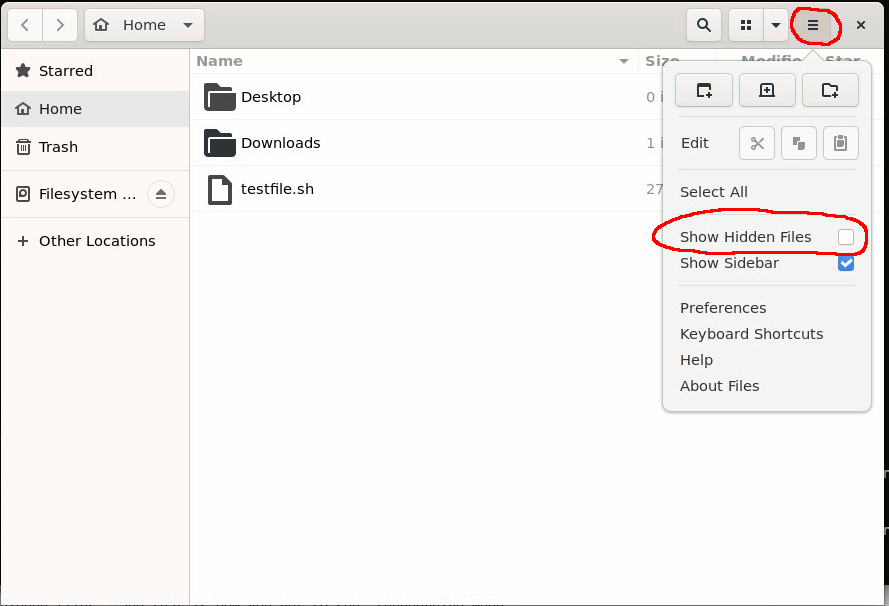
The File Manager application (Nautilus on Ubuntu), contains a preference
to "view hidden files", and that is how you get to see .thunderbird when
trying to navigate there. And just like Microsoft, that's set the wrong
way for proper usage. We want to see those hidden files. OUR MAIL IS IN THERE :-)
I'm going to need more coffee, to keep those curtains soaked with it...
[Picture]
https://i.postimg.cc/pTQyMk65/nautilus.gif
Don't forget to EXIT thunderbird, before attempting to copy that
profile folder.
Once the profile folder is on Windows, you can edit the foldername
and make it shorter, to STOP THE MADNESS. Heh.
In Windows Terminal
cd C:\Program Files (x86)\Mozilla Thunderbird # if this is a 32-bit version
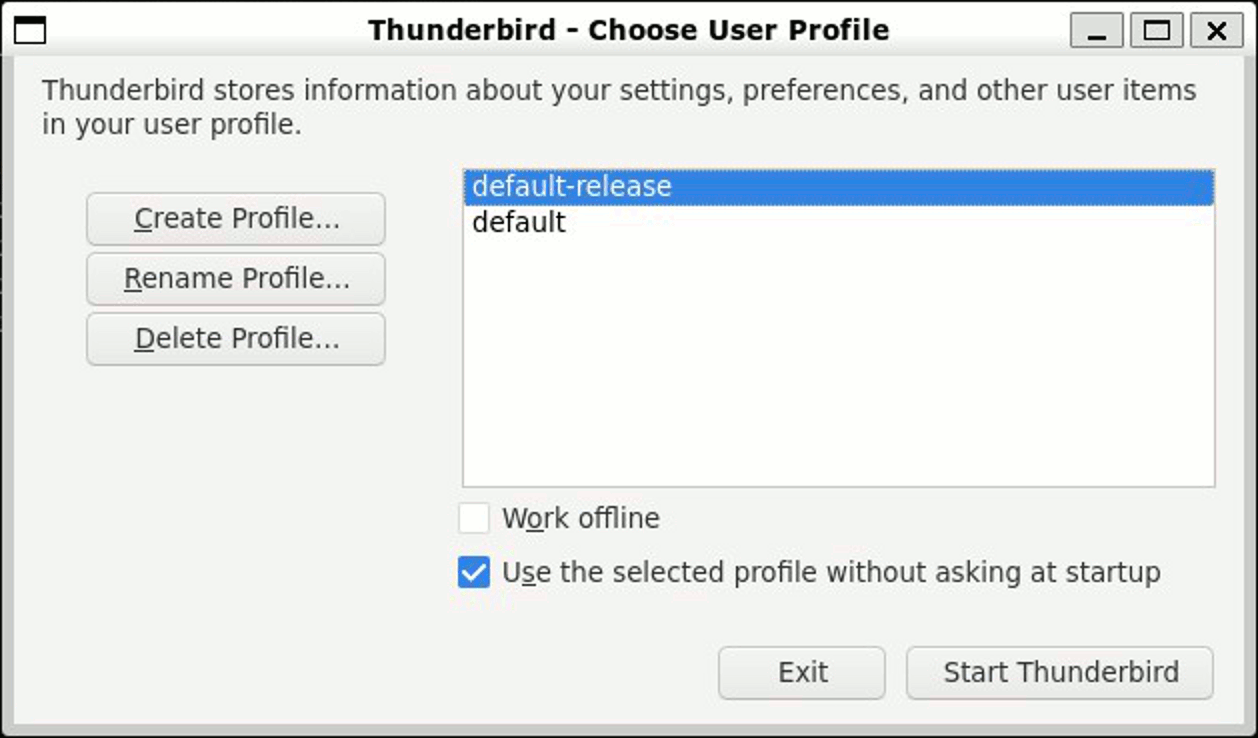
.\thunderbird -p # Show profile folder
If the profile folder is placed next to the rest of the "fleet" of
folders (when the Windows install was done), you'll see a new entry in the Windows Thunderbird that is started with the minus p option.
[Picture]
https://i.postimg.cc/WzLNzZQL/thunderbird-profile-selector.gif
Paul
--- SoupGate-Win32 v1.05
* Origin: fsxNet Usenet Gateway (21:1/5)