XPost: alt.comp.os.windows-11, rec.photo.digital
Paul wrote on Fri, 1 Nov 2024 13:10:47 -0400 :
Having not touched FAT32 for, oh, I don't know how long, decades perhaps, I >> would like to ask 2 fundamental questions when dealing with security cams. >>
1. What program on Windows do you use to format camera sdcards to FAT32?
2. Since new sdcards have dashes by default, why does FAT32 not allow them?
Windows 11 has the 32GB volume size limit removed.
I must apologize that I had re-used the newsgroup line which accidentally
left c.m.a in it - which knocked Windows 11 out - so I've swapped them.
I posted already an apology on the Android newsgroup for my faux pas, where
I asked c.m.a not to respond given this is a Windows (& Camera) question.
I removed the generic a.d.m.w in favor of r.p.d which is more appropriate
to ask questions of how to format all the 'free' cameras I get from Amazon
Vine (since I have about a dozen of them waiting to be tested by me).
This ONLY works from the command line ("format". Disk Management still has the old limit.
And then, there is the issue of WHICH VERSION of Windows 11 has this change. It could be 24H2. Which a person could get via an Upgrade Install, if they were in a rush to get that OS version.
# User succeeding on large device, on Windows Insider 11 version...
https://pbs.twimg.com/media/GVCoA-DWYAAzCSy?format=jpg&name=small
This is good to know. Thanks Paul. You're always helpful and knowledgeable.
I had run the search for Windows 10, which didn't mention what you said.
<
https://www.grdian.com/resources/how-to-format-exfat-to-fat32-a-step-by-step-guide>
It's often that many Windows guides on the net don't know what you know!
Otherwise, you would use fat32format from RidgeCrop Consultants.
That's what I ended up doing, but I haven't used FAT formatting in
(seemingly) many years, so I was unsure of why I had to download a
third-party tool just to do something basic such as formatting.
Thanks for letting us learn from you as to what the best command is.
I have done 2TB disks with this, purely to test that it works :-)
Who can resist a bar bet.
Name: fat32format.exe
Size: 49218 bytes (48 KiB)
SHA256: D5320A127374AF23139730F0D01AEE8195E5FE15B63C35D48D80930ABBF7F5CB
I wasn't aware of the command-line command.
I think I had used the RidgeCrop GUI for that same command, I guess.
<
http://ridgecrop.co.uk/index.htm?guiformat.htm>
Name: guiformat.exe
Size: 77824 bytes (76 KiB)
SHA256: 647FB4F5108AF632C3D52FEC34934922C50C70585697504E92FB80B3B7D05EE3
You can format an entire 2TB hard drive as FAT32. The cluster
size will be big, but... so what. It's unlikely, for a 12Meg camera
or a 50Meg camera, that a picture will be housed in a single cluster.
I left the cluster size at 32K by default for the camera card fat32 format.
But I did wonder what I should have set it to.
I didn't know the criteria to use to decide what cluster size cameras like. These 'free' Amazon Vine security cameras are mostly advertised as HD & 2K.
It's going to take multiple clusters, so the efficiency issue
isn't all that bad. If you were storing 2KB text files, then the
efficiency of the cluster size would be more of an issue.
I get it. Thanks for the digital photo sdcard formatting advice.
Is this the right algorithm for the FAT32 format of camera cards?
a. Find the largest size of a single file
b. Make the cluster at least that size
But what about the HD video size that these free cameras can save?
Most are 30 seconds. Some are five minutes. Others are continuous.
Depends on the security camera (I have a dozen to test right now).
What is the suggested cluster size for when videos are involved?
Even ExFAT isn't exactly going to have zero overhead. '
Check your cluster size on it and see.
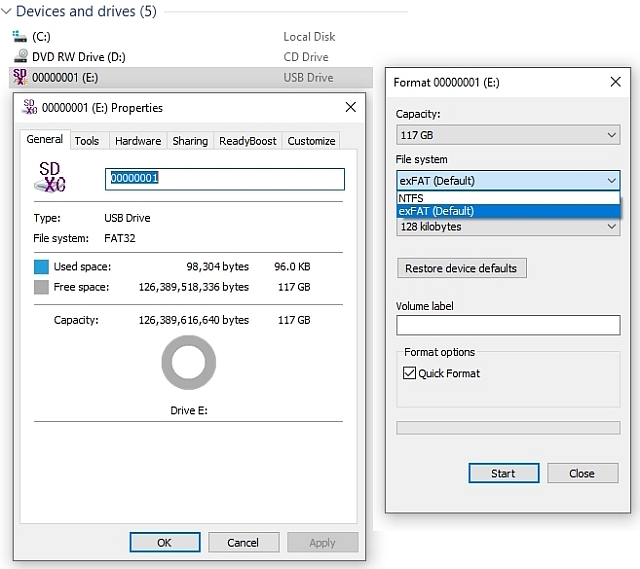
Is that the same as the sdcard ExFAT "Allocation Unit Size" of 128KB?
<
https://i.postimg.cc/fWX7wzcg/filesys.jpg>
The 4GB max size of file on FAT32, means handling problems.
You could use any ZIP application, in segmented mode and Store mode,
to chop a file into byte sized chunks, with no translation overhead.
You could take a 7GB Hollywood movie, and after ZIP Store was finished,
it would become a 4GB and a 3GB file (no total size change), and the max
size is passed as an argument to ZIP to chop it into a particular size. People have various opinions on what is a "safe" size for chopping.
Using 1GB chunks is conservative and safe, and stays well away from
the 4GB minus one byte limitation of FAT32.
All these 'free' security cameras that I'm supposed to review for Amazon
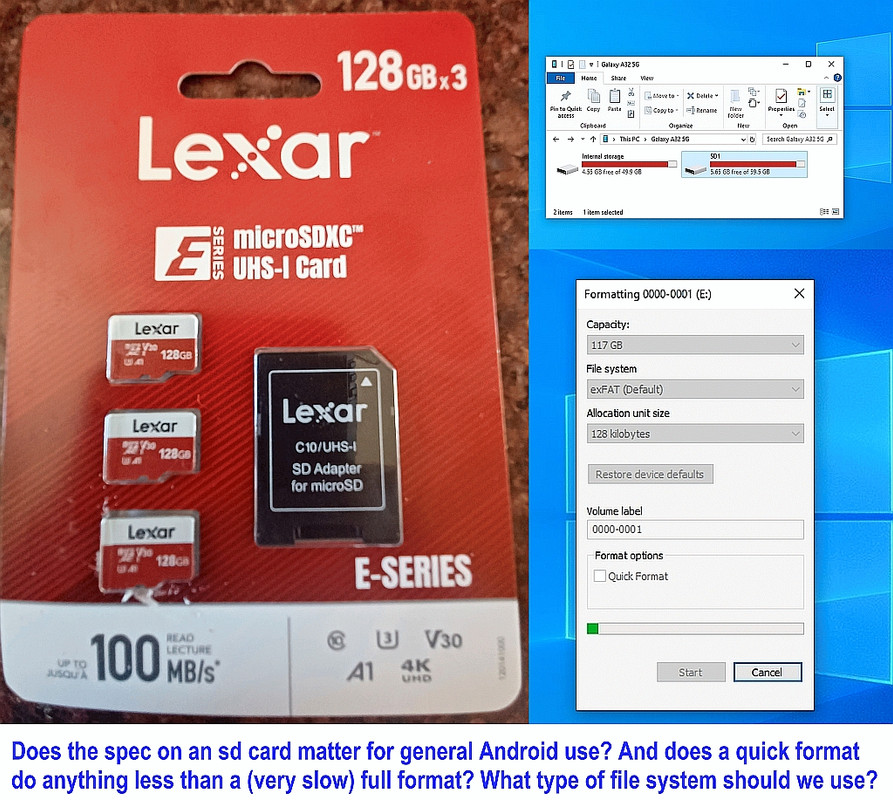
Vine seem to want to direct me to the cloud - so they all appear to work without the sdcard - but Amazon Vine gave me all the free 128GB sdcards I
would want - so that's why how to format them to fit the camera is asked.
<
https://i.postimg.cc/dVtqQ9dX/sd01.jpg>
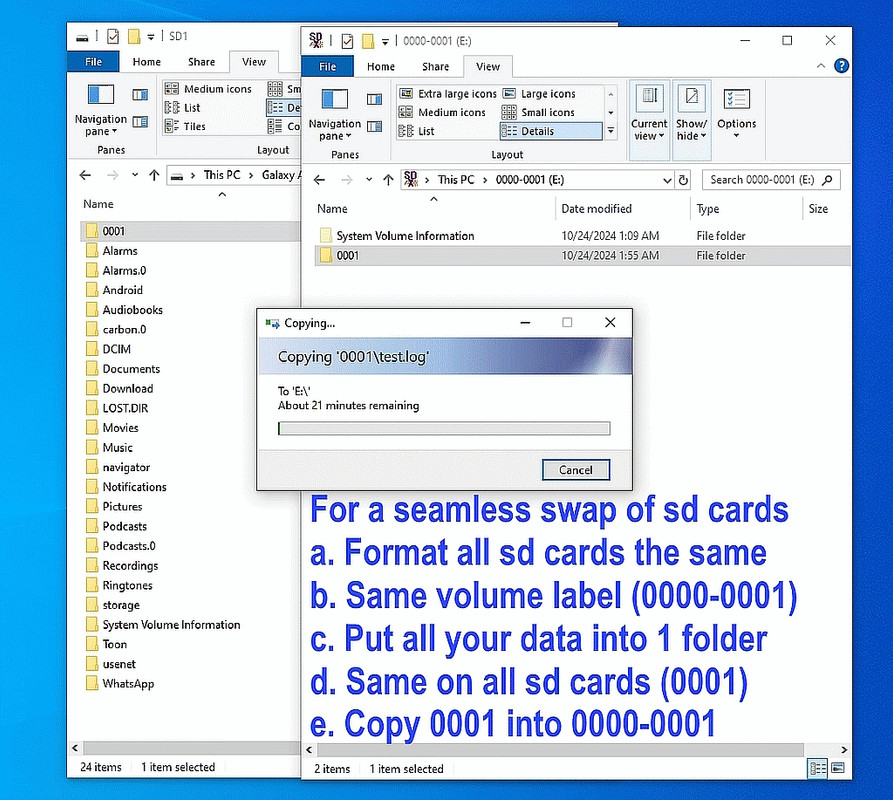
You may note that each camera seems to be able to independently format the 128GB sd cards but if you know me, I want all the cards to "look" the same
to all the cameras so that I can swap them out at will and the camera will
see the same volume label so the camera won't know I swapped out the card.
I plan ahead - but I don't have the knowledge that you have nor that which
the folks on r.p.d have in knowing about sdcard format efficiency tricks.
Notice that the RidgeCrop utility, doesn't have a volume name param.
Hmm. The RidgeCrop fat32 format GUI does have it, doesn't it?
<
https://i.postimg.cc/nz7XqWpC/fat32.jpg>
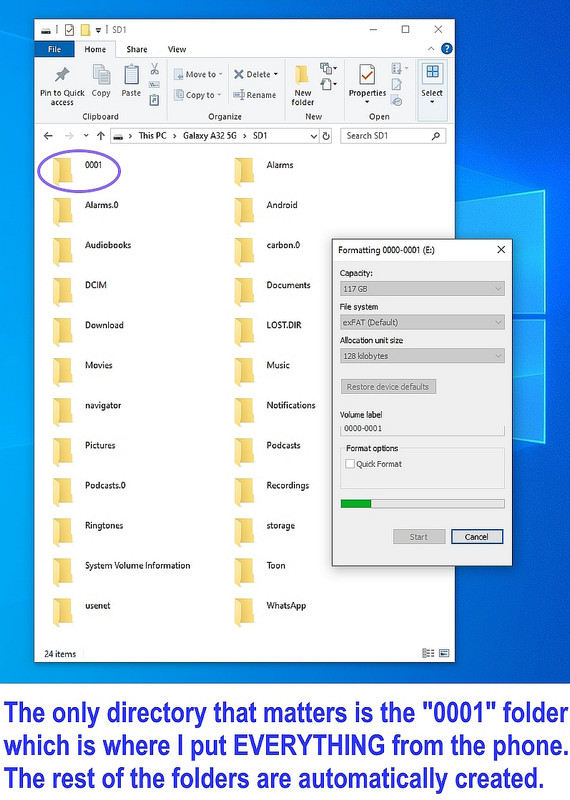
I had wanted to keep the volume label for the camera sdcard the same as teh volume label for the Android sdcard (0000-0001) but the RidgeCrop fat32
format GUI enforced the lack of dashes (so it ended up as "00000001").
<
https://i.postimg.cc/TYXW19Vt/fat32guiformatvolumelabel.jpg>
Note: The only reason I wanted the dash is to keep the volume label the
same on all my sdcards so that they're completely portable across devices.
But the FAT32 GUI wouldn't allow a dash. Why not?
Normally you don't interact with the cluster size, either. It makes
it "big enough for the job". A small disk gets a small cluster. A 2TB
disk gets a max sized cluster (the cluster limit).
fat32format.exe /?
Usage Fat32Format X:
Erase all data on disk X:, format it for FAT32
It is also possible to specify a cluster size for the disk, e.g
Fat32Format -c1 X: - use 1 sector per cluster ( max size 137GB for 512 bytes per sect)
Fat32Format -c2 X: - use 2 sectors per cluster ( max size 274GB for 512 bytes per sect )
Fat32Format -c4 X: - use 4 sectors per cluster ( max size 549GB ... ) Fat32Format -c8 X: - use 8 sectors per cluster ( max size 1TB ... ) Fat32Format -c16 X: - use 16 sectors per cluster
Fat32Format -c32 X: - use 32 sectors per cluster
Fat32Format -c64 X: - use 64 sectors per cluster
Fat32Format -c128 X: - use 128 sectors per cluster (64K clusters)
Version 1.07, see http://www.ridgecrop.demon.co.uk/fat32format.htm
This software is covered by the GPL
Use with care - Ridgecrop are not liable for data lost using this tool
This is good to know as I have a dozen free sdcards to format in a dozen correspondingly 'free' cameras to test out for Amazon Vine (later on, when
I'm Gold, I can get an unlimited amount of 'free stuff' in terms of cost).
Then I'll be testing the desktop PCs & laptops that Vine allows for Gold
Vine reviewers (Silver Vine is limited to only $300 'free stuff' per day).
<
https://en.wikipedia.org/wiki/Amazon_Vine>
As a general principle, for camera devices you let the camera itself
format the media. The assumption is, the camera is well designed enough,
to make a format the camera itself can read :-) There have been
occasional reports of "I formatted my SD in my OS, and plugged it into
my new camera, and the camera won't write it". The mistake in that
case, is you were supposed to look up in the camera manual, which
OSD menu item has the format function in it. My camera only uses up to
32GB media, so the cluster size never goes to max. The hardware standard
on the SD interface, is wrong for the largest media available today.
Modern cameras take bigger media than my old camera.
This is good advice to let the camera do the formatting but the only
problem I have is I want to be able to swap sdcards between cameras.
Do you think having the same volume label in all sdcards helps make that
swap smoother (just as it does for swapping Android sdcards about does)?
A smartphone is unlikely to have exactly the same sort of issues
that digital cameras have had in the past. The DCIM is a "virtual" one in
a sense, and there are fewer digital-camera-like issues there.
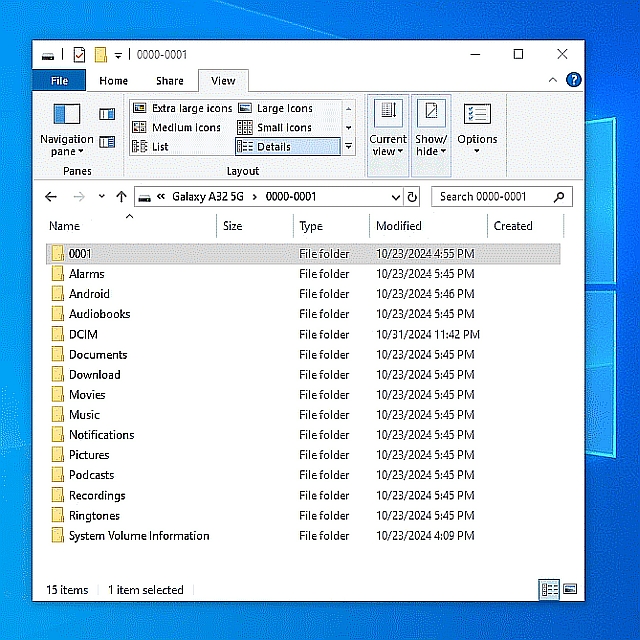
My free Samsung Galaxy A32-5G has had the sd card swapped out twice before since I broke two while under warranty & T-Mobile replaced them for free.
When I swapped out the 64GB sdcard (with DCIM & Pictures stored on it) from
the old (broken) phone to the new phone, everything worked smoothly.
Even all my apps came over easily as did my exact homescreen (all without
using the Internet - it was all copied over Wi-Fi on my home LAN alone).
That's of course due to the fact that I've set up my phone sdcard three
years ago waiting for the phone to be broken - but this swap was different.
This swap was to put a new 128GB sdcard into the old phone (which had the
64GB sd card for three years on three phones) which I wanted to be smooth.
Since the volume label on the new 128GG sdcard was formatted on Windows to
the same volume label of the old 64GB sdcard, the transition was smooth.
Android didn't even notice the difference.
Not the webdav servers. Not the camera apps. Not the screenshot editors.
Not even the routing apps (such as OSMAnd~ which store data on sdcards).
It was smooth. It just worked.
I credit that to you telling me, many years ago, that I could format the
volume label (which I had called the "name" of the card in those days).
You (and a few others) taught me everything I know about efficiency.
Thanks!
I always read every word you post - and I even love your joking style.
Cameras can be bastards. I picked up a really old digital camera
off the table, and noticed the time clock on it was wrong. I
attempted to set the clock. I hit the "save" button, the camera
died instantly, never started again after that. Black screen.
This is my Picard FacePalm face. If I'd only known this was
a possible outcome, I would have left the damn time setting alone :-)
There isn't a milligram of tech info about that camera on the
web, so I have no where to start on figuring out whether it's
possible to fix it (for nostalgia reasons).
I agree that every camera is a bastard in its own right, as I've been
reviewing these free surveillance cameras for a week now, as I was
reviewing other free stuff prior (like solar lights & camping gear).
A problem with these surveillance cameras is many use *different* software
to run them (maybe I should have left c.m.a on the newsgroup list).
That software all does the same thing - but differently.
The time, for instance, in some will allow AM/PM but others use strictly military time; some allow time servers - others don't; some set the time manually while others set it via a checkbox, etc.
Given all of these Chinese-made cameras want to store your home
surveillance video & images on "the cloud", I'm wary of doing that.
Which is why the scores of 'free' 128GB sdcards to be formatted is coming
in handy as they all will get the same FAT32 volume label - once I figure
out what a good label name is (since the dashes I found out won't work).
What volume label name do people suggest that is compatible with most cams?
--- SoupGate-Win32 v1.05
* Origin: fsxNet Usenet Gateway (21:1/5)