On 6/10/2024 7:41 AM, Ed Cryer wrote:
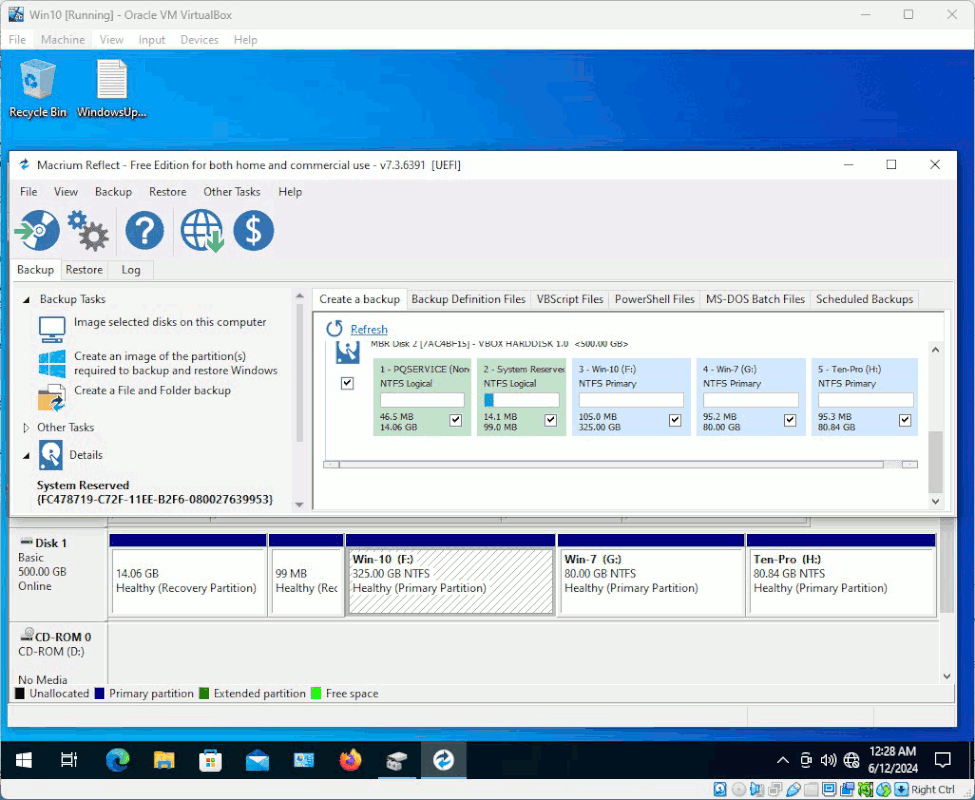
I have a box with several OSes on it. Maximum number of partitions allowed under MBR.
I installed Tiny11 on the Win7 partition.
Now I want that Win7 back; I have a Macrium image.
I went into Macrium and stepped through parameter settings, and all appeared to be viable until assigning a partition on the receiving disc. Win7 is no longer there; it's been used and renamed.
However, I have another partition that I can either delete or rename.
Has anyone actually used Macrium for such a roundabout task? Successfully?
I have a suspicion that it might try to restore onto the sectors it came from, rather than by where I tell it.
Ed
Did you change the partition dimensions since the backup was done ?
There are two ways to restore.
The "obvious" way, is Macrium just restores the content, according
to the tick boxes selected. This assumes the restore image partition
setup and dimensions, match. Usually, some disk identifier at the
top of the row, matches on the restore image and the disk targeted.
Doing it this way, if Macrium works out that tidy up is required,
it will show as some sentences at the end of the restore.
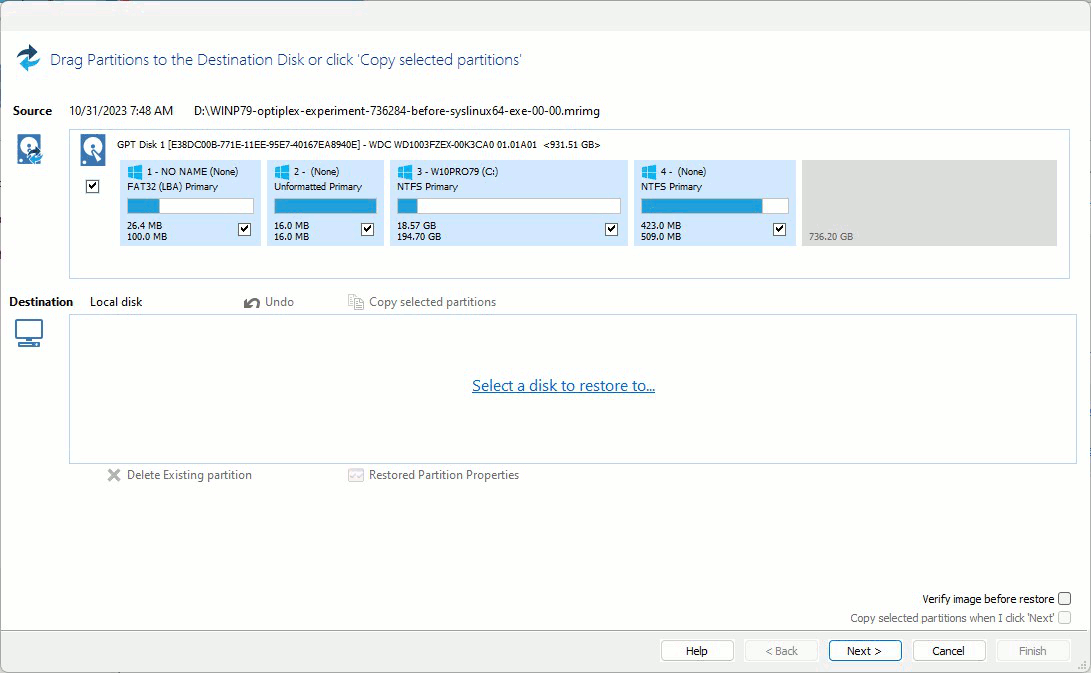
[Picture] Generic example of the restore dialog
https://i.postimg.cc/901PgQmG/macrium-reflect-restore.gif
But the other way of restoring, is a "drag and drop" restore. You
take a partition from the restore row, and "drag and drop" it onto
some disk target.
When you drag and drop a partition, NO boot repair is done. You're on
your own with regard to boot issues. Since Macrium has a Boot Repair
on the rescue CD, you're not stuck for inspiration in that regard.
(If you used the Macrium CD anyway to do all the work, the Repair is
waiting for you to use it.)
But, you have to think about what you are doing, and decide whether
there is any reason for the restore to disturb the boot. I would think
in your case, there's been a bit of disturbance. The Tiny11 could
have changed the ESP contents.
You may notice when you do a Restore the "regular" way, that the log
on the screen, after the last partition is restored, there will be
some short sentences describing the "touch up" done at the end of
the operations. With a drag and drop, that list should be fairly short.
*******
What bad things can happen ? (Paul likes this part, the bad things.
Much hair loss. Or permanent hair loss.)
When using the Boot Repair, sometimes one of the OSes on a multiboot
goes missing. I had to think for a moment, as I'd had a slight success
with that recently. I used EasyBCD 2.4, even though it claimed it
did not support UEFI, and I "added back" the second OS that had gone
missing. And it actually worked. The only thing wrong, is it didn't
label the Windows 10 OS as "Windows 10". It labeled it "Microsoft Windows"
and apparently did not know what it was. Which is fine. You can fix the
label manually with bcdedit later. Sometimes, that's a side effect of
chain loading, and means the boot item was added via "underhanded means".
Even Linux does chain loading of Windows -- I actually used that
a couple days ago, as I managed to trash the Windows Boot Manager
entry on a disk :-)
Really not so bad at all. We can probably get out of most messes then.
Now, if nothing at all would boot (crash city), that might mean
on a GPT setup, that the ESP 100MB partition was at fault. If you
included that in your backup, if worse came to worse, you could
restore that, then do a Boot Repair with the CD. What you would be
banking on in that case, is not the "absolute" content. You
would be hoping that the collection of "boot support files" would
provide "meat" for the Boot Repair to use successfully. Macrium Boot Repair does not have a file set to use, so providing "meat" is something
you can attempt to do, then do another Boot Repair.
And the Boot Repair order, is you try the Macrium Boot Repair first,
and you use the Windows version second. The Windows version
requiring research.
Instead of EasyBCD 2.4, there are Windows commands like this
Administrator:
bcdedit # Well, we know this one. It dumps current boot management details
# The BCD file is a registry file, and this operation makes text from it.
bcdboot C:\Windows /s C: # The BCDBoot command allows adding an OS to the boot menu.
# Now, the BCDedit has an additional stanza in it.
The Macrium Rescue CD, uses those Windows built-ins for the same purpose. That's how it does boot repair. But, it's a bit more clever at times,
than Windows is, about applying them. Microsoft is probably petrified
about damaging a user machine and getting sued, and that's why their
recovery might be less ambitious.
*******
I hope this has taught you something :-) About how/where to do experiments. Some ways of doing things, have a larger downstream cost. You will become
more hygienic as time passes, more selective about what disk to use and so on. Because it saves time. For example, I would put the Tiny11 in a VM,
and just doing a Remove from the menu, and it's gone. That's one way.
You can also use a separate (empty) disk if wanting a Physical Install
for some reason (there are lots of good reasons to do Physical installs,
as the VM route does not "prove all aspects"). Putting a test OS on a
daily driver disk, now that's cheeky. It says "give me a learning experience" :-)
Good Luck, Mr.Philips.
Paul
--- SoupGate-Win32 v1.05
* Origin: fsxNet Usenet Gateway (21:1/5)