• Re: CAS attack

    From KenW@21:1/5 to forgetski@postit_INVALID_.gov on Fri Jun 24 18:06:16 2022
    On Fri, 24 Jun 2022 19:23:00 -0400, bad sector
    <forgetski@postit_INVALID_.gov> wrote:


    Computer Acquisition Syndrom

    My trusty old Asus g73 has finally given up the ghost, it was a VERY capable laptop but I hated every minute of its 10+ year reign. Now I'm free, looking for what could be described as a DIY'ers choice award candidate:

    Nothing black
    prefer rugged, not essential
    large black letters on non-wearing light keycaps
    easy to change keyboard
    NO backlit nothing
    NO slim-slim, special-tools, eyecandy
    dual ssd bays for easy removal
    4 usb, 1 card, 1 hdmi, 1 eSata, etc. ports
    16+ GB non-soldered RAM
    i7 or better/equivalent AMD or Apple cpu
    no nvidia drivers
    reliable easy to change mini audio jacks
    12"-13" screen 1920x1080 or 1920x1200
    12+ hour battery
    Nothing microsoft

    I'll think of a few others..

    You have very high hopes. Hope you have the cash !


    KenW

    --- SoupGate-Win32 v1.05
    * Origin: fsxNet Usenet Gateway (21:1/5)
  • From bad sector@21:1/5 to All on Fri Jun 24 19:23:00 2022
    Computer Acquisition Syndrom

    My trusty old Asus g73 has finally given up the ghost, it was a VERY capable laptop but I hated every minute of its 10+ year reign. Now I'm free, looking for what could be described as a DIY'ers choice award candidate:

    Nothing black
    prefer rugged, not essential
    large black letters on non-wearing light keycaps
    easy to change keyboard
    NO backlit nothing
    NO slim-slim, special-tools, eyecandy
    dual ssd bays for easy removal
    4 usb, 1 card, 1 hdmi, 1 eSata, etc. ports
    16+ GB non-soldered RAM
    i7 or better/equivalent AMD or Apple cpu
    no nvidia drivers
    reliable easy to change mini audio jacks
    12"-13" screen 1920x1080 or 1920x1200
    12+ hour battery
    Nothing microsoft

    I'll think of a few others..

    --- SoupGate-Win32 v1.05
    * Origin: fsxNet Usenet Gateway (21:1/5)
  • From bad sector@21:1/5 to KenW on Fri Jun 24 20:32:19 2022
    On 6/24/22 20:06, KenW wrote:
    On Fri, 24 Jun 2022 19:23:00 -0400, bad sector <forgetski@postit_INVALID_.gov> wrote:


    Computer Acquisition Syndrom

    My trusty old Asus g73 has finally given up the ghost, it was a VERY capable laptop but I hated every minute of its 10+ year reign. Now I'm free, looking for what could be described as a DIY'ers choice award candidate:

    Nothing black
    prefer rugged, not essential
    large black letters on non-wearing light keycaps
    easy to change keyboard
    NO backlit nothing
    NO slim-slim, special-tools, eyecandy
    dual ssd bays for easy removal
    4 usb, 1 card, 1 hdmi, 1 eSata, etc. ports
    16+ GB non-soldered RAM
    i7 or better/equivalent AMD or Apple cpu
    no nvidia drivers
    reliable easy to change mini audio jacks
    12"-13" screen 1920x1080 or 1920x1200
    12+ hour battery
    Nothing microsoft

    I'll think of a few others..

    You have very high hopes. Hope you have the cash !

    KenW

    The g73 cost me 2000cdn back then, died within a month so I returned it. The same model was no longer available so I made the mistake of upscaling for about 2200. In todays money that should read maybe 3000, any more is a deal-breaker.

    I doubt if Apple make anything like this at all within my budget (I'd install MAC-OS and 5 linux distros on it). Any wisdom out there with experience on Panasonic rugeds?

    --- SoupGate-Win32 v1.05
    * Origin: fsxNet Usenet Gateway (21:1/5)
  • From VanguardLH@21:1/5 to bad sector on Fri Jun 24 22:18:54 2022
    bad sector wrote:

    Computer Acquisition Syndrom

    My trusty old Asus g73 has finally given up the ghost, it was a VERY
    capable laptop but I hated every minute of its 10+ year reign. Now
    I'm free, looking for what could be described as a DIY'ers choice
    award candidate:

    Nothing black

    Get whatever color or finish you want. Look at your favorite online
    sellers to see what cases they sell to pick a color you like.

    prefer rugged, not essential

    Get an all-metal case although the front bezel might be plastic. For a
    good seller, or by looking at the mfr's site, you can see if they say
    the mils of thickness for the metal.

    large black letters on non-wearing light keycaps

    Does "light" keycaps mean lighted keys? Look for laser etched keys that
    pour in a different dyed plastic (aka dual injection molding). Those
    will wear off a lot slower. The size of the keys depend on the size of
    the keyboard.

    easy to change keyboard

    They are all easily changed. They plug in using PS/2 or USB.

    NO backlit nothing

    When reading the candidates of keyboards you like per the above
    criteria, they'll note if the keys are lit. To them, that's a selling
    feature for which they can charge more.

    NO slim-slim, special-tools, eyecandy

    Don't know what is "slim-slim". Is the size of the case? If so, you'll
    want a medium tower case, or even a tall tower which should have more
    drive bays (some only internally accessed) to allow for future
    expansion.

    dual ssd bays for easy removal

    Do you mean bays, as in openings in the front bezel to allow you to use removable drive hardware? Bays are openings in the front bezel. Not
    much point in exposing the SSDs to the outside since there's nothing to
    see on them. Bays are usually used for removable media, so you can
    insert and eject media from the drive, like CD/BD optical drives,
    diskette drive (they still exist), Zip drives, or other removable media.
    Cages inside the case can have multiple drive slots. The top cage is
    usually sized to handle 5-1/4" drives while the bottom cage is for 3.5"
    drives. SSDs are 3.5" drives. You'll need 3.5"-to-5.25" adapters to
    put them into the top cage.

    4 usb, 1 card, 1 hdmi, 1 eSata, etc. ports

    Look at the mobo for the number of USB ports on the backpanel. Also
    check if it has headers to let you connect to front USB ports in the
    front bezel, but the case will need to have the wire harness already
    attached to the front ports.

    "1 card" of WHAT?

    HDMI has been around so long that you'd have to buy a really old mobo,
    if you can find one, that doesn't have it.

    Don't bother with eSATA. Get a mobo with USB3 headers to the backpanel
    and optionally to the front panel.

    "etc" includes all hardware other than mentioned, so no way to address
    all of that.

    If you are a gamer, you'll want a mobo that has a backpanel PS/2 ports
    for keyboard and mouse. They are still faster since they work using
    interrupts instead of USB that works via polling. If not a gamer, you
    don't care about the keyboard and mouse other than PS/2 keyboards
    support more N-key presses (more keys can be concurrently pressed with
    all them recognized versus USB keyboards that have just a handful of
    concurrent keypresses recognized). Rarely do you go beyond 3 keys in a
    combo press, but games can often use multiple concurrent keys,
    especially when using both hands for a key combo.

    16+ GB non-soldered RAM

    System RAM had hardly been soldered onto the mobo for over a couple
    decades. There may be a little bit to support the BIOS/UEFI firmware,
    but system RAM has you buying DIMM modules to use in slots. If you
    think you'll never need more than 16GB, get a mobo with 2 slots, and put
    8GB modules in each. Else, get a mobo with 4 slots, insert either 1
    16GB module, or 2 8GB modules. In the past, dual-mode was touted as
    being faster by spreading writes across paired memory modules, but
    nowadays it is a non-issue. You might want more RAM slots on the mobo
    that you initially consume to provide for later expansion. No mention
    of what you plan to run on the computer, but you might find software, or
    lots of it that you want concurrently loaded, and hit the RAM wall
    sooner than you planned.

    i7 or better/equivalent AMD or Apple cpu

    AMD doesn't make Intel's i7 CPUs. i7 means an Intel CPU. Check prices
    on CPUs. You may find there is little different in i7 to i9 CPUs, but
    which you get depends on the mobo you buy.

    Unless you're planning on iOS, why would you want an Apple CPU?

    no nvidia drivers

    Then get an AMD video card. My recollection on nVidia is that it was,
    at one time, preferred to AMD, because nVidia has better support for
    Linux which seems where you are going with the OS although you didn't
    make mention of which OS you want.

    reliable easy to change mini audio jacks

    Change them? You plan on pulling them out? Look for a mobo, or
    ancilliary software that comes with the mobo that lets you reassign the
    jacks to different functions.

    12"-13" screen 1920x1080 or 1920x1200

    Wow, that's a tiny monitor for that resolution. Are you building a
    totable PC? That could conflict with a desire for future expansion by
    having more storage slots in the cages to increase your storage
    capacity.

    12+ hour battery

    Just what are you trying to build? A smartphone or tablet?

    Ah, I did a Google Image search on "Asus g73". You have a laptop.
    You're trying to build a new laptop from scratch? Not likely, so buy a
    new laptop that matches on your list of features rather than worry about
    you trying to find hardware for a frankenjob laptop you build.

    Nothing microsoft

    Just because Windows came pre-installed on the laptop does not preclude
    you from wiping the drive(s) to put whatever OS you want on them.
    Although few, there are some laptops that come with Linux.

    I'll think of a few others..

    Make up your criteria list, but you should really research what you can
    find rather than getting others to make suggestions that would either understimate what you should get, or overestimate to be safe giving you features you don't want or won't use. If you're going to build your
    laptop (don't know anyone that has despite being in the computer
    industry for decades), compile your list to then hunt around for the
    best match. If you're buying a pre-built laptop (the mostly likely
    scenario), go to the online sellers you trust with your criteria. Some
    let you walk through a checklist that will narrow your search there.

    --- SoupGate-Win32 v1.05
    * Origin: fsxNet Usenet Gateway (21:1/5)
  • From bad sector@21:1/5 to VanguardLH on Sat Jun 25 09:19:13 2022
    On 6/24/22 23:18, VanguardLH wrote:
    bad sector wrote:

    Computer Acquisition Syndrom

    My trusty old Asus g73 has finally given up the ghost, it was a VERY
    capable laptop but I hated every minute of its 10+ year reign. Now
    I'm free, looking for what could be described as a DIY'ers choice
    award candidate:

    Nothing black

    Get whatever color or finish you want. Look at your favorite online
    sellers to see what cases they sell to pick a color you like.


    prefer rugged, not essential

    Get an all-metal case although the front bezel might be plastic. For a
    good seller, or by looking at the mfr's site, you can see if they say
    the mils of thickness for the metal.

    Thanks for the detailed response!


    large black letters on non-wearing light keycaps

    Does "light" keycaps mean lighted keys? Look for laser etched keys that
    pour in a different dyed plastic (aka dual injection molding). Those
    will wear off a lot slower. The size of the keys depend on the size of
    the keyboard.

    That technology is what I need. Backlighting is useless
    for my money but a white keyboard with black letters
    works just fine in low light and "I" never do anything
    in blacked-out (non) lighting.

    So on my g73 the minute the backlighting crapped out
    I imediately replaced the keyboard but it was one
    of the cheapos that the printed letters wear off of.

    As for the size of lettering, I find it pathetic that
    a 1.x cm keycap should have 6mm thin lettering on it
    in the center, but a lot of them do just that.
    Artificial-Stupidity will never be competitive.

    easy to change keyboard

    They are all easily changed. They plug in using PS/2 or USB.

    I meant the native keyboard, not an extra one :-)


    NO backlit nothing

    When reading the candidates of keyboards you like per the above
    criteria, they'll note if the keys are lit. To them, that's a selling feature for which they can charge more.

    NO slim-slim, special-tools, eyecandy

    Don't know what is "slim-slim". Is the size of the case? If so, you'll
    want a medium tower case, or even a tall tower which should have more
    drive bays (some only internally accessed) to allow for future
    expansion.

    A laptop being thin means nothing to me other
    than difficulty in repair or expansion, a
    need for special tools doesn't either and I
    put all such 'features' in tyhje eye-candy
    bin, 'selling features' in your words :-)

    The Panasonic partial-ruggeds seem tempting
    except for the fact that the monitor edge
    is like an inch in from the lid edge. One of
    the goofs I made with the g73 was not thinking
    that a 17" is waaaaaay to big to take on an
    airplane. So the next one will be 12-13" only
    but I want that to be almost all monitor
    and hardly less capable than my destop AMD
    deathstar.


    dual ssd bays for easy removal

    Do you mean bays, as in openings in the front bezel to allow you to use removable drive hardware? Bays are openings in the front bezel. Not
    much point in exposing the SSDs to the outside since there's nothing to
    see on them. Bays are usually used for removable media, so you can
    insert and eject media from the drive, like CD/BD optical drives,
    diskette drive (they still exist), Zip drives, or other removable media. Cages inside the case can have multiple drive slots. The top cage is
    usually sized to handle 5-1/4" drives while the bottom cage is for 3.5" drives. SSDs are 3.5" drives. You'll need 3.5"-to-5.25" adapters to
    put them into the top cage.

    Talking laptops... external quick-insertion
    ssd's are the future I hope but for now I was
    just referring to my g73 with 2 inetrnal ssd
    caddys, there are few laptops with more than 1.


    4 usb, 1 card, 1 hdmi, 1 eSata, etc. ports

    Look at the mobo for the number of USB ports on the backpanel. Also
    check if it has headers to let you connect to front USB ports in the
    front bezel, but the case will need to have the wire harness already
    attached to the front ports.

    "1 card" of WHAT?

    sorry, meant card-reader

    HDMI has been around so long that you'd have to buy a really old mobo,
    if you can find one, that doesn't have it.

    Don't bother with eSATA. Get a mobo with USB3 headers to the backpanel
    and optionally to the front panel.

    "etc" includes all hardware other than mentioned, so no way to address
    all of that.

    If you are a gamer, you'll want a mobo that has a backpanel PS/2 ports
    for keyboard and mouse. They are still faster since they work using interrupts instead of USB that works via polling. If not a gamer, you
    don't care about the keyboard and mouse other than PS/2 keyboards
    support more N-key presses (more keys can be concurrently pressed with
    all them recognized versus USB keyboards that have just a handful of concurrent keypresses recognized). Rarely do you go beyond 3 keys in a
    combo press, but games can often use multiple concurrent keys,
    especially when using both hands for a key combo.

    16+ GB non-soldered RAM

    System RAM had hardly been soldered onto the mobo for over a couple
    decades. There may be a little bit to support the BIOS/UEFI firmware,
    but system RAM has you buying DIMM modules to use in slots. If you
    think you'll never need more than 16GB, get a mobo with 2 slots, and put
    8GB modules in each. Else, get a mobo with 4 slots, insert either 1
    16GB module, or 2 8GB modules. In the past, dual-mode was touted as
    being faster by spreading writes across paired memory modules, but
    nowadays it is a non-issue. You might want more RAM slots on the mobo
    that you initially consume to provide for later expansion. No mention
    of what you plan to run on the computer, but you might find software, or
    lots of it that you want concurrently loaded, and hit the RAM wall
    sooner than you planned.

    i7 or better/equivalent AMD or Apple cpu

    AMD doesn't make Intel's i7 CPUs. i7 means an Intel CPU. Check prices
    on CPUs. You may find there is little different in i7 to i9 CPUs, but
    which you get depends on the mobo you buy.

    I meant i7 or the comparable performnance level
    AMD or MAC cpu's


    Unless you're planning on iOS, why would you want an Apple CPU?

    Been using 5 Linux distros but it looks like
    one of them (Suse Leap) is gonna get axed so
    I might try 4 Linux and 1 MAC. This could be
    done on a MAC but I don't think that MAC-OS
    is too installable (yet) on generic laptops.
    Wife uses a MAC and I could help her out now
    and then with 'issues' :-)

    no nvidia drivers

    Then get an AMD video card. My recollection on nVidia is that it was,
    at one time, preferred to AMD, because nVidia has better support for
    Linux which seems where you are going with the OS although you didn't
    make mention of which OS you want.

    I need an accelerated GPU but ONLY because
    Google-Earth doesn't do too well with the
    Nouveau drivers. Nvidia has lost me for good,
    for half a dozen reasons.

    reliable easy to change mini audio jacks

    Change them? You plan on pulling them out?

    I plan on replacing them because the 1/8"
    laptop jacks that I have seen ALL wear
    out or bercome loose and intermittent, total
    crap is the design itself and to top it
    changing them on a laptop is a PITA. I
    haven't seen one that's easily replacable
    yet BUT I know some people who use replacable
    pigtails that they plug-in and fasten only
    once, then use the pigtail end jack for
    whatever they wanna plug-in and such
    adapters can even sport normal 1/4" jacks.


    Look for a mobo, or
    ancilliary software that comes with the mobo that lets you reassign the
    jacks to different functions.

    12"-13" screen 1920x1080 or 1920x1200

    Wow, that's a tiny monitor for that resolution. Are you building a
    totable PC? That could conflict with a desire for future expansion by
    having more storage slots in the cages to increase your storage
    capacity.

    12+ hour battery

    Just what are you trying to build? A smartphone or tablet?

    A laptop...


    Ah, I did a Google Image search on "Asus g73". You have a laptop.
    You're trying to build a new laptop from scratch? Not likely, so buy a
    new laptop that matches on your list of features rather than worry about
    you trying to find hardware for a frankenjob laptop you build.

    Nothing microsoft

    Just because Windows came pre-installed on the laptop does not preclude
    you from wiping the drive(s) to put whatever OS you want on them.
    Although few, there are some laptops that come with Linux.

    I prefer them not charging for neither supplying
    any OS unless it's a MAC but I don't really know
    anything about them, my lasop apple was an Aple-II
    in another life.


    I'll think of a few others..

    Make up your criteria list, but you should really research what you can
    find rather than getting others to make suggestions that would either understimate what you should get, or overestimate to be safe giving you features you don't want or won't use. If you're going to build your
    laptop (don't know anyone that has despite being in the computer
    industry for decades), compile your list to then hunt around for the
    best match. If you're buying a pre-built laptop (the mostly likely scenario), go to the online sellers you trust with your criteria. Some
    let you walk through a checklist that will narrow your search there.

    I've been looking for a day now and it seems like
    I will never find what I want, the industry is
    drifting in the opposite direction. For years I
    thought mmy next one would be a Lenovo on account
    of references from friends but as I just looked
    up their lineup I saw that it too has been thinned
    out no end. Some of the older but refurbished MAC's
    Lenovos might give me _temporary_ reprieve though :-)

    Thanks again for your time, appreciate it!

    --- SoupGate-Win32 v1.05
    * Origin: fsxNet Usenet Gateway (21:1/5)
  • From Paul@21:1/5 to bad sector on Sat Jun 25 10:04:03 2022
    On 6/25/2022 9:19 AM, bad sector wrote:

    I've been looking for a day now and it seems like
    I will never find what I want, the industry is
    drifting in the opposite direction. For years I
    thought mmy next one would be a Lenovo on account
    of references from friends but as I just looked
    up their lineup I saw that it too has been thinned
    out no end. Some of the older but refurbished MAC's
    Lenovos might give me _temporary_ reprieve though :-)

    Thanks again for your time, appreciate it!

    I don't think you can find the right kind of keyboard.

    https://www.dell.com/en-ca/shop/cty/pdp/spd/alienware-m15-r7-gaming-laptop#configurations_section

    The Alienware is going to be a good deal cheaper
    and more up-to-date than one of these. At least some
    of the Eurocom in the past, were Clevo ODM units.
    You can tell from the LGA1151, that this particular model
    is not "prime" Windows 11 material.

    https://eurocom.com/ec/configure%282,452,0%29TornadoF7W

    If you look at pictures of that one, you can see the
    fan cooling scheme makes the hinge end of the
    machine a bit thicker.

    Asus has made some machines in the past, with a thicker
    hinge area because of the cooling requirement. But you've
    already had a taste of Asus.

    The race to the bottom on keyboards is a done deal. Nobody
    is going to dish out a keyboard area and use a longer travel.

    Paul

    --- SoupGate-Win32 v1.05
    * Origin: fsxNet Usenet Gateway (21:1/5)
  • From VanguardLH@21:1/5 to bad sector on Sat Jun 25 10:59:40 2022
    bad sector wrote:

    VanguardLH wrote:

    bad sector wrote:

    Computer Acquisition Syndrom

    My trusty old Asus g73 has finally given up the ghost, it was a VERY
    capable laptop but I hated every minute of its 10+ year reign. Now
    I'm free, looking for what could be described as a DIY'ers choice
    award candidate:

    Nothing black

    Get whatever color or finish you want. Look at your favorite online
    sellers to see what cases they sell to pick a color you like.

    prefer rugged, not essential

    Get an all-metal case although the front bezel might be plastic. For a
    good seller, or by looking at the mfr's site, you can see if they say
    the mils of thickness for the metal.

    Thanks for the detailed response!


    large black letters on non-wearing light keycaps

    Does "light" keycaps mean lighted keys? Look for laser etched keys that
    pour in a different dyed plastic (aka dual injection molding). Those
    will wear off a lot slower. The size of the keys depend on the size of
    the keyboard.

    That technology is what I need. Backlighting is useless
    for my money but a white keyboard with black letters
    works just fine in low light and "I" never do anything
    in blacked-out (non) lighting.

    So on my g73 the minute the backlighting crapped out
    I imediately replaced the keyboard but it was one
    of the cheapos that the printed letters wear off of.

    As for the size of lettering, I find it pathetic that
    a 1.x cm keycap should have 6mm thin lettering on it
    in the center, but a lot of them do just that.
    Artificial-Stupidity will never be competitive.

    easy to change keyboard

    They are all easily changed. They plug in using PS/2 or USB.

    I meant the native keyboard, not an extra one :-)


    NO backlit nothing

    When reading the candidates of keyboards you like per the above
    criteria, they'll note if the keys are lit. To them, that's a selling
    feature for which they can charge more.

    NO slim-slim, special-tools, eyecandy

    Don't know what is "slim-slim". Is the size of the case? If so, you'll
    want a medium tower case, or even a tall tower which should have more
    drive bays (some only internally accessed) to allow for future
    expansion.

    A laptop being thin means nothing to me other
    than difficulty in repair or expansion, a
    need for special tools doesn't either and I
    put all such 'features' in tyhje eye-candy
    bin, 'selling features' in your words :-)

    The Panasonic partial-ruggeds seem tempting
    except for the fact that the monitor edge
    is like an inch in from the lid edge. One of
    the goofs I made with the g73 was not thinking
    that a 17" is waaaaaay to big to take on an
    airplane. So the next one will be 12-13" only
    but I want that to be almost all monitor
    and hardly less capable than my destop AMD
    deathstar.


    dual ssd bays for easy removal

    Do you mean bays, as in openings in the front bezel to allow you to use
    removable drive hardware? Bays are openings in the front bezel. Not
    much point in exposing the SSDs to the outside since there's nothing to
    see on them. Bays are usually used for removable media, so you can
    insert and eject media from the drive, like CD/BD optical drives,
    diskette drive (they still exist), Zip drives, or other removable media.
    Cages inside the case can have multiple drive slots. The top cage is
    usually sized to handle 5-1/4" drives while the bottom cage is for 3.5"
    drives. SSDs are 3.5" drives. You'll need 3.5"-to-5.25" adapters to
    put them into the top cage.

    Talking laptops... external quick-insertion
    ssd's are the future I hope but for now I was
    just referring to my g73 with 2 inetrnal ssd
    caddys, there are few laptops with more than 1.


    4 usb, 1 card, 1 hdmi, 1 eSata, etc. ports

    Look at the mobo for the number of USB ports on the backpanel. Also
    check if it has headers to let you connect to front USB ports in the
    front bezel, but the case will need to have the wire harness already
    attached to the front ports.

    "1 card" of WHAT?

    sorry, meant card-reader

    HDMI has been around so long that you'd have to buy a really old mobo,
    if you can find one, that doesn't have it.

    Don't bother with eSATA. Get a mobo with USB3 headers to the backpanel
    and optionally to the front panel.

    "etc" includes all hardware other than mentioned, so no way to address
    all of that.

    If you are a gamer, you'll want a mobo that has a backpanel PS/2 ports
    for keyboard and mouse. They are still faster since they work using
    interrupts instead of USB that works via polling. If not a gamer, you
    don't care about the keyboard and mouse other than PS/2 keyboards
    support more N-key presses (more keys can be concurrently pressed with
    all them recognized versus USB keyboards that have just a handful of
    concurrent keypresses recognized). Rarely do you go beyond 3 keys in a
    combo press, but games can often use multiple concurrent keys,
    especially when using both hands for a key combo.

    16+ GB non-soldered RAM

    System RAM had hardly been soldered onto the mobo for over a couple
    decades. There may be a little bit to support the BIOS/UEFI firmware,
    but system RAM has you buying DIMM modules to use in slots. If you
    think you'll never need more than 16GB, get a mobo with 2 slots, and put
    8GB modules in each. Else, get a mobo with 4 slots, insert either 1
    16GB module, or 2 8GB modules. In the past, dual-mode was touted as
    being faster by spreading writes across paired memory modules, but
    nowadays it is a non-issue. You might want more RAM slots on the mobo
    that you initially consume to provide for later expansion. No mention
    of what you plan to run on the computer, but you might find software, or
    lots of it that you want concurrently loaded, and hit the RAM wall
    sooner than you planned.

    i7 or better/equivalent AMD or Apple cpu

    AMD doesn't make Intel's i7 CPUs. i7 means an Intel CPU. Check prices
    on CPUs. You may find there is little different in i7 to i9 CPUs, but
    which you get depends on the mobo you buy.

    I meant i7 or the comparable performnance level
    AMD or MAC cpu's


    Unless you're planning on iOS, why would you want an Apple CPU?

    Been using 5 Linux distros but it looks like
    one of them (Suse Leap) is gonna get axed so
    I might try 4 Linux and 1 MAC. This could be
    done on a MAC but I don't think that MAC-OS
    is too installable (yet) on generic laptops.
    Wife uses a MAC and I could help her out now
    and then with 'issues' :-)

    no nvidia drivers

    Then get an AMD video card. My recollection on nVidia is that it was,
    at one time, preferred to AMD, because nVidia has better support for
    Linux which seems where you are going with the OS although you didn't
    make mention of which OS you want.

    I need an accelerated GPU but ONLY because
    Google-Earth doesn't do too well with the
    Nouveau drivers. Nvidia has lost me for good,
    for half a dozen reasons.

    reliable easy to change mini audio jacks

    Change them? You plan on pulling them out?

    I plan on replacing them because the 1/8"
    laptop jacks that I have seen ALL wear
    out or bercome loose and intermittent, total
    crap is the design itself and to top it
    changing them on a laptop is a PITA. I
    haven't seen one that's easily replacable
    yet BUT I know some people who use replacable
    pigtails that they plug-in and fasten only
    once, then use the pigtail end jack for
    whatever they wanna plug-in and such
    adapters can even sport normal 1/4" jacks.


    Look for a mobo, or
    ancilliary software that comes with the mobo that lets you reassign the
    jacks to different functions.

    12"-13" screen 1920x1080 or 1920x1200

    Wow, that's a tiny monitor for that resolution. Are you building a
    totable PC? That could conflict with a desire for future expansion by
    having more storage slots in the cages to increase your storage
    capacity.

    12+ hour battery

    Just what are you trying to build? A smartphone or tablet?

    A laptop...


    Ah, I did a Google Image search on "Asus g73". You have a laptop.
    You're trying to build a new laptop from scratch? Not likely, so buy a
    new laptop that matches on your list of features rather than worry about
    you trying to find hardware for a frankenjob laptop you build.

    Nothing microsoft

    Just because Windows came pre-installed on the laptop does not preclude
    you from wiping the drive(s) to put whatever OS you want on them.
    Although few, there are some laptops that come with Linux.

    I prefer them not charging for neither supplying
    any OS unless it's a MAC but I don't really know
    anything about them, my lasop apple was an Aple-II
    in another life.


    I'll think of a few others..

    Make up your criteria list, but you should really research what you can
    find rather than getting others to make suggestions that would either
    understimate what you should get, or overestimate to be safe giving you
    features you don't want or won't use. If you're going to build your
    laptop (don't know anyone that has despite being in the computer
    industry for decades), compile your list to then hunt around for the
    best match. If you're buying a pre-built laptop (the mostly likely
    scenario), go to the online sellers you trust with your criteria. Some
    let you walk through a checklist that will narrow your search there.

    I've been looking for a day now and it seems like
    I will never find what I want, the industry is
    drifting in the opposite direction. For years I
    thought mmy next one would be a Lenovo on account
    of references from friends but as I just looked
    up their lineup I saw that it too has been thinned
    out no end. Some of the older but refurbished MAC's
    Lenovos might give me _temporary_ reprieve though :-)

    Thanks again for your time, appreciate it!

    Since you mentioned "DIY" (Do It Yourself) in your starter post, I
    figured you were going to do the build, not buy a pre-built, so it seems
    you were going to building a desktop. I haven't seen anyone selling
    parts for a DIY build of a laptop. I've only seen folks selling off
    broken laptops for parts. Yes, you can find some repair parts, like
    mobos and key panels, backpanel LEDs for the monitor, etc, but not
    entire build-it-yourself kits to build a laptop from scratch.
    Especially when you mentioned drive bays led me to believe your DIY
    build was for a desktop where the system case would have cages to hold
    multiple drives with one cage at the top where the front bezel has
    openings to access the drives and the bottom cage is for drives to which
    you don't need external access. Maybe there are laptops with multiple
    drive compartments, but I haven't seen any. Just the ones where there
    is only 1 drive compartment. Laptops are small and thin, so they aren't designed to contain the bulk of multiple drives. You get one
    compartment for a storage drive, and maybe another with external access
    for an optical drive.

    I didn't realize the DIY build was to create a laptop from scratch.
    Seems you're really looking for a pre-built laptop that matches your
    features list. For pre-builts, you're stuck researching the sites or
    stores where you trust buying the products, and then see what they offer
    for sale. Some sites are easier than others in that they give you
    filters to narrow down the match list. Sorry, I can't suggest where to
    find a "laptop" that has multiple bays for storage drives. There are USB-attached drive stacks you can buy to add more capacity to the
    laptop, or to any computer with USB ports.

    --- SoupGate-Win32 v1.05
    * Origin: fsxNet Usenet Gateway (21:1/5)
  • From bad sector@21:1/5 to Paul on Sat Jun 25 13:50:56 2022
    On 6/25/22 10:04, Paul wrote:
    On 6/25/2022 9:19 AM, bad sector wrote:

    I've been looking for a day now and it seems like
    I will never find what I want, the industry is
    drifting in the opposite direction. For years I
    thought mmy next one would be a Lenovo on account
    of references from friends but as I just looked
    up their lineup I saw that it too has been thinned
    out no end. Some of the older but refurbished MAC's
    Lenovos might give me _temporary_ reprieve though :-)

    Thanks again for your time, appreciate it!

    I don't think you can find the right kind of keyboard.

    I think you're right. For years I was waiting for
    the Asus to crap out and then go buy me a Lenovo
    because people were impressed with their keyboards.
    Just checked-in on their lineup, it's done for too.


    https://www.dell.com/en-ca/shop/cty/pdp/spd/alienware-m15-r7-gaming-laptop#configurations_section

    The Alienware is going to be a good deal cheaper
    and more up-to-date than one of these. At least some
    of the Eurocom in the past, were Clevo ODM units.
    You can tell from the LGA1151, that this particular model
    is not "prime" Windows 11 material.

    https://eurocom.com/ec/configure%282,452,0%29TornadoF7W


    it does look a little more than just a 'surface' :-)

    If you look at pictures of that one, you can see the
    fan cooling scheme makes the hinge end of the
    machine a bit thicker.

    Asus has made some machines in the past, with a thicker
    hinge area because of the cooling requirement. But you've
    already had a taste of Asus.

    I live on the coast so cooling is seldom an issue,
    the g73 was actually a good machine performancewise,
    what I didn't/don't like is the 17" size and that
    really is only my fault for not having tried it
    first, the all-black, the flimsy (BUT BACKLIT!)
    keyboard, and the battery life so short that I
    never replaced the origional one when it went.


    The race to the bottom on keyboards is a done deal. Nobody
    is going to dish out a keyboard area and use a longer travel.

    Not only that, but the desktop itself could be headed
    for oblivion; it's a new world we live in


    --
    https://i.imgur.com/b6voLxD.png

    --- SoupGate-Win32 v1.05
    * Origin: fsxNet Usenet Gateway (21:1/5)
  • From bad sector@21:1/5 to VanguardLH on Sat Jun 25 13:36:21 2022
    On 6/25/22 11:59, VanguardLH wrote:

    I didn't realize the DIY build was to create a laptop from scratch.
    Seems you're really looking for a pre-built laptop that matches your
    features list. For pre-builts, you're stuck researching the sites or
    stores where you trust buying the products, and then see what they offer
    for sale. Some sites are easier than others in that they give you
    filters to narrow down the match list. Sorry, I can't suggest where to
    find a "laptop" that has multiple bays for storage drives. There are USB-attached drive stacks you can buy to add more capacity to the
    laptop, or to any computer with USB ports.

    Not necessarily a DIY build but as I look at
    the Panasonics for example there are several
    areas where you can 'install' i.e. insert and
    connect peripherals. That's more DIY than the
    run of the mill crapware. My g73 has 2 drive
    bays but I could inrease to 3 by usiong one
    of the DVD-replacement units. I can live with
    a single drive but 2 is better and having to
    externally attach a usb-one is really not that
    practical ..just wiped a 250gb ssd on a usb
    adapter to sell with my salvage-g73, it took
    all morning :-)

    --- SoupGate-Win32 v1.05
    * Origin: fsxNet Usenet Gateway (21:1/5)
  • From VanguardLH@21:1/5 to bad sector on Sat Jun 25 20:57:45 2022
    bad sector wrote:

    On 6/25/22 11:59, VanguardLH wrote:

    I didn't realize the DIY build was to create a laptop from scratch.
    Seems you're really looking for a pre-built laptop that matches your
    features list. For pre-builts, you're stuck researching the sites or
    stores where you trust buying the products, and then see what they offer
    for sale. Some sites are easier than others in that they give you
    filters to narrow down the match list. Sorry, I can't suggest where to
    find a "laptop" that has multiple bays for storage drives. There are
    USB-attached drive stacks you can buy to add more capacity to the
    laptop, or to any computer with USB ports.

    Not necessarily a DIY build but as I look at
    the Panasonics for example there are several
    areas where you can 'install' i.e. insert and
    connect peripherals. That's more DIY than the
    run of the mill crapware. My g73 has 2 drive
    bays but I could inrease to 3 by usiong one
    of the DVD-replacement units. I can live with
    a single drive but 2 is better and having to
    externally attach a usb-one is really not that
    practical ..just wiped a 250gb ssd on a usb
    adapter to sell with my salvage-g73, it took
    all morning :-)

    https://icecat.biz/en/p/asus/g73jh-tz006v/rog-notebooks-g73jh-tz006v-5965630.html

    Shows 2 HDDs inside. Interesting. 8.5 pounds for weight (probably with
    just one HDD, more for the 2nd HDD), so "netbook" to describe the unit
    seems a big stretch, especially after looking at the dimensions. I
    remember when the Osborne 1 (24 pounds) was considered a portable PC
    just because it had a handle, like military thinking where I've seen a
    2-ton generator with a handle that was labelled "portable". Lugging the
    G73 around a lot probably lengthens your arm. Could be one of those
    portables that never went anywhere, like most mobile homes.

    I would think for a new "DIY build" using pre-builts as baseline, you'd
    want faster drives, like NVMe SSDs, that slide into an m.2 slot on the motherboard. Alas, with everything getting much smaller and lighter
    over time to make laptops, and especially notebooks, more portable, I
    suspect they've gone to SSDs, some to NVMe SSDs, but a 2- or 3-slot mobo
    to handle multiple NVMes doesn't sound mainstream. the Alienware m15 R3
    ($1700 at Amazon) has 3 m.2 slots for NVMe drives, and a 2.5" SATA drive compartment; however, as often the case, sometimes using an m.2 slot
    will disable the use of a SATA port. Just because the hardware looks
    usable doesn't mean the firmware handles it. You have to read the
    manual to ensure the SATA port for the SSD drive doesn't get disabled
    when you use either of the m.2 slots for NVMe SSDs. That model uses
    nVidia for GPU, so disqualified per your specs.

    I'm finding it hard to find a laptop with an Intel i7 CPU that does NOT
    have nVidia video (i.e., to get the AMD video you specified). Often the
    only other choice is Intel UHD, and that may not have the performance
    you want.

    Personally I would find a non-black case (e.g., white, blue, pink) to be distracting seeing it surround the monitor. Even silver would be a distraction: I'd be seeing the case's color all the time I'm using the
    laptop while black is easily ignored. However, I tend to use black backgrounds, and dark themes, so my eyes don't get fatigued with a
    flashlight aimed at them all the time.

    I selected as many of your specs as newegg.com could match (no filter on multiple SSD/HDD), and got 0 (zero) results even when trying their
    advanced search filters (and LOTS of checkmarks to select your spec, or
    high). Somebody might have exactly what you specified, or nobody does
    and your specs are a pipe dream. Seems you want in a laptop format what
    can be got in a desktop build.

    --- SoupGate-Win32 v1.05
    * Origin: fsxNet Usenet Gateway (21:1/5)
  • From bad sector@21:1/5 to VanguardLH on Sun Jun 26 18:23:42 2022
    On 6/25/22 21:57, VanguardLH wrote:
    bad sector wrote:

    On 6/25/22 11:59, VanguardLH wrote:

    I didn't realize the DIY build was to create a laptop from scratch.
    Seems you're really looking for a pre-built laptop that matches your
    features list. For pre-builts, you're stuck researching the sites or
    stores where you trust buying the products, and then see what they offer >>> for sale. Some sites are easier than others in that they give you
    filters to narrow down the match list. Sorry, I can't suggest where to
    find a "laptop" that has multiple bays for storage drives. There are
    USB-attached drive stacks you can buy to add more capacity to the
    laptop, or to any computer with USB ports.

    Not necessarily a DIY build but as I look at
    the Panasonics for example there are several
    areas where you can 'install' i.e. insert and
    connect peripherals. That's more DIY than the
    run of the mill crapware. My g73 has 2 drive
    bays but I could inrease to 3 by usiong one
    of the DVD-replacement units. I can live with
    a single drive but 2 is better and having to
    externally attach a usb-one is really not that
    practical ..just wiped a 250gb ssd on a usb
    adapter to sell with my salvage-g73, it took
    all morning :-)

    https://icecat.biz/en/p/asus/g73jh-tz006v/rog-notebooks-g73jh-tz006v-5965630.html

    Shows 2 HDDs inside. Interesting. 8.5 pounds for weight (probably with
    just one HDD, more for the 2nd HDD), so "netbook" to describe the unit
    seems a big stretch, especially after looking at the dimensions. I
    remember when the Osborne 1 (24 pounds) was considered a portable PC
    just because it had a handle, like military thinking where I've seen a
    2-ton generator with a handle that was labelled "portable". Lugging the
    G73 around a lot probably lengthens your arm. Could be one of those portables that never went anywhere, like most mobile homes.

    I took it to the hospital a couple of times for post-surgery.
    Gotta remember though that in the day the laptop makers
    thought they were going to replace the desktops with them.
    Thank gaaaaaaaaaaaaawd THAT never went any further!

    I would think for a new "DIY build" using pre-builts as baseline, you'd
    want faster drives, like NVMe SSDs, that slide into an m.2 slot on the motherboard. Alas, with everything getting much smaller and lighter
    over time to make laptops, and especially notebooks, more portable, I
    suspect they've gone to SSDs, some to NVMe SSDs, but a 2- or 3-slot mobo
    to handle multiple NVMes doesn't sound mainstream. the Alienware m15 R3 ($1700 at Amazon) has 3 m.2 slots for NVMe drives, and a 2.5" SATA drive compartment; however, as often the case, sometimes using an m.2 slot
    will disable the use of a SATA port. Just because the hardware looks
    usable doesn't mean the firmware handles it. You have to read the
    manual to ensure the SATA port for the SSD drive doesn't get disabled
    when you use either of the m.2 slots for NVMe SSDs. That model uses
    nVidia for GPU, so disqualified per your specs.

    I use different themes/backgrounds, I might just create
    a panel icon to swing bright-sunny/daylight/night themes
    with a click

    https://i.imgur.com/zcanGBh.png
    https://i.imgur.com/kvN9DNF.png
    https://i.imgur.com/Mjrw9Wm.png
    https://i.imgur.com/DCRogWF.png

    Both m.2 and NVMe are news to me. Generally to the extent
    possible I prefer externally plugged-in drives and wifi
    be it on a desktop or laptop. So internal wifi cards get
    physically disabled on the first day and I use usb tranceivers
    instead, they cannot be software controlled when they aren't
    plugged-in :-)


    I'm finding it hard to find a laptop with an Intel i7 CPU that does NOT
    have nVidia video (i.e., to get the AMD video you specified). Often the
    only other choice is Intel UHD, and that may not have the performance
    you want.

    I just need Google-Earth, absolutely no need for video
    performance beyond its requirements. I wisjh they just
    made it work without acceleration! Good resolution is
    ok ...for working with Gimp.

    Personally I would find a non-black case (e.g., white, blue, pink) to be distracting seeing it surround the monitor. Even silver would be a distraction: I'd be seeing the case's color all the time I'm using the
    laptop while black is easily ignored. However, I tend to use black backgrounds, and dark themes, so my eyes don't get fatigued with a
    flashlight aimed at them all the time.

    About the least eye-stressing backgrounds, ahemmm, I
    HATE to say this, but *Bill Gates WAS (almost) right*
    on the money with his windows-green :-)

    Boeing/Douglas have always used assorted dark dash
    panel colors that did not make the instruments stand
    out (very bad idea):

    https://www.baatraining.com/wp-content/uploads/2020/08/Boeing-737-MAX-full-flight-simulator.jpg

    Tupolev spent a LOT of effort to come up with what
    THEY insisted was the best:

    https://i.pinimg.com/originals/dd/c7/e7/ddc7e797e50dfab4a9660bc585c6dd5a.jpg

    the lighting sometimes makes them look more 'inkish':

    https://ctl.s6img.com/society6/img/9tlWo27iuyU3BX6F0X7xdeBcopo/w_1500/bags/medium/close/~artwork,fw_3500,fh_3500,fx_-879,iw_5258,ih_3500/s6-original-art-uploads/society6/uploads/misc/3f57e92bbb8641479236eb1f04e5f6dd/~~/tupolev-tu-154-cockpit-bags.jpg

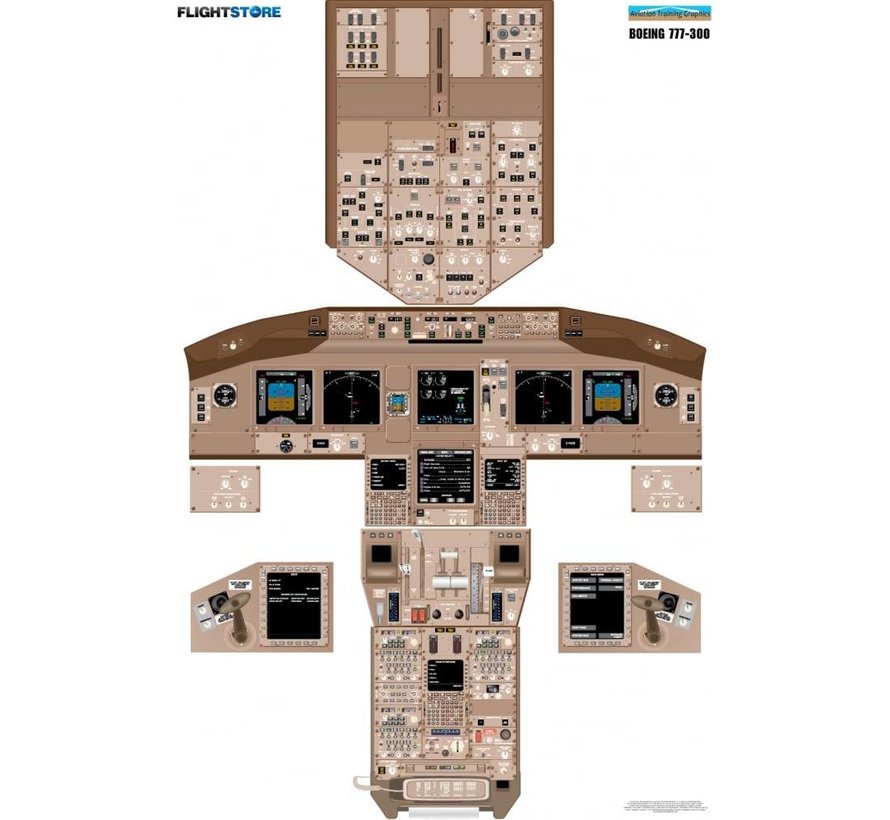
    They were right (before Billy even) and now the
    american makers are sliding over to much lighter
    beige-like colors as well:

    https://cdn.shoplightspeed.com/shops/603831/files/10668254/890x820x2/aviation-training-graphics-cockpit-training-poster.jpg

    In research labs Tupolev's is being slightly passed
    by shades just a touch closer to very light John-Deere
    green.. no rocket science, ever since humans have
    slithered out of the oceans the human eye will tire
    of sea blue before grass green.

    https://www.gannett-cdn.com/presto/2022/05/10/PDEM/6b3dc539-e6d4-4ed4-bf90-08149e06db5a-280162524_7477863915588659_4375377387365353225_n.jpg?crop=1637,921,x0,y921&width=1600&height=800&format=pjpg&auto=webp


    I selected as many of your specs as newegg.com could match (no filter on multiple SSD/HDD), and got 0 (zero) results even when trying their
    advanced search filters (and LOTS of checkmarks to select your spec, or high). Somebody might have exactly what you specified, or nobody does
    and your specs are a pipe dream. Seems you want in a laptop format what
    can be got in a desktop build.

    I was in my twenties when I once entered a shoe store
    in the days when them very pointed shoes were the fad.
    After a minute I told the guy that seeing that I could
    not change the shape of my foot what I really wanted
    was a shoe that looks like "it". That was a paradigm-forming
    moment for me. I couldn't care less where manufacturers
    want to steer the market, if I don't find what "I" want
    I don't buy. Life is simple when you want it to be simple :-)

    Speaking of which, it's now 3 days with no laptop, I
    don't miss it on bit and I might just not replace it at all.


    --
    If DIY were a religion, hmmm ...I just made it one.

    --- SoupGate-Win32 v1.05
    * Origin: fsxNet Usenet Gateway (21:1/5)
  • From VanguardLH@21:1/5 to bad sector on Sun Jun 26 20:33:21 2022
    bad sector wrote:

    About the least eye-stressing backgrounds, ahemmm, I HATE to say this,
    but *Bill Gates WAS (almost) right* on the money with his
    windows-green :-)

    Don't think that was his choice, just the only available phosphor color
    for a monochrome CRT. When amber phosphor came out, oooh, it was so
    much easier to read. Just don't turn up the brightness too high on
    either, or there's be a lot of blooming. Green has a burn-in problem.
    Amber could be turned up on brightness without burn-in. Man, I'm old.

    Bill sold Seattle DOS to IBM as MS-DOS, and used existing parts to build
    a PC. There were computers before the Age of Gates.

    Tupolev spent a LOT of effort to come up with what
    THEY insisted was the best:

    https://i.pinimg.com/originals/dd/c7/e7/ddc7e797e50dfab4a9660bc585c6dd5a.jpg

    That teal colored panel is very distracting, and why a non-black laptop
    case would be, too. Your Boing pic makes the console better disappear
    with its dark gray color. I prefer black, but not glossy black (I don't
    want to see reflections).

    the lighting sometimes makes them look more 'inkish':

    https://ctl.s6img.com/society6/img/9tlWo27iuyU3BX6F0X7xdeBcopo/w_1500/bags/medium/close/~artwork,fw_3500,fh_3500,fx_-879,iw_5258,ih_3500/s6-original-art-uploads/society6/uploads/misc/3f57e92bbb8641479236eb1f04e5f6dd/~~/tupolev-tu-154-cockpit-bags.jpg

    Maybe a color-blind person chose the panel color.

    They were right (before Billy even) and now the
    american makers are sliding over to much lighter
    beige-like colors as well:

    https://cdn.shoplightspeed.com/shops/603831/files/10668254/890x820x2/aviation-training-graphics-cockpit-training-poster.jpg

    Or to differentiate themself from a competitor, or maximize visibility
    of printing on the panel in low-light.

    In research labs Tupolev's is being slightly passed
    by shades just a touch closer to very light John-Deere
    green.. no rocket science, ever since humans have
    slithered out of the oceans the human eye will tire
    of sea blue before grass green.

    https://www.gannett-cdn.com/presto/2022/05/10/PDEM/6b3dc539-e6d4-4ed4-bf90-08149e06db5a-280162524_7477863915588659_4375377387365353225_n.jpg?crop=1637,921,x0,y921&width=1600&height=800&format=pjpg&auto=webp

    Humans (not primordials) have 10 times as many green receptors than red.
    That's why I use a green laser sight on my home defense handguns. Red disappears faster in daylight than green. Both are equal in low-light
    or dark, like when an intruder breaks into your home at night. Green
    LEDs consume more power than red LEDs, and why red laser sights are
    cheaper than green laser sights (but recent LED development has lowered
    the power consumption of green to be comparable to red).

    I selected as many of your specs as newegg.com could match (no filter on
    multiple SSD/HDD), and got 0 (zero) results even when trying their
    advanced search filters (and LOTS of checkmarks to select your spec, or
    high). Somebody might have exactly what you specified, or nobody does
    and your specs are a pipe dream. Seems you want in a laptop format what
    can be got in a desktop build.

    I was in my twenties when I once entered a shoe store
    in the days when them very pointed shoes were the fad.

    A long time ago, there were no left and right shoes. A shoe fit on
    either foot. Wasn't until 1818 when someone in Philadelphia realized
    the outside arch of the foot is different from left to right, and
    created left and right side shoes.

    Speaking of which, it's now 3 days with no laptop, I don't miss it on
    bit and I might just not replace it at all.

    Keep it. Mine was a savior when my desktop got fried by a lightning
    strike to the house (which took out a lot of other stuff). Took a
    couple weeks to find, order, ship, and build a new desktop. However, I couldn't stand the keyboard, touchpad, and monitor on the laptop, so I
    used my then-unusable desktop keyboard, mouse, and monitor. Kept me
    working until my sole desktop got replaced. This was before the age of smartphones and tablets of which I have a each.

    --- SoupGate-Win32 v1.05
    * Origin: fsxNet Usenet Gateway (21:1/5)
  • From bad sector@21:1/5 to VanguardLH on Sun Jun 26 22:16:22 2022
    On 6/26/22 21:33, VanguardLH wrote:
    bad sector wrote:

    About the least eye-stressing backgrounds, ahemmm, I HATE to say this,
    but *Bill Gates WAS (almost) right* on the money with his
    windows-green :-)

    Don't think that was his choice, just the only available phosphor color
    for a monochrome CRT. When amber phosphor came out, oooh, it was so
    much easier to read. Just don't turn up the brightness too high on
    either, or there's be a lot of blooming. Green has a burn-in problem.
    Amber could be turned up on brightness without burn-in. Man, I'm old.

    Windows 95 came on color computers, forget what my Amiga had
    but it wasn't green.

    Bill sold Seattle DOS to IBM as MS-DOS, and used existing parts to build
    a PC. There were computers before the Age of Gates.

    My first 3 were a Vic20, then a C64 and then Apple-II.

    Tupolev spent a LOT of effort to come up with what
    THEY insisted was the best:

    https://i.pinimg.com/originals/dd/c7/e7/ddc7e797e50dfab4a9660bc585c6dd5a.jpg

    That teal colored panel is very distracting, and why a non-black laptop
    case would be, too. Your Boing pic makes the console better disappear
    with its dark gray color.

    The laptop monitors have so little border now that
    even I wouldn't notice it being black, what I'm talking
    about is a laptop or desktop keyboard and its immediate
    surroundings. I've got no use for backlit stuff seeing
    that I'm never in that level of dark environment. The
    linked greenish panel colors would be equivalent computer
    backgrounds or wallpapers. For MY eyes grass green IS
    the least tiring of all.

    the lighting sometimes makes them look more 'inkish':

    https://ctl.s6img.com/society6/img/9tlWo27iuyU3BX6F0X7xdeBcopo/w_1500/bags/medium/close/~artwork,fw_3500,fh_3500,fx_-879,iw_5258,ih_3500/s6-original-art-uploads/society6/uploads/misc/3f57e92bbb8641479236eb1f04e5f6dd/~~/tupolev-tu-154-cockpit-bags.jpg

    Maybe a color-blind person chose the panel color.

    They were right (before Billy even) and now the
    american makers are sliding over to much lighter
    beige-like colors as well:

    https://cdn.shoplightspeed.com/shops/603831/files/10668254/890x820x2/aviation-training-graphics-cockpit-training-poster.jpg

    Or to differentiate themself from a competitor, or maximize visibility
    of printing on the panel in low-light.

    No, the actual airplane panel colors have been made
    much lighter because they couldn't fight scientific
    evidence anymore. As you notice most gauges have black
    backgrounds so having them on a dark panel makes it
    much harder to identify and locate any one of them.
    This alone calls for a light background, the argument
    then narrows down to which color light and that's where
    eye fatigue comes in favoring greens.


    I was in my twenties when I once entered a shoe store
    in the days when them very pointed shoes were the fad.

    A long time ago, there were no left and right shoes. A shoe fit on
    either foot. Wasn't until 1818 when someone in Philadelphia realized
    the outside arch of the foot is different from left to right, and
    created left and right side shoes.

    Hehe, reminds me of a WW-I military truck the local
    blacksmith had to do some repairs on. He pointed
    out to me the tire tread, it's exactly symmetrical
    so trackers couldn't tel which way it was going :-)

    --- SoupGate-Win32 v1.05
    * Origin: fsxNet Usenet Gateway (21:1/5)
  • From VanguardLH@21:1/5 to bad sector on Sun Jun 26 22:08:07 2022
    bad sector wrote:

    I've got no use for backlit stuff seeing that I'm never in that level
    of dark environment.

    I've not had a laptop or netbook with backlit keys. That's a popular
    thing now that is prevalent in new[er] pre-builts? Just more fluff they
    can add to maintain pricing. When the VCRs saturated the market (those
    that didn't have one weren't going to buy one, and those that had one
    weren't buying another until replacing the current one which is a
    trickle market), they started adding tons of features. The basics
    didn't change, just the added fluff.

    For laptops with backlit keys, the backlighting can't be disabled? The
    mobo for my latest desktop PC build had lots of fluff lighting. I
    didn't need a pulsating glow-in-the-dark PC. In fact, I play some
    stealth games in the dark, and that LED lighting would make it overly
    lit in the room. There was an option in the UEFI to disable the LED
    lighting (they had a fancy word for that fluff). I had a wired Logitech
    mouse that was lit when powered. More lighting fluff. No switch on the
    mouse to turn it off. I had to download Logitech's ancilliary software
    which could program the mouse, like turn off the lighting.

    As an example, I looked at the manual for ASUS ZenBook Duo 14 UX482, and
    it has an Fn+F7 combo key for keyboard backlight brightness level. I
    suspect the brightness can be adjusted from off to full.

    I'd be pissed if I ended up with a build where I could not disable all
    the lighting fluff. If the mobo's UEFI didn't have a setting, or there
    wasn't some means to disable the lighting, I'd get out my nippers. Same
    for the mouse and keyboard. I don't want my computer or peripherals
    looking like they were designed for use in a nightclub.

    Hehe, reminds me of a WW-I military truck the local blacksmith had to
    do some repairs on. He pointed out to me the tire tread, it's exactly symmetrical so trackers couldn't tel which way it was going :-)

    Tread? We ain't got no tread. We don't need no tread. I don't have to
    show you any stinkin' tread.
    (https://youtu.be/4OcM23Hbs5U?t=19)

    --- SoupGate-Win32 v1.05
    * Origin: fsxNet Usenet Gateway (21:1/5)
  • From bad sector@21:1/5 to VanguardLH on Mon Jun 27 22:37:18 2022
    On 6/26/22 23:08, VanguardLH wrote:
    bad sector wrote:

    I've got no use for backlit stuff seeing that I'm never in that level
    of dark environment.

    I've not had a laptop or netbook with backlit keys. That's a popular
    thing now that is prevalent in new[er] pre-builts? Just more fluff they
    can add to maintain pricing. When the VCRs saturated the market (those
    that didn't have one weren't going to buy one, and those that had one
    weren't buying another until replacing the current one which is a
    trickle market), they started adding tons of features. The basics
    didn't change, just the added fluff.

    For laptops with backlit keys, the backlighting can't be disabled?
    On the Asus G73 it could be disabled but the keycaps
    are black and the lettering is thin translucent grey
    for the lighting. Switch it off and you got one huge
    fubar.

    --- SoupGate-Win32 v1.05
    * Origin: fsxNet Usenet Gateway (21:1/5)
  • From David W. Hodgins@21:1/5 to bad sector on Mon Jun 27 23:27:00 2022
    On Mon, 27 Jun 2022 22:37:18 -0400, bad sector <forgetski@postit_invalid_.gov> wrote:
    For laptops with backlit keys, the backlighting can't be disabled?
    On the Asus G73 it could be disabled but the keycaps
    are black and the lettering is thin translucent grey
    for the lighting. Switch it off and you got one huge
    fubar.

    I have an asus tuf gaming a15. It's back lighting is controlled using Fn+cursor up
    or Fn+cursor down. Using the Fn+cursor down reduces and then turns off the back lighting.

    The back lighting is under the keys which have normal white lettering on them. I find the back lighting an annoying distraction, so leave it turned off. No idea why anyone might actually want it.

    Regards, Dave Hodgins

    --- SoupGate-Win32 v1.05
    * Origin: fsxNet Usenet Gateway (21:1/5)
  • From bad sector@21:1/5 to David W. Hodgins on Wed Jun 29 22:04:00 2022
    On 6/27/22 23:27, David W. Hodgins wrote:
    On Mon, 27 Jun 2022 22:37:18 -0400, bad sector <forgetski@postit_invalid_.gov> wrote:
    For laptops with backlit keys, the backlighting can't be disabled?
    On the Asus G73 it could be disabled but the keycaps
    are black and the lettering is thin translucent grey
    for the lighting. Switch it off and you got one huge
    fubar.

    I have an asus tuf gaming a15. It's back lighting is controlled using Fn+cursor up
    or Fn+cursor down. Using the Fn+cursor down reduces and then turns off the back
    lighting.

    The back lighting is under the keys which have normal white lettering on them.
    I find the back lighting an annoying distraction, so leave it turned off. No idea why anyone might actually want it.

    Regards, Dave Hodgins


    Like VanguardLH said, freakin' useless eye candy!
    I replaced mine with an all white UNLIT one the
    first time it packed up.

    Speakin of keyboards I treated my desktop to a gaming
    DURGOD which is superb EXCEPT for one thing, it's nearly
    impossibpe to hit BIOS setup by holding down the damm
    'Del' key (mobo is Asus Crosshair-IV). I thought once
    that the issue had been cleared by using either usb2
    or usb3 (forget which) but it hadn't!

    Note the reasonably sized not bold but black lettering: https://www.walmart.ca/en/ip/Durgod-Taurus-K320-TKL-Mechanical-Gaming-Keyboard-87-Keys-Double-Shot-PBT-NKRO-USB-Type-C-Cherry-Brown-White/PRD167HZI551NR9


    Note the idiotic minuscule AND grey lettering:

    https://www.newegg.ca/g-skill-gk-w0wc4-km360-h10na-usb-wired/p/N82E16823828021?item=N82E16823828021&source=region&nm_mc=knc-googleadwordsca-pc&cm_mmc=knc-googleadwordsca-pc-_-pla-_-gaming+keyboard-_-N82E16823828021&id1=12404347913&id2=121069163951&id3=&
    id4=&id5=pla-1039772924581&id6=&id7=9047856&id8=&id9=g&id10=c&id11=&id12=EAIaIQobChMImN3LpYnU-AIVNG1vBB17EQZNEAQYBSABEgKqhvD_BwE&id13=&id14=Y&id15=&id16=500433304073&id17=&id18=&id19=&id20=&id21=pla&id22=102503995&id23=online&id24=N82E16823828021&id25=CA&
    id26=1039772924581&id27=Y&id28=&id29=&id30=18093511684610302559&id31=en&id32=&id33=&id34=&gclid=EAIaIQobChMImN3LpYnU-AIVNG1vBB17EQZNEAQYBSABEgKqhvD_BwE

    --- SoupGate-Win32 v1.05
    * Origin: fsxNet Usenet Gateway (21:1/5)
  • From VanguardLH@21:1/5 to bad sector on Wed Jun 29 22:11:36 2022
    bad sector wrote:

    Speakin of keyboards I treated my desktop to a gaming
    DURGOD which is superb EXCEPT for one thing, it's nearly
    impossibpe to hit BIOS setup by holding down the damm
    'Del' key (mobo is Asus Crosshair-IV).

    Had to lookup "DURGOD". Okay, a brand/model of keyboard.

    Did you disable Fast Startup in Windows? That makes it very difficult
    to hit the hotkey after POST to get into the BIOS.

    Is the keyboard connected to a USB port (uses polling), or to a PS/2
    port (interrupt driven)? Gamers still like PS/2 keyboards for a couple reasons. One, polling on USB can result in missing a poll, so the
    keypress get delayed. Two, PS/2 keyboards support a larger N-rollover
    (more keys can be concurrently pressed AND recognized).

    --- SoupGate-Win32 v1.05
    * Origin: fsxNet Usenet Gateway (21:1/5)
  • From bad sector@21:1/5 to VanguardLH on Fri Jul 1 21:23:24 2022
    On 6/29/22 23:11, VanguardLH wrote:
    bad sector wrote:

    Speakin of keyboards I treated my desktop to a gaming
    DURGOD which is superb EXCEPT for one thing, it's nearly
    impossibpe to hit BIOS setup by holding down the damm
    'Del' key (mobo is Asus Crosshair-IV).

    Had to lookup "DURGOD". Okay, a brand/model of keyboard.

    Did you disable Fast Startup in Windows? That makes it very difficult
    to hit the hotkey after POST to get into the BIOS.

    Is the keyboard connected to a USB port (uses polling), or to a PS/2
    port (interrupt driven)? Gamers still like PS/2 keyboards for a couple reasons. One, polling on USB can result in missing a poll, so the
    keypress get delayed. Two, PS/2 keyboards support a larger N-rollover
    (more keys can be concurrently pressed AND recognized).

    Haven't used windows since my tripple-booting days when IBM's boot-mangler would start Warp, Windows, or Linux for me. Now I'm into quinto-booting, five OS'es, ALL of them Linux :-)

    The DURGOD has 'a weight' so it don't get knocked around every time a fly farts next to it. The mechanical keys remind me of the IBM clackers which could have been surpassed but never were. This thing is not bad, certainly is not too big, about half the
    footprint of a clacker. Yes, it's connected to a USB port, I was going to see if they made PS/2 but apparently even PS/2 circuits nowadays are just virtual as they get piped into the mobo's USB route in any event. My Asus Crosshair-V-Formula does have
    real PS/2 ports but it may have been among the last ones to sport them. I don't know, I'm no guru, it's what I heard not too long ago from one of the regulars here I believe.

    My only problem with it is this Del-for-BIOS inability (1 out of 20 on everage makes it), I wish someone could tell me what's going on here (I'm keeping a $15 generic keyboard on stby just for BIOS setups).

    --- SoupGate-Win32 v1.05
    * Origin: fsxNet Usenet Gateway (21:1/5)
  • From bad sector@21:1/5 to bad sector on Sat Aug 6 20:18:28 2022
    On 6/24/22 19:23, bad sector wrote:

    Computer Acquisition Syndrom

    My trusty old Asus g73 has finally given up the ghost, it was a VERY capable laptop but I hated every minute of its 10+ year reign. Now I'm free, looking for what could be described as a DIY'ers choice award candidate:

    Nothing black
    prefer rugged, not essential
    large black letters on non-wearing light keycaps
    easy to change keyboard
    NO backlit nothing
    NO slim-slim, special-tools, eyecandy
    dual ssd bays for easy removal
    4 usb, 1 card, 1 hdmi, 1 eSata, etc. ports
    16+ GB non-soldered RAM
    i7 or better/equivalent AMD or Apple cpu
    no nvidia drivers
    reliable easy to change mini audio jacks
    12"-13" screen 1920x1080 or 1920x1200
    12+ hour battery
    Nothing microsoft

    I'll think of a few others..


    The attack has been managed; why not just forget
    about laptops altogether? The old g73 is gone into
    the recycling bin and I'm still alive. But my cell
    phone died too so I tought I might buy be a smart
    phone but I managed that attack as well. I haven't
    had a cell phone for weeks and I'm still alive. So
    maybe I'll just buy me a mig welder with which I
    can do real things in the real world.

    --- SoupGate-Win32 v1.05
    * Origin: fsxNet Usenet Gateway (21:1/5)